
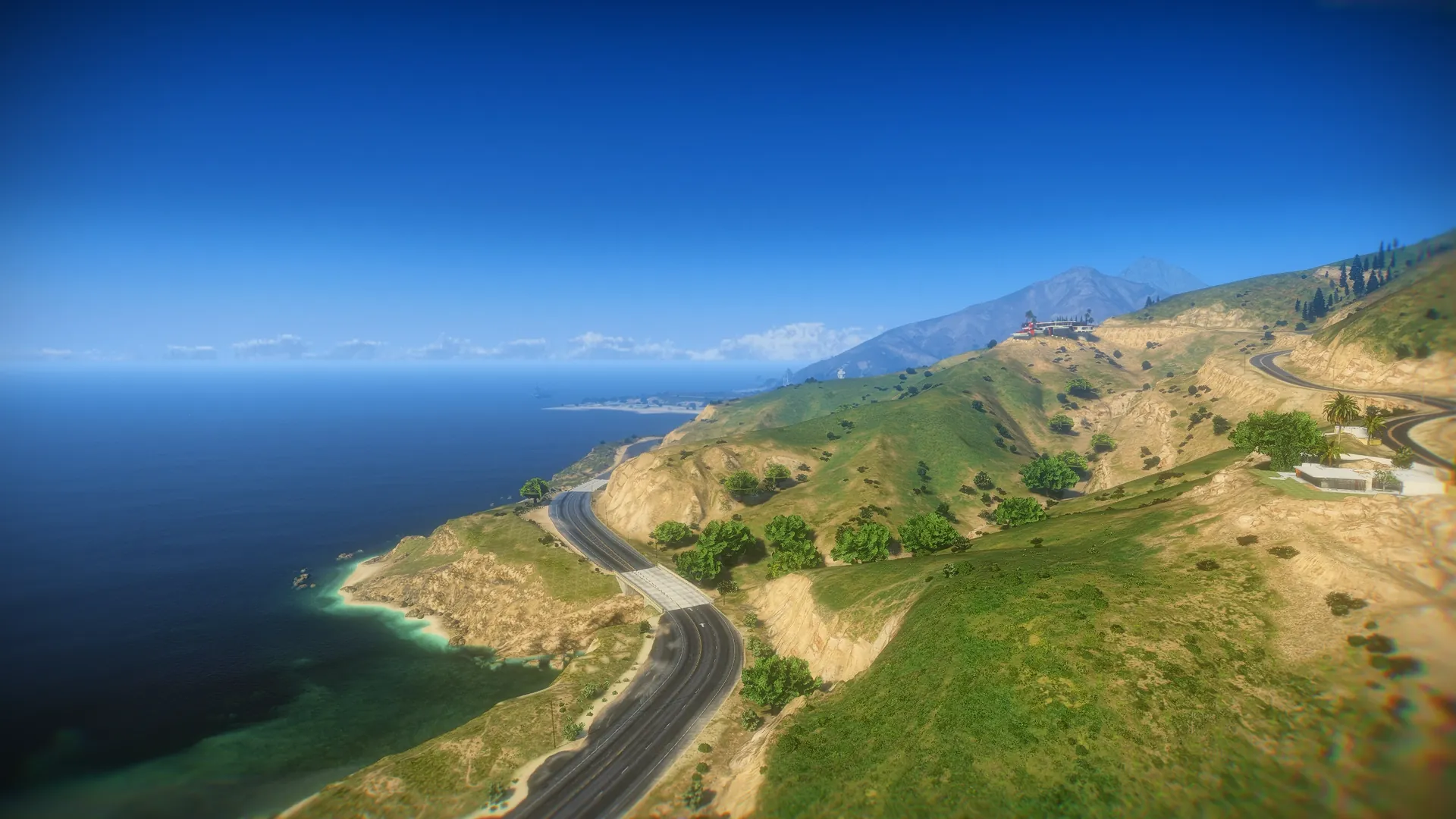
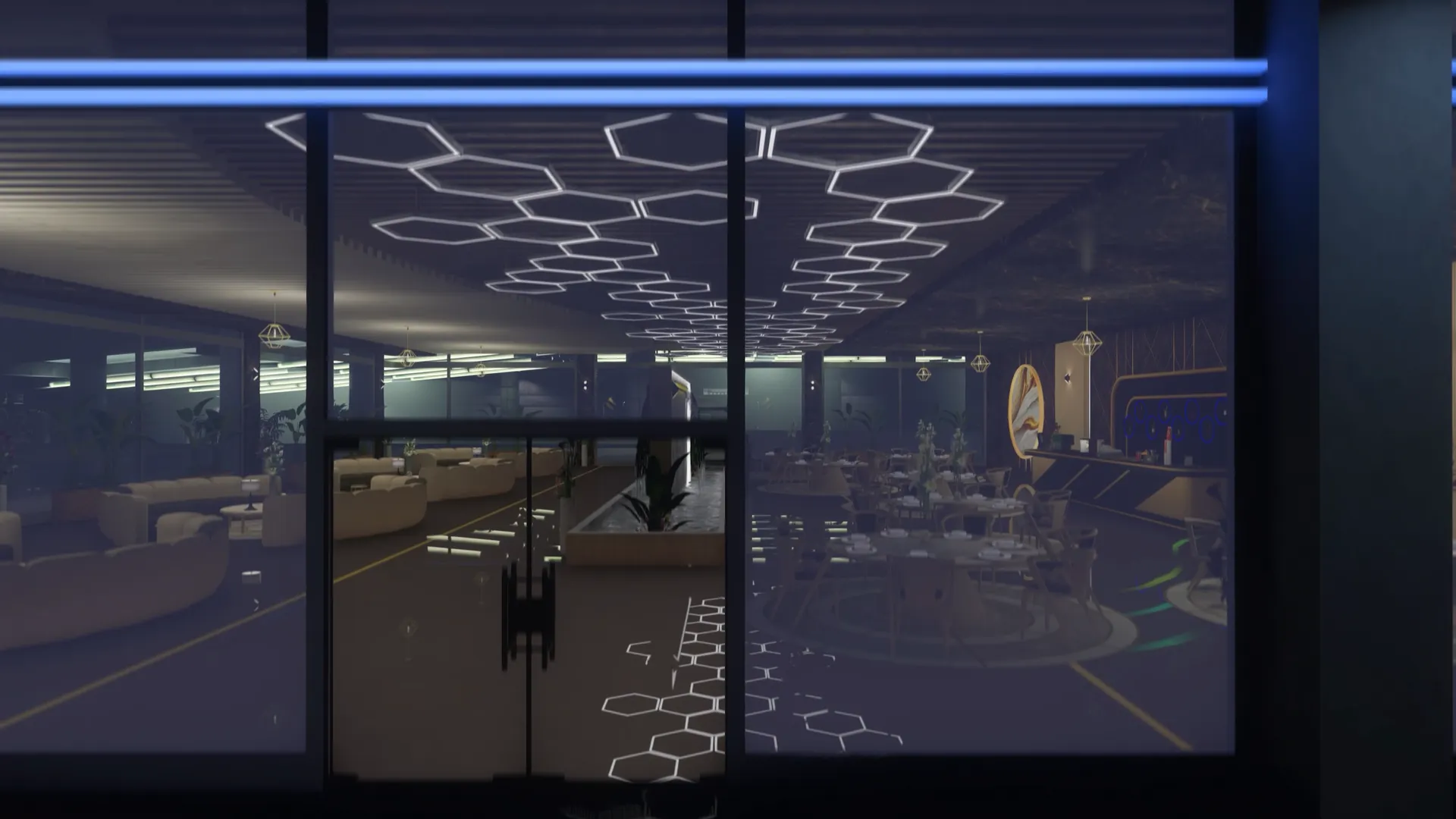

The Park at a Glance#
The whole park stands on Del Perro Pier, marked by one Theme Park blip on the map. It has six rides, two games with prizes, food and souvenir stands with their own vendors, and a ticket booth. Every ride and game is run by the server: a seat taken by one player is taken for everyone, and the countdown a player reads at the station is the same one their friends read.
Attraction | Seats | How it runs | Keys |
|---|---|---|---|
Ferris wheel | 16 cabins, one rider each | Always turning; brakes for a cabin when someone gets on or off. | G camera |
Roller coaster | 4 cars, 8 seats | Leaves the station every time its countdown runs out. | Space arms up · G camera |
Drop tower | 16, four per side | A cycle of climbs and free falls, every countdown. | Space arms up · G camera |
Sky drop | 12, in a row | Three full climbs to the top and three drops. | Space arms up · G camera |
Flying swings | 12, in a circle | Spins up, gives its turns and slows down, with lights that turn with it. | Space arms up · G camera |
Bumper cars | 4 cars | A round starts when the first driver gets in. The server counts the hits and names a winner. | W A S D drive · F get out |
Darts | 6 targets, one player each | A game of three darts (by default) scored like a real dartboard, with prizes. | Mouse aim · hold Left click to throw · Backspace leave |
Hoops (basketball machine) | 3 lanes, one player each | A timed round: sink as many baskets as you can before the buzzer, with prizes. | Mouse aim · hold Left click to shoot · Backspace leave |
Around the rides, vendors stand at the park's own stalls: food at the six hot dog carts and four burger stands, souvenirs at the nine "Gifts at the Pier" kiosks. A ticket booth near the bumper cars sells ride tickets and the day pass, and only opens when one of them is on sale.
The Ferris wheel and the roller coaster replace the ones of the GTA map: the game's own wheel and coaster cars are hidden around the pier so the park's rides are the only ones you see.
Getting On a Ride#
Every ride boards the same way: walk up to it, read the card, press the board key (E by default) and get on from the ride panel. When you get on, the server checks in one go that you are close enough, that the ride still takes riders, that a seat is free and that you can pay. Only then is the seat yours and the ride paid.
The prompt card#
Walk up to a ride and a card appears at the bottom of the screen with the ride's name, its status, the countdown to the next departure, the seats taken, what the ride will cost you and [E] Ride info. The darts targets and the hoops lanes show the same card (Play darts, Play hoops). When two of them are in reach, only the closest one shows its card, so prompts never stack.
Status | Means |
|---|---|
Boarding | The ride takes riders right now. |
Departing | Boarding has closed: the ride leaves in a few seconds. |
Full | Every seat is taken. |
In queue | You are in the line of the Ferris wheel. |
In progress | The ride is running. Wait for the next one. |
Closed | The ride is switched off in the settings. |
The ride panel#
Press E at the card and the ride panel opens. It shows what the ride is like (its duration, and the laps, turns or seats it has), the live countdown and seats taken, and everything you need to get on:
Price — what the ride costs and how you will pay for it. A ride is always paid in this order: an active day pass first, then one ride ticket, then money.
Day pass — when the pass is on sale, a box with its length and a Buy button, so a player can buy it right there. With a pass running, the box says until when it is active.
Queue — on the Ferris wheel, how many players wait and your place in the line (You are #2 of 3).
Pick your seat — on the roller coaster, the seat picker (see Roller Coaster).
The main button — Get on, Take seat 3, Join queue, Leave queue, Wait for the next ride or Closed right now, depending on the ride. A player who cannot pay sees it greyed out with You cannot pay for this ride.
How you pay | The panel shows | When |
|---|---|---|
Free | Free — This ride costs nothing | The ride's price is 0. |
Day pass | Included — Covered by your day pass | The player has an active day pass. |
Ticket | 1 ticket — You have 4 | Ride tickets are on and the player carries the ticket item. |
Money | $400 — Paid from Cash | Anything else. Cash or bank, as set in Settings → Money. |
The panel closes on its own when you walk away, get on, die or the ride closes. A refusal (a seat somebody just took, a train that already left) shows in the panel for a few seconds.
On the ride#
While you ride, a small HUD card replaces the panel: Starting soon with the seconds before departure, Enjoy the ride with the time left, then Ride ending. The Ferris wheel shows the lap you are on, the bumper cars show the live scoreboard, and every ride lists the keys you can use on board.
One ride at a time. A player already on a ride cannot board another.
The ride lets you off. Except for the bumper cars, nobody gets off halfway: when the ride ends, the riders are walked off at the exit.
Disconnecting frees the seat at once.
Leaving the queue#
Only the Ferris wheel has a queue: it boards one cabin at a time, so players line up. To leave the line, press E at the card (it says In queue) and press Leave queue in the panel. Walking away from the platform (about 8 m) also takes you out of the line, and so does staying out of reach of it for two minutes.
Boarding cut-offs#
Rides that leave on a countdown stop taking riders a few seconds before they go, so nobody is caught boarding as the ride starts:
Ride | Default wait | Boarding closes |
|---|---|---|
Roller coaster | 30 s | 8 s before departure |
Drop tower · Sky drop · Flying swings | 25 s | 6 s before departure |
Bumper cars | 15 s | 2 s before the round |
Set a wait shorter than its cut-off and the ride still keeps one second to get on.
The classic interface#
Prefer the look of earlier versions? Set Settings → General → Interface style to Classic. The rides then use the GTA help text — Press E to get on the wheel — with the countdown on screen, or the qs-textui prompt when qs-textui is started, and the on-board keys as GTA instructional buttons. The key boards straight away, without a panel, and the payment order is the same. On the roller coaster you stand at one of its eight boarding points, one per seat, and press the key there. Darts and hoops draw their texts on screen instead of their panels.
The stands, the ticket booth and the settings panel look the same in both styles.
Cameras and Arms Up#
On board, G cycles through the views of the ride and Space raises or lowers your arms where the ride has a lap bar or a seat to hold.
Ride | G cycles through | Space |
|---|---|---|
Ferris wheel | Scenic shot of the wheel → First person → Front | — |
Roller coaster | Game camera → First person → Front | Arms up / down |
Drop tower · Sky drop · Flying swings | Scenic shot of the tower → First person → Front | Arms up / down |
Bumper cars | — (the normal game camera) | — |
Front puts the camera in front of the rider, looking back at them: the view for screenshots and screams.
First person looks around with the mouse.
When the ride ends, the camera goes back to normal on its own.
Ferris Wheel#
Sixteen cabins on a wheel that turns one lap every 57.6 seconds. It does not wait for riders: when somebody is in line at the platform, the wheel brakes for the next cabin, lets off whoever has finished, puts the first player of the queue in, and speeds up again.
Pressing Get on puts you in the line; with every cabin taken the button says Join queue and you wait for the next cabin a rider leaves. The price is charged when you actually step into the cabin.
Each cabin holds one rider.
A ride lasts the laps set in Settings → Ferris wheel, from 1 to 5. A change counts at once, for riders already on board as well. The panel shows the laps and how long the ride takes.
The wheel plays the game's fairground sound to anyone near the platform.
Switched off in the settings, the wheel lets every rider off at the platform (at most one more lap) and then stops.
Roller Coaster#
A train of four cars with two seats each waits at the station. The ride panel has a seat picker: the front car and cars 2 to 4, each seat marked Free, Taken or You. Click a free seat and the button becomes Take seat 3; pick none and you get the free seat closest to you. Your character walks to the seat and sits down.
When the countdown ends the bar locks and the train leaves — with or without riders — runs the track with real speed, climbs and drops, and brakes back into the station, where the riders are walked off to the exit side of the platform. Then the next countdown begins. Players who arrive after boarding closed are told to wait for the next run.
The Towers#
Three rides that work the same way: a countdown at the foot of the ride, a free seat given to whoever gets on, and a ride that starts when the countdown runs out, with or without riders. The panel shows how long the ride lasts.
Tower | Seats | The ride |
|---|---|---|
Drop tower | 16, four per side | A warm-up hop, then five climbs to different heights — the highest to the very top — each held for a moment before a free fall and a hard brake. |
Sky drop | 12, in a row | Three slow climbs to the top, each followed by a drop to the ground. |
Flying swings | 12, in a circle | Speeds up over 13 seconds, gives its turns (7 by default) and slows down over 12. Sixteen colour lights hang from the top and spin with the seats. |
The turns of the swing ride are set in Settings → Towers from 0 (the seats stay still) to 50, and a change applies from the next ride.
Bumper Cars#
Four cars wait in the arena next to their ticket booth. Walk up to the arena, press E at the card and Get on: you take the free car closest to you.
The first driver gets in
While the arena is empty the cars wait — The round starts as soon as someone gets in. The first driver starts a short wait (15 s by default) for others to join.
The round
Drive with W / S and steer with A / D. The lights around the arena go to full power. Speed, collisions and bounces are worked out by the server, so every hit lands the same for all players. The HUD shows the time left and the scoreboard. The round lasts 120 s by default.
The end
The scoreboard shows every driver's hits and the Round winner (You won the round! for the winner), and every driver gets a notification with the result. Then the drivers are put out of their cars and the cars roll back to their places. F gets you out early; when the last driver leaves, the round ends.
Hits and the winner#
A crash counts as a hit when the two cars close in at a real speed — grazing and pushing do not count.
The hit goes to the car that drove harder into the other one, and only when both cars have a driver, so a parked car is no free point.
The same two cars score again only after a second and a half: one crash counts once.
The driver with the most hits wins. A tie for first place, or a round where nobody landed a hit, has no winner.
Darts#
The darts are a skill game with prizes. The park's six targets come with sql/database.sql, already placed on the dartboards of the park. Each target has a throwing spot on the floor in front of it: a yellow circle while it is free, red while someone else plays there.
Playing a game#
Step into the circle
The card shows Darts with the price and [E] Play darts.
Open the darts panel
Press E. The panel shows the price and the account it is paid from, the darts in a game, how the game works, the prizes for each score, the leaderboard and your best score. It also says when the target is in use or when you have to wait before you can play again.
Play
Press Play for $150. The game is paid and the camera moves behind your shoulder.
Key | Does |
|---|---|
Mouse | Aim. The aim sways slightly, more while you charge. |
Hold Left click | Charge the throw. The power bar fills while you hold. |
Release | Throw. Every player near the booth sees the dart fly and stick. |
Backspace | Leave the game. |
Power decides where the dart goes. Let go inside the green band of the power bar (around 76%) and it flies straight where you aim; further from it the dart strays, and under about 34% it drops short. Every throw also carries a little scatter, so the bull is never guaranteed. During the game the HUD shows the dart you are on (Dart 2 of 3), your score and the next prize to reach; each dart pops its score — T20 60 PTS, MISS. At the end a result card says You won! with the prize, or So close! with the score you needed, and marks a New best.
Scoring#
Targets score like a regulation dartboard, scaled to the size of the target:
Hit | Points |
|---|---|
Bull (inner) | 50 |
Outer bull | 25 |
Triple ring | 3 × the sector (up to 60 on T20) |
Double ring | 2 × the sector |
Single | The sector's number, 1 to 20 |
Outside the double ring | 0 — a miss |
The score is worked out by the server from the aim and the power the player threw with, never taken from the player's game, so it cannot be faked. With three darts the best possible game is 180.
Prizes#
Prizes come from score tiers. When a game ends, the player gets the highest tier their total reaches; below the lowest tier they win nothing. A fresh install pays money:
Min. score | Prize |
|---|---|
60 | $50 – $150 cash |
100 | $150 – $400 cash |
140 | $400 – $800 cash |
The tiers are edited at the bottom of Settings → Darts, under Score rewards. A tier is a minimum score and one or more prizes; when it has several, one is drawn by weight and the editor shows each one's odds.
Prize field | Meaning |
|---|---|
Type | Money (1 to 10,000,000, to cash or bank) or Item (1 to 1,000 of an item, by its spawn name). |
Min / Max | The amount is drawn between the two. Equal values pay a fixed amount. |
Weight | How likely this prize is against the others of its tier. Any number above 0. |
Label | Optional. The name shown to the player instead of the amount or the item's name — a plush toy, a mystery box. |
Up to 32 tiers of 16 prizes each, one tier per score. Fields that break a rule are marked in red and the tiers cannot be saved until they are fixed. Restore default rewards brings back the three money tiers. With no tier at all, games still work but nobody can win.
Leaderboard#
The darts panel has a leaderboard with two tabs, Today and All time: the ten best players, one line per player with their best game, and Your best under it. Only a game played to the last dart counts. "Today" follows the server's clock.
Cooldowns and refunds#
Between games — 5 s by default before the same player can start another one.
Between prizes — 120 s by default. A player who just won cannot start a new game until it runs out, and the panel counts it down. It follows their license, so reconnecting does not clear it. 0 turns it off.
Leaving — Backspace, or walking out of the circle, ends the game without a refund.
Inactivity — a game with no throw for 60 seconds ends on its own.
Darts switched off mid-game — the game is cancelled and its price refunded.
Hoops (Basketball Machine)#
The pier's three-lane hoop-shot machine is playable. Its three lanes come with sql/database.sql. Each lane has a throwing spot on the floor, an orange circle while it is free and red while someone plays there.
Playing a round#
Step into the circle and the card shows Hoops with the price and [E] Play hoops. The panel shows the price ($200), the length of a round (45 s), the account it is paid from, the points of a basket, the prizes, the leaderboard and your best. Press Play for $200: the camera moves behind you, the HUD says Ready and the clock starts a moment later.
Key | Does |
|---|---|
Mouse | Aim left and right. |
Hold Left click | Charge the shot. Let go inside the green band of the power bar: too little falls short, too much bounces off the board. |
Release | Shoot. One ball at a time: the next one comes from the trough a moment after each shot. |
Backspace | Leave the game. |
A basket is worth 2 points, and 3 points in the last 10 seconds (the HUD marks the bonus time).
Every shot shows how it went: SWISH, SCORE, RIM or MISS. A ball that hits the iron may rattle in or out.
The server judges every shot and keeps the clock and the score, so a round cannot be faked.
At the buzzer the result card shows your points, the baskets you made out of your shots, your accuracy and the prize, if any.
Prizes, leaderboard and cooldowns#
Hoops pays from prize tiers of its own, edited at the bottom of Settings → Hoops under Prize tiers, with the same editor and rules as the darts. When the buzzer sounds, the highest tier the final score reaches pays one of its prizes. A fresh install pays money:
Min. score | Prize |
|---|---|
20 | $150 – $300 cash |
30 | $350 – $600 cash |
40 | $700 – $1,200 cash |
Only a round played to the buzzer wins a prize and counts on the leaderboard (Today and All time, ten best players). A player who leaves before the buzzer gets no prize and no refund.
Cooldown between rounds — 5 s. Prize cooldown — 120 s, by license, 0 turns it off.
Switching the machine off mid-round cancels the round and refunds it. An item prize that cannot be delivered is swapped or refunded exactly as in the darts.
Food and Souvenir Stands#
The park's stalls are staffed: a cook stands behind each of the six hot dog carts and four burger stands, and a shop assistant inside each of the nine "Gifts at the Pier" kiosks, facing out of the serving window. Every food stand sells the food menu and every kiosk the souvenir menu.
Buying#
Walk up to a vendor
Within 3 m, a label floats over their head: [E] Order food at Hot Dog Cart or Browse souvenirs at Gifts at the Pier. With qs-textui started it is qs-textui's 3D text with a key badge; without it, a plain GTA text. Only the closest vendor shows a label, and a stand with nothing on sale says it is closed.
Open the shop
Press E. The shop panel lists the menu: each item with its icon, name, description, price and what you get (+35% food, Eaten here, Goes to your inventory, Carried in your hands).
Order and pay
Click items to add them to Your order (up to 10 of each), check the Total and what is Left after paying, and press Pay. The panel closes if you walk away from the stand.
Default menus#
Food | Price | Restores |
|---|---|---|
Pier Dog | $45 | 35% hunger |
Boardwalk Burger | $65 | 50% hunger |
Salty Fries | $30 | 20% hunger |
eCola | $20 | 40% thirst |
Butter Popcorn | $25 | 15% hunger |
Cotton Candy | $25 | 10% hunger |
Soft Serve | $30 | 10% hunger, 15% thirst |
Souvenir | Price | Carried as |
|---|---|---|
Pier Pal · Coaster Cub · Ferris Friend | $120 | Plush toys 1 to 3 |
Sunset Snuggler · Lucky Buddy · Boardwalk Buddy | $150 | Plush toys 4 to 6 |
Seaside Sweetie | $180 | Plush toy 7 |
Grand Prize Pal | $220 | Plush toy 8 |
Giant Teddy | $400 | Giant teddy bear, hugged with both arms |
Pier Rose | $60 | Red rose |
Souvenir Camera | $250 | Camera, held up to the eye |
Eat here, carry or inventory item#
Each menu row has a mode that decides how it is handed over. The defaults need no inventory item at all.
Mode | Menu | What happens |
|---|---|---|
Eat here | Food | Eaten or drunk on the spot with an animation and a matching prop, and hunger and thirst are restored through your framework. Up to three items of an order are eaten on screen; the whole order counts for hunger and thirst. |
Carry | Souvenirs | The souvenir is held in the player's hands, seen by every player, until they put it away. |
Item | Both | Gives an inventory item (its name and amount set in the menu row). The stand checks the room first, and refunds an item it could not hand over. |
On a standalone server, food eaten here only plays the animation: there is no hunger or thirst to restore.
Carrying a souvenir#
A player carries one souvenir at a time: buying another one replaces it.
It is hidden while the player drives, rides or eats, and comes back afterwards. On death it is put away.
Put it away with J — the key binding Theme park: put the souvenir away, which every player can change in GTA Settings → Key Bindings → FiveM — with the command
/themeparkputaway, or with the Put away button of the souvenir shop. A notification reminds the player of the key when they buy one.
Tickets, Day Pass and the Ticket Booth#
Both are off on a fresh install: rides are paid with money. Turn them on in Settings → Tickets & day pass.
Ride tickets are an inventory item (
themepark_ticketby default): one ticket pays one ride, on any ride. Register the item in your inventory before you turn tickets on — see Installation.The day pass includes every ride, as many times as you like, for 120 minutes by default. The time is real time from the moment it is bought (time offline counts too); buying another one adds its time to the pass. Passes are saved per player, so they survive reconnects and restarts, and passes already sold keep working when the pass is taken off sale.
The ticket booth near the bumper cars sells both. It only opens (and its vendor only stands there) while the tickets or the pass are on sale. Its panel shows:
Day pass — its price, its length and Buy day pass, or until when your pass is active.
Ride tickets — the price of one, how many you have, One less / One more (up to 20 in one purchase) and Buy.
Ride prices — what each ride costs right now.
The day pass is also sold from the ride panel of every ride. Tickets and the pass are paid from the account set in Day pass and ticket account.
The Settings Panel#
/themeparkconfig opens the panel for staff with the command.themeparkconfig ace. The sections are listed on the left, each with the number of unsaved edits it holds, and a search box finds any field across all of them. Every field explains itself in the panel and shows its default.
Edits are marked Unsaved until you press Save, which shows how many changes it will save; Discard drops them.
A saved value is written to the database and applied to every player at once — the language, the blip, prices, waits, prizes, menus and stands. Only the Settings command is read when the resource starts: after saving it, the panel reminds you to restart the resource.
Rides and games switch on and off live. A ride switched off takes no new riders and stops once the riders on it are off; darts and hoops games in course are cancelled and refunded.
The prize tiers, the two menus and the stand list have editors of their own at the bottom of their section, with their own Save and Restore default buttons. The main Save saves them too.
Reset section puts one section back to the shipped values, its list included; Reset everything does it for the whole park. Both ask first, and cannot be undone.
General
Field | Default | What it does |
|---|---|---|
Language | English (en) | Every text of the park and the panels, from 41 languages. Missing translations fall back to English. |
Notification title | Theme Park | The sender shown on every notification. Up to 32 plain letters. |
Interface style | Interface | Interface: the park's own cards and panels. Classic: the GTA help text and on-screen text of earlier versions (see The classic interface). |
Map blip
Field | Default | What it does |
|---|---|---|
Show the park blip | On | One icon on the map for the whole park, in the middle of the pier. |
Blip name | Theme Park | The name in the map legend. Up to 48 plain letters. |
Blip icon | 266 | A GTA blip sprite id, 0 to 900. |
Blip colour | 47 | A GTA blip colour id, 0 to 85. |
Blip size | 0.8 | 0.3 to 2.0. 1 is the normal size. |
Money
Field | Default | What it does |
|---|---|---|
Ride price | 250 | What a ride costs when it has no price of its own (below). 0 makes those rides free. Up to 1,000,000. |
Ride payment account | Cash | Cash or Bank. |
Ferris wheel price | 250 | What a ride on the Ferris wheel costs. -1 uses the park ride price, 0 makes it free. |
Roller coaster price | 400 | The same, for the roller coaster. |
Drop tower price | 300 | The same, for the drop tower. |
Sky drop price | 350 | The same, for the sky drop. |
Swing ride price | 200 | The same, for the flying swings. |
Bumper cars price | 250 | The same, for the bumper cars. |
Keys
Board key — the key that opens a ride panel, starts a darts or hoops game and opens a stand. Default E. The choices are E, F, G, B, Y, Space and C. TAB, Z, R, X, H and 1–5 are left out on purpose: most inventories use them. The cards, labels and help texts always show the key you picked.
The keys on board are fixed: G changes the camera, Space raises the arms, F gets out of a bumper car.
Ferris wheel
Field | Default | What it does |
|---|---|---|
Ferris wheel enabled | On | Turns the wheel on or off, at once. |
Laps per ride | 1 | Full turns a rider stays on, 1 to 5. |
Roller coaster
Field | Default | What it does |
|---|---|---|
Roller coaster enabled | On | Turns the roller coaster on or off, at once. |
Boarding time | 30 | Seconds the train waits at the station, 5 to 600. |
Towers
Field | Default | What it does |
|---|---|---|
Drop tower enabled · Sky drop enabled · Swing ride enabled | On | One switch per tower, at once. |
Drop tower / Sky drop / Swing ride boarding time | 25 | Seconds each ride waits for riders, 5 to 600. |
Swing ride turns | 7 | Full turns in one ride, 0 to 50. From the next ride. |
Bumper cars
Field | Default | What it does |
|---|---|---|
Bumper cars enabled | On | Turns the bumper cars on or off, at once. |
Boarding time | 15 | Seconds the cars wait for more drivers after the first one, 5 to 600. |
Ride length | 120 | Seconds a round lasts, 10 to 1,800. |
Darts
Field | Default | What it does |
|---|---|---|
Darts enabled | On | Turns every dartboard on or off, at once. Games in course are cancelled and refunded. |
Darts per game | 3 | 1 to 10. Remember to scale the prize tiers with it. |
Game price | 150 | What a game costs. 0 makes it free. |
Darts payment account | Cash | Charged to, and refunded to, this account. |
Cooldown between games | 5 | Seconds, 0 to 600. |
Prize cooldown | 120 | Seconds before the same player can win again, 0 to 86,400. 0 turns it off. |
Score rewards | 3 money tiers | The prize tiers — see Prizes. |
Hoops
Field | Default | What it does |
|---|---|---|
Hoops enabled | On | Turns every lane of the basketball machine on or off, at once. |
Round price | 200 | What one round costs. 0 makes it free. |
Hoops payment account | Cash | Charged to, and refunded to, this account. |
Round length | 45 | Seconds a round lasts, 20 to 120. Baskets are worth more in the last 10 seconds. |
Cooldown between rounds | 5 | Seconds, 0 to 600. |
Prize cooldown | 120 | Seconds before the same player can win a hoops prize again, 0 to 86,400. 0 turns it off. |
Prize tiers | 3 money tiers | The prize tiers — see Prizes, leaderboard and cooldowns. |
Tickets & day pass
Field | Default | What it does |
|---|---|---|
Ride tickets | Off | A player who carries the ticket item uses one per ride instead of paying. Tickets are sold at the ticket booth. |
Ticket item |
| The inventory item used as a ride ticket (letters, numbers, _ and -). Register it in your inventory first. |
Ticket price | 250 | What one ride ticket costs at the booth, 1 to 1,000,000. |
Day pass on sale | Off | Lets players buy a day pass that includes every ride. Passes already sold keep working when it is off. |
Day pass price | 2,500 | What a day pass costs. 0 gives it away. |
Day pass length | 120 | Minutes a pass lasts, 5 to 1,440, in real time. Buying another one adds this time. |
Day pass and ticket account | Cash | The account the day pass and the ride tickets are paid from. |
Food stands
Field | Default | What it does |
|---|---|---|
Food stands open | On | Turns every food stand on or off. Their vendors leave the park while they are closed. |
Food vendor |
| Ped model of the food vendors (a stand can pick its own in the stand list). |
Food payment account | Cash | Cash or Bank. |
Show food stand blips | Off | One blip on the map for each food stand. |
Food stand blip icon | 106 | A GTA blip sprite id. |
Food menu — under the fields, the list every food stand sells (the seven items of Default menus on a fresh install). Each row has a name, an optional description, an icon, a price, an On sale switch and a mode: Eat here (with the hunger and thirst it restores, 0 to 100%) or Item (an item name and amount). Rows can be moved up and down, removed and added with Add food, up to 24. Save menu applies it to every player and Restore default menu brings back the shipped one.
Souvenirs
Field | Default | What it does |
|---|---|---|
Souvenir stands open | On | Turns every souvenir stand on or off. A souvenir already bought stays with its owner. |
Souvenir vendor |
| Ped model of the souvenir vendors (a stand can pick its own in the stand list). |
Souvenir payment account | Cash | Cash or Bank. |
Show souvenir stand blips | Off | One blip on the map for each souvenir stand. |
Souvenir stand blip icon | 52 | A GTA blip sprite id. |
Souvenir menu — the same editor for the souvenirs (eleven items on a fresh install), with Add souvenir. The modes are Carry, with what the player holds (plush toys 1 to 8, the giant teddy bear, a red rose or a camera), and Item.
Stands & booth
Field | Default | What it does |
|---|---|---|
Ticket booths open | On | Turns the ticket booths on or off. A booth sells what Tickets & day pass puts on sale, and stays empty while neither is. |
Ticket booth vendor |
| Ped model of the ticket booth vendors (a booth can pick its own in the stand list). |
Show ticket booth blips | Off | One blip on the map for each ticket booth. |
Ticket booth blip icon | 266 | A GTA blip sprite id. |
Stands — every food stand, souvenir stand and ticket booth of the park: the 19 vendors at the park's stalls and the ticket booth on a fresh install, up to 32. Each row has a Name shown to the players, a type (Food, Souvenirs or Ticket booth), an optional Ped (empty uses the type's vendor), an Open switch and its position and Heading.
Use my position — walk to the spot, look the way the vendor should face and press it: the row takes your position and heading.
Find park stalls — stand on the pier and press it: a vendor is added at every stall of the park map that has none yet (hot dog carts, burger stands and the "Gifts at the Pier" kiosks), and kiosk vendors are turned to face the window.
Add stand, Remove stand, Restore default stands and Save stands. Nothing changes in game until you save.
Revenue
Field | Default | What it does |
|---|---|---|
Send revenue to a society | Off | Puts a share of every payment — rides, tickets, day passes, darts, hoops and the stands — into the society account of the job below. Refunds take their share back. |
Society job |
| The job whose society account gets the revenue. |
Revenue share | 100% | Percent of each payment that goes to the society. 100 sends all of it. |
On ESX the money goes to the society_<job> account of esx_addonaccount; on QBCore and Qbox to the job account of qb-banking, Renewed-Banking or qb-management, whichever runs.
Commands
Field | Default | What it does |
|---|---|---|
Settings command |
| Opens this panel. Needs restart. |
Write the name without the slash. /themeparkputaway keeps its name. See Commands and Events.
These values live in your database, not in a file, so updating the resource never wipes them. A copy is also kept by the server itself, so the park starts with your settings even on a start where the database is slow to answer.