Police Creator Usage — FiveM MDT, Dispatch, Fines, Prison, K9 & Radar Guide | Quasar Store | Quasar Store
Documentation
Usage
How to use the Quasar FiveM police MDT: ranks and permissions, live dispatch, citizen and vehicle records, reports, penal code, fines, prison, radio, CCTV, bodycam, K9, speed radar, spike strips, fleet garages and the admin panel.
Things done on the street without opening the tablet: callsign, RPOL codes, radio, citizen actions, placeables, K9 orders and radar.
The admin panel
/policeadmin
Everything about the server: jobs and ranks, dispatch, the penal code, radio, garages, shops, lockers, K9, logs and updates.
Every page of the tablet and of the admin panel has a walkthrough that plays the first time it is opened and can be replayed from the (?) button. New officers learn the MDT from the MDT itself.
Almost nothing is configured in files. Ranks, permissions, channels, charges, garages and lockers are edited in the admin panel and apply the moment they are saved.
The first start seeds a complete, working station inside Mission Row PD, so officers can play the same evening. Walk through every point with /qspolice_samples, then move or replace them.
Sample
What it is
Departments
police, sheriff, fib, ambulance and fire — each with permissions, grade overrides, blips and a default chat channel.
Mission Row Armoury
An equipment shop for police and sheriff.
Equipment Locker · Evidence Room
Shared item storage, and an evidence rack with a box per case.
Locker Room
A uniform locker, ready for your outfits.
K9 Kennel
Where officers adopt and revive their dog.
Fine payment points
Where citizens pay their fines in cash or by bank.
Fleet garages
An exterior car park, a rooftop helipad and an interior garage with 38 bays, plus the PD Fleet Procurement dealer.
Radio and chat
Nine radio groups (Police, Sheriff, SWAT, Dispatch, EMS, Fire, Air Support, Detectives, Traffic) and seven department chat channels.
The admin Dashboard's Setup guide keeps track of which of these are still the example and links to the page that changes each one.
A job only counts as a police department if it is listed under Admin → Dispatch → Jobs. Each department has a Permissions set — the baseline for everyone in that job — and Grade Overrides that add or remove permissions for one exact grade. A deny always wins. Officers only see the modules their rank holds.
Permission
Value
Lets that rank
Agents
1
Open the officer roster and files.
Awards
2
Open awards and medals.
Cameras
4
Watch and place CCTV cameras.
Citizens
8
Search citizens and edit their profiles.
Operatives
16
Plan tactical operations.
Penal Code
32
Read the penal code.
Penalties
64
Issue and manage fines.
Prison
128
Jail and release players.
Radio
256
Use the radio page and panel.
Reports
512
Write and read reports.
Tracker
1024
Fit ankle trackers and follow them.
Vehicles
2048
Search vehicles and flag them.
Search Player
4096
Search a handcuffed player's pockets.
Handcuff Player
8192
Cuff, escort, and put into or take out of vehicles.
Impound Vehicle
16384
Impound the nearest vehicle.
Manage Employees
32768
Hire, promote and fire.
Manage Callsigns
65536
Move other officers between callsigns.
The admin page ticks these for you. If you ever type the number by hand, add the values together: Agents + Cameras = 1 + 4 = 5. Out of the box police, sheriff and fib hold everything except the two manage permissions (32767), ambulance and fire hold every module but no search, cuffs or impound (4095), and grades 3 and 4 of every department add the two manage permissions.
Min Grade — that rank and above are dispatchers: they assign other units and close calls. 3 for police and sheriff, 2 for the rest.
Blips — the icons and colours officers may pick, the default one, and which departments see each other on the map.
Tablet content — which blocks of a citizen profile and of a report this department sees, which licences it may grant (all, some or view only), and renamed labels.
Reports and Penal Code pages — whose reports each department may read, and which ranks may edit the penal code and award medals.
Modular FiveM police MDT tablet with a customizable module grid, browser-like tabs and draggable panels
The tablet opens on Main, a grid of the modules your rank may use. Drag cards to reorder them, hide the ones you never use (they wait in the Recovery Queue), and go on or off duty with the big button. Most modules stay locked until you are on duty.
Tabs — modules open as browser-like tabs. Drag to reorder; right-click to close others, to the left, to the right or all.
Duty Dashboard — clock-in and clock-out are recorded automatically. See a weekly top-10 leaderboard, your own history and the department's.
Theme Studio — twelve presets, your server's themes and your own, built from six colours or 36 advanced variables, with blur, corner radius and a contrast warning. Share a theme by copying its code. Admins can set a theme per job, lock it, or forbid custom ones in Admin → Appearance.
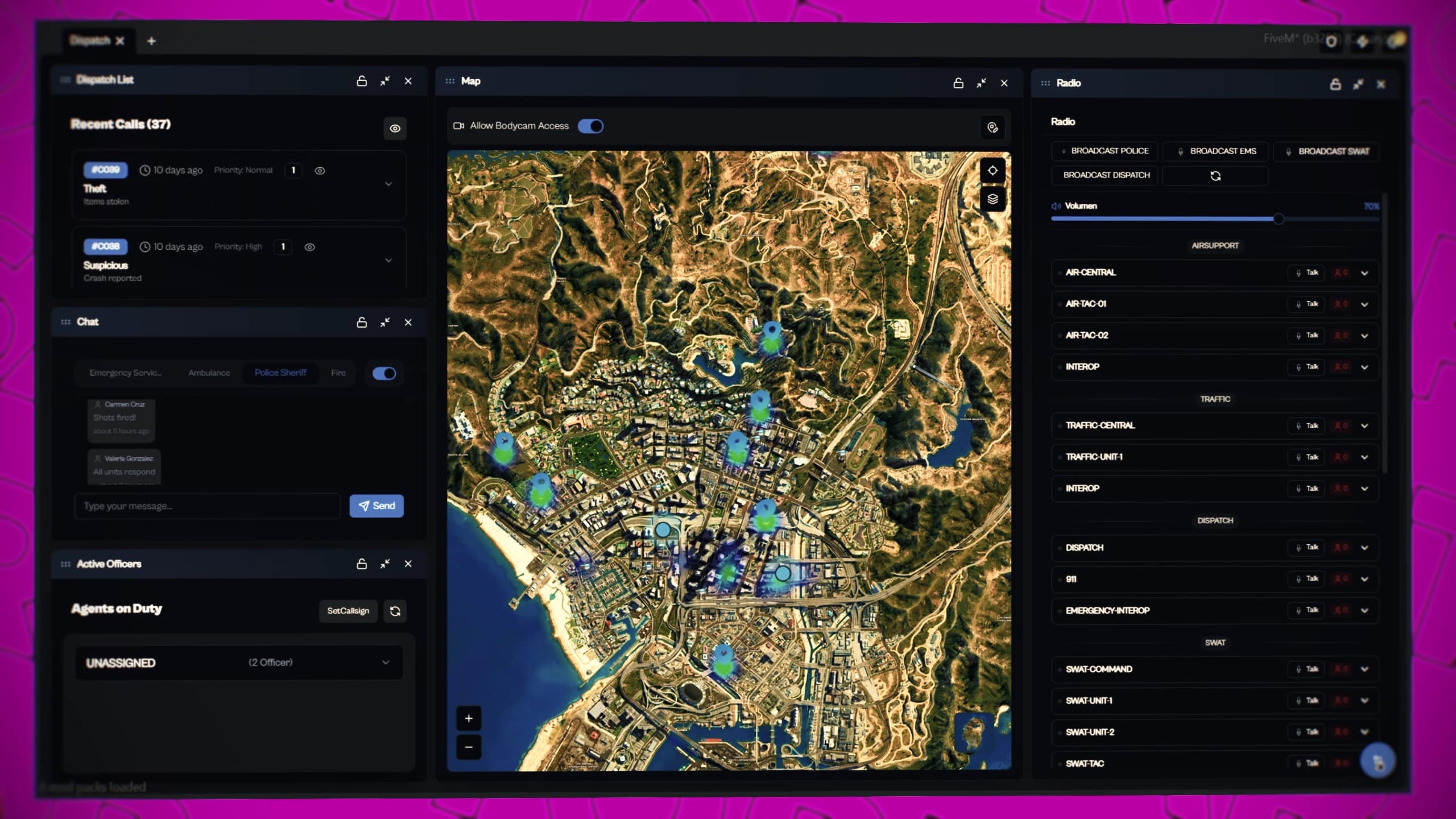
Real-time FiveM police dispatch with live calls, a map of active units and integrated radio
The Dispatch page is a workspace of floating panels — Dispatch List, Map, Active Officers, Chat, Radio, Wanted/BOLOs, Incident Reports, Vehicle Search and Penal Code. Drag a title bar to move a panel and its corner to resize it; lock, minimise or maximise it; reopen closed ones from the Panel Manager. Five ready layouts (Default, Centered, Command Center, Map Focus, Vertical Split) are one click away, and your layout is remembered between shifts.
Attaches you to the call, sets a waypoint and tells everyone it is handled.
Add Note
Units on the call
Notes everyone on the call can read.
Centre, copy coordinates, copy ID, hide
Any officer
Hiding is personal; show hidden calls again from the list.
Assign Unit
Dispatchers
Sends an officer or a whole callsign to the call.
Close Call
Dispatchers
Ends the call; it stays in Dispatch History.
Calls carry a priority (1 is the most urgent), the caller, the jobs it was sent to, the street, notes, assigned units and an optional screenshot. A call nobody accepts expires after 5 minutes by default; one with a unit on it never expires. Each priority plays its own sound — all of it set in Admin → Dispatch.
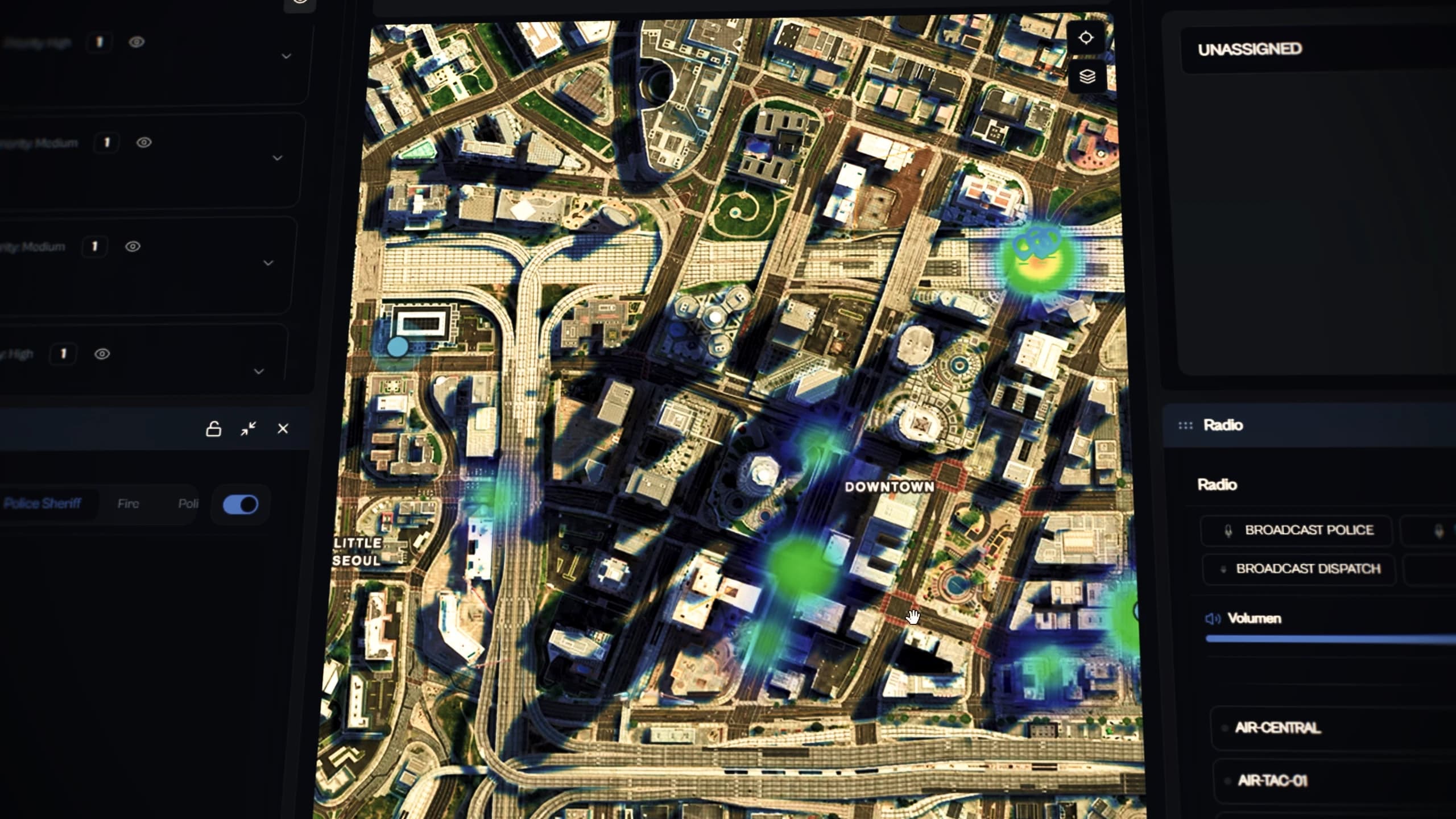
The map shows calls, active units, the cameras you may watch, placed props and a heatmap, in Atlas, Dark, Grid or Satellite style. Click an officer to view their bodycam or pull them onto your call. Active Officers groups everyone on duty by callsign; with Manage Callsigns you drag officers between callsigns or create a new one.
On duty, a small EMERGENCIES widget follows you around the screen. ← → step through calls, ↑ responds, ↓ switches between the small and the full view. Its Config tab shows the last note, hidden calls and the shift's call counts.
Any player can reach the police from chat. The commands live in an editable file, client/custom/misc/commands.lua, so you can rename them or add your own:
Command
Goes to
Priority
/911 <message>
Police, sheriff, ambulance — with the caller's name and phone
1
/assistance <message> · /auxilio
Police, sheriff, ambulance
3
/entorno <message>
Police and sheriff, anonymous
2
/panon <message>
Police and sheriff, fully anonymous
2
Robberies, heists and any other script can send their own calls with one export — see Commands and Exports. Shootings, speed cameras and car thefts arrive on their own through qs-police-alerts.
FiveM MDT criminal database with citizen profiles, arrest history, fines, licences and wanted flags
Search a citizen by name, phone or ID — results load as you type. The profile holds:
Basic information — name, birth date, gender, nationality, phone, bank account and job. Gang jobs can be shown as "Civilian" to stop metagaming (Admin → MDT Display).
Mugshot — the camera button hides the tablet and opens an in-game camera; the shot becomes the profile picture.
Wanted and Dangerous — flags every officer sees. Wanted citizens appear in the dispatch Wanted/BOLOs panel.
Licences — held or not, granted and revoked from the profile. The list of licences is yours to define.
Registered weapons, vehicles, notes, fines and every report naming the person — click a vehicle to jump to its record.
Vehicle Search finds a car by full or partial plate, or by owner. The record shows the owner, model and photo, notes from other officers, the reports it appears in, and the In Search and Capture toggle — the vehicle BOLO. Everything done in a record is logged with the officer and the time.
FiveM police reports and tactical operations planning with a shared map, markers and routes
A report has a title, a formatted body, a location and free tags, and links the agents, victims, implicated people and vehicles involved — each with its own search box, showing their wanted and tracked flags. Attach evidence from the racks your department can open. Search finds a report by title, author, tag or anyone named in it.
Several officers can work on one report: it shows who is viewing and who is editing, and warns you when someone else saved a newer version. A department always reads its own reports; reading another department's is a one-way grant in Admin → Reports.
Operations are tactical plans drawn on a shared map: markers (entry point, hazard, medical, observation post, perimeter, staging area, target…), circles, areas, rectangles and routes. Each has a priority, a status (Planning, Active, Standby, Closed), an autosaving briefing, layers you can hide, live units on the plan, and "Route my GPS here". Closed operations become read-only.
FiveM police penal code with fines, jail sentences and criminal records
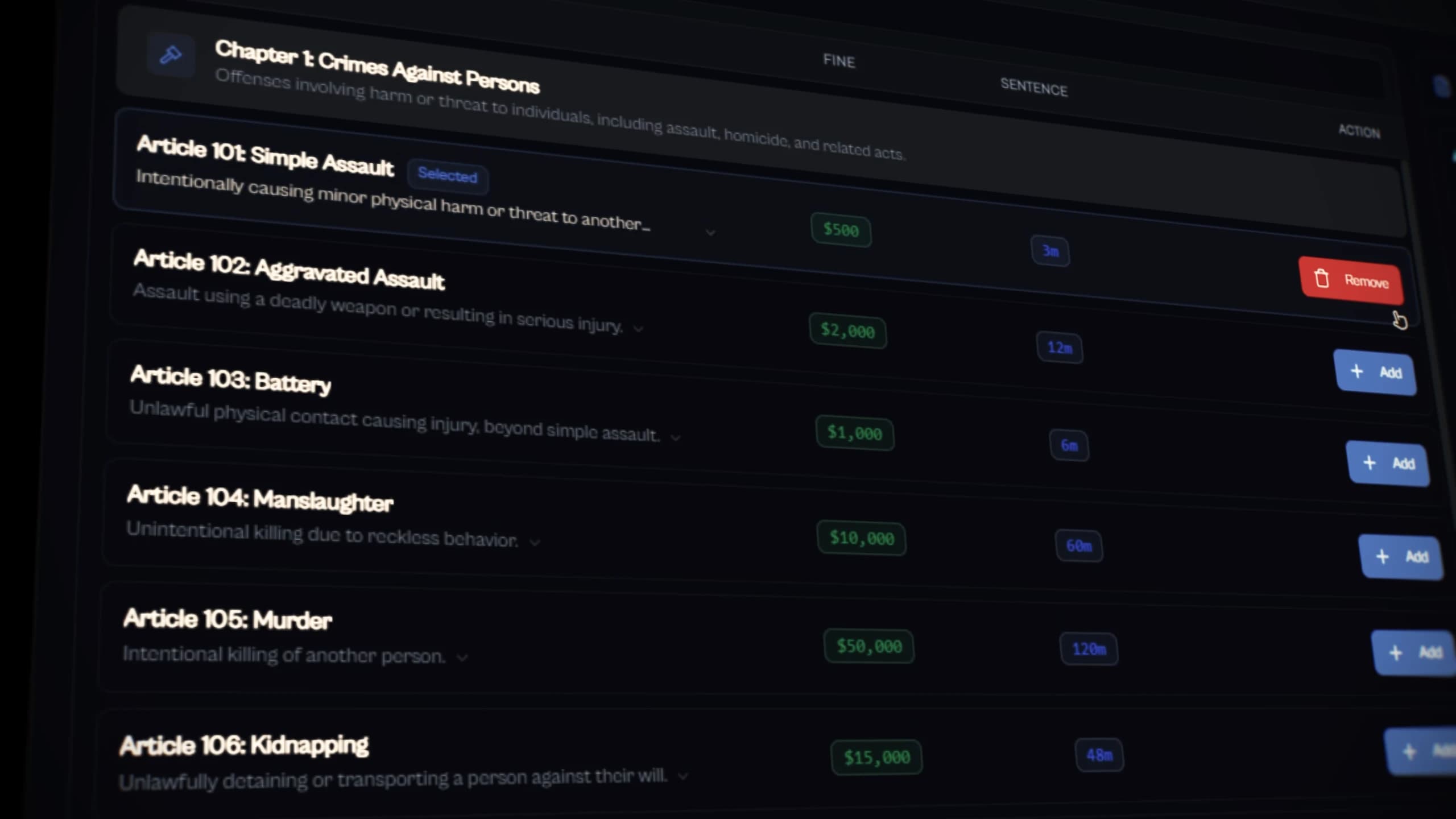
Each department has its own penal code: chapters, and articles with a fine, a sentence in months, a severity (Minor, Serious, Felony) and tags. Ranks allowed in Admin → Penal Code create and edit them; other departments may be allowed to read it. Start from the ready-made 300-offence code or write your own.
Pick the citizen
From the citizen's Fines block or the Penalties page. By default only players within 7 m are listed (Config.ProximityOnly).
Add the charges
Pick articles from the penal code, or add a custom charge with your own fine and months. The totals add up as you go.
Confirm & Apply Charges
The citizen is told on screen ("New fine — LSPD fined you $…"). Sentence months are recorded with the fine; jailing is a separate step on the Prison page.
The Penalties page lists every fine with paid, unpaid and total counts, filters and sorting. Citizens pay at a Fine Payment Point: "Press [E] to view fines" opens their bills, paid in cash or by bank transfer. With Config.Penalties.NotifyUnpaidOnJoin they are also reminded of unpaid fines when they join.
A paid fine goes into the bank account of the department that wrote it, through your banking script. Admin → Society money sets the department's share, excluded jobs, account names and logging, and has a test deposit. Without a banking script the balance is kept by the resource itself. Details in Integrations.
On the Prison page choose a nearby player, set the months and confirm. The prisoner rides the prison bus (an optional cinematic), changes into the uniform, loses the items listed in Config.ItemsToRemoveOnJail (weapons, ammo, drugs, lockpicks…) and gets a widget with the time served and the estimated release. Time only counts while they are online — one month is one real minute by default (Config.MonthDuration). Officers see every inmate, awake or asleep, and can release early. Locations, outfits and the bus are in config/shared/prision.lua.
FiveM police awards, medals and rank progression for officers
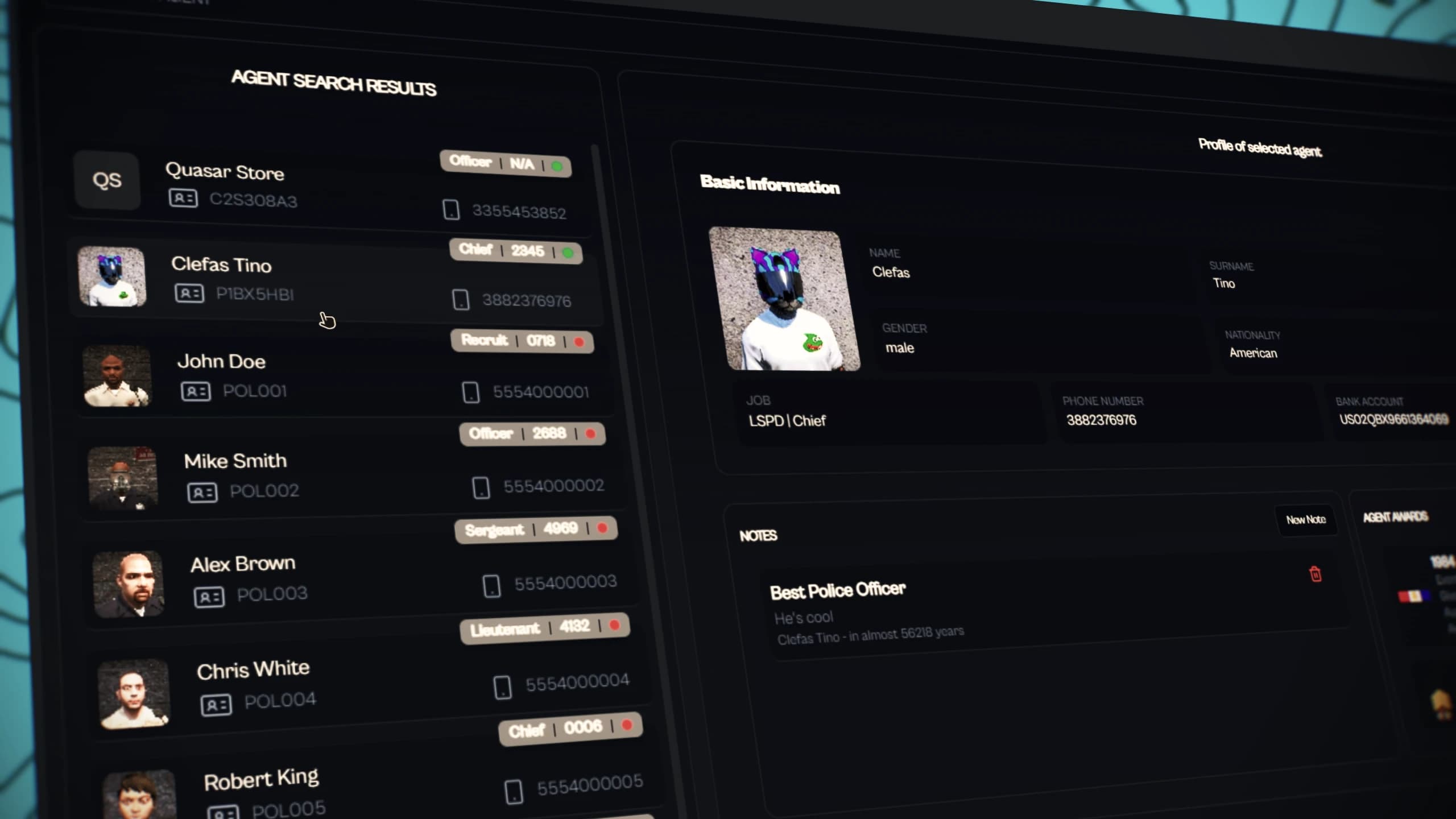
Agents is the roster. An officer's file holds their rank, badge number (set by hand or at random), notes, photo, reports and medals. With Manage Employees, a rank hires a nearby player, changes an officer's grade — which changes their job in the framework — or fires them, always within its own department and never on itself.
Callsigns are joined from the quick menu, with /setcallsign, or by a supervisor dragging you onto one in Active Officers. They survive a logout until you leave them or the job. /setmyblip picks your map icon and colour from the ones your department allows.
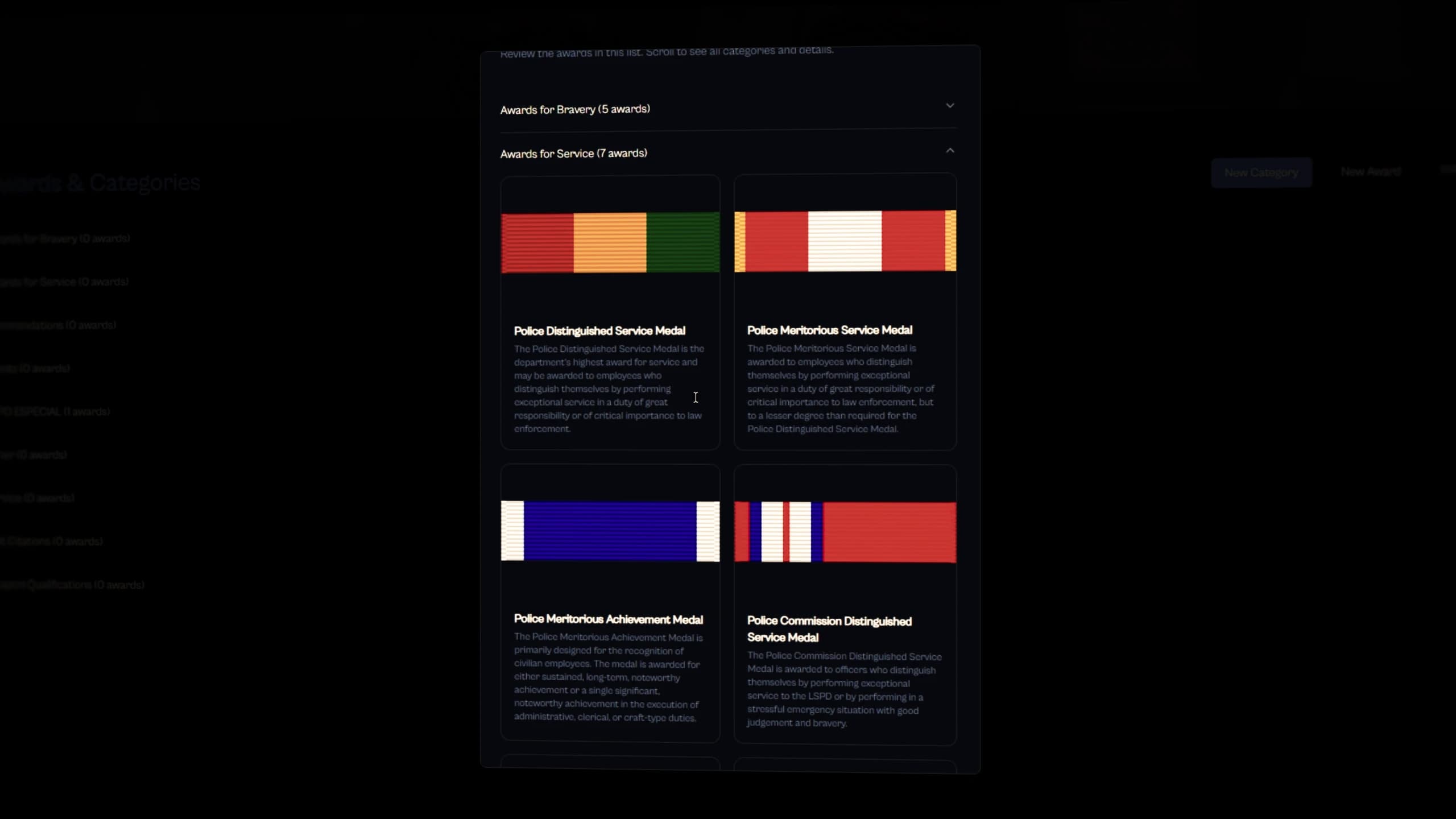
Awards are organised in categories with a name, description and image. Install Awards imports a ready-made pack (an LSPD pack is included). Medals are handed out from the officer's file by the ranks allowed in Admin → Awards & Medals.
The radio lives in the tablet, the dispatch panel and the quick menu. Channels are grouped by frequency, and officers only see groups open to their job. Join a channel, hold Left Alt to talk, set your volume and your talking animation.
Broadcast buttons — hold to speak to a whole group (Police, EMS, SWAT, Dispatch), each with a minimum rank.
Personal keybinds — create a key that transmits on the channels you choose; it appears in the FiveM key bindings.
Moving officers — supervisors drag a name onto another channel.
The department chat is a text channel panel on the Dispatch page. Police and sheriff land in a shared channel, ambulance and fire in a medical one; channels, members and retention are set in Admin → Chat Channels.
RPOL codes are one-click radio messages in the quick menu, also sent to game chat as [1-ADAM-12] Sergeant Name message. Everyone has 10-8, 10-10, Code 7, Code 2, 10-22, 6-Adam, 10-98 and 10-20 (which fills in your street); QRR also raises an officer-in-distress call. Police codes such as 254-V or 37-V fill in the model, plate and speed of the car locked on the radar. Free text goes through /rpol. Codes per job are in config/shared/rpol.lua.
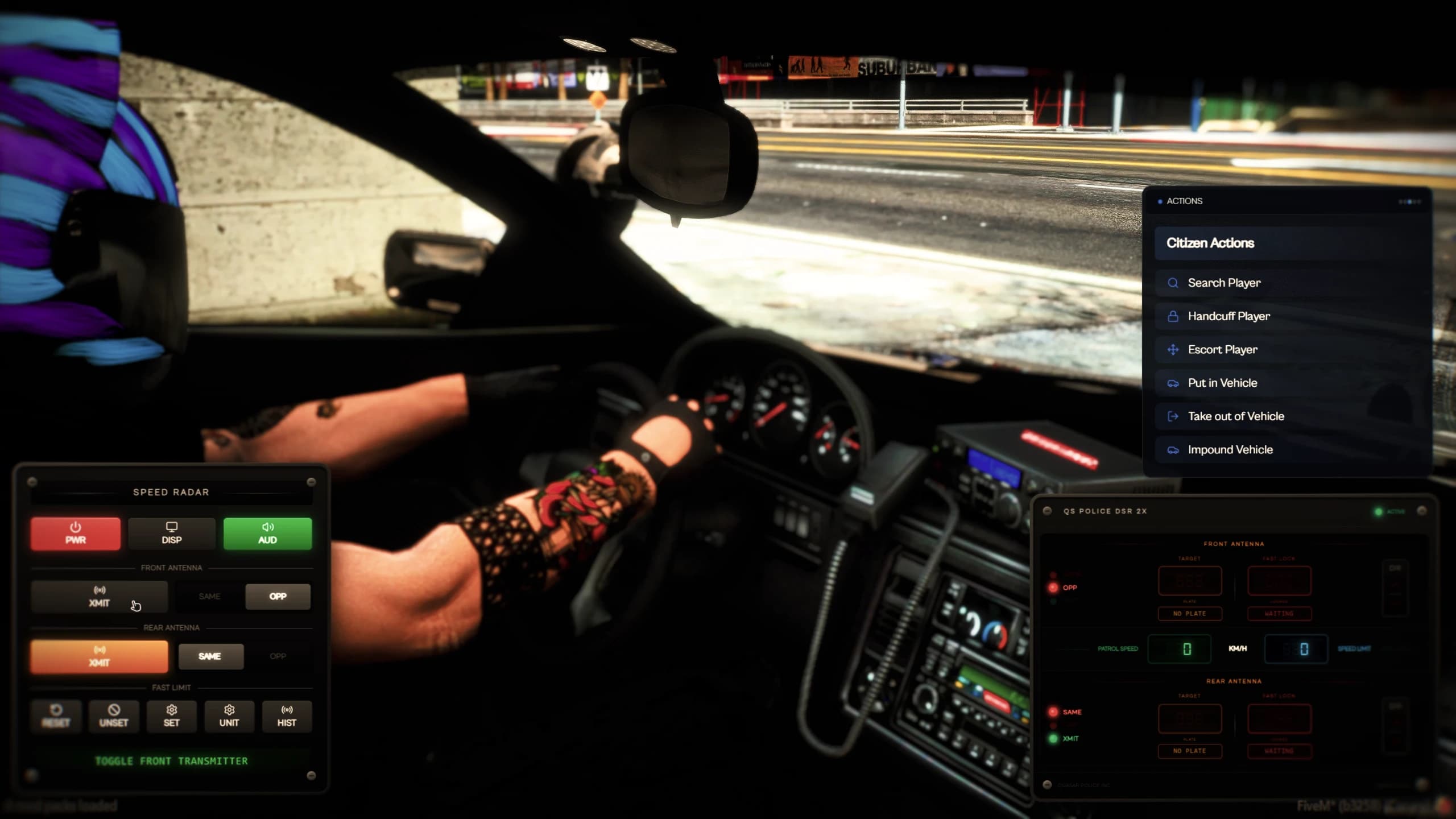
H cuffs or uncuffs the nearest player, Y escorts them. The quick menu's Actions tab adds search, put in vehicle, take out of vehicle, impound and the ankle tracker. A suspect must be cuffed to be searched or escorted. Suspects may try to slip the cuffs with a skill check — distance, escape, attempts, animations, the cuff prop and escort or drag mode are set in Admin → Handcuffs & Arrests.
Impound takes the nearest vehicle within 3 m: after 15 seconds a tow truck drives it away and the plate is handed to your garage script. Set Config.ArcadeImpound = true for the vehicle to simply vanish.
Fit or remove an ankle tracker on the closest player from the quick menu. The Tracker page lists everyone your department is tracking — online, or asleep with their last disconnect — and centres the map on them.
In the driver's seat of an emergency vehicle, on duty, press O to show the dual-antenna radar. It reads front and rear, same or opposite direction, shows patrol and target speed, locks the fastest car above your limit (R resets the lock), and keeps a searchable plate history. Units, range and beam angles are in config/client/radar.lua; the jobs allowed are the ones listed in config/shared/rpol.lua.
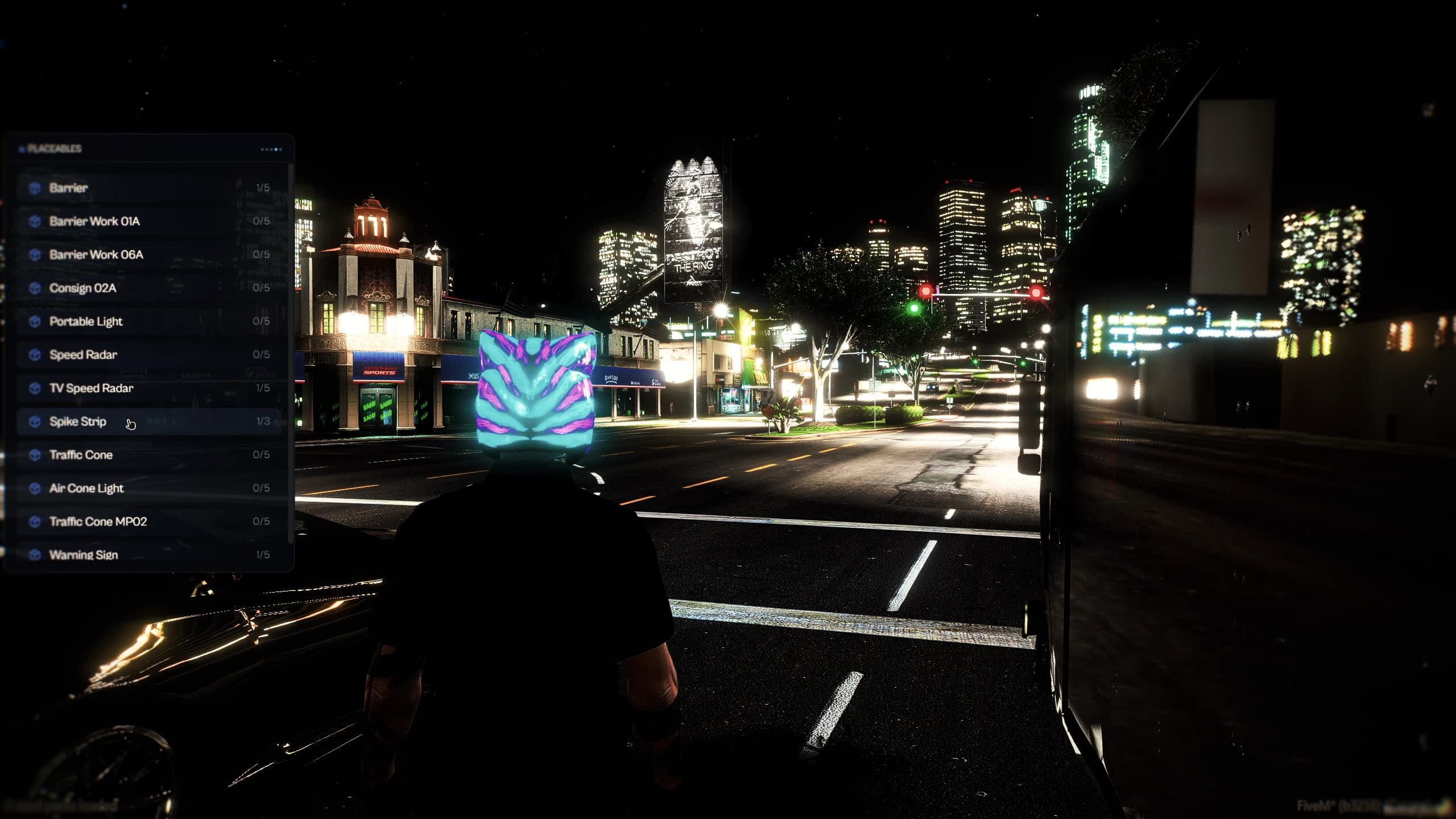
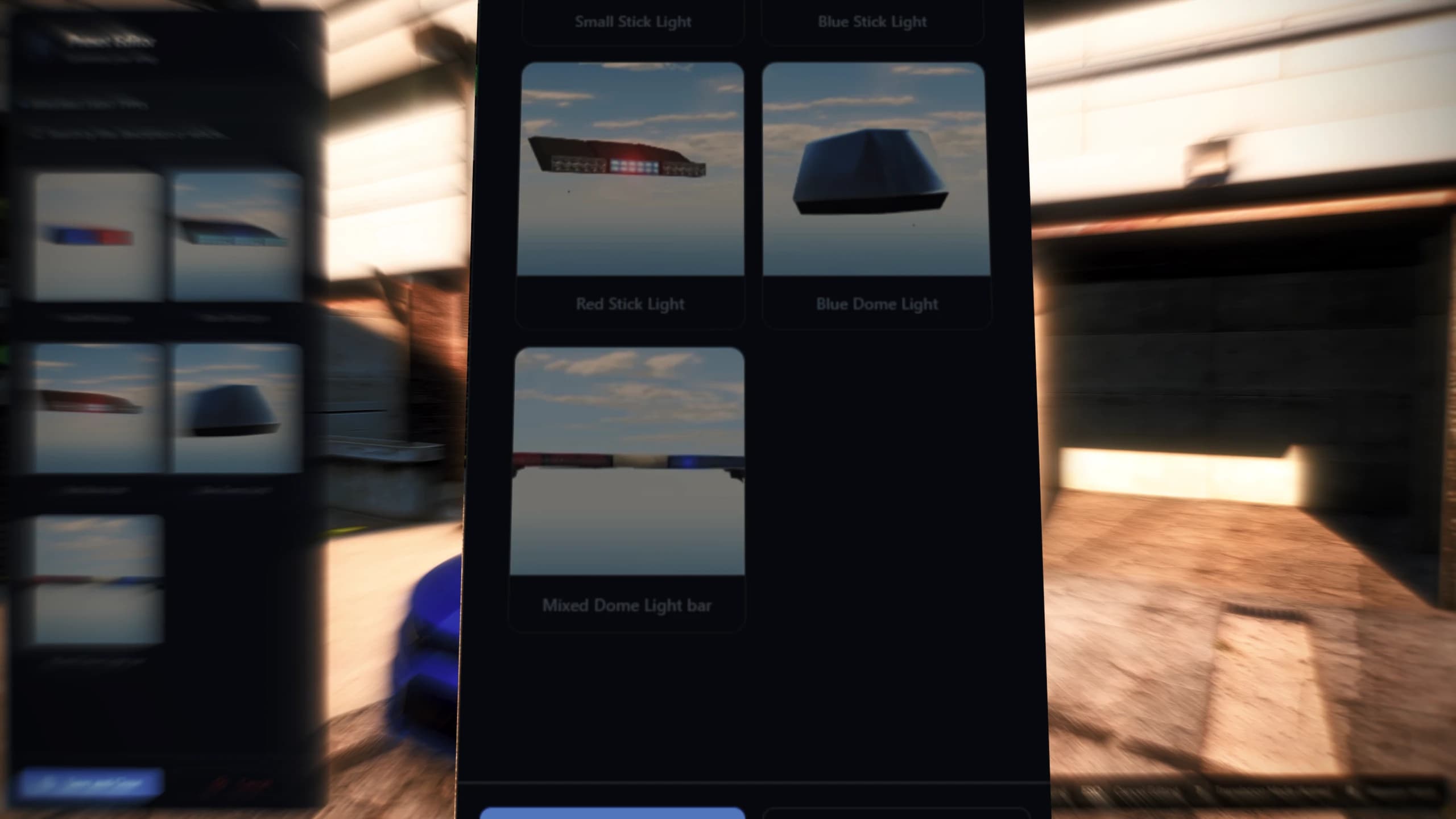
Open Placeables in the quick menu, or type /place spike_strip. A preview follows your aim: the mouse wheel rotates, left click places, Backspace cancels and G switches to a gizmo. Walk up to a placed object and press E to edit its settings or pick it up.
Object
What it does
Barriers, cones, warning signs
Slow or stop AI traffic around them, with an optional on-screen message ("CAUTION SLOW AREA") and a map area.
Spike strip
Bursts the tyres of any vehicle that drives over it.
Speed radar (pole or TV)
A speed camera with its own range and limit; the officer who placed it is told who sped past.
Portable light
A work light for night scenes.
Each object has its own jobs (police, fire, construction…) and a per-player limit, with 10 objects per player overall. Everything is defined in config/shared/placeables.lua, and placed objects appear on the dispatch map.
Create a CCTV camera from the Cameras page: give it a label, a model and, per job, View, Control or Manage access, then place it with a gizmo. A camera with no job rights stays private to the job that placed it. The live feed is dragged to look around and scrolled to zoom, with filters, a grid and a photo button.
Shoot a camera and it breaks: it sparks, smokes and shows "Signal Lost". Anyone with a camera_repair_kit repairs it with /fix_near_camera; admins use /fixcameraadmin or /fixcameraadmin all.
Bodycams are watched from Active Officers or the map. Each officer decides whether theirs can be viewed with /togglebodycam or the toggle in the map panel; an off-duty officer's bodycam cannot be opened.
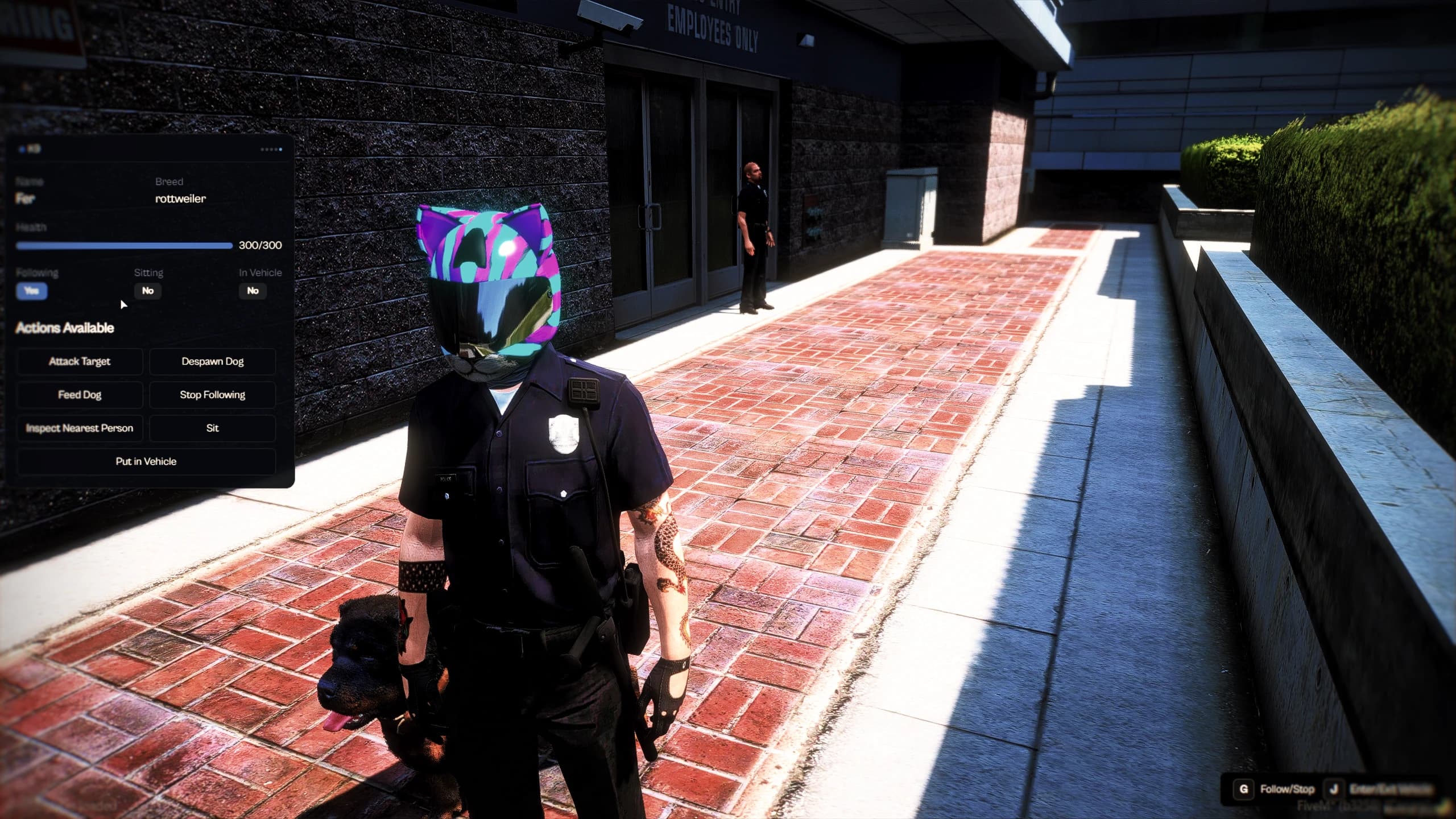
Officers adopt a dog at a K9 kennel, choosing its name and breed: German Shepherd, Rottweiler, Husky, Retriever, Chop, Poodle, Pug or Westie. Rottweiler and Chop support every pose (sit, down, bark, riding in a car); the others skip the poses they lack. Renaming, changing breed and reviving a downed dog also happen at the kennel.
/k9 deploys or stores the dog, G makes it follow, J puts it in or out of the vehicle. The quick menu's K9 tab adds sit, stay, down, bark, attack, search a person or a vehicle, track a scent, recall and feed, and shows its health and stamina. A search that finds drugs, weapons or explosives in the inventory reads "K9 alert! Detected: …". Access, deployment mode, breeds, detection lists, attack, health, cooldowns and kennels are all in Admin → K9 Unit.
Every station point — garages, shops, storage, evidence racks, lockers, fine desks, kennels — is created in its admin page and placed in game with a gizmo. Each one is either a floor marker with an E prompt or a prop or ped you interact with through your target script, and each has job and grade rules (all grades, a minimum, or specific ones), with optional duty and licence requirements.
FiveM police fleet garage with department vehicles, condition, fuel and a department budget
Garage type
How it works
Menu
A panel; the unit spawns at a free spawn point.
Exterior
Units stand parked in real bays. Get in to take one; park in a free bay and get out to store it.
Interior
A map interior you enter and leave, with its own floor plan of bays.
Each unit keeps its plate, condition, mileage and fuel, and is stored, out, in maintenance, destroyed or impounded. Officers take out, return, reserve, repair, recover and locate units, and the activity log shows who did what. Costs come from the player, the department budget, both, or nobody; supervisors deposit into and withdraw from the budget, and managers add, remove, sell and swap units. The Fleet Procurement dealer sells new units paid from the officer's bank or the budget and delivers them to a garage. All of it — including a 3D editor for bays and spawn points — is in Admin → Garages & Dealers.
Buy gear from a cart, in cash or by bank. A shop — or a single item — can require being on duty or holding a licence.
Item Storage
A shared stash with its own weight and slots.
Evidence Storage
Create a case with a title and description; each case gets an ID and its own box for the evidence bags, and can be attached to reports.
Uniform Lockers
Put on the outfits allowed for your grade and go back to your own clothes. Managers save what they are wearing as a new outfit for that locker or for the whole job.
Fine Payment Points
Citizens see and pay their fines; each point lists whose fines it accepts.
Map Markers
Map blips for your stations, shown to everyone or only to some jobs.
FiveM police admin panel to configure MDT, dispatch, radio, garages, shops and evidence without coding
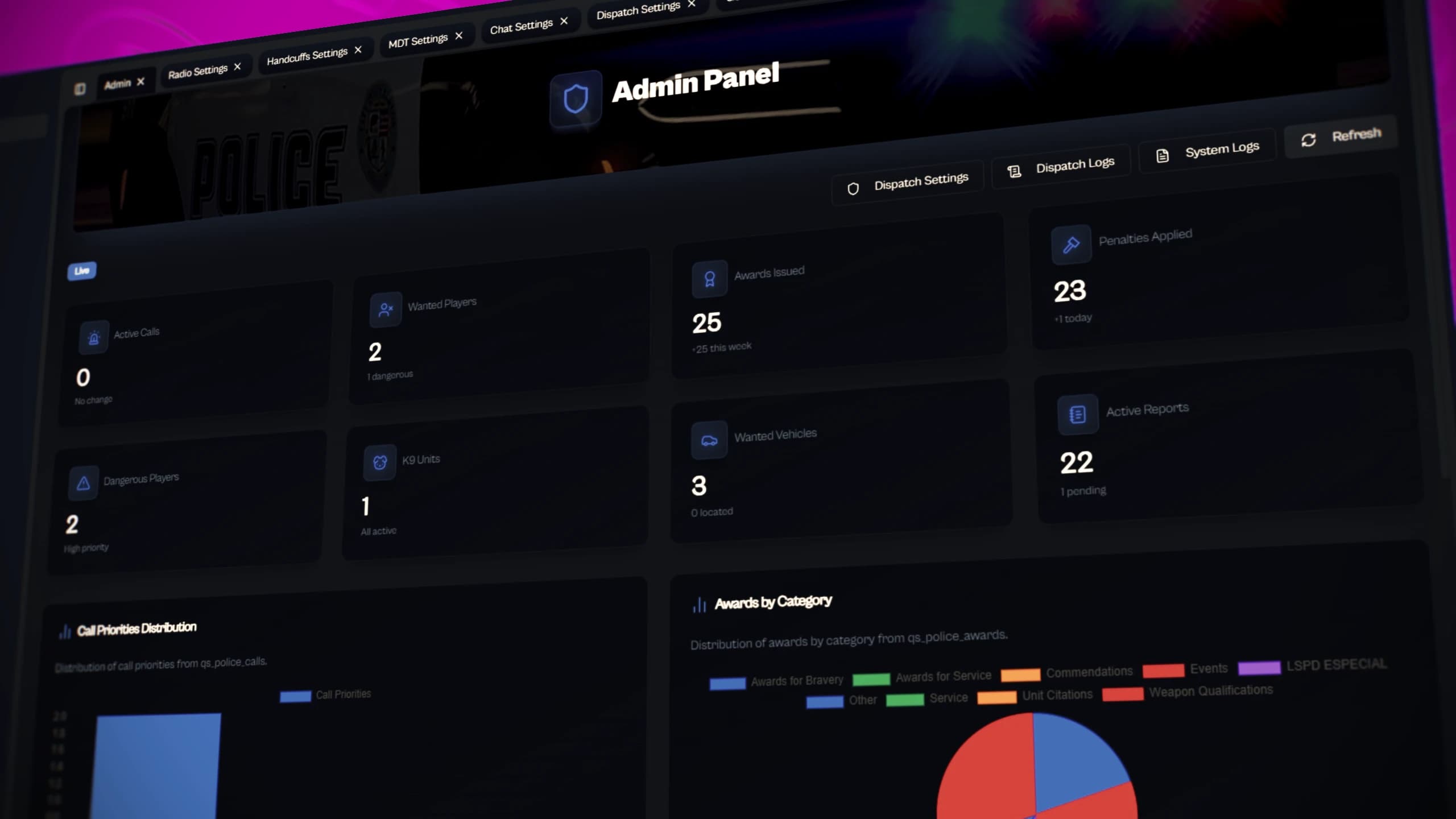
/policeadmin opens the admin panel. Each card saves on its own, or all at once with the Save everything bar; badges warn when a setting needs a restart, is noticed by players or affects performance.
Group
Pages
Overview
Dashboard — live statistics and charts, recent calls, wanted players, inmates, K9 units, chat logs, and the Setup guide.
Setup
Server Setup (admin groups, setup guide, debug) · MDT Display (licence types, masked gang jobs, hidden weapons) · Appearance (themes per job).
Police work
Dispatch (calls, jobs and ranks, blips, sounds) · Dispatch History · Penal Code · Reports · Awards & Medals · Handcuffs & Arrests · K9 Unit · Society money.