


Quasar Store Logo

Installation

Installation guide — please follow each step carefully and exactly as described to ensure the script works correctly on your server. Skipping or modifying steps may cause the system to not function properly, so follow it step by step.

Download Script

To download the assets needed for this script, you must access the official Cfx.re portal, where all assets purchased through Tebex are managed.

1

Access the Granted Assets Page

Open the Cfx.re granted assets page: https://portal.cfx.re/assets/granted-assets.

This page contains all assets linked to your Cfx.re purchases.

2

Log In with Your Cfx.re Account

Sign in using the same Cfx.re account you used when purchasing the asset.

If you use a different account, the assets will not appear.

3

Download the Housing Assets

In the granted assets list, locate and download:

Admin Menu

These two packages are required to install the full housing system.

These files include the models, materials, and visual resources required for the proper operation of the housing system.


Download Dependencies

This script requires some mandatory dependencies to function correctly. Make sure to download and extract them inside your server’s main directory, keeping their original folder structure intact.


Remove Other Scripts

This script may cause conflicts or errors if you use other admin systems on your server. Common examples include qb-admin or other similar admin scripts. It’s strongly recommended to remove them completely before installation to prevent compatibility or functionality issues.


Basic Configuration (config.lua)

This file controls how the entire system behaves. Most of it works out of the box, so you don’t need to touch everything.

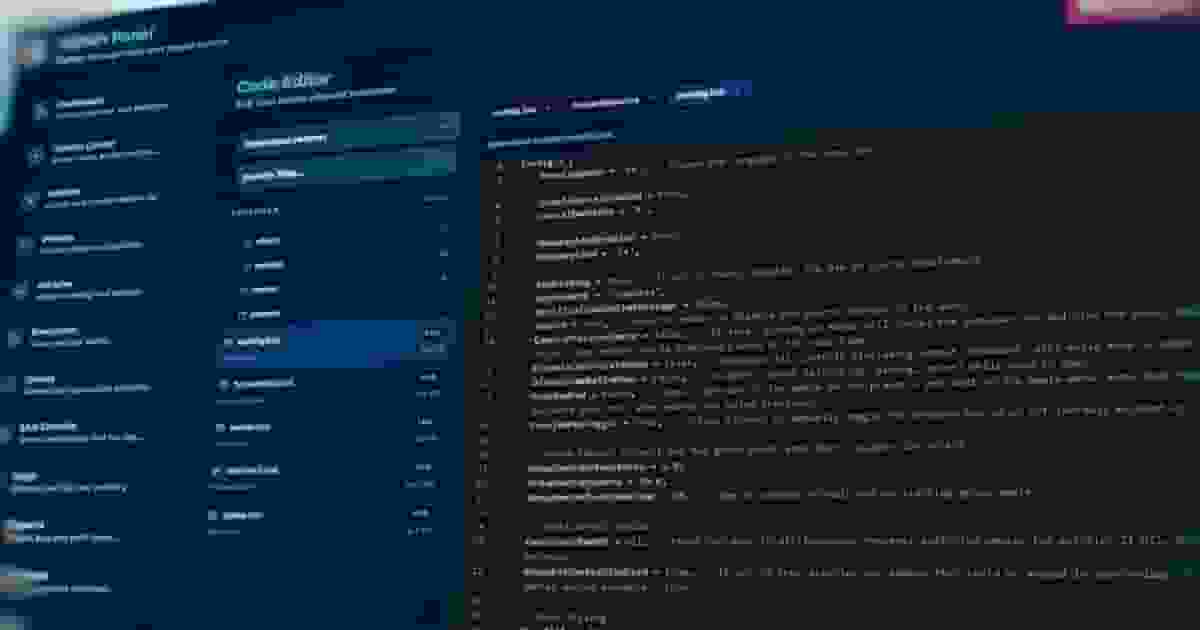
Config = {} Config.MetricsServerUrl = "http://127.0.0.1:4010" Config.MetricsHelperPath = "" Config.MetricsHelperLogPath = "" Config.MetricsHelperPort = 4010 Config.AdminPanelRoot = "" Config.WebAPIKey = "" Config.DebugAllowAll = true Config.LoggerEnabled = true Config.LoggerLevel = "debug" Config.Inventory = "default" Config.GarageScript = "qb" Config.KeySystem = "qb"

Everything related to Metrics should be left as it is unless you know exactly what you're doing. The same goes forAdminPanelRoot, which is only used if you're hosting the panel externally. WebAPIKey is only needed if you're connecting external services (like websites or bots). Otherwise, leave it empty.

The most important setting here is Config.DebugAllowAll. If this is set to true, every player will have admin access. This is only meant for testing. Before going live, this must be set to false.

Logging is controlled by LoggerEnabled and LoggerLevel. While setting things up, "debug" is useful because it shows everything. On a live server, it's better to use "info" or "warn" to avoid unnecessary spam.

The last settings (Inventory, GarageScript, KeySystem) define what systems your server uses. If you're running a standard QBCore setup, you can leave them as "default" and "qb". If you're using custom scripts, replace them with the correct names.


Editor Configuration (editor_config.lua)

This file defines which resources can be edited directly from the admin panel.

EditorConfig = {} EditorConfig.Resources = { "qs-adminmenu-v2", "qb-core", }

This works in a very simple way: only the resources listed here will appear in the editor. If a script is not in this list, it will stay hidden.

You can add more resources depending on what you want to manage from the panel. For example, adding "qb-policejob" or "qb-ambulancejob" will allow you to edit those directly in-game.

Keep in mind that adding too many resources can be risky if you don’t know what you're editing. Only include the ones you actually need.

In short, this file is just a filter that decides what is visible and editable inside the admin panel.


First Launch & Ownership

The first time you start the server and open the admin panel, you’ll be asked to claim ownership. This is a one-time action that registers you as the main owner of the panel and saves your identifiers inside panel_permissions.json.

Only one person can do this. Once claimed, that owner has full control and is responsible for managing all other users, ranks, and permissions directly from the panel. No one else will be able to claim ownership after this, so make sure the right person does it.


System Files (Do Not Touch)

The system automatically creates and manages several files while the server is running. You don’t need to edit these manually, and doing so can break things.

panel_permissions.json→ Stores the owner, ranks, and player permissions
queue_config.json→ Queue system configuration (managed from the panel)
player_hours.json→ Tracks how long each player has played
greenzones.json→ Saves green zone locations
weather.json→ Stores the current weather state
admin_config.json→ Internal settings used by the admin system

Think of these as internal data files. The panel handles them for you.


Troubleshooting (If Something Doesn’t Work)

If the panel doesn’t open, the most common issue is load order. Make sure oxmysql starts before your admin resource inserver.cfg. Also check if Config.DebugAllowAll is enabled while testing, or confirm your ACE permissions are correctly configured. If it still doesn’t work, look at the server console for errors.

If you can open the panel but can’t use admin actions, it’s usually a permissions issue. Make sure your identifier is in the correct ACE group and that the required permissions are assigned. Also remember: if DebugAllowAll is enabled, ACE permissions are ignored. If you want real permission checks, it must be set to false.

If the queue system isn’t working, don’t touch files manually. Go into the panel and make sure the queue is enabled from there.

If some resources don’t appear in the editor, it’s because they’re not listed. Add them to EditorConfig.Resources ineditor_config.lua and restart the resource.