Installation — Lottery Creator | Quasar Store | Quasar Store
Documentation
Installation
Install Lottery Creator on your FiveM server: requirements, server.cfg load order, the database, the scratchcard item for ox_inventory, qs-inventory, qb-inventory and ESX, creator access and upgrading.
Before installing Lottery Creator, make sure your server meets the requirements. Three resources and a framework are mandatory; everything else is optional and detected on its own.
Requirement
Status
Notes
OneSync
Required
Declared as a dependency, so the resource will not start without it.
oxmysql
Required
Database access.
ox_lib
Required
Callbacks, model and animation loading, shared helpers.
Framework
Required
ESX, QBCore or Qbox — auto-detected. Money, items, jobs and admins come from it, so there is no standalone mode.
lottery_machine
Included
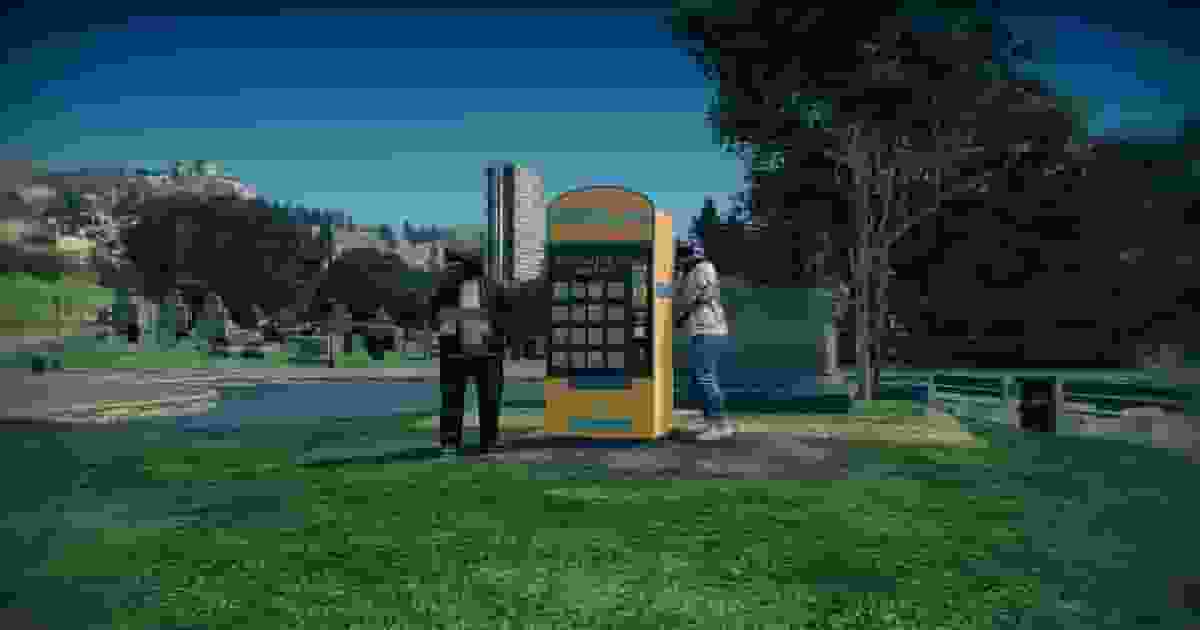
Streams the lottery machine and the scratch ticket props. It comes in the same download.
Target
Optional
ox_target or qb-target. Without one, machines show a 3D prompt and a key.
qs-textui
Optional
Draws those 3D prompts with Quasar's text UI instead of plain game text.
qs-interface
Optional
Its HUD is hidden, with the radar, while the creator is open.
Quasar Smartphone
Optional
Adds the Lottery app to the phone.
The framework and the target are picked by looking at what is already running:
Layer
Detection
Framework
es_extended → the ESX bridge · qb-core, qbx_core or l2s-core → the QB bridge
Target
ox_target → qb-target → proximity prompts
Prompts
qs-textui → the game's own 3D text
Every optional integration stands down silently when its resource is missing. Integrations has the details.
After purchasing Lottery Creator, the resource is automatically linked to your CFX Portal account.
Sign in to the CFX Portal using the same account used during checkout, open Granted Assets, and download Lottery Creator.
After extracting the download, you should have two resources:
lua
[lottery]/
├── lottery_machine/          -- streamed props: the machine and the scratch ticket
└── qs-lottery-creator/
    ├── config/main.lua       -- every setting you may edit
    ├── custom/               -- framework bridges (editable)
    ├── database/             -- database.sql
    ├── locales/              -- 41 languages
    └── web/                  -- the interface, nothing to edit
Keep the folder named qs-lottery-creator. The phone app looks for the lottery under that exact name, so a renamed copy works at the machines but the Lottery app reports that it is not running.
The loading order matters. The framework and the target are detected once, when Lottery Creator starts: a framework that starts later stops the resource from loading, and a target that starts later is not seen, so machines fall back to prompts. ensure [lottery] also works, as long as it comes after them.
Every machine lives in one table, qs_lottery_vendors. Import database/database.sql once, before the first start, with HeidiSQL or any other MariaDB / MySQL client.
Columns
Hold
id · label · prop · coords
The machine itself: its name, its model, its position and heading.
price · item · account
What a ticket costs, the item it gives and the account it is paid from.
blip · job · job_grades
The map blip, and who may use the machine.
creator
The identifier of whoever last saved it in the creator.
owner · owner_name · balance
The player who owns it, the name shown for them, and the earnings waiting to be collected.
for_sale · purchase_price
Whether players can buy it, and for how much.
stock · tickets_sold · total_revenue
Tickets loaded in an owned machine, lifetime sales and gross revenue.
Table definition (ESX and QBCore)
sql
CREATE TABLE IF NOTEXISTS `qs_lottery_vendors` (
`id` int(11) NOT NULL AUTO_INCREMENT,
`creator` varchar(50) NOT NULL,
`label` varchar(255) NOT NULL,
`prop` varchar(100) NOT NULL,
`price` int(11) NOT NULLDEFAULT100,
`item` varchar(100) NOT NULLDEFAULT'scratchcard',
`account` varchar(50) NOT NULLDEFAULT'money',
`coords` longtext NOT NULL,
`blip` longtext DEFAULTNULL,
`job` longtext DEFAULTNULL,
`job_grades` longtext DEFAULTNULL,
`owner` varchar(60) DEFAULTNULL,
`owner_name` varchar(100) DEFAULTNULL,
`balance` int(11) NOT NULLDEFAULT0,
`for_sale` tinyint(1) NOT NULLDEFAULT1,
`purchase_price` int(11) NOT NULLDEFAULT25000,
`tickets_sold` int(11) NOT NULLDEFAULT0,
`total_revenue` int(11) NOT NULLDEFAULT0,
`stock` int(11) NOT NULLDEFAULT0,
`created_at` timestampNOT NULLDEFAULTCURRENT_TIMESTAMP,
`updated_at` timestampNOT NULLDEFAULTCURRENT_TIMESTAMPONUPDATECURRENT_TIMESTAMP,
PRIMARY KEY (`id`),
KEY `creator` (`creator`),
KEY `owner` (`owner`),
KEY `label` (`label`)
) ENGINE=InnoDB DEFAULT CHARSET=utf8mb4 COLLATE=utf8mb4_unicode_ci;
A lottery ticket is an inventory item: a machine hands it out, and using it opens the card. The item must exist in your inventory under the name in Config.VendorDefaults.item — scratchcard by default. Lottery Creator registers it as usable through your framework when it starts; you only add the definition.
In ox_inventory/data/items.lua. This is also the one for Qbox.
lua
['scratchcard'] = {
    label = 'Scratch & Win',
    weight = 10,
    stack = true,
    close = true,
    description = 'A lottery scratchcard. Scratch the surface and test your luck.',
},
In qs-inventory/shared/items.lua.
lua
['scratchcard'] = {
    ['name'] = 'scratchcard',
    ['label'] = 'Scratch & Win',
    ['weight'] = 10,
    ['type'] = 'item',
    ['image'] = 'scratchcard.png',
    ['unique'] = false,
    ['useable'] = true,
    ['shouldClose'] = true,
    ['combinable'] = nil,
    ['description'] = 'A lottery scratchcard. Scratch the surface and test your luck — you might win some cash or nothing at all.'
},
In qb-core/shared/items.lua.
lua
scratchcard = { name = 'scratchcard', label = 'Scratch & Win', weight = 10, type = 'item', image = 'scratchcard.png', unique = false, useable = true, shouldClose = true, description = 'A lottery scratchcard. Scratch the surface and test your luck — you might win some cash or nothing at all.' },
The default ESX inventory reads its items from the database:
Add an icon named scratchcard.png to your inventory's image folder so the ticket does not show as a blank square.
Renaming the item? Change Config.VendorDefaults.item and the inventory entry together. Only that item opens a card — the Scratch Item field of a single machine changes what that machine hands out, not what can be scratched.
A creator job places and edits machines. The admin controls of an owned machine — listing it for sale, evicting its owner — stay with framework admins.
Every setting lives in one file, config/main.lua, with a comment above each block. The other editable folders are for plumbing:
File
Contents
config/main.lua
Language, money format, creator access, payment accounts, defaults for new machines, props, ownership, interaction, prizes, the phone, creator keys and camera, debug.
locales/*.json
Every line of text, one file per language.
custom/esx/ · custom/qb/
The bridges to your framework: money, items, jobs, admins and character names.
database/database.sql
The table, for a fresh install only.
The values worth reviewing first:
lua
Config.Locale = 'en'-- any file in locales/
Config.VendorDefaults = {
label = 'Lottery Machine',
item = 'scratchcard', -- the ticket item
price = 30, -- new machines and the phone app
account = 'money', -- money · bank · black_money
prop = 'lotrrery_vending_machine',
}
Config.Ownership.enabled = true-- players can buy and run machines
Config.Phone.enabled = true-- the Lottery app in Quasar Smartphone
Config.Debug = false-- extra console output
The machine's model really is spelled lotrrery_vending_machine — that is its name inside lottery_machine. Keep the spelling wherever you reference it. Every option is explained in Usage → The Settings.
Restart your server and read the console. The server and every client print the bridge they loaded:
bash
[INFO] Successfully loaded the framework. esx
An error in its place means the framework was not running yet when Lottery Creator started — move its ensure higher. With Config.Debug = true, the server also says how many machines it loaded:
bash
[DEBUG 2.0.1] Loaded lottery vendors from database: 0
Then join your server and work through the first loop:
Place a machine
/lotterycreator → Create Vendor. Give it a name, press Select under Vendor Position, look at the spot and left-click. Back in the form, press Save — the machine appears for everyone at once. Leave For sale unticked for this first test.
Buy a ticket
Walk up to it and pick Buy Lottery Machine - $30 on the target, or press E at the prompt. A scratchcard lands in your inventory.
Scratch it
Use the scratchcard from your inventory and drag the mouse across the card. Once it is revealed, Claim prize pays what you won in cash.
From here, Usage covers the prize table, player-owned machines and the phone app.
Replace both folders with the new download. Keep a copy of your old config/main.lua and carry your values across, rather than copying the old file over the new one — it has new blocks. Do not import database.sql again.
On the first start with Config.Ownership.enabled = true, the resource adds the columns it is missing — owner, owner_name, balance, for_sale, purchase_price, tickets_sold, total_revenue and stock — and logs each one:
With ownership turned off, the columns are not added and saving a machine fails. Run the update by hand instead:
sql
ALTER TABLE `qs_lottery_vendors`
ADDCOLUMN IF NOTEXISTS `owner` varchar(60) DEFAULTNULL,
ADDCOLUMN IF NOTEXISTS `owner_name` varchar(100) DEFAULTNULL,
ADDCOLUMN IF NOTEXISTS `balance` int(11) NOT NULLDEFAULT0,
ADDCOLUMN IF NOTEXISTS `for_sale` tinyint(1) NOT NULLDEFAULT1,
ADDCOLUMN IF NOTEXISTS `purchase_price` int(11) NOT NULLDEFAULT25000,
ADDCOLUMN IF NOTEXISTS `tickets_sold` int(11) NOT NULLDEFAULT0,
ADDCOLUMN IF NOTEXISTS `total_revenue` int(11) NOT NULLDEFAULT0,
ADDCOLUMN IF NOTEXISTS `stock` int(11) NOT NULLDEFAULT0;
ALTER TABLE `qs_lottery_vendors`
ADD INDEX IF NOTEXISTS `owner` (`owner`);