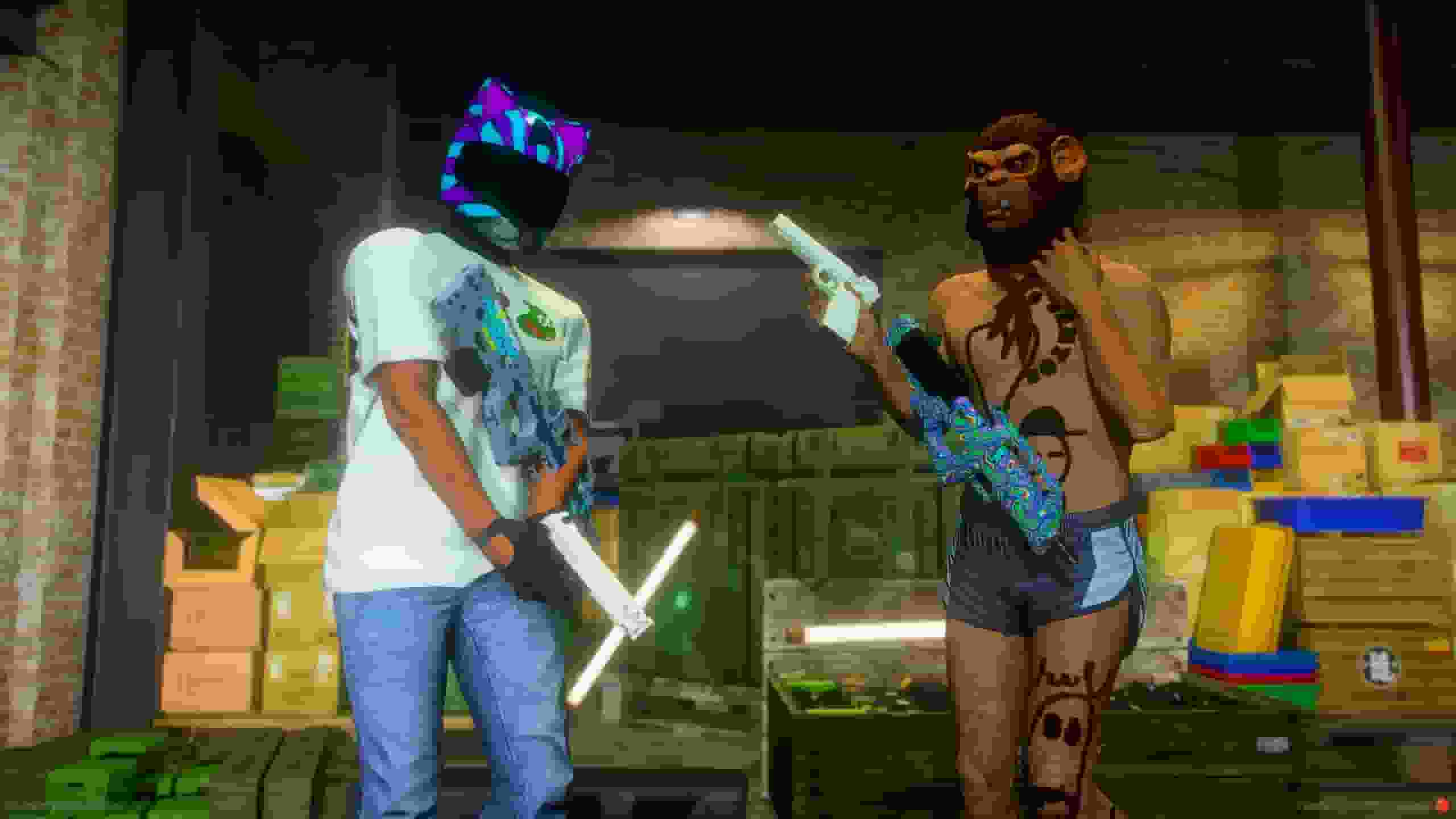
A player walks to a skin shop ped and the studio opens — or a painter invites them to the bench.
From there the weapon in their hand is the canvas: they paint it, pay for it, and everyone sees it. Your AK is pink while the player next to you carries a dragon, and both stay that way after relogs, respawns and inventory weapon swaps.
The weapon selector sits at the top. The one in your hand is preselected.
The Design Tabs
Tab
What it does
Finishes
A hundred-odd ready-made looks — solids, metals and fades, camouflage, figured finishes (marble, splatter, web, scales) and animated ones. One click paints the whole weapon, and everything stays editable afterwards
Paint
Your own colour, gradient or pattern — again over the whole weapon
Gallery / Text / Draw / Link / AI
A sticker, placed by clicking the gun and dragged across it
Texture map (advanced)
The flat atlas, for precise placement
Placing A Sticker
Control
What it does
Click the gun
Place it
Drag
Move it across the weapon
Scroll
Resize
Shift + scroll
Turn
Clicks are ray-cast against the weapon's mesh, so "drag it over the gun" means exactly that.
Paying
Review & pay → name it, choose the account → Paint it.
The skin is in the player's inventory and already on the weapon.
A skin made from an animated GIF moves on the gun.
Animation is paced by a time budget, not a frame rate. Animation.BudgetMs is how many milliseconds a second the client may spend on animation, all weapons together — so an expensive frame degrades the animation, never the frame rate, and weapons take turns spending the allowance rather than each paying full price in the same tick.
Nothing is spent on a weapon that is not being drawn.
Animation.FrameSize is the other half: animated frames are drawn smaller than still ones — a moving texture hides softness a still one would show — which is roughly a quarter of the work per step and therefore four times the smoothness for the same budget.
Animation.Observers caps how many weapons may move at once.
Worth knowing, because it explains what the settings cost you.
Sync
A skin is a shell of the weapon attached to the gun's own object, with the stock weapon hidden underneath rather than covered — two coincident surfaces cannot be made to stop fighting over the depth buffer, so only one is ever drawn.
The server allocates slots, the wearer's statebag carries the reference, and every client within Config.Skins.Radius builds the shell and paints it locally. Nothing about a skin is replicated.
Nothing Restarts, Ever
Pictures live in qs-weaponskin-data/skins/ as PNG and travel as runtime textures. No file is written and no resource is restarted to show a skin.
Two Sizes
Whose weapon
Texture
Your own — first person and /inspect
The full one
Everyone else's
A small one, rendered at the same time
A quarter of the download and a quarter of the VRAM, on a gun across the street.
Your Screen Decides
A client can only keep so many pictures live at once, so it spends them on what you are looking at: your own weapon first, then anything inside the camera, then what is behind you.
Slots re-point without the gun ever going blank, because a picture is only swapped in once it has been downloaded.
Slots Are Shared, Not Owned
Two players wearing the same skin share one slot with no limit — and two players far enough apart to never be on one screen share one as well.
No Weapon Metadata, Anywhere
The pool declares its shells as plain object archetypes, registered with the same one line every prop pack ships.
It used to patch weapons.meta to register them as real weapon components. That cost three separate client crashes and could never work for most weapons. A build test now fails if a weapon meta ever comes back.
The Recipe Travels, Not The Picture
A skin used to reach every nearby client as a finished PNG — a few hundred kilobytes per skin, per viewer.
But every client already carries what made it: the same renderer, the weapon art, the fonts, the procedural patterns. So the server sends the design — a couple of kilobytes — and the client bakes its own copy.
Animated skins save the most by far: a frame set is megabytes against the same couple of kilobytes.
A design built on an AI picture cannot be sent this way and falls back to the picture automatically, as does any render that fails or times out — so this can only ever save traffic. Config.Skins.Recipes.Enabled = false turns it off entirely.
Buying Uploads Nothing
The same rule runs at checkout: a design every viewer can bake is stored as its spec, and the purchase completes in one small event instead of pacing megabytes.
Only a design carrying an AI image still uploads its PNGs — that is the one place base64 moves at all.
Every list — inventory, studio, saved designs, catalog, moderation, trade, /inspect — ships the spec instead of a base64 thumbnail, and the UI bakes its own cards from it.
A Pasted Link Stays A Link
An image added from the Link tab is never downloaded to the server. The layer holds the address, and every screen that draws the design loads it straight from the host.
A design with two animated layers used to move several megabytes through the game server every time it was opened. It now moves about a hundred and sixty bytes.
The trade: the host must send CORS headers, or the export canvas would be tainted and the skin could not be built at all. The link is therefore tested when it is pasted and refused there, with an explanation, rather than failing at checkout.
AI images are unaffected — they have no address, so the server keeps holding those bytes.
Rate Limiting
Every request is rate limited — a shared bucket per player plus one per endpoint, with tighter limits on anything that spends money or guesses a share code.
The limits sit well above what the UI does. If you ever see a rate-limit line in the console, that player's client is not the one this resource ships.
Admin panel — shops, catalog, moderation, players, Tebex, pool
/weaponskinstudio
Open the studio anywhere. Off by default — set Config.StudioCommand
weaponskin_catalog
Open the catalog shop
weaponskin_hidestock on|off
Force the stock weapon body hidden or shown
Server Console
Command
What it does
weaponskin_pool
Rebuild the pool by hand. Only does anything with AutoGenerate = true
weaponskin_slots
Who wears which slot
weaponskin_pic
Picture store stats, and unpaid upload held in memory
weaponskin_recipes [hash]
How many skins clients bake for themselves, and why the rest fall back
weaponskin_shop
Shop management from the console
weaponskin_tebex_grant · weaponskin_tebex_revoke
Tebex
Diagnostics
Command
What it does
weaponskin_debug
Walks the whole skin chain in the order it can break, server side included
weaponskin_testskin [slot]
Paints the weapon in hand flat magenta, straight from a runtime texture — skips the studio, the purchase, the allocator and the download. If it turns magenta, the engine side works and the fault is upstream
It is all in game. Open /weaponskincreator → Settings: every tunable this resource has is there, grouped and searchable, with a line under each one explaining what it costs you — prices, skins and their delivery budget, the studio camera, the workbench, shops and payroll, images, AI, Tebex, moderation, commands and the language.
Changes apply the moment you save, to the server and to every player online. The handful that genuinely cannot work that way — a chat command is registered once, at start — are marked needs a restart in the panel.
Everything is stored in qs_weaponskin_settings, one row per value you actually changed, so an update never overwrites your tuning — and Reset puts a section back to what the resource ships with.