


The Two Windows#
Crafting Creator has two interfaces, and it helps to know which is which from the start:
Window | Opened with | What it is for |
|---|---|---|
The crafting table |
| Players: crafting, the queue, their level, and fitting weapon attachments. |
The creator |
|

Documentation
How to use Crafting Creator in FiveM: crafting at 3D benches, queue or proximity crafting, levels and XP, weapon attachments, and building job and gang crafting tables in the in-game creator.
Crafting Creator has two interfaces, and it helps to know which is which from the start:
Window | Opened with | What it is for |
|---|---|---|
The crafting table |
| Players: crafting, the queue, their level, and fitting weapon attachments. |
The creator |
|
Staff: creating, editing, moving and deleting benches and their recipes. |
Benches come from two places that work side by side: the ones you build in the creator, saved in the database, and the ones written in config/main.lua. Players cannot tell them apart.
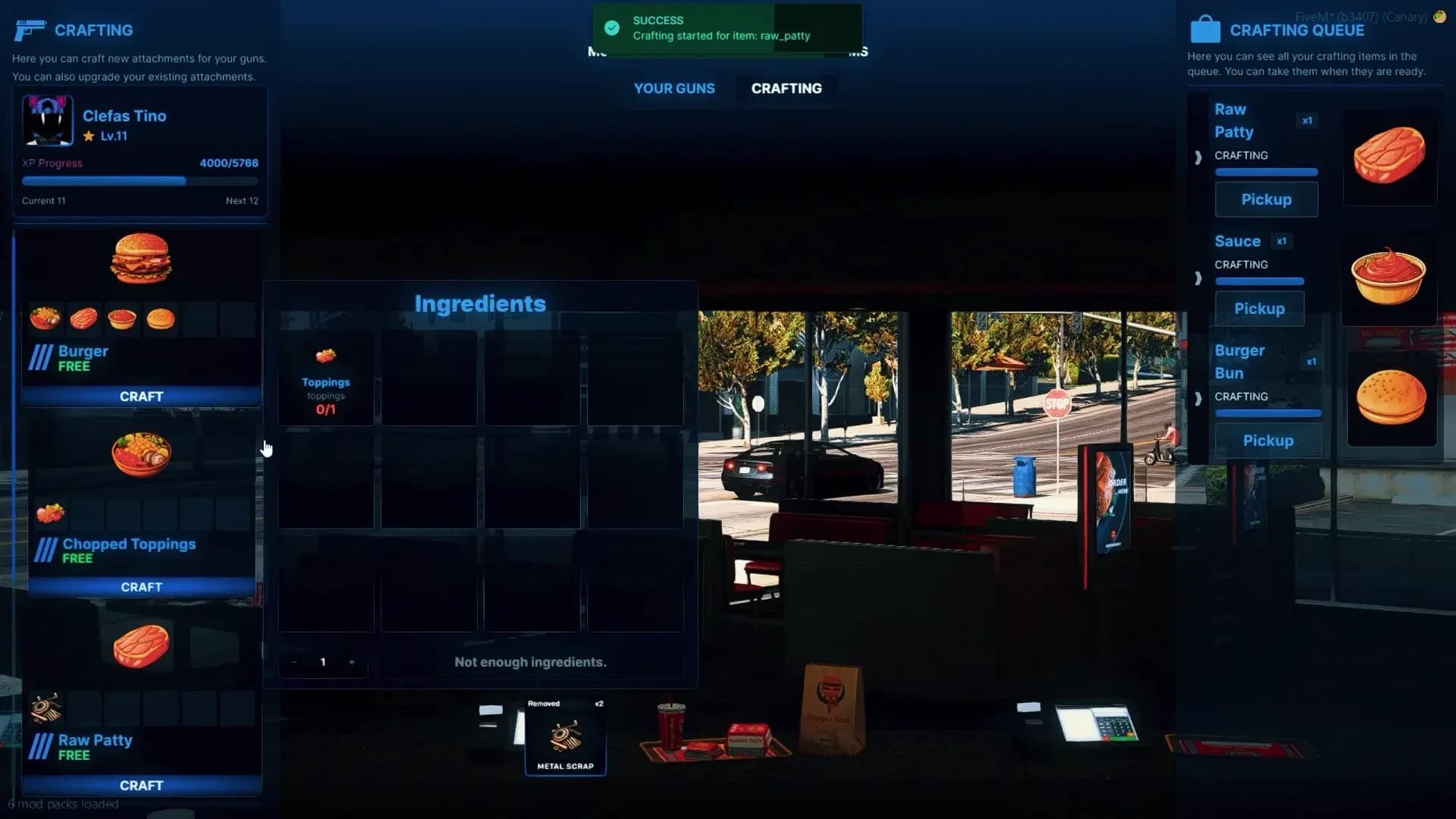
A player walks up to the bench and presses E (or picks Open Crafting Table with their target). If the bench is limited to certain jobs or gangs and they are not one of them, they are told so and nothing opens. Otherwise the HUD and minimap hide, the camera moves over the bench and the window opens:
Where | What is there |
|---|---|
Top | The player's portrait, character name, crafting level and XP bar, and the two tabs: CRAFTING and YOUR WEAPONS. |
Left | The bench's recipes, each with its picture and its price — or FREE. Recipes above the player's level sink to the bottom marked Recipe Disabled, with the level they need. |
Centre | The selected item, standing on the bench in 3D. Drag to turn it. |
Right | The ingredients, each showing how many the player has against how many it takes, the amount to craft ( |
Pressing craft checks the player's level, takes the price from the account set by Config.MoneyType, checks the ingredients and removes them. If anything is short, the money is returned and nothing is taken. Price, ingredients and duration all scale with the amount: crafting 5 of a 60-second recipe takes 5 minutes and five times the materials.
What happens after the craft button is decided server-wide by Config.CraftingProgression:
Mode | How it plays |
|---|---|
| The craft is written to the database with its start time and runs on the server. The player can close the window, drive away, log off — even a server restart does not lose it. When the timer reaches zero they come back to the same bench and press Pick Up. Several crafts can wait in the queue at once. |
| The window closes and a progress circle runs while the player stays near the bench. When it completes, the item goes straight into their inventory. Walking further than |
Config.CraftingProgression = {
    Enabled         = true,
    Mode            = 'queue',  -- 'queue' | 'proximity'
    MaxDistance     = 5.0,      -- metres from the bench (proximity)
    DistanceCheckMs = 500,      -- how often the distance is checked
    CancelRefund    = 'full',   -- 'full' | 'ingredients' | 'none'
    ProgressUi      = {         -- the ox_lib progress circle
        position     = 'bottom',
        useWhileDead = false,
        canCancel    = false,   -- true lets the player cancel with a key
    },
}
CancelRefund decides what a cancelled proximity craft gives back: full returns the ingredients and the money, ingredients only the ingredients, none nothing. A disconnect or a resource stop in the middle of a proximity craft counts as a cancel and is refunded the same way.
Queued crafts cannot be cancelled once started — the materials are already in the bench. A finished item waits in the queue until it is picked up; if the player's inventory is full, they are told so and it stays there.
By default every player has their own queue at each bench, and only sees what they started. A bench marked Global has one queue for everybody who can use it: anyone can see every craft in progress and pick up any finished item. That suits a gang's or a company's workbench, where one member starts a batch and another collects it.
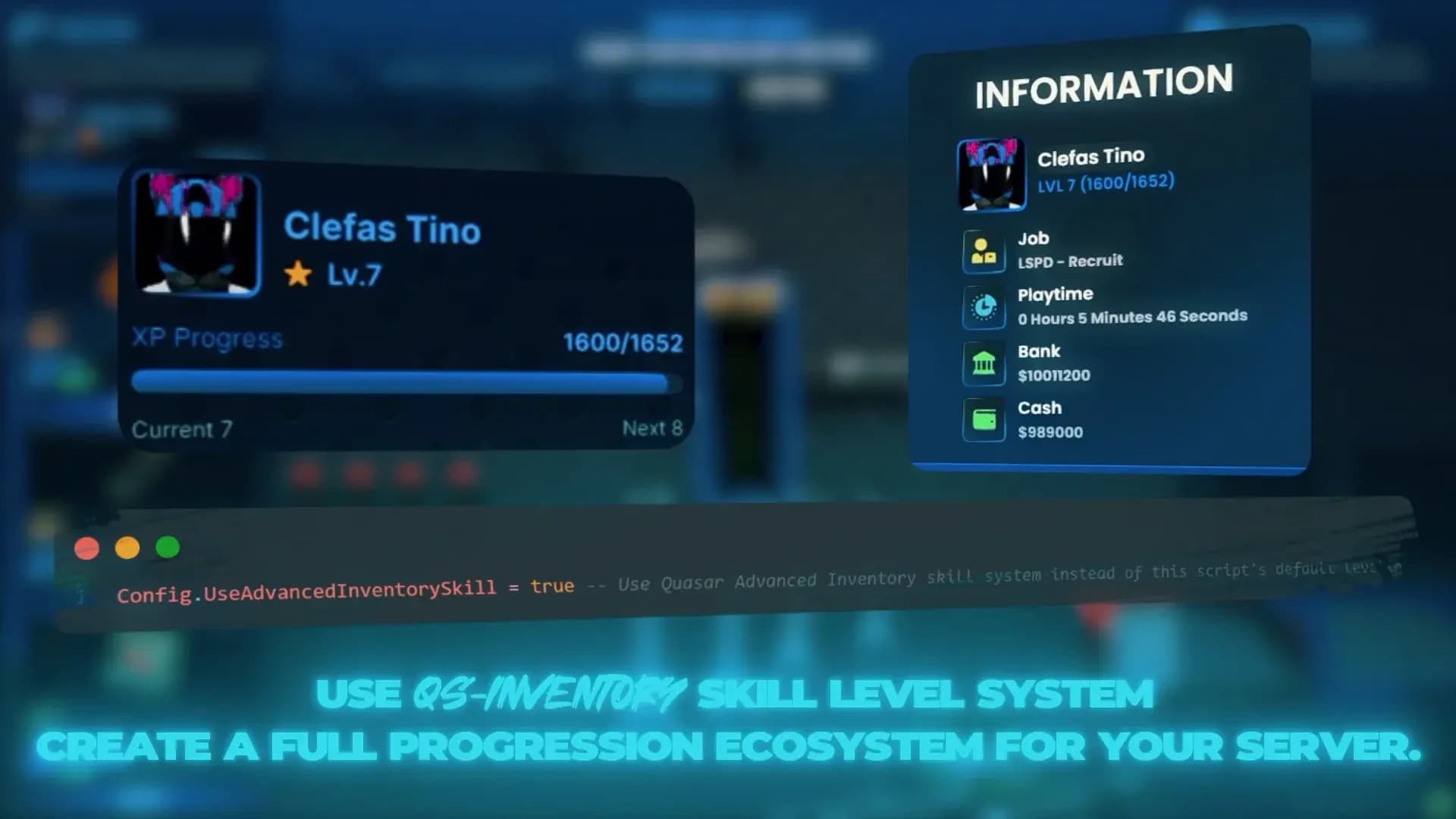
Every character has a crafting level, starting at Config.DefaultSkill (level 1, 0 XP). Each recipe can ask for a Required Level and give an XP Reward per item. XP is paid when the item is delivered — on Pick Up in queue mode, when the circle completes in proximity mode — never when a craft starts or is cancelled.
The XP needed to go from one level to the next is 100 × LevelingDifficulty^(level − 1). With the shipped Config.LevelingDifficulty = 1.5:
From level | XP to the next |
|---|---|
1 | 100 |
2 | 150 |
3 | 225 |
5 | 506 |
10 | 3,844 |
The curve grows quickly. For a long ladder of recipes that ask for level 20 or 30, lower the multiplier to something like 1.1–1.2. Servers running qs-inventory can use its skill system instead — see Integrations.
The YOUR WEAPONS tab lists the weapons in the player's inventory. Choosing one puts it on the bench with its current attachments marked on the model, and lists the attachments the player carries that fit it. They drag an attachment onto its slot to fit it, or remove a fitted one with a confirmation. The change is made on the weapon item itself, through the inventory.
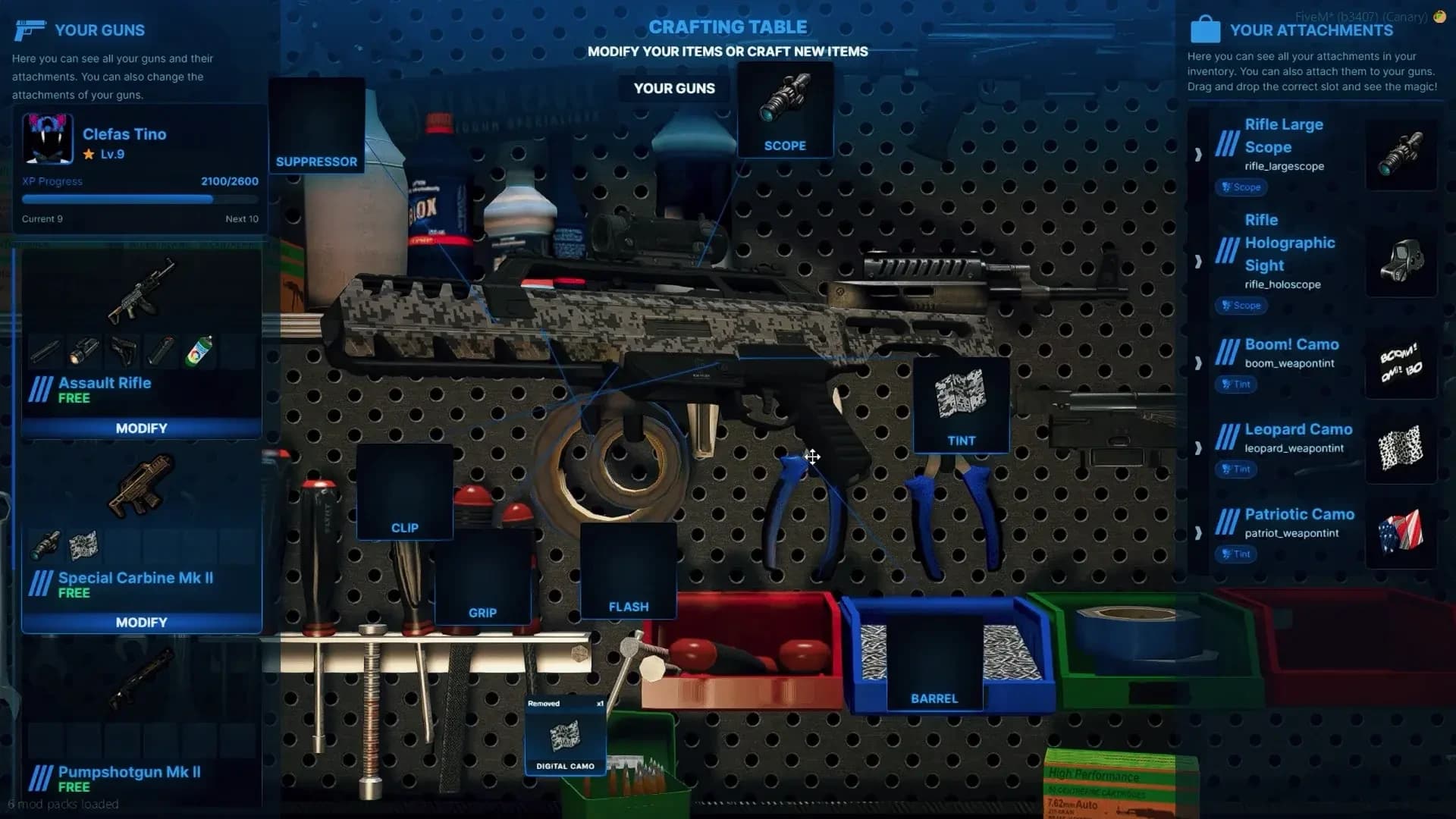
The tab works with qs-inventory, ox_inventory, qb-inventory (with qb-weapons) and tgiann-inventory. Benches that have nothing to do with weapons — a kitchen, a coffee shop — can hide it with Show Weapons Tab; the window then opens straight on crafting.
Press F10. The creator opens on the Crafting Table List: every bench made in game with its ID, name, size, prop, jobs, gangs and number of recipes, a search box, and edit and delete buttons per row. Benches written in config/main.lua do not appear here — they are edited in the file.
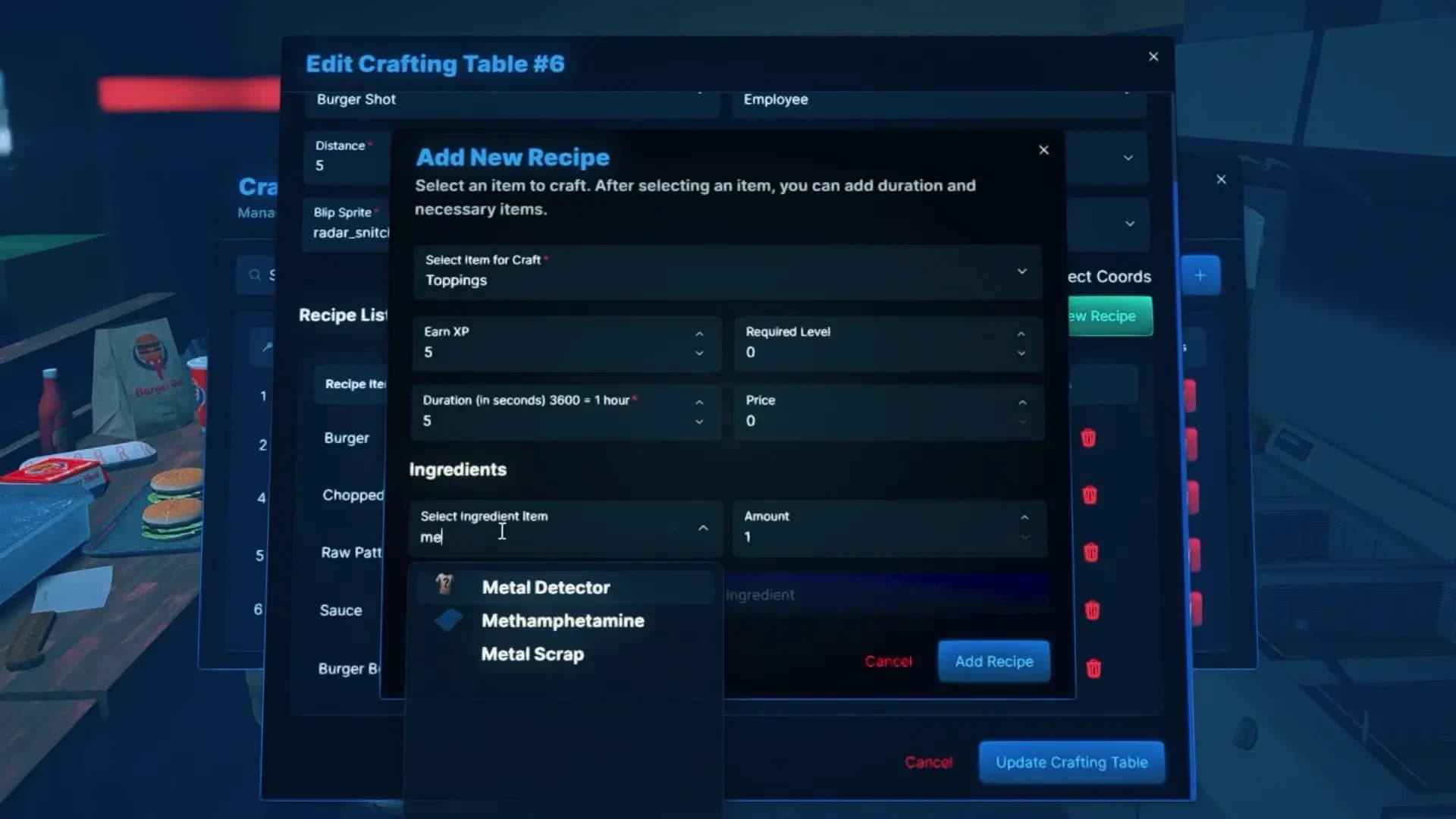
Add a bench and fill in the form:
Field | What it does |
|---|---|
Crafting Name | Shown in the creator and on the map blip. At least 3 characters. |
Distance | The size, in metres, of the area around the bench where the prompt or target option appears. |
Select Object | The bench prop. The list comes from |
Toggle Map Blip | Shows the bench on the map, with a Blip Icon and Blip Color picked from searchable lists with previews. Leave it off for hidden benches. |
Jobs | Pick a job, tick the grades allowed, Add Job. Repeat for more jobs. No jobs means anyone may use it. |
Gangs | The same, for gangs. On ESX this list needs |
Global | One shared queue for everyone at the bench, instead of one per player. |
Show Weapons Tab | Whether the YOUR WEAPONS tab is offered at this bench. |
Recipe List | At least one recipe — see below. |
When both jobs and gangs are set, a player needs to match both. Within each list, matching any one entry is enough.
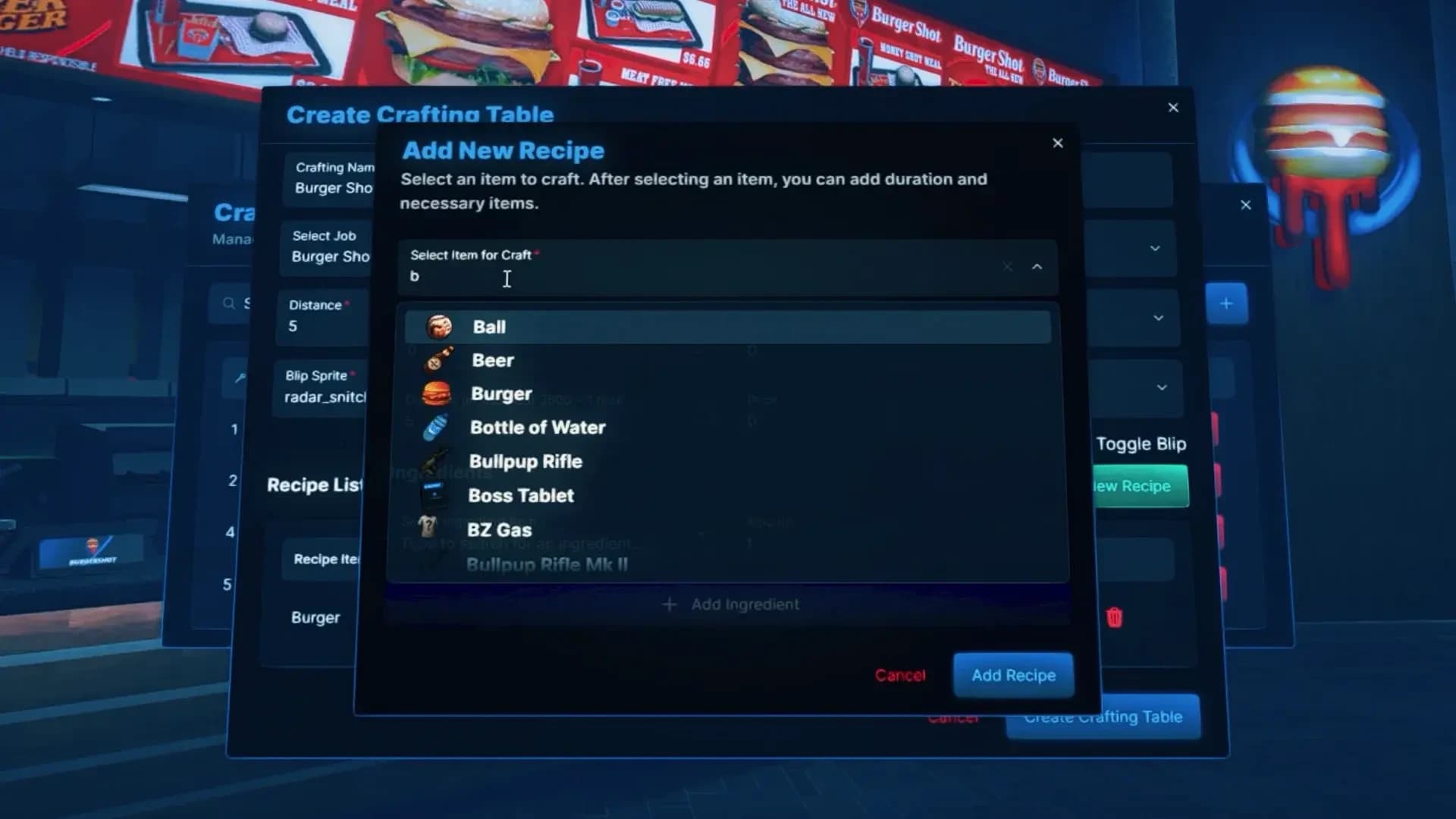
Add New Recipe opens the recipe form. Every item and ingredient is chosen from your inventory's own item list, by name or label:
Field | What it does |
|---|---|
Select Item to Craft | What the recipe produces. Weapons included. |
XP Reward | XP earned per item delivered. |
Required Level | The crafting level needed to start it. |
Duration | Seconds per item, at least 5. |
Price | Money charged per item, from |
Ingredients | One or more items with the amount consumed per item crafted. |
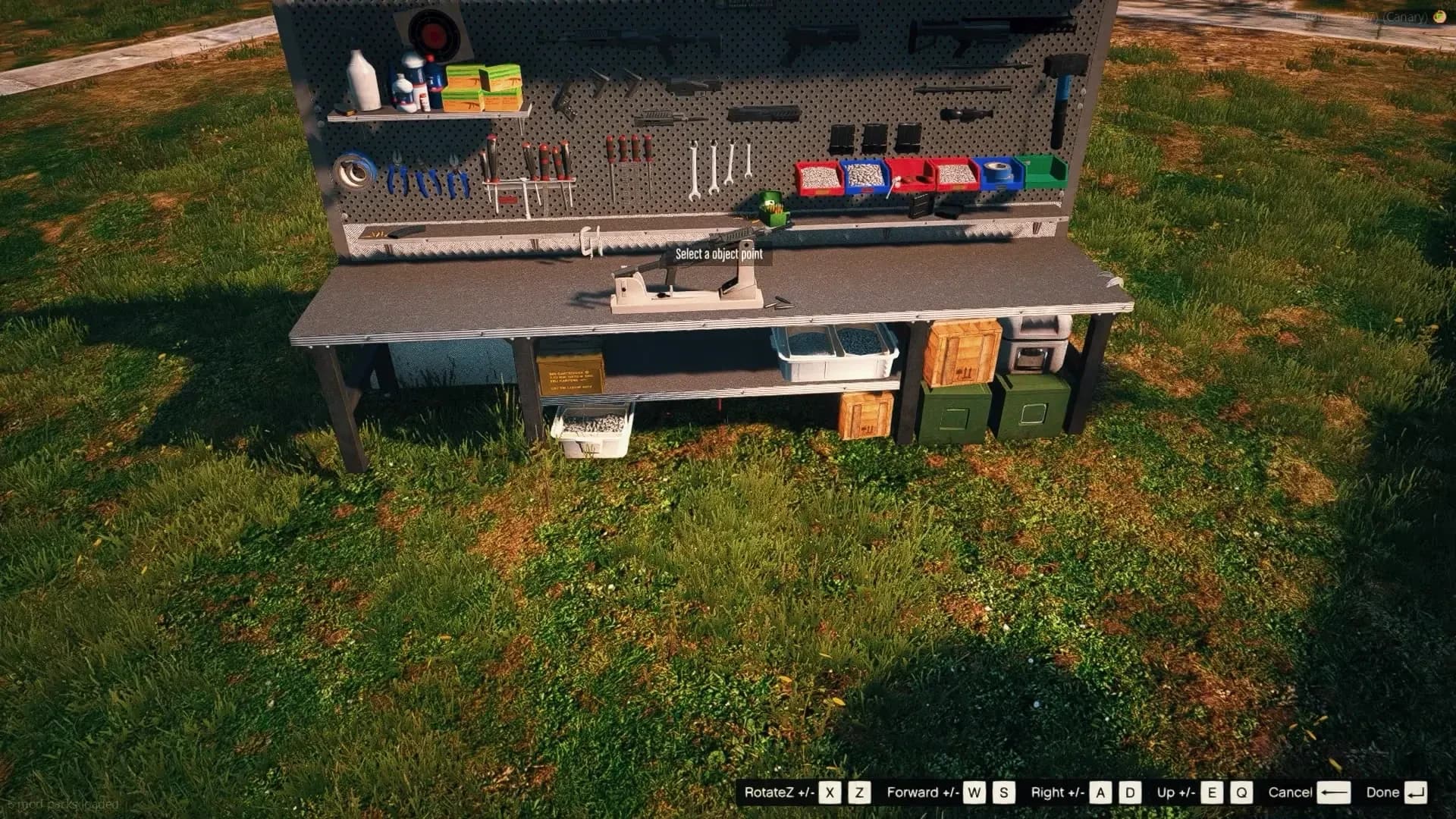
Press Create Crafting Table. The window closes and a free camera takes over, with the prop following the centre of the screen and sitting on the ground:
Key | Does |
|---|---|
| Look around — the prop goes where you aim. |
| Fly the camera. |
| Camera up / down. |
| Rotate the prop. |
| Place it and save the bench. |
| Cancel. Nothing is saved. |
The bench appears for every player at once, with its blip. To change one later, use the edit button on its row: every field can change, and Update Object Coordinates sends you back to the camera to move it. Choosing a different prop always asks for a new position. Deleting asks for confirmation and cannot be undone.
Every recipe item and ingredient must exist in your inventory. A recipe whose item the inventory does not know is left out of the bench and named in the console as
Item not found in itemList.
Benches can also be written in Config.CraftingTables — handy for benches that ship with a map or must be identical on several servers. They load together with the creator's, need a restart to change, and do not show in the creator's list. Each id must be unique.
Config.CraftingTables = {
    {
        id = 'police-armory',                 -- unique
        label = 'Police Armory Bench',
        coords = vec4(452.3, -980.1, 30.69, 90.0),
        size = 5.0,                           -- prompt area, metres
        object = 'gr_prop_gr_bench_02b',      -- a key of Config.ObjectOffsets
        jobs = {                              -- nil = anyone
            { name = 'police', grades = { 2, 3, 4 } },  -- grades = {} for every grade
        },
        gangs = nil,                          -- { { name = 'ballas', grades = { '1', '2' } } }
        global = false,                       -- true = one shared queue
        showWeaponsTab = true,
        blip = { enabled = true, sprite = 566, color = 3 },
        recipes = {
            {
                name = 'weapon_pistol',
                duration = 300,               -- seconds per item
                price = 0,
                level = 5,                    -- required level
                earn = 10,                    -- XP per item
                ingredients = { steel = 80, aluminum = 60, rubber = 20 },
            },
        },
    },
}Three tables in config/main.lua decide how things look on the bench:
Setting | What it controls |
|---|---|
| The bench props offered in the creator, each with where the camera sits and where the item stands, relative to the prop. |
| The prop shown for each item. Weapons use their own model. Anything not listed uses |
| A height correction per prop, for models that sink into the bench or float above it. |
To offer a new bench prop — a lab table, a kitchen counter — add it to Config.ObjectOffsets by its model name and restart:
Config.ObjectOffsets = {
    ['gr_prop_gr_bench_02b'] = { camera = vec3(-1.5, 0.0, 1.5), object = vec3(0.0, 0.0, 1.4) },
    ['gr_prop_gr_bench_01b'] = { camera = vec3(-1.5, 0.0, 1.5), object = vec3(0.0, 0.0, 1.4) },
    ['prop_tool_bench02']    = { camera = vec3(-1.5, 0.0, 1.5), object = vec3(0.0, 0.0, 1.0) }, -- your prop, offsets to tune
}
Finding the right offsets is quicker in game: with Config.Debug = true, /crafting:update_offset moves the camera and the item live while a bench is open. See Commands and Exports.
Model names and previews for props can be browsed at forge.plebmasters.de/objects.