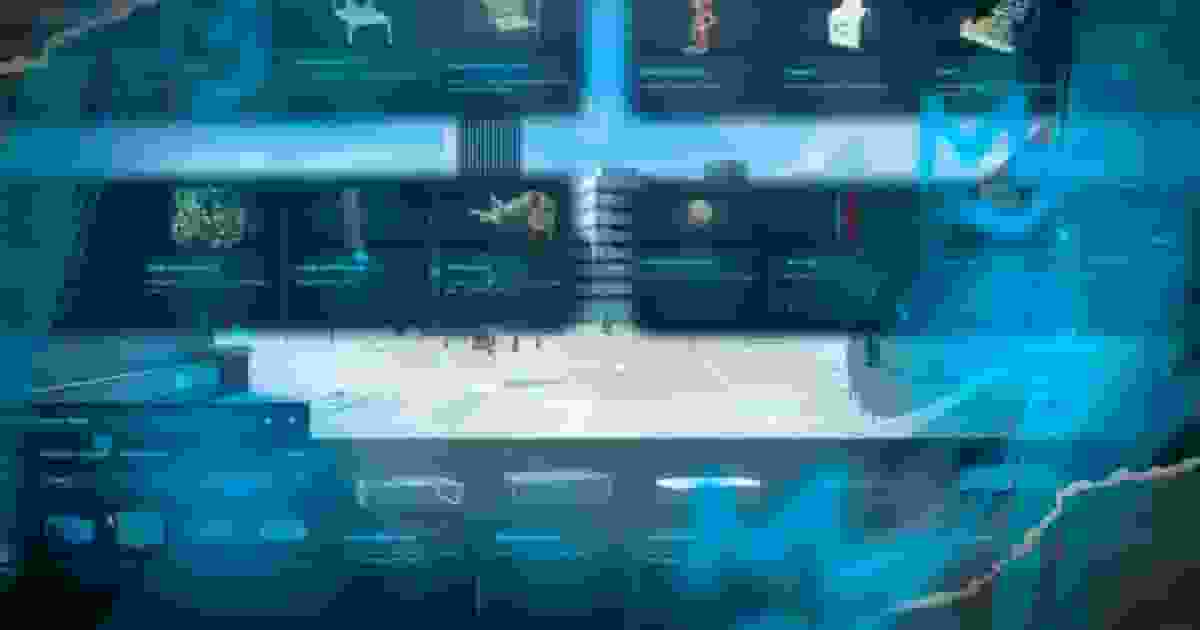
Before installing City Builder, make sure your server meets the minimum requirements below. The resource will not start if a required dependency is missing.
Requirement
Status
Notes
OneSync
Required
Declared in the manifest. The resource refuses to start without it.
oxmysql
Required
Saves placed objects and custom furniture.
ox_lib
Required
Callbacks, text UI and shared helpers.
screenshot-basic
Required
Declared in the manifest; used by the Furniture Creator's photo studio.
Framework
Required
ESX, QBCore or Qbox — auto-detected. Used for admin checks, jobs and money.
Inventory
Optional
Needed for props that work as stashes.
Clothing script
Optional
Needed for props that work as wardrobes.
FiveManage account
Optional
Only to upload the photos the Furniture Creator takes. You can always paste an image URL by hand instead.
Everything framework- or third-party-specific sits behind a small bridge file, and the right one is picked when the resource starts:
After purchasing City Builder, the resource is automatically linked to your CFX Portal account.
Sign in to the CFX Portal using the same account used during checkout, open Granted Assets and download City Builder.
After extracting the download, you should have the following folders:
lua
[citybuilder]/
├── [sql]/
│   └── database.sql        -- the two tables to import
└── qs-citybuilder/
    ├── config/             -- what you may edit
    ├── client/custom/      -- inventory and clothing bridges
    ├── custom/             -- framework bridges, notifications, text UI
    ├── locales/            -- 27 languages
    ├── stream/             -- the photo studio models
    └── web/                -- the interface, images and sounds
The folder must be named qs-citybuilder. The interface loads its images from nui://qs-citybuilder/web/, so a renamed folder shows a catalogue with no pictures.
The loading order matters. Detection only sees resources that are already started, so an inventory that starts after City Builder is never picked and stashes will not open.
Import [sql]/database.sql into your server's database once, before the first start. It creates two tables:
Table
Holds
qs_citybuilder_decorations
Every object placed in the world: model, position, rotation, whether it is put away, who placed it and when.
qs_city_objects
The props added with the Furniture Creator: category, model, label, price, image, colour variants, stash and wardrobe settings.
database.sql (ESX and QBCore)
sql
DROPTABLE IF EXISTS `qs_city_objects`;
CREATE TABLE `qs_city_objects` (
`id` INT(11) NOT NULL AUTO_INCREMENT,
`creator` VARCHAR(80) NULLDEFAULTNULL,
`category_key` VARCHAR(100) NOT NULL,
`object` VARCHAR(200) NOT NULL,
`label` VARCHAR(255) NOT NULL,
`description` TEXT NULLDEFAULTNULL,
`price` INT(11) NOT NULLDEFAULT'0',
`img` TEXT NULLDEFAULTNULL,
`colorlabel` VARCHAR(255) NULLDEFAULTNULL,
`type` VARCHAR(50) NULLDEFAULTNULL,
`stash` LONGTEXT NULLDEFAULTNULL,
`offset` LONGTEXT NULLDEFAULTNULL,
`colors` LONGTEXT NULLDEFAULTNULL,
PRIMARY KEY (`id`) USING BTREE,
INDEX `creator` (`creator`) USING BTREE,
INDEX `category_key` (`category_key`) USING BTREE
) COLLATE='utf8mb4_unicode_ci' ENGINE=InnoDB;
DROPTABLE IF EXISTS `qs_citybuilder_decorations`;
CREATE TABLE `qs_citybuilder_decorations` (
`id` INT(11) NOT NULL AUTO_INCREMENT,
`creator` VARCHAR(80) NULLDEFAULTNULL,
`modelName` VARCHAR(200) NOT NULL,
`coords` LONGTEXT NOT NULL,
`rotation` LONGTEXT NOT NULL,
`inStash` TINYINT(1) NOT NULLDEFAULT0,
`inside` TINYINT(1) NOT NULLDEFAULT0,
`created` DATETIME NULLDEFAULTNULL,
`uniq` VARCHAR(120) NULLDEFAULTNULL,
`lightData` LONGTEXT NULLDEFAULTNULL,
PRIMARY KEY (`id`) USING BTREE,
INDEX `creator` (`creator`) USING BTREE
) COLLATE='utf8mb4_unicode_ci' ENGINE=InnoDB;
The file starts with DROP TABLE IF EXISTS. Importing it again on a live server deletes every placed object and every custom prop. When you update the script, do not re-import it unless the changelog tells you to.
Decoration mode and the Furniture Creator are both behind the same check. A player gets in if either of these is true:
Automatic, nothing to configure.
ESX — players in the admin or superadmin group.
QBCore / Qbox — players with the god or admin permission, or the command ace.
Give a job — a city planner, an interior designer, an events team — access without making them admins. grade is a list of allowed grades, or false for every grade.
All settings live in four files under config/. Each line is tagged [EDIT] (safe to change), [ADV] (change only if you know why), or [CORE] / [AUTO] (leave alone).
File
Contents
config/config.lua
Language, detection, money, builder jobs, sounds and music, price formatting, the default stash size, editor keys and camera speeds, debug.
config/decorate.lua
How far objects stream in, how far the camera may fly, and dynamic doors.
config/furniture.lua
The furniture catalogue: the five rooms, every category, every prop, its price and its behaviour; custom prop events.
config/fivemanage.lua
Your FiveManage token, for photo uploads. Server-side only.
The values worth reviewing first:
lua
-- config/config.lua
Config.Locale = 'en'-- ar, bg, cs, da, de, el, en, es, fa, fr, he, hi, hu, it, jp,-- ko, nl, no, pl, pt, ro, ru, sl, sv, tk, tr, zh-CN
Config.EnableMoney = false-- true = props cost money and selling pays a commission
Config.MoneyType = 'money'-- 'money' (cash) or 'bank'
Config.SellObjectCommision = 0.3-- selling returns 30 % of the price
Config.EnableF3Shop = true-- false = staff can only manage placed objects, not add new ones
Config.FurniCreatorCommand = 'citybuilderfurniture'
Config.DefaultStashData = { maxweight = 1000000, slots = 30 } -- for stash props with no size of their own-- config/decorate.lua
Config.SpawnDistance = 30.0-- placed objects appear within 30 m of a player
Config.MaximumDistanceForDecorate = 350.0-- the camera may fly 350 m from where you opened the builder
Config.DynamicDoors = true
Every file under config/ is read when the resource starts. After editing one, restart qs-citybuilder — placed objects and custom props are in the database and are not lost.
The Furniture Creator can photograph a prop and upload the picture for you. Uploads go to FiveManage. Skip this section if you prefer to paste image URLs by hand.
Update the CFX server resources
Download the latest default resources from cfx-server-data and replace the old ones on your server, so screenshot-basic is up to date.
Clear the server cache
Stop the server, open the folder that holds server.cfg and delete the cache folder.
Add your FiveManage token
Create an account at FiveManage, generate an API token, and paste it in config/fivemanage.lua:
lua
Config.FiveManageToken = 'your-fivemanage-token'
The file is loaded on the server only, and the token is handed to the interface only for players allowed to use the Furniture Creator.
This video walks through creating the account and the token:
Restart your server and read the console. A healthy start prints:
bash
[INFO] Successfully loaded the framework. esx
GARAGES INFO: Furniture Creator initialized: 0 custom items loaded
You are using the latest version of qs-citybuilder!
The framework line names esx or qb (Qbox also reports qb). The second line counts the props added with the Furniture Creator. If either line is missing, read the console from the top — the first red line is the cause.
Then join your server as an admin and work through the first loop:
Open the builder
Type /citybuilder. The camera detaches from your character and the decoration panel opens at the bottom of the screen.
Place a prop
Pick a room, a category and a prop. It appears in front of the camera — hold the left mouse button to drag it, press G to drop it on the ground, then Enter to buy and place it.
Check it is shared
Ask a second player to walk over: the prop is already there for them. Restart the resource and it is still there.
Placing, moving, selling and adding props never needs a restart. Only edits to the files under config/ do.