Usage — Restaurant Creator for FiveM | Quasar Store | Quasar Store
Documentation
Usage
How to build a FiveM restaurant in game, take kiosk orders, cook burgers, pizzas, fries and drinks, write the menu, run the boss menu, hire staff with ranks, manage finance and order supplies.
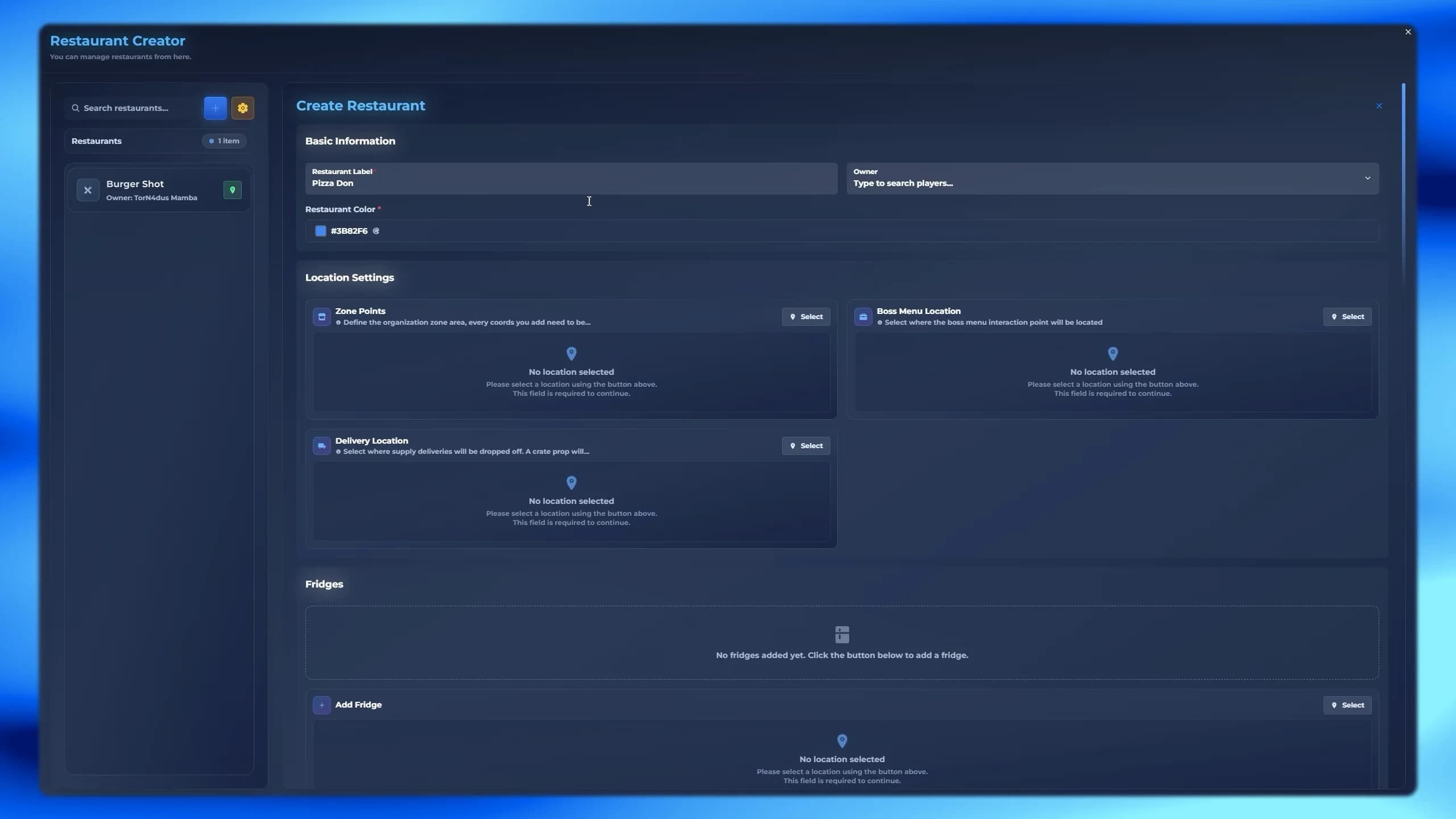
/restcreator opens the Restaurant Creator window. The left column lists every restaurant with its owner, a search box and a Teleport button. Press Create new (+) to start one, or select a restaurant to edit it. The form is a single page of panels; every location has a Select button that closes the window and lets you pick the spot in the world.
FiveM in-game restaurant creator panel with zone, kiosks, POS terminals and cooking stations
The Restaurant Label, an optional Owner (searched among your server's characters, so they do not need to be online) and the Restaurant Color used across its menus. The owner gets every permission in the boss menu and cannot be fired; changing the owner later replaces the previous one.
Zone Points is the outline of the property, drawn from a free camera. Everything else you place must be inside it, and it cannot overlap another restaurant's zone. It needs at least four points and turns green once it is valid.
Key
Does
W A S D · Q / E
Fly the camera; Q and E go up and down.
Left click
Add a point.
Right click
Undo the last point.
Z / X
Raise or lower the zone's height, so it covers every floor.
Switch the blip on to show the restaurant on the map: name, sprite (default 93), colour (default 17), scale (0.2–1.0) and position. Sprites are chosen from a picture list.
Switch on the kitchens this restaurant has. Each one opens its own setup, placed with a live preview of the props in green.
System
What you place
Burger System
One station. The ingredient tray, the grill and the assembly board are laid out around it automatically.
Pizza System
The pizza bench, an optional decorative oven, and at least one cooking location — each one bakes one pizza at a time.
Fries System
One fryer.
Beverage System
One or more drink stations.
Basic Cooking System
Preparation, Cooking and Packaging stations (required) and Chopping, Marinating and Beverage stations (optional). A missing optional station falls back to Preparation (chop, marinate) or Cooking (beverage).
Press Create (or Save when editing). The restaurant appears for every player at once — no restart. Delete in the form's footer removes it for good.
The Allowed Items button in the creator's header holds one server-wide list of the inventory items restaurants may use in their recipes, drinks and pickers. Click an item to allow it. An allowed item can also be switched to Shop with a price — that is the catalogue every restaurant's supply shop sells from. The 23 default ingredients and dishes come allowed, with the raw ingredients already for sale.
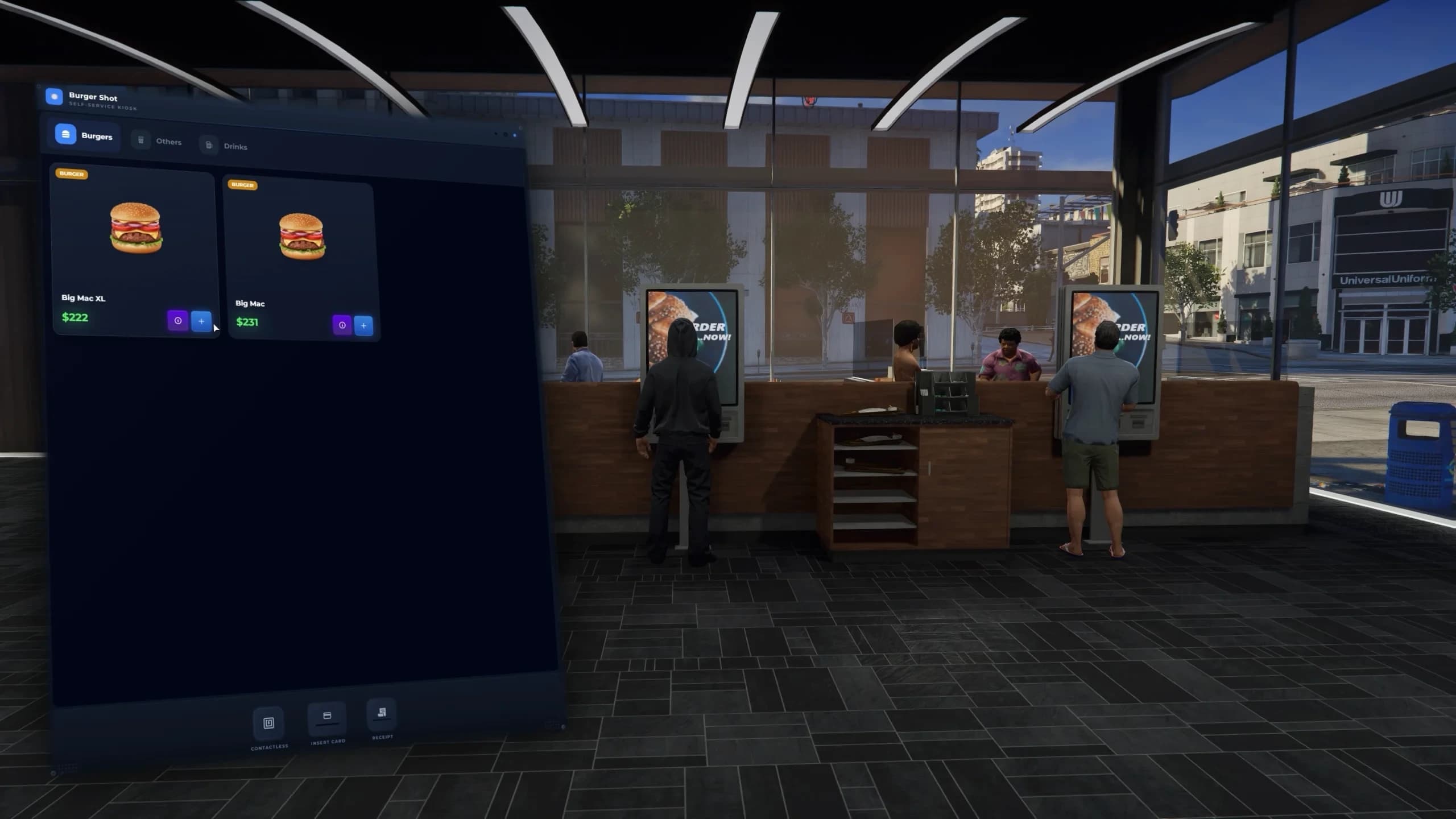
FiveM restaurant kiosk ordering system with categories, cart and order number
The customer orders at a kiosk
Categories, products with their ingredients and prices, a cart, then Checkout with Cash or Bank Card. They get an order number that restarts at 1 every day. The money goes straight into the restaurant's balance. A closed restaurant's kiosks show "This restaurant is currently closed."
The kitchen sees it
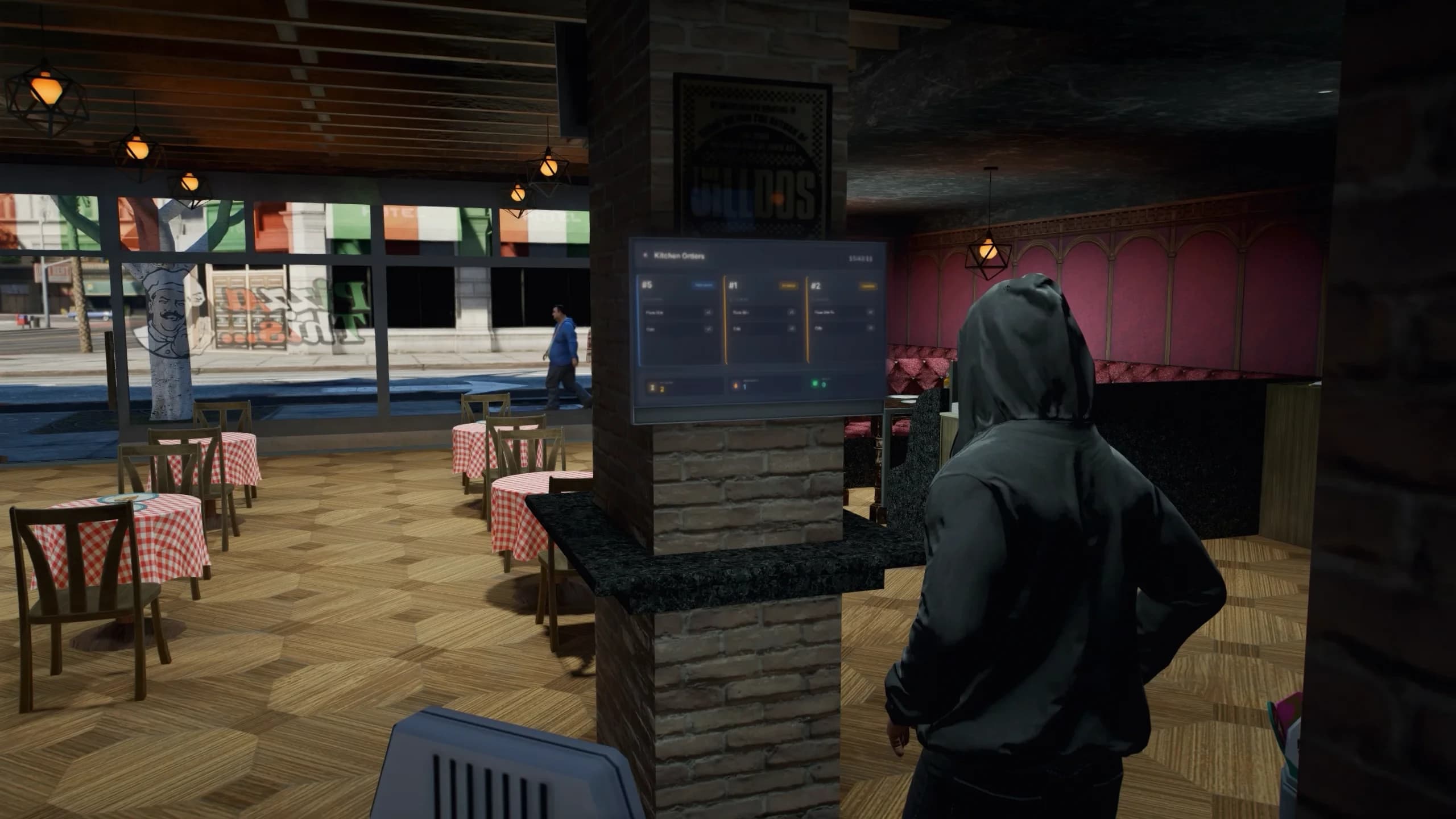
The Kitchen Orders TV lists the order and its items, sorted pending → preparing → ready. The POS terminal shows it under Active Orders, with flags for what still needs cooking, fries or a drink.
The cooks make it
Burgers and pizzas are cooked in Order Mode at their station, which ticks the item off by itself. Fries, drinks and multi-step dishes count as done once the worker delivering the order is carrying them. The first finished item moves the order to Preparing; the last one to Ready.
The number is called
Ready orders move to the Order Queue TV ("Ready for Pickup") and to Ready to Deliver on the POS.
A worker hands it over
Deliver on the POS gives the customer their food. The customer must be online and within 5 metres (Config.PosTerminalSettings.deliveryRadius). Burgers and pizzas are created fresh; fries, drinks and dishes move from the worker's inventory to the customer's.
FiveM kitchen display TV showing active restaurant orders
The TVs are real props rendering a live page (Config.DisplaySettings: 1280×720, refreshed every second, drawn within 20 m). Kitchen and queue screens use different TV models so both can show different content side by side.
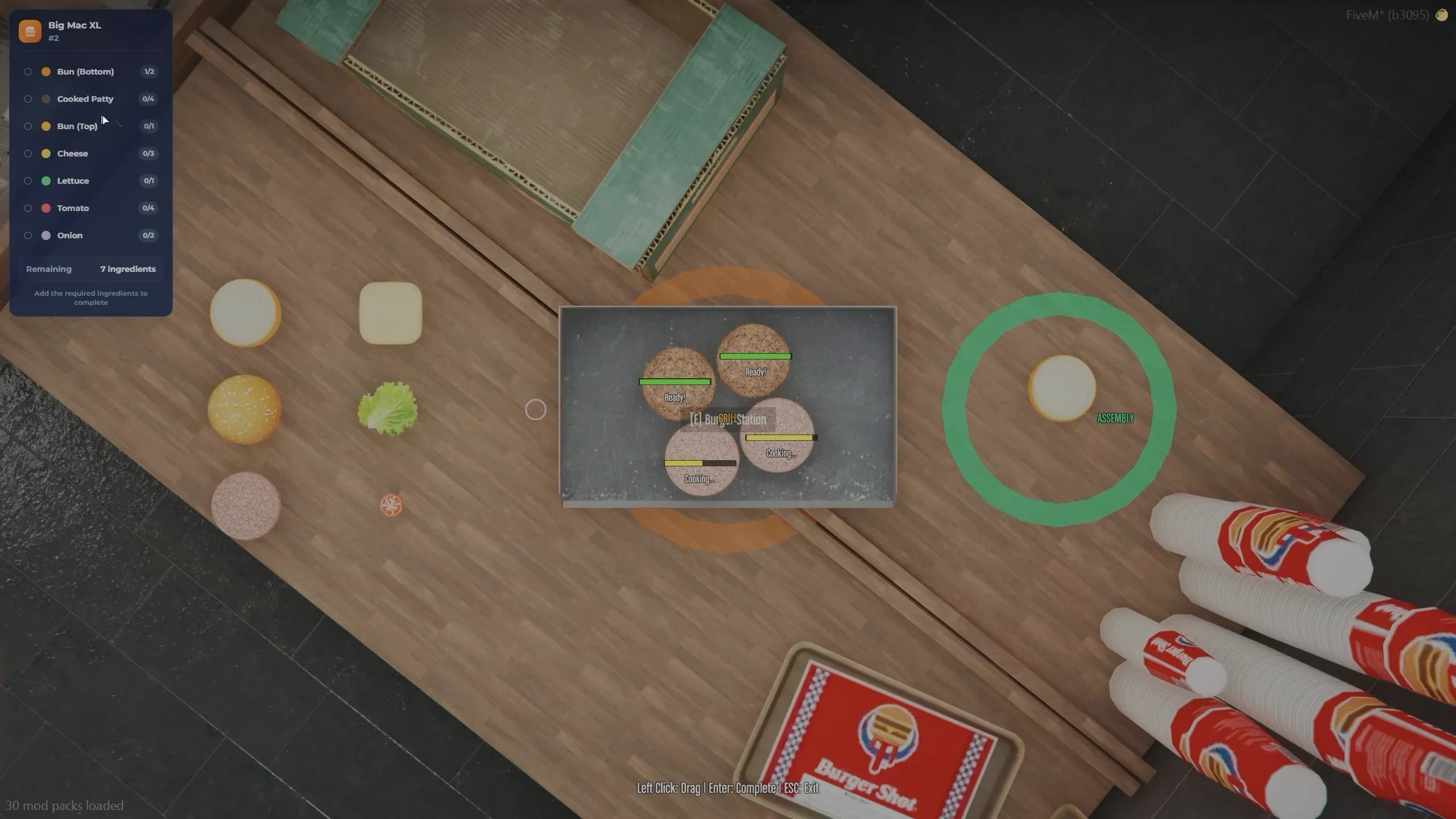
FiveM burger cooking minigame with grill, patties and toppings
Choose Order Mode (cook a waiting kiosk order) or Freedom Mode (build any burger). A top-down camera opens over the ingredient tray, the grill and the assembly board.
Drag raw patties onto the grill with the left mouse button — up to four at a time. They are cooked after 8 s and burned at 12 s.
Build on the board: the bottom bun first, then cooked patties, cheese, lettuce, tomato and onion. Drag a layer off to take it back.
Press Enter to finish. A burger needs a bottom bun, a cooked patty and a top bun; in Order Mode it must also match the recipe's quantities. ESC leaves without using anything.
Ingredients are only taken from the inventory when the burger is finished. If any are missing, a Missing Ingredients panel shows what is needed. Set Config.BurgerRequireItems = false for unlimited ingredients.
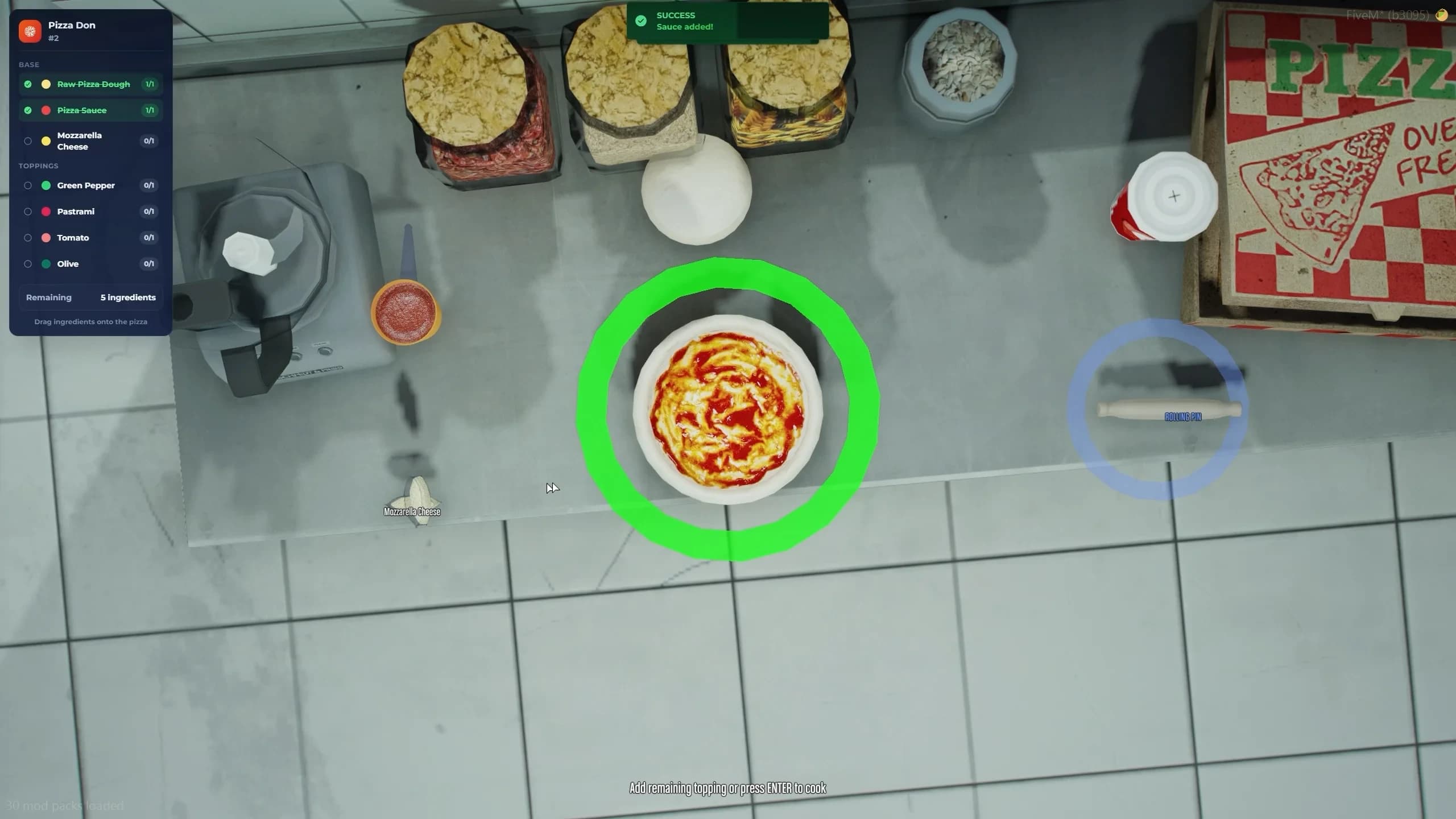
FiveM pizza cooking minigame with dough, rolling pin and toppings
Drag the dough onto the board, then the rolling pin onto the dough to roll it out.
Add sauce and mozzarella — both are required.
A tray of nine toppings appears: green pepper, pastrami, tomato, olive, onion, lettuce, pepperoni, green olive and mushroom. Drop them anywhere on the pizza.
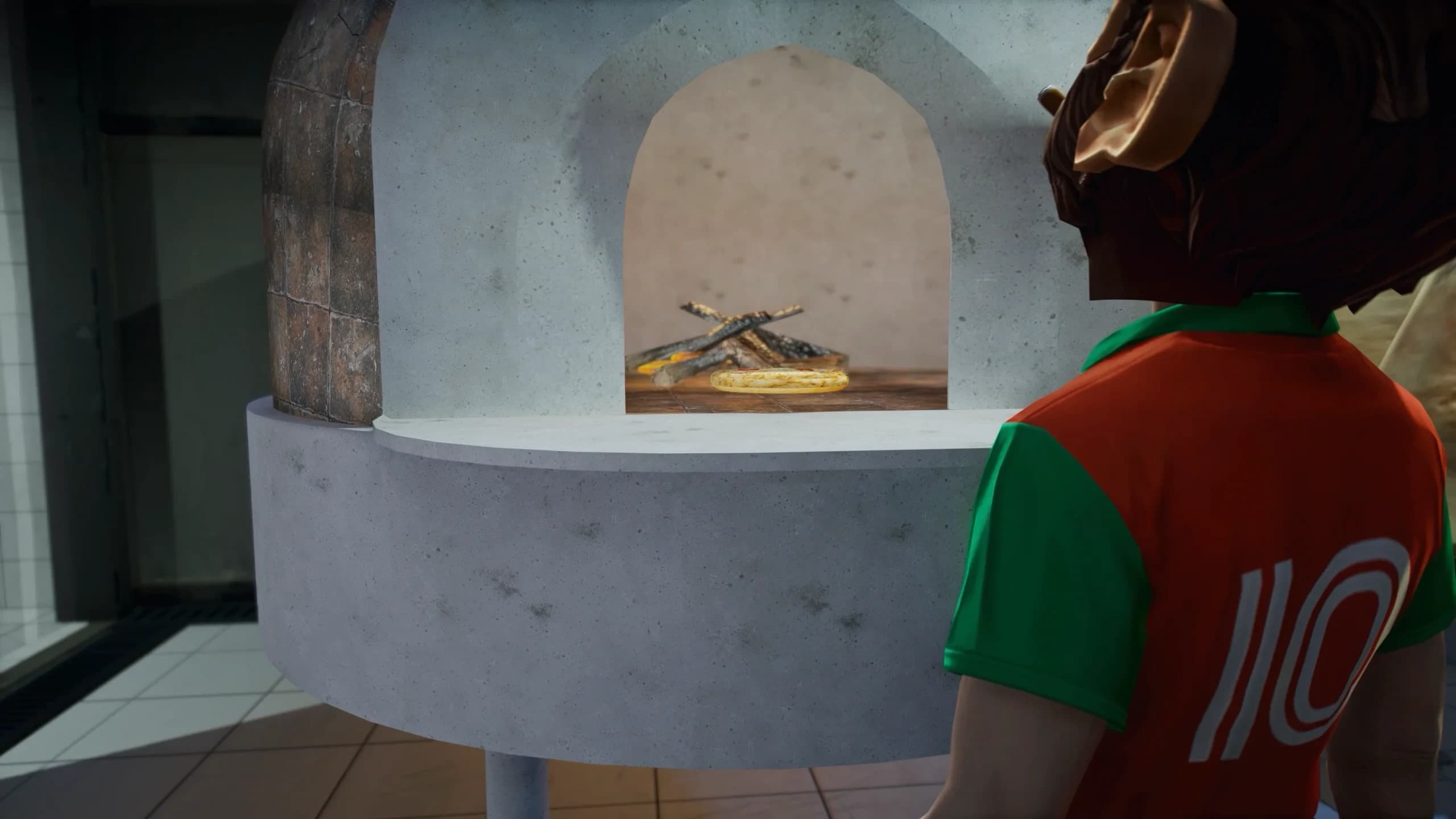
Press Enter to send it to the first free cooking location. It bakes in 15 s — everyone sees it — and burns at 25 s.
At the cooking location, Collect pizza (or Remove burned pizza).
Realistic wood-fired pizza oven for FiveM restaurant roleplay
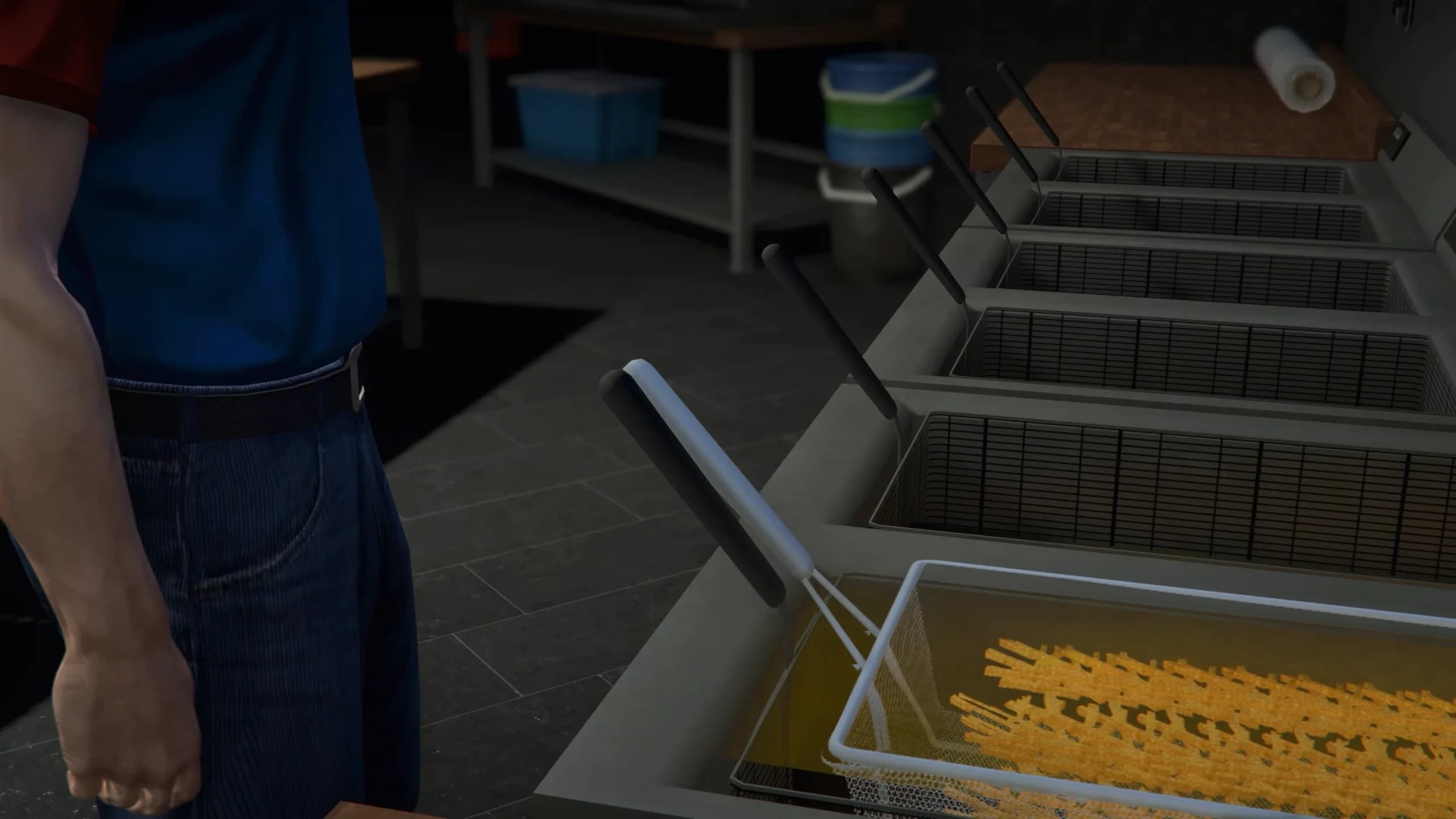
Start frying takes one raw_fries, lowers the basket into the oil and plays the sizzle. The fries are ready after 10 s and burned at 15 s. Collect fries gives cooked_fries; Cancel (or G without target) gives the raw fries back.
Prepare a drink lists the drinks this restaurant offers. The station is reserved while a drink is poured (5 s) — other players see who is using it — then Collect drink. Cola, Sprunk and Orange Juice ship by default; owners add their own drinks in the boss menu, and server-wide types live in config/cooking/drinks.lua.
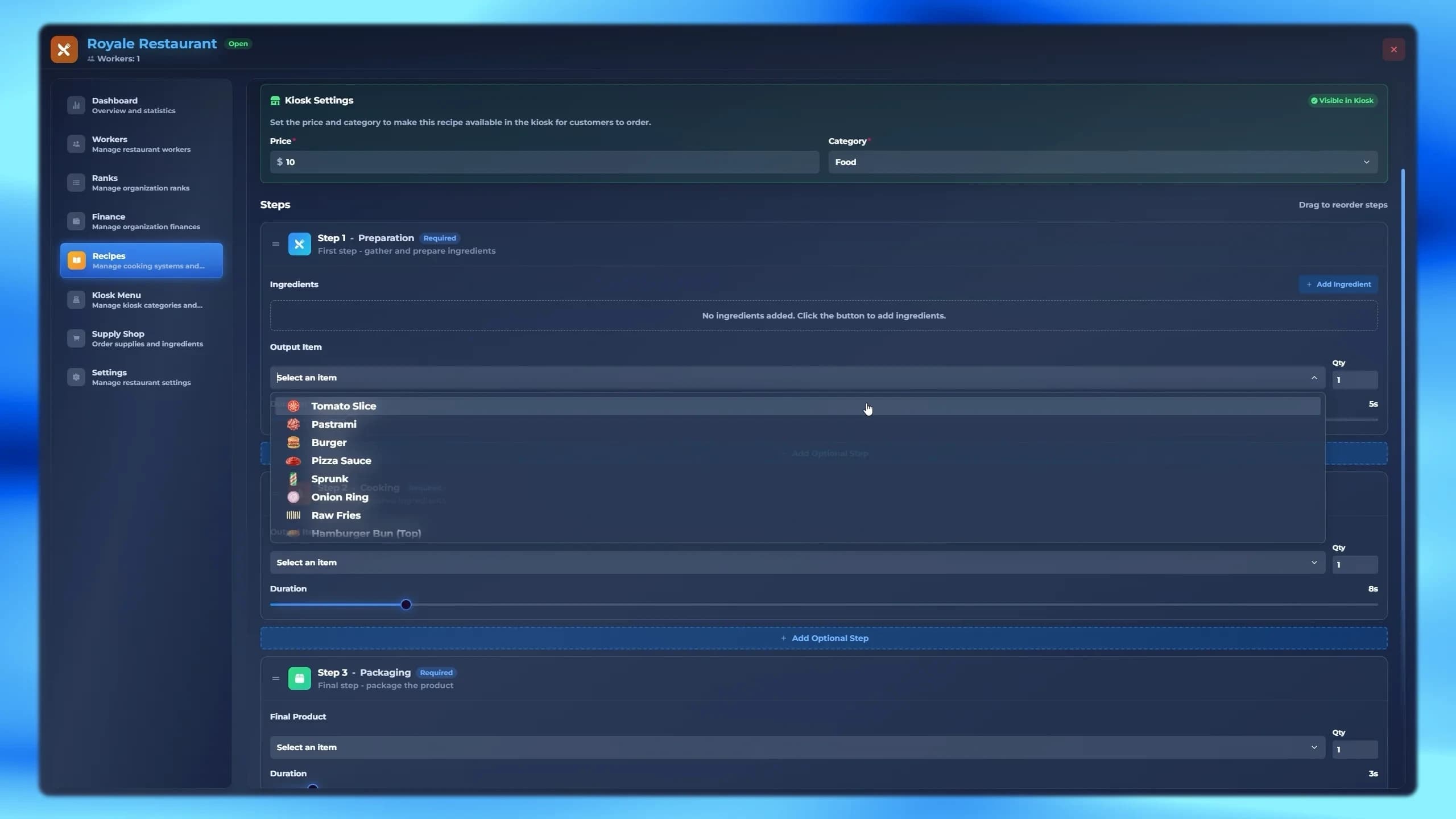
For any dish that is not a burger or a pizza. At a basic station, Select Recipe lists the dishes you can make with what you carry — and you can start halfway, if you already hold a later step's input. A step bar shows each step's station and required items; a progress circle plays the step. When the next step is at another station you are told where to go; at the same station it continues by itself.
FiveM custom dish creator with multi-step cooking recipes
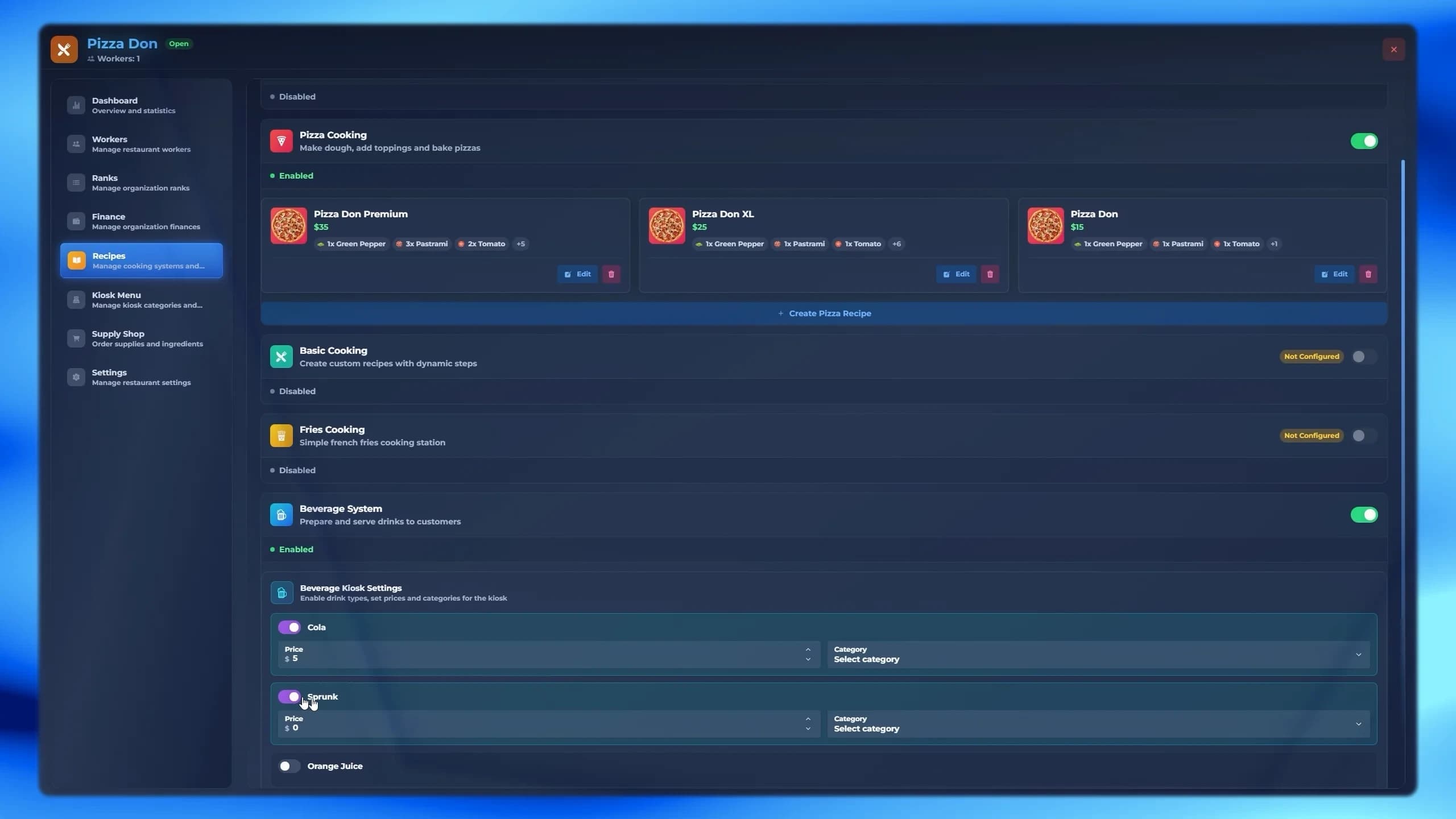
Each restaurant writes its own menu in the boss menu's Recipes tab. Its cards also switch each cooking system on or off (a system the admin has not placed shows Not Configured).
Recipe
What you set
Burger
Name, ingredients and quantities (bottom bun, patty and top bun are always required), image, price, category.
Pizza
Name, toppings and quantities, image, price, category.
Multi-step
Name and steps — Preparation, Chopping, Marinating, Cooking, Beverage, Packaging — each with an input item, an output item and a duration of 1–60 s. At least Prep, Cook and Pack; drag to reorder; Preview Flow to check it.
Fries
Price and category.
Beverages
Which drinks are sold, each with a price and category, plus Add Custom Drink: a name, the inventory item and the can or cup prop.
The Kiosk Menu tab holds the categories — name, description, colour, an icon or an image, and display order — and assigns each recipe its price and category. A recipe only appears on the kiosks with a price above $0 and a category, and only while its cooking system is switched on.
FiveM restaurant kiosk menu categories with icons and colours
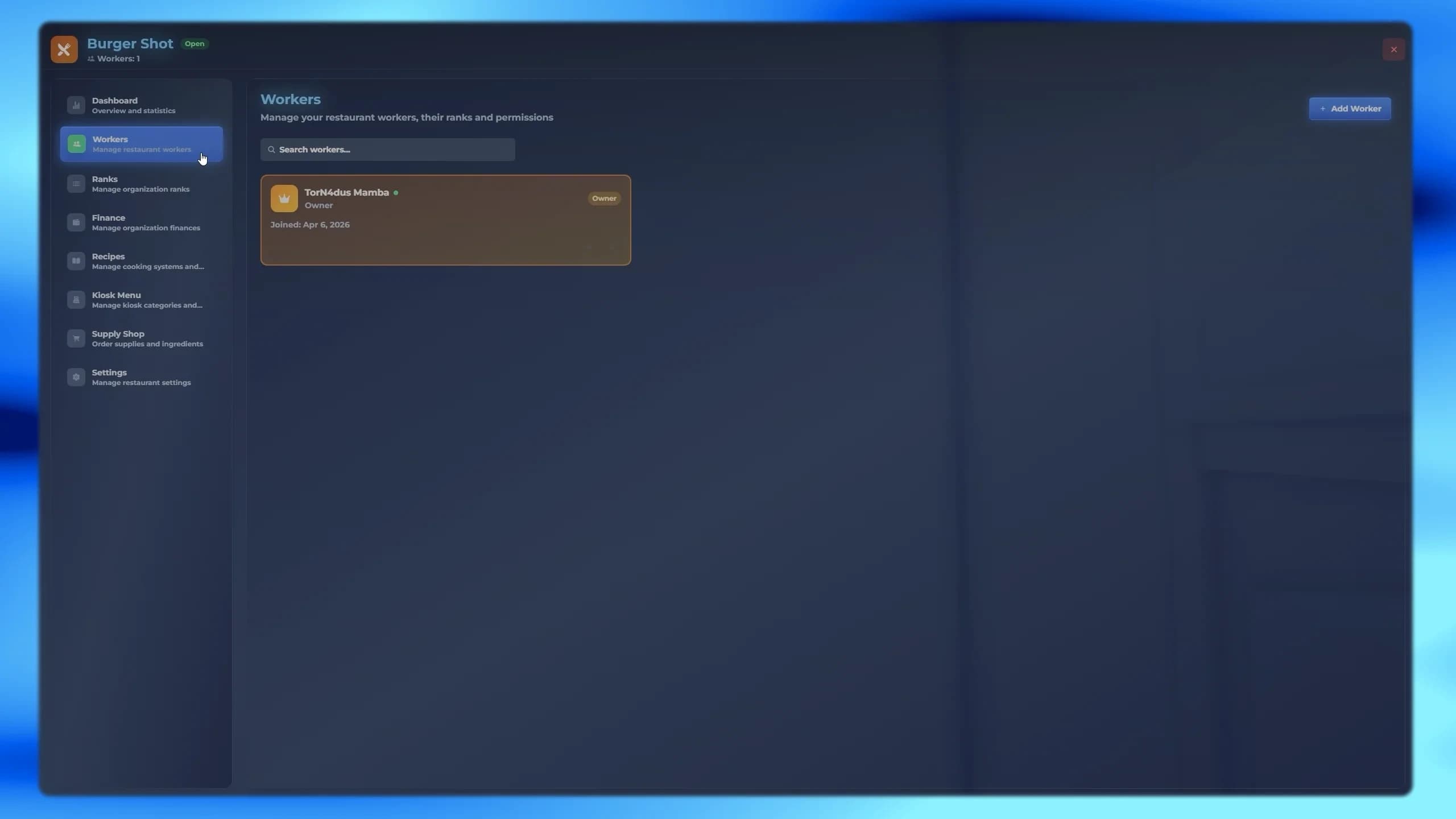
Hiring is instant: pick an online player and a rank, and they are a worker. Without a rank they get the lowest one. A player can work at several restaurants, and a rank at one says nothing about another. Ranks have a grade from 0 to 99 (100 is the owner's read-only Boss rank); deleting a rank leaves its workers with no rank.
Permission
Lets that rank
Access Boss Menu
Open the boss menu at all.
Access Workers
See the Workers and Ranks tabs.
Access Finance
See the balance, charts and transactions.
Access Recipes
Edit recipes, the kiosk menu and switch cooking systems.
Access Supply Shop
Order supplies.
Access Settings
Open or close the restaurant and change its image.
Hire Workers
Hire players and change a worker's rank.
Fire Workers
Remove workers. The owner can never be removed.
Edit Ranks
Create, edit and delete ranks.
Deposit Money
Put their own money into the balance.
Withdraw Money
Take money out of the balance, and pay supply orders with it.
FiveM restaurant employee hiring and rank management
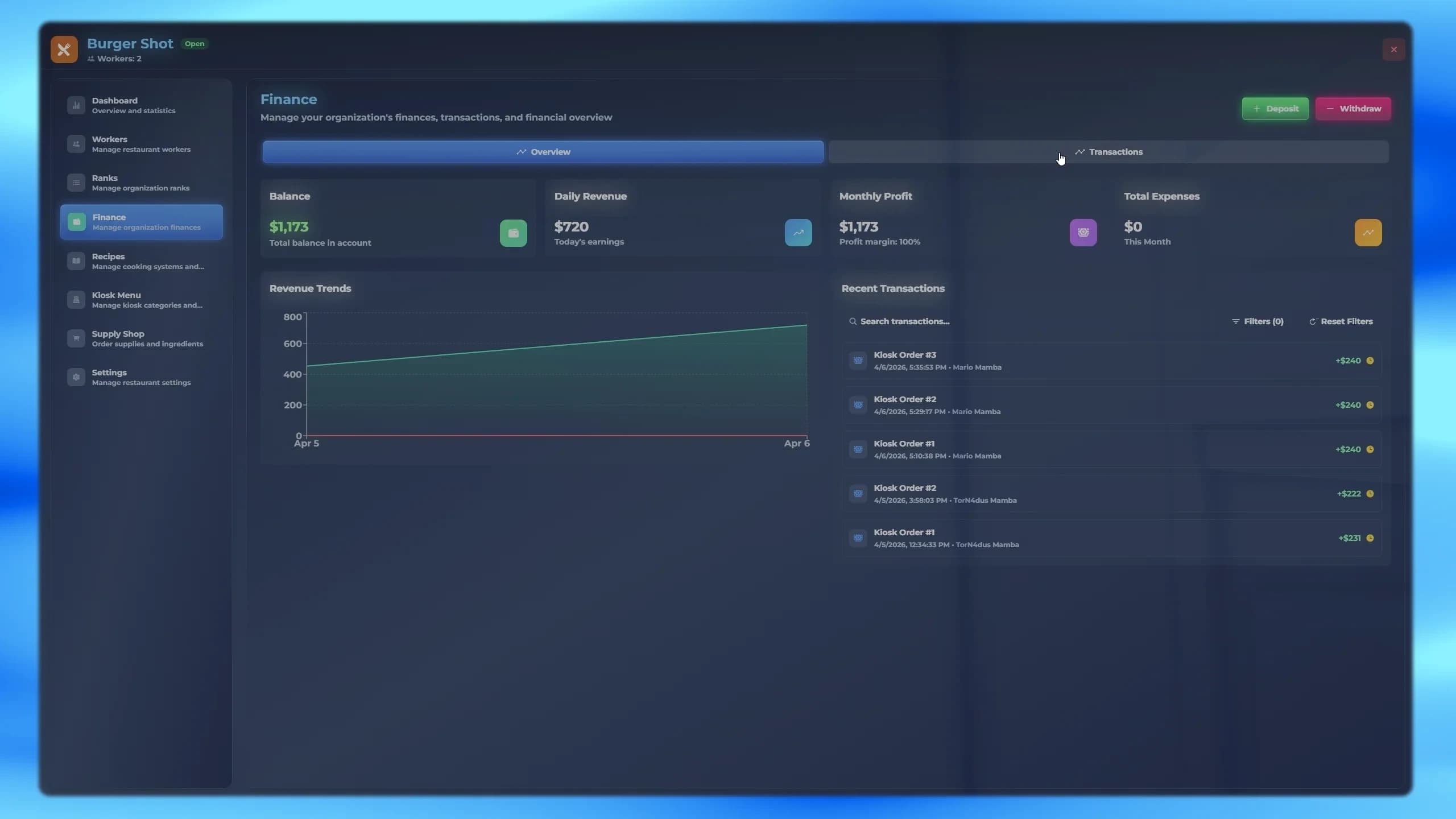
Each restaurant has its own balance. Every kiosk sale is paid into it and logged as a sale; supply orders paid by the business are logged as an expense. Deposits and withdrawals move money from and to the player's cash or bank, with an optional description and reference number; dirty money is refused. The Transactions view filters by type, status, amount and date, and sorts or groups the results.
FiveM restaurant supply shop ordering ingredients for delivery
Staff with Access Supply Shop fill a cart from the items the admin put up for sale (up to 20 different items, 100 of each), pick how to pay and press Place Order. Who pays is set by Config.ShopSettings.paymentSource:
'business' — always the restaurant's balance.
'player' — always the player's cash or bank.
'choice' (default) — the player picks; the balance is offered to the owner and ranks with Withdraw Money.
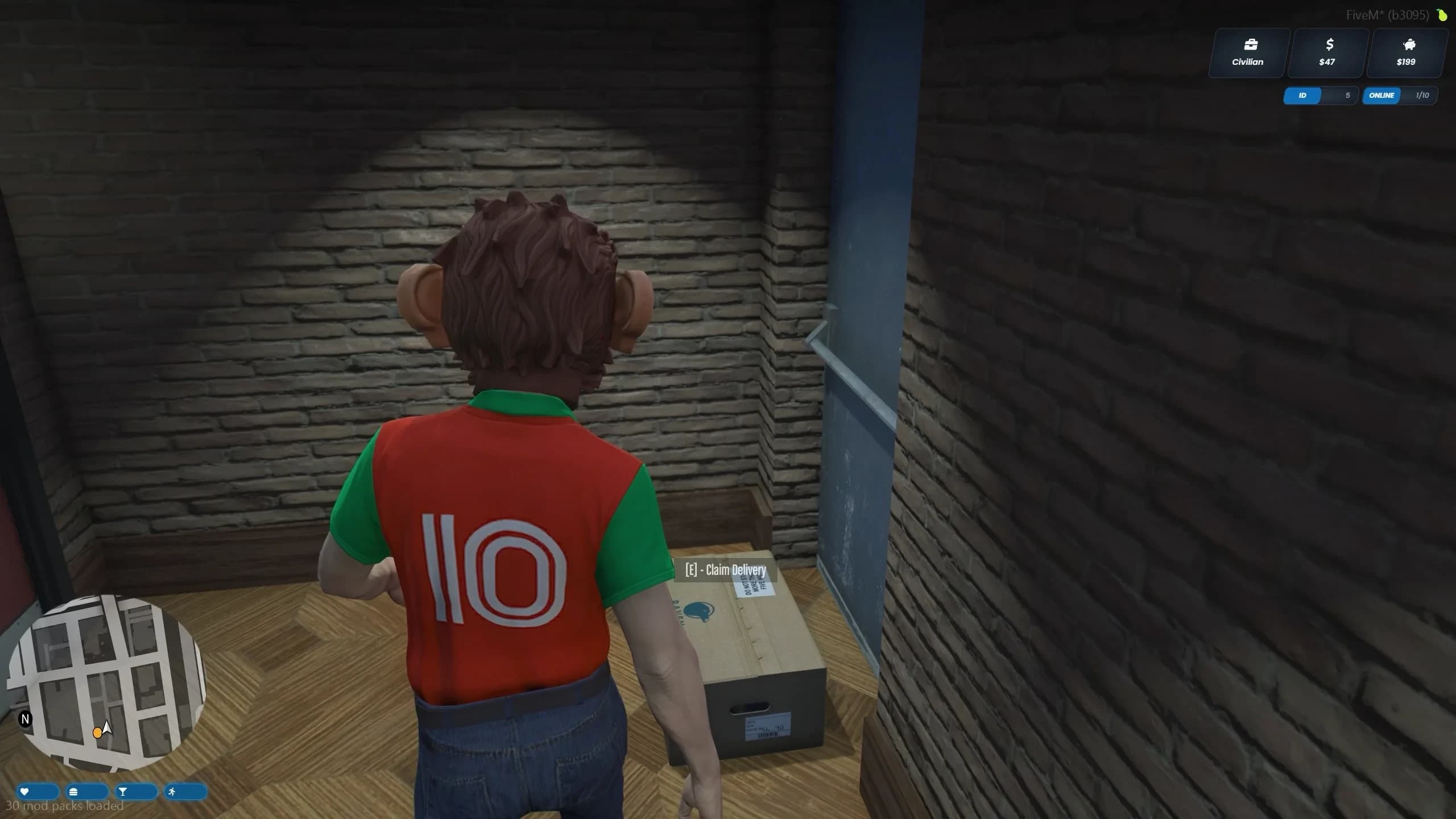
After deliveryTime (60 s by default) a crate appears at the delivery location and players nearby are told it has arrived. Claim Delivery puts everything in the claiming player's inventory. Pending deliveries survive a server restart.
FiveM restaurant fridge stash for storing ingredients
Each fridge is a separate stash that only the restaurant's workers can open — the place to keep ingredients and finished dishes between shifts.
Every finished dish and drink is usable from the inventory: a progress circle plays an eating or drinking animation with a matching prop (a burger, a fries box, a pizza box, the right can) and one item is used. Animations, props and durations per item are set in config/consumable.lua; extraDrinkItems marks your own items as drinks.
Eating does not fill hunger or thirst on its own, because every server uses a different status system. Adding it takes one small event handler — see Hunger and Thirst.