Usage — Diamond Casino | Quasar Store | Quasar Store
Documentation
Usage
Using Diamond Casino: chips and memberships, the cashier, the VIP shop and bar, the penthouse and VIP rooms, the management panel, staff, the bankroll, jackpot events and the in-game settings.
Diamond Casino has two in-game panels, and it helps to know which is which from the start. A server admin can open both. The management panel's gear button opens the settings.
Panel
Opened with
What it is for
Casino Management
/casino
Running the venue day to day: figures, staff, the bankroll, the doors, the walls, the podium car, the music, cameras, events, the players inside and bans. For admins, the owner and employees.
Casino settings
/casinoconfig
Every rule and price: chips, memberships, shops, the economy, each game, the jackpot and the VIP room. For server admins and anyone with the qs-diamondcasino.config ace.
Everything changed in either panel is saved to the database and applied to every player at once. It survives restarts and updates.
A fresh server opens with every desk staffed and every game ready. Desk NPCs appear when a player comes within 80 metres. Players reach them with a 3D prompt and E, or with a target option when target mode is on.
Desk
What it does
Cashier
Buy chips with bank money, and exchange them back.
Membership desk
Sells the Standard and VIP memberships.
Doormen
The doorman at the entrance opens the VIP Section: the penthouse and the VIP rooms. The one upstairs takes players back to the lobby.
VIP shop
Luxury items, paid in chips.
Bar
Drinks with effects, paid in money.
Games
Blackjack, roulette, Three Card Poker, slots, Inside Track, the Lucky Wheel and billiards. See Games.
Inside the casino, players are put in first person, the crowd and the ambient noise of a busy floor fill the room, and the music plays. Each of these can be turned off in /casinoconfig → Gameplay. A player who logs out inside is placed at the entrance the next time they join.
With memberships on (the default), a player needs one before they can buy, hold or bet chips. Both memberships are paid from the bank and never expire.
Membership
Default price
Unlocks
Standard
$5,000
Chips and every game on the floor.
VIP
$50,000
Everything above, plus the penthouse and the Lucky Wheel.
Turn Memberships off in /casinoconfig → Membership and the casino is open to everyone; the membership desks disappear after a restart. Prices are set on the same page, and Happy Hour can discount them.
Chips are the casino's currency. Players buy them at the cashier at 1 chip = $1, paid from the bank, and exchange them back to the bank at the same rate. Every game is played in chips, and so is the VIP shop.
Setting
Default
What it does
Daily chip limit
5,000
The most chips one player can buy per day. 0 removes the limit. Exchanging chips back has no limit.
Chips as an inventory item
On
On, chips are a real item players carry. Off, they are a balance stored on the player's membership.
Chip item name
casinochips
The inventory item used for chips when they are an item.
The VIP shop sells luxury items for chips. The bar sells drinks for money, and each drink can choose the account it is paid from. Both lists are edited in game in /casinoconfig → Shops, with up to 40 rows each and a Restore defaults button. Each shop can be switched off on the same page.
Royal Flush Whiskey $150 · High Roller Vodka $200 · Lucky 7's Tequila $180 · Blackjack Bourbon $220. Each makes the drinker walk drunk for 25 seconds.
A drink is used from the inventory. The player drinks for ten seconds, then the effect runs for the number of seconds set on that row, up to ten minutes. Drinking again adds to the time left. The effects a drink can have:
Effect
What it does
drunk_walk · fall
A drunk walk, or a chance to fall over every few seconds.
Faster running or swimming, or stamina that never runs out.
armor50 · armor100 · health50 · health100
Armour or health, given at once.
none
Sold as a plain item, not drinkable.
Every item on these lists must exist in your inventory, or the shop refuses to sell it. See Registering the Items. A shop row that sells the chip item itself is dropped automatically.
The doorman at the entrance opens the VIP Section:
Option
What it does
Go to Penthouse
Free for VIP members. Takes the player up to the penthouse.
Rent VIP Room
Pick how many hours and pay. The total, and any Happy Hour discount, is shown before you confirm.
Enter VIP Room
Shown to the renter and to anyone they invited, with the time left.
Close VIP Room
The renter ends the rental early. There is no refund.
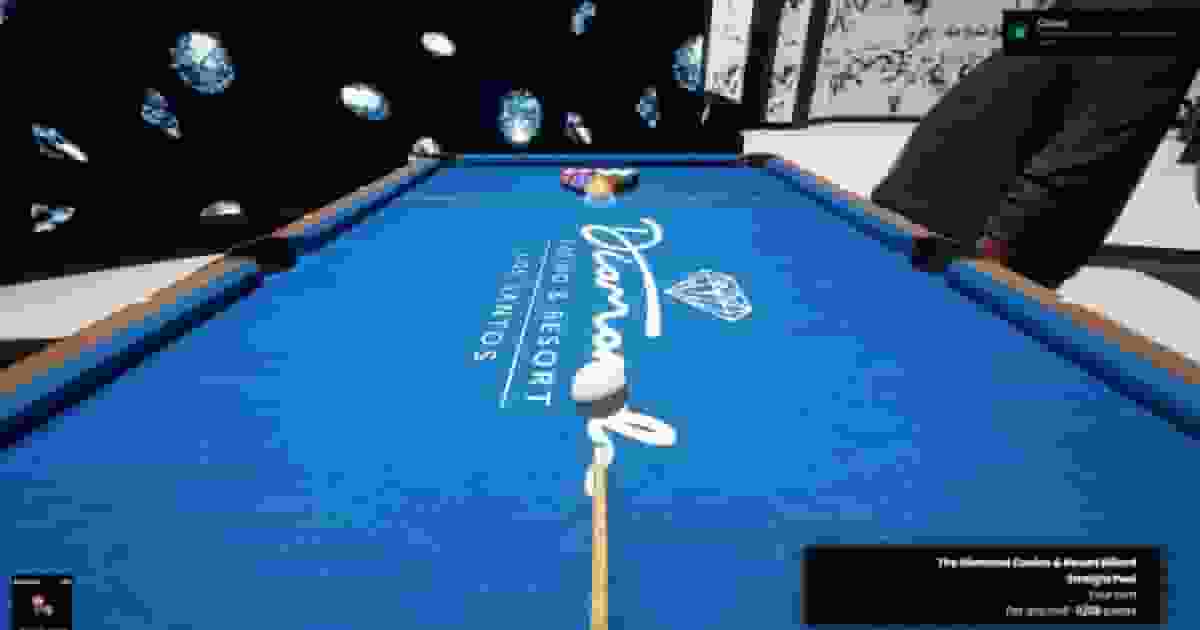
A VIP room is a private instance that only the renter and their guests can see. Inside are a blackjack, a roulette, a Three Card Poker and a pool table, a bar, a cashier, and a VIP Menu point at the door. The weather is held clear at midday while you are inside.
Setting
Default
Where
Rentals on, price per hour, max hours, max invites
On · $8,000 · 6 · 8
/casino → Events → VIP Room
Rent paid from
Bank
/casinoconfig → VIP room
Maximum bet at the VIP tables
100,000
/casinoconfig → VIP room
Starting minimum bet: blackjack, roulette, poker
50 each
/casinoconfig → VIP room. The renter can raise it.
The VIP Menu (the point at the door, or /vipmenu) shows the time left and who is in the room. The renter can also raise the minimum bets, invite a friend by server ID, and choose the room's music. An invited player is notified and walks in through the doorman's Enter VIP Room.
When the time runs out, everybody is returned to where they came from. A rental does not survive a restart of the resource. Anyone inside is moved to the casino entrance, so restart while rooms are empty.
/casino opens Casino Management. An admin sees two extra buttons beside the title: the crown, which sets or removes the owner, and the gear, which opens the settings. Each tab is shown to whoever holds its permission.
Tab
What it is
Dashboard
Visitors in the last 24 hours, who is inside, money wagered and paid out, and the house's net. It also shows a chart of wagers per game, the results and win rate per game, sales, and which events are running.
Employees
The owner and the staff. Hire an online player by name, tick their permissions, edit or remove them.
Economy
The bankroll, its mode, whether the games are open, and deposits from or withdrawals to your bank.
Doors
Lock or unlock the casino, and the door history.
Walls
The video-wall theme, and extra screens placed around the casino.
Vehicle
The car turning on the podium.
Music
The track playing in the casino.
Cameras
Watch any security camera, and place new ones.
Events
The Global Jackpot, Happy Hour, High Stakes, the VIP room settings and announcements.
Players
Everyone inside the casino and the VIP rooms, with Member, VIP or Guest badges. Send a private announcement, give or remove chips, or ban.
Banned
Ban a player by server ID with a reason, and revoke bans.
Access is held by the casino itself, not by a job. A server admin has every tab and chooses the owner. The owner also has every tab, and is the only one besides admins who can hire. An employee sees only the tabs they were given. The permissions are Dashboard, Economy, Doors, Walls, Vehicle, Music, Cameras, Events, Players and Banned. A change of permissions reaches the employee at once, with no relog.
The owner runs the venue but cannot change the settings. /casinoconfig stays with server admins and the qs-diamondcasino.config ace.
Locking the doors sends everybody inside to the entrance and keeps the casino shut until someone unlocks it. A restart reopens the doors. A banned player who walks in is told the reason and pushed out at once, until the ban is revoked from the Banned tab.
The casino holds its own money. It starts at $5,000,000 and moves with everything the casino does:
Comes in
Goes out
Every bet, chips bought, memberships, VIP-shop and bar sales, VIP room rent, owner deposits.
Every payout, chips exchanged back, the jackpot prize, withdrawals, and the cost of changing the podium car, adding cameras or placing walls.
With Block games when empty on (the default), every game locks once the bankroll drops below the Minimum balance of $500,000. Players are told the casino has no funds right now, and the management staff are alerted to top it up. Turn it off and the bankroll may go negative, so the games never stop. Turn the Casino bankroll off entirely and the games are never blocked. All four values are in /casinoconfig → Economy.
Separately from the bankroll, the Casino cut (30% by default) of membership sales, bar sales and every chip spent is paid into your society account. Chips spent include bets, VIP-shop purchases and chips exchanged back. Which society resource is used is set in config/main.lua; see Integrations. Set the cut to 0 to pay nothing.
A raffle with a prize you choose. Enter the Total Prize in chips and the Duration in minutes, then place at least five screens around the casino, or reuse the positions from last time. While it runs, every chip a player bets on any game counts as an entry. When the timer ends, one winner is drawn: the more a player bet, the better their odds. The prize is paid in chips from the bankroll, and the whole server sees the announcement.
Key
Placing screens, walls and cameras
E
Place one where you are aiming. In remove mode, delete the highlighted one.
←→
Rotate.
↑↓
Raise or lower.
ENTER
Finish and save.
BACKSPACE
Cancel.
When it ends, the panel shows the winner and the final standings. Press Close event and choose to keep the screens for next time or remove them. Cancel event stops a running jackpot without a draw. If the prize is more than the bankroll can cover, the panel warns you before you create it.
In /casinoconfig → Jackpot you can require the winner to be online (on by default) and add a Winner webhook. With a webhook set, the win is posted to Discord with a photo of the winner's screen, if screenshot-basic is running. The webhook is never sent to players.
A discount of up to 90% on VIP-shop items, drinks, memberships and VIP room rent, each set separately, for a number of minutes. Players inside are told when it starts and ends.
High Stakes
A new minimum bet at blackjack, roulette and poker for a number of minutes. 0 leaves a game as it is. VIP room tables are not affected.
Announcements
A gold banner of up to 300 characters, sent to the casino floor, the VIP rooms or both. One player can be messaged from the Players tab.
Pick a theme in the Walls tab: Diamonds, Skulls, Snowflakes, or a Custom Wall that plays any GIF URL. The walls flash a win animation when somebody wins big on the Lucky Wheel.
Custom walls
Extra screens placed anywhere inside the casino. Each one plays the same theme as the video walls. Several can be placed in one go, then removed one by one or all at once.
Security cameras
The map comes with eleven cameras, and more can be placed inside the casino. Click one to watch it: W/S tilt, A/D pan, BACKSPACE leaves. Map cameras cannot be removed; placed ones can.
Podium car
Type a model in the Vehicle tab and it turns on the podium for everyone. This is only the display. The car actually won on the Lucky Wheel is set separately, in /casinoconfig → Lucky Wheel.
Music
Pick a track in the Music tab. Three tracks ship with the script. To add your own, put .mp3 or .ogg files in music/ and list them in Config.MusicTracks. Internet links are not supported. The volume is in /casinoconfig → Audio.
Changing the podium car, adding a camera and placing a wall can each cost the casino money. The prices are set in /casinoconfig → Customization costs; at 0 they are free.
/casinoconfig opens Casino settings, which has seventeen sections. Every field explains itself and shows its default. A search box finds a setting across every section. Save applies your changes to every player at once, and Escape asks before discarding unsaved edits.
Section
What it holds
General
Language (41 to choose from), debug output, drawing the casino zone, menu sounds.
Chips · Membership · Shops
The daily chip limit, chips as an item, membership prices, and the VIP shop and bar lists.
Economy
The casino cut and the bankroll.
Gameplay · Audio
First person, the crowd, ambient noise, the podium car, animated walls, and the music volume.
Jackpot
Jackpot events on or off, winner online, the Discord webhook and photo, and the screens.
Walls & cameras · Customization costs
Whether custom walls and cameras are allowed, the camera prop, and what each change costs the casino.
VIP room
The account rent is paid from, the maximum bet and the starting minimum bets.
A few fields are marked Needs restart because they decide what spawns when the resource starts: the desks, the walls and cameras, the jackpot screens and the race clock. Save, then restart the resource. Reset section and Reset everything put back the shipped values. Settings that depend on your map return to that map's values.