Using Darts on FiveM: placing dartboards with the creator, solo and PvP games, aiming and the power bar, X01 scoring, busts and double out, entry fees, bets and calibration.
Every game of darts follows the same loop, whether it is a practice round or a duel with money on it:
Moment
What happens
At the board
A free board shows [E] - Play Darts on its bullseye. E opens a menu: Play solo or Player vs Player.
The settings
Choose the game — 301 or 501 — and, against a player, the stake. The board's entry fee, if it has one, is charged when the game starts.
Your turn
The screen fades and you are on the throwing line, the camera over your shoulder and a dart in front of it. Three darts, one after the other.
Collecting
After the last dart — or a bust — you walk up to the board and press E to pull your darts out. In a duel, the turn then passes to your opponent.
The finish
The first player to reach exactly zero wins. The result fills the screen, and the pot goes to the winner.
The server decides everything that matters: whose turn it is, what each dart scored, busts, the clock, who won and who gets paid. The player's game only aims and animates.
/dartscreator opens the Dartboard Creator: every board on the server on the left, with a search box, and the selected board on the right. Each row shows the board's name and its price — Free, or the fee and the account it is paid from — and a button that teleports you to that board's throwing line.
Section
What you set there
Information
The board's name. Required.
Price
The entry fee and its payment method — Cash or Bank. 0 is free to play.
Placement
Place for a new board, Reposition for one that already stands.
Location
The coordinates and heading it was pinned at.
Save dartboard needs a name and a location. An existing board is saved with Save changes, and Delete removes it from the world and the database after asking. Every change reaches every player at once — there is nothing to restart. A board with a game on it that is deleted ends that game, and any stakes are refunded.
Place closes the window and hands you an aiming mode. A see-through dartboard follows whatever you look at, up to 50 m away, with a red line from you to it:
Aimed at a wall, it lies flat against it, two centimetres out, facing the room.
Aimed at the floor, it stands at bullseye height — 1.73 m — facing you.
Key
Does
Left click / E
Pin it here.
Z / X
Rotate it, for as long as the key is held.
Q
Turn it by 90°.
Mouse wheel
Raise or lower it in 5 cm steps.
Backspace
Cancel.
The creator reopens with the location filled in. Every save also prints a ready-made Config.Boards line in the F8 console, for anyone who prefers keeping boards in the file.
Leave room in front of it. The throwing line is 4.84 m from the board — shortened if something is in the way, never below 1.2 m — and players stand there all game. The script works out which side of the wall is open, so nobody ends up throwing from inside it.
With Config.AutoDetect = true, every player's game looks for prop_dart_bd_cab_01 around them every few seconds and registers any it finds, which makes the dartboards already hanging in bars and MLOs playable without placing anything. Both kinds are free to play and appear in the creator's list; editing one there saves it to the database like a board of your own.
Walk up to a free board — the prompt appears within 3 m — and press E. A board with a game on it shows no prompt; wait for it to finish, or watch.
Play solo → choose 301 or 501 → Start. If the board has an entry fee it is taken now; without enough money the game does not start.
Solo is practice: you throw every turn, nobody else can join, and the finish tells you how many darts it took — Game completed in 14 darts!
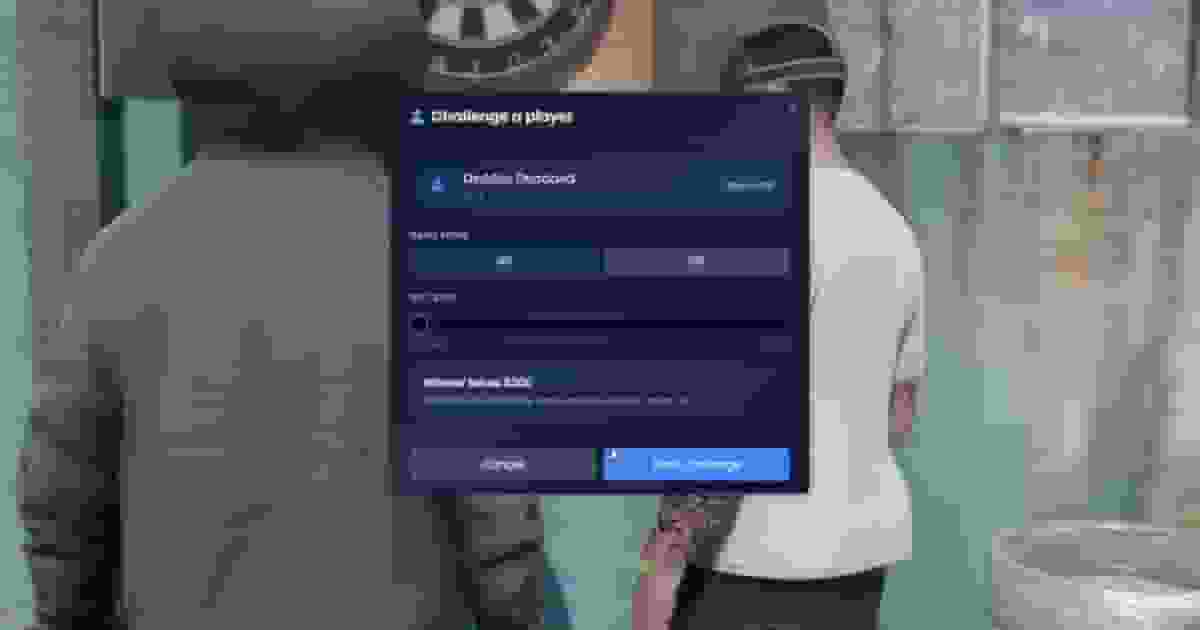
Player vs Player lists everybody within 15 m, nearest first, with their name, server ID and distance. Pick one and the Challenge a player window opens: the game mode and — with betting on — a slider for the stake, which shows what the winner takes.
Send challenge and your opponent sees Challenge received with your name and the stake. They have 30 seconds to accept or decline. When they accept, the entry fee is taken from both of you, then the stake from both of you, and the game starts with the challenger throwing first.
A player who is in a game, or who already has a challenge waiting, cannot be challenged.
You can have one challenge out at a time.
If somebody starts a game on that board before your opponent accepts, the challenge falls through.
On your turn the screen fades and you are standing on the throwing line — 4.84 m from the board, half a metre to the left of centre — with the camera over your right shoulder and a dart floating in front of it. Your character is hidden on your own screen so nothing blocks the view, and the game's HUD stays hidden until the game ends.
Aim
Move the mouse. The aim can wander a set distance from the bullseye and no further, and your hand always sways a little.
Charge
Hold the left mouse button. The Throw Power bar fills to 100 and back down, over and over, and the sway grows the longer you hold.
Release
Let go. The dart flies in an arc and sticks where it landed, and the score pops up under the scoreboard — T20 · 60 PTS, BULL, MISS or BUST!
No penalty: the dart goes where you aimed, plus the sway.
Above or below that band
A random error in any direction, growing with every point away from the sweet spot.
Under 34
As well as the error, the dart drops low.
Harder throws also fly faster — 300 ms at full power, 480 ms at the weakest. Every number is in Config.Throw: the sweet spot (sweetSpot = 76), its width (sweetBand = 8), how fast the bar moves (chargeRate), the sway, the aim speed (sensitivity), and showAimDot to draw an aiming dot on the board for a more forgiving game.
Darts plays X01: both players start on 301 or 501 and every dart subtracts what it scored. The first to reach exactly zero wins. The board is a regulation board — 20 at the top, the usual order of sectors — and the server scores every dart from where it landed.
A dart that takes you below zero is a bust: your score goes back to what it was at the start of the turn, and the turn ends on the spot — no more darts, go and collect.
With double out on (Config.Game.doubleOut = true) the finishing dart must be a double or the bullseye; reaching zero any other way is a bust. Being left on exactly 1 is a bust too, since 1 cannot be finished with a double. Double out ships off, which makes games shorter and friendlier for newcomers.
After the last dart of a turn (Config.Game.dartsPerTurn, three by default) — or a bust — the scoreboard reads COLLECT YOUR DARTS. Walk up to the board: [E] - Collect darts appears, and E pulls them out once you are within reach. In a duel the turn passes to your opponent; in solo you go back to the line for the next round. While your opponent throws, you wait just behind and to one side of the line.
Each turn has 90 seconds (Config.Game.turnSeconds, 0 for no limit), counted down on the scoreboard. The clock restarts with every dart and every collection. If it runs out in a duel, the player whose turn it was loses; in solo the game simply ends.
The scoreboard: you and your opponent with the points each has left, whose turn it is, the darts left this turn and the clock. In solo, the other side reads NO OPPONENT.
Under the scoreboard
What the last dart scored, for two seconds — yours and your opponent's.
Bottom centre
The Throw Power bar, while you charge.
Bottom right
The game — Darts 501 — with Practice mode or Duel against your opponent, the round and the pot, and the keys to leave and to throw.
When a game ends, YOU WIN!, YOU LOSE or GAME COMPLETED! fills the screen for four seconds. Throws, big scores, busts, collecting, wins and losses each have their own sound.
An entry fee belongs to a board and is set in the creator, together with the account it comes from — Cash or Bank. It is the price of playing on that board: taken from the player when a solo game starts, and from both players when a challenge is accepted. It is never given back and is not paid to anyone, which makes it a simple money sink for bars and arcades.
Bets are for duels only. The challenger picks the stake on a slider, from nothing up to Config.Betting.max in steps of Config.Betting.step. Both players stake the same amount, taken from the account in Config.Betting.paymentMethod when the challenge is accepted. The server checks the amount again: anything above the maximum is lowered to it, and anything between steps is rounded down.
How the game ended
The pot
A player reached zero
The winner takes both stakes.
A player resigned, left the play zone or died
The other player takes both stakes.
A player disconnected
The one still there takes both stakes.
The turn clock ran out
The player who was waiting takes both stakes.
An admin deleted the board mid-game
Both stakes are refunded.
Set Config.Betting.enabled = false to remove the slider altogether. To pay fees and stakes in something other than money, see Integrations.
A resignation. In a duel your opponent wins; a solo game just ends.
/dartsresign
The same, from the chat.
Walking out of the play zone
A resignation.
Dying
A resignation.
Disconnecting
The opponent wins; a solo game just ends.
The play zone is a circle with an 8 m radius around the throwing line, drawn in red on the floor while a game runs, so a player cannot wander off mid-game and leave the board blocked. Config.LeaveZone changes its size, makes it a square, changes the colour, stops drawing it, or turns it off.
lua
Config.LeaveZone = {
    enabled  = true,
    shape    = 'circle',            -- 'circle' (radius) or 'square' (half-size)
    distance = 8.0,                 -- metres from the throwing line to the edge
    draw     = true,                -- draw the boundary on the floor
    color    = { 220, 60, 60, 140 },
}
Darts is made to be watched. Everyone within 45 m of a board (Config.SpectateDistance) sees the thrower holding a dart, the dart flying, and each one sticking where it landed until it is collected — the two players with different darts. A player who walks up halfway through receives the board exactly as it stands. Boards and darts appear within Config.StreamDistance (45 m) and are cleared a little beyond it.
The geometry in the config — where the rings sit on the board, how a dart is held and how it sticks, where the player stands and where the camera goes — ships calibrated for GTA V's dartboard. Calibrate only if you change Config.Models.board, or want the camera or the throwing line somewhere else.
Turn debug on
Set Config.Debug = true and restart qs-darts. The calibration commands only exist while it is on, and need the creator permission.
Stand by a board
Every tool works on the nearest board within 15 m. Finish any game first.
Calibrate in order
/dartsdebug first, so scores match the rings; then /dartsoche for the line and the camera; then /dartsdart and /dartshand for how the darts look.
Copy the values
Enter prints the values to the F8 console as a block ready to paste into config/config.lua. The tools change values on your screen only and save nothing: paste the block, then restart the resource.
Turn debug off
Set Config.Debug = false again before going live.
Tool
Calibrates
Prints
/dartsdebug
The rings drawn over the board: the face, the bullseye, the size of the rings and their rotation.
Config.Board
/dartsoche
Where the player stands, and where the throwing camera sits and looks.
Config.Oche · Config.Camera
/dartsdart
The dart floating in front of the camera, and the dart stuck in the board.
Config.Dart · Config.Throw.holdDistance
/dartshand
The dart other players see in the thrower's hand, shown on a sample NPC.