


Appearance is an all-in-one FiveM customization system with clothing, barbers, tattoos, surgeons, and masks. Save outfits, change looks, and enjoy dynamic features.
Next-Generation Character Customization — Appearance Creator for FiveM#
Quasar Appearance 2.0 is the most complete FiveM appearance system available today, built to replace every outdated clothing script, barber shop resource, and tattoo menu on your server with a single, unified character customization solution. Designed for ESX and QBCore roleplay servers, this FiveM clothing script combines a full character creator, clothing stores, hairdressers, tattoo parlors, plastic surgery clinics, outfit management, and an in-game shop creator inside one optimized resource. Players can customize every detail of their character — face shape, skin tone, hairstyles, beards, eyebrows, makeup, clothing, accessories, tattoos, and body proportions — through a modern, responsive interface that feels closer to a AAA character creator than a traditional FiveM menu. Every category is organized, searchable, and instantly previewed on the character model, so players spend less time navigating menus and more time roleplaying. For server owners, Appearance 2.0 removes the technical friction that usually comes with clothing systems: addon clothing is detected automatically, catalogs are generated without manual work, and stores can be created directly in-game without touching a single configuration file. The result is a FiveM appearance script that scales with your server, whether you run a small community or a heavy-population roleplay project with thousands of custom clothing assets. Performance was a priority during development, with optimized rendering, clean event handling, and low resource usage even during peak hours. Full compatibility with the Quasar ecosystem — including inventory, housing, and multicharacter resources — means everything works together out of the box. If you are searching for the best FiveM clothing script, appearance menu, or character creator for your roleplay server, Quasar Appearance 2.0 delivers a complete, professional, and future-proof customization suite.
FiveM character creator interface from Quasar Appearance 2.0 showing a full-body character with clothing, hair and tattoo categories
The Complete Customization Suite gives every player total control over their character's identity through a single FiveM appearance menu. Clothing, hairstyles, facial features, barber services, tattoos, accessories and plastic surgery are handled inside one clean interface, eliminating the need for separate clothing scripts, barber resources and tattoo shop menus. Players adjust dozens of facial parameters — nose width, jaw shape, cheekbones, chin, eye color, eyebrow depth, lip thickness and skin blemishes — with precise sliders that update the model in real time, allowing them to create truly unique roleplay characters instead of generic GTA presets. The clothing section covers every component and prop supported by FiveM, including tops, undershirts, torsos, legs, shoes, bags, armor, masks, hats, glasses, earrings, watches and bracelets, with full support for default GTA V assets and custom addon clothing packs. The barber system offers hairstyles, hair colors, highlights, beards, chest hair, makeup, blush and lipstick, while the tattoo section organizes body art by zone with instant preview before purchase. Plastic surgery lets players reshape their character later without creating a new one, a critical feature for long-term roleplay servers where characters evolve over time. The interface is built with modern web technologies, offering smooth animations, camera controls, zoom, rotation and category filtering that make customization intuitive at any resolution. Server owners can configure prices per category, restrict specific items, enable or disable modules and adapt the suite to their economy. For roleplay communities looking for an immersive, complete and highly personalized FiveM character customization experience, this suite provides the depth players expect and the stability administrators need.
FiveM appearance menu displaying facial feature sliders and real-time character preview in Quasar Appearance 2.0
The In-Game Shop Creator turns your FiveM server into a living fashion economy by letting you build clothing stores anywhere on the map without editing configuration files or restarting the server. Using an intuitive in-game interface, administrators place a new store at any location, define its blip, name, icon and interaction point, and immediately assign a custom product catalog to it. You can open a luxury boutique in Rockford Hills, a streetwear shop in Strawberry, a surf store on Vespucci Beach or a small clothing outlet in Sandy Shores — each with its own identity, stock and pricing structure. Every store is fully independent, so you can sell designer outfits at premium prices in one district while offering affordable basics in another, creating natural economic zones and giving players a real reason to travel across the map. The shop creator also supports player-owned business setups, letting server owners hand stores over to roleplay entrepreneurs who manage their own inventory and profits, opening the door to fashion brands, tailor businesses and clothing empires run entirely by your community. Access permissions, job restrictions, society accounts and pricing rules are configurable per store, integrating seamlessly with ESX and QBCore economies. Because everything is created in-game, non-developers on your staff team can build and adjust stores without touching Lua, dramatically reducing setup time and maintenance work. Whether you are launching a new roleplay server or expanding an established one, this FiveM clothing store creator gives you complete freedom to design a realistic, immersive and profitable fashion ecosystem that grows alongside your community.
FiveM clothing store creator placing a new shop marker on the map with the store configuration panel open
Dynamic Stock Management gives you complete real-time control over what every clothing store on your FiveM server sells, without a single restart. Products can be added, removed, edited, hidden or repriced instantly through an administration panel, and changes apply immediately for every connected player. This transforms your clothing stores from static menus into living businesses that react to your server's calendar and economy. Launch seasonal collections in winter, drop exclusive Halloween or Christmas outfits, release limited editions for a server anniversary, or reward event winners with items that disappear from the catalog the next day — all managed live while players are online. Each store keeps its own independent inventory, so you can rotate stock per district, run brand exclusives or create scarcity around specific pieces to drive roleplay demand. Pricing is fully flexible, allowing discounts, sales periods, premium pricing for rare items and different payment methods depending on your framework setup. Administrators control visibility per item, keeping unreleased collections prepared in advance and publishing them with a single click when the event begins. The system handles large catalogs efficiently, so servers running thousands of custom clothing assets keep fast load times and clean performance. Everything is logged, making it easy to track who modified stock and when, which is essential for staff accountability on large roleplay projects. For server owners tired of editing config files, restarting resources and coordinating downtime just to change a clothing catalog, this dynamic inventory system delivers the flexibility of a real storefront with the reliability of a professionally optimized FiveM resource.
FiveM clothing store admin panel showing live inventory management with product list and prices
Character Height Adjustment adds a layer of realism that most FiveM appearance scripts completely ignore, letting players define how tall or short their character is instead of accepting the default GTA V proportions shared by everyone on the server. With a simple slider inside the character creator, players fine-tune their height to match the personality and background of the character they are building — an imposing bodyguard, a compact street racer, a tall model or an average civilian — instantly making crowds, conversations and cinematic roleplay scenes feel far more natural and varied. Height differences are visible to everyone, synchronized correctly across clients and preserved between sessions, so characters keep their physical identity permanently. Server owners retain full control through configurable minimum and maximum limits, preventing unrealistic extremes while still allowing meaningful variation between characters. The system is optimized to avoid the visual glitches typically associated with scaling, keeping animations, vehicle entry, weapon handling and interactions working as expected. Height can also be adjusted later through plastic surgery or a barber-style service if you prefer to charge for the change, turning it into another economy-driven roleplay feature rather than a one-time creation setting. Combined with the facial sculpting and body customization tools included in Appearance 2.0, this feature helps eliminate the clone problem that affects most roleplay servers, where dozens of players look nearly identical. If you want your FiveM roleplay server to feel populated by real, distinguishable individuals with genuine physical presence, character height adjustment is one of the simplest and most effective immersion upgrades you can offer your community.
side-by-side comparison of two FiveM characters with different heights created in Quasar Appearance 2.0
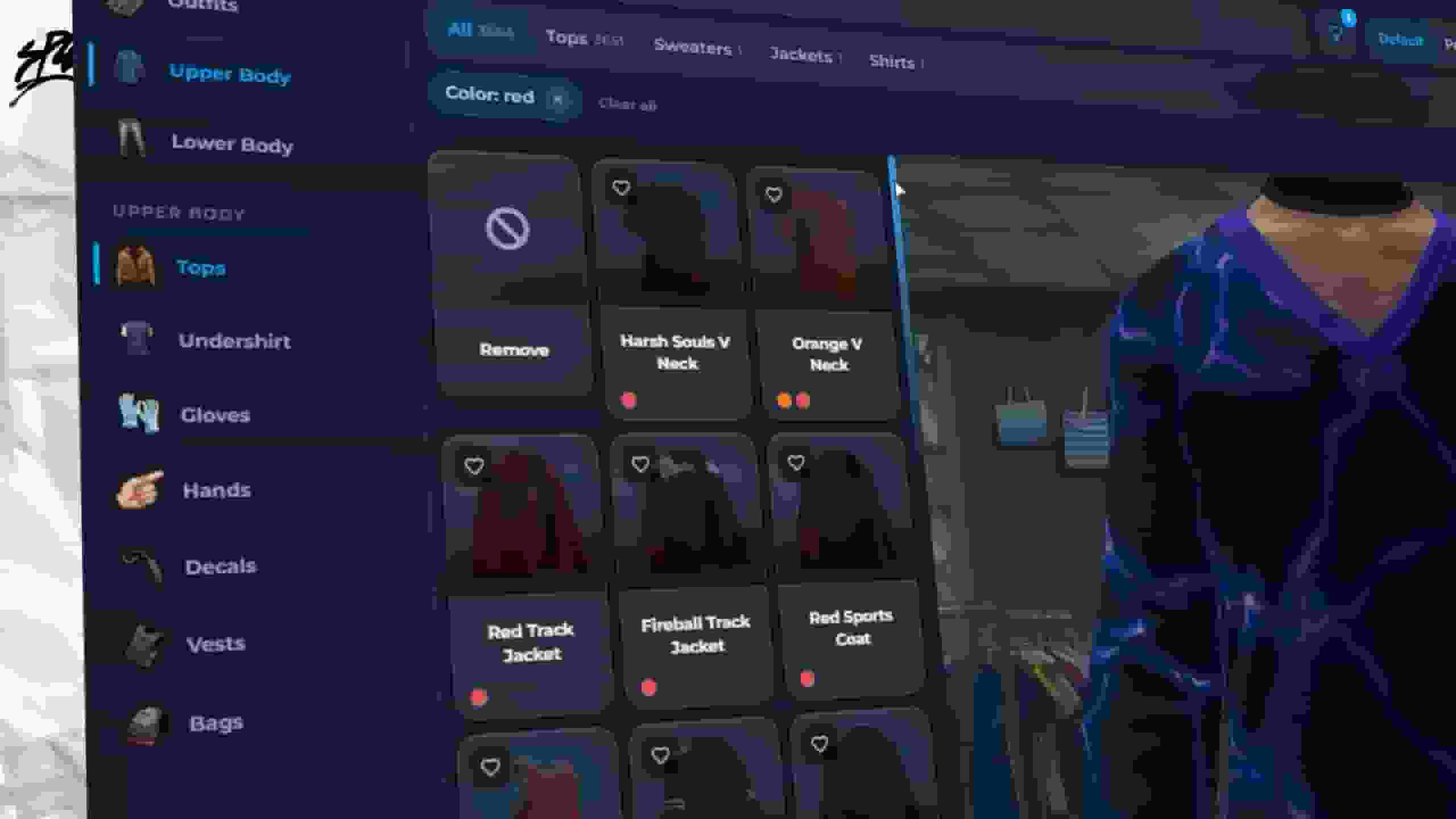
The Automatic Outfit Image Generator solves the single most tedious problem in FiveM clothing store setup: creating preview images for every item in your catalog. Instead of manually posing a character, taking hundreds of screenshots, cropping them, uploading them and linking each file by hand, a single in-game command captures high-quality previews for every clothing component automatically. The generator processes default GTA V clothing and custom addon packs alike, handling tops, legs, shoes, bags, hats, glasses, masks, accessories and props, and delivering consistent lighting, framing and background across the entire catalog for a clean, professional storefront. This is especially valuable for servers running large custom clothing collections, where a new pack can introduce thousands of items overnight — what used to take days of manual work is completed automatically while you focus on the rest of your server. Whenever you install a new clothing pack, run the generator again and your catalogs stay accurate and up to date, with no missing thumbnails, mismatched previews or outdated images confusing your players. Because previews are generated from your own server's assets, what players see in the store is exactly what they get when they wear the item, eliminating refund requests and support tickets caused by misleading images. Generated images integrate directly into the store interface, the wardrobe and the character creator, giving your entire appearance system a polished, catalog-like presentation. For server owners and developers looking to save dozens of hours of repetitive work while delivering a premium shopping experience, this automated workflow is one of the standout advantages of Quasar Appearance 2.0.
FiveM clothing store catalog filled with automatically generated outfit preview images
Automatic Addon Clothing Detection removes the biggest technical barrier server owners face when installing custom clothing on FiveM. Traditionally, adding an addon clothing pack means manually mapping every drawable and texture, writing long configuration arrays and debugging mismatched IDs until items finally appear correctly in-game — a process that can take days and breaks easily with each update. Quasar Appearance 2.0 scans your server's addon clothing automatically and converts everything it finds into ready-to-use catalog items, complete with correct component indexes, texture variations and gender assignment. Installing a new pack becomes a matter of dropping the files in and running the scan, with the entire collection available in your stores minutes later. The system supports the most common addon clothing structures used across the FiveM ecosystem, handling male and female assets and preserving texture variants so players can choose colors and patterns as intended by the creator. Once detected, every item can be organized into categories, assigned to specific stores, priced individually or restricted to jobs, gangs and events, giving you complete curatorial control over how custom fashion reaches your players. Combined with the automatic image generator, addon detection creates a fully automated pipeline: install the pack, scan it, generate previews, publish it to your stores. For roleplay servers that compete on visual identity and constantly refresh their clothing offering, this workflow means you can ship new collections weekly instead of quarterly, keeping your community engaged without overloading your development team.
The Outfit & Wardrobe System lets players save, name, organize and instantly switch between complete looks, turning clothing into a genuine roleplay tool instead of a one-time purchase. Every player builds a personal collection of outfits — work uniforms, formal wear, gym clothes, nightlife looks, mechanic overalls, tactical gear — and changes between them in seconds from a wardrobe, giving characters a coherent visual routine that reflects what they are actually doing in the city. Outfits are stored per character, fully synchronized and preserved between sessions, so nothing is lost after a server restart. Job outfits are supported natively, allowing employers, factions and government departments to define official uniforms that employees equip automatically when clocking in, an essential feature for police, EMS, mechanic and business roleplay. Server owners can grant, remove or force outfits through admin tools and events, making it easy to run themed nights, gang identities or story-driven scenarios where appearance matters. Wardrobes can be placed in apartments, houses, businesses and job locations, integrating naturally with the Quasar housing and job ecosystem so players change clothes where it makes narrative sense rather than in the middle of the street. The interface displays saved outfits with generated previews, so players recognize their looks at a glance instead of guessing from names, and outfit limits are configurable per player or per license to fit your server's design. For roleplay communities that value immersion and continuity, this wardrobe system is what makes a clothing script feel like a real closet.
FiveM wardrobe menu showing saved outfits with previews inside a player apartment