How Quasar Motorhome plays: entering an RV, keys and visitors, stashes and vault codes, wardrobes, decorating with furniture, camping, junk and the cleaning robot, break-ins and adding your own vehicles.
Any vehicle whose model is listed in Config.Vehicles is a motorhome. Each one has a door — a point beside the vehicle — and a tier that decides which interior opens. Everything inside belongs to the vehicle's plate: two campers with different plates are two different homes, and a motorhome keeps its furniture and stash wherever it is driven.
Mobile Operations Center — the Gunrunning truck cabin
15 slots
luxor · luxor2
Interiors are spawned out of sight at Config.ShellSpawnCoords, and each motorhome gets its own routing bucket, so a hundred players can be inside a hundred campers at once without seeing each other. Inside, the clock is held at Config.TimeInterior and the weather is clear, so shadows never flicker.
Walk up to the door of a parked motorhome and press E (or use the target eye with Config.UseTarget). The menu offers two choices:
Option
Who sees it
Enter Van
The owner and anyone holding a key.
Ring Doorbell
Everybody else. The people inside hear the bell.
To leave, stand at the exit inside and press E. You come out beside the door wherever the vehicle is now — if it was driven away while you were inside, you step out next to it. If someone rang the bell, the exit also shows [G] Open door, which lets the visitor in as long as they are still standing at the door.
Players who disconnect inside a motorhome are put back inside it when they reconnect. And with Config.CrashEffect on, everyone inside is knocked to the floor whenever the vehicle is hit.
The player the vehicle is registered to — in owned_vehicles on ESX or player_vehicles on QBCore — always has the key. To share it, sit in the motorhome and type:
bash
/vanGivekey 12    # give a key to player 12
/vanGivekey       # give a key to the nearest player (within 2 m)
The other player must be within 15 metres. Anyone holding a key can pass it on, and both players get a notification.
Inside, type /vanLocation and choose what to place, then walk to the spot and press G. It is saved for that plate and moves the moment you set it again.
Point
What it does
Stash
Opens your inventory's stash for this plate, sized by the tier in Config.Shells.
Wardrobe
Opens your clothing script's outfit menu.
Charge
A phone charging spot, created through Quasar Smartphone.
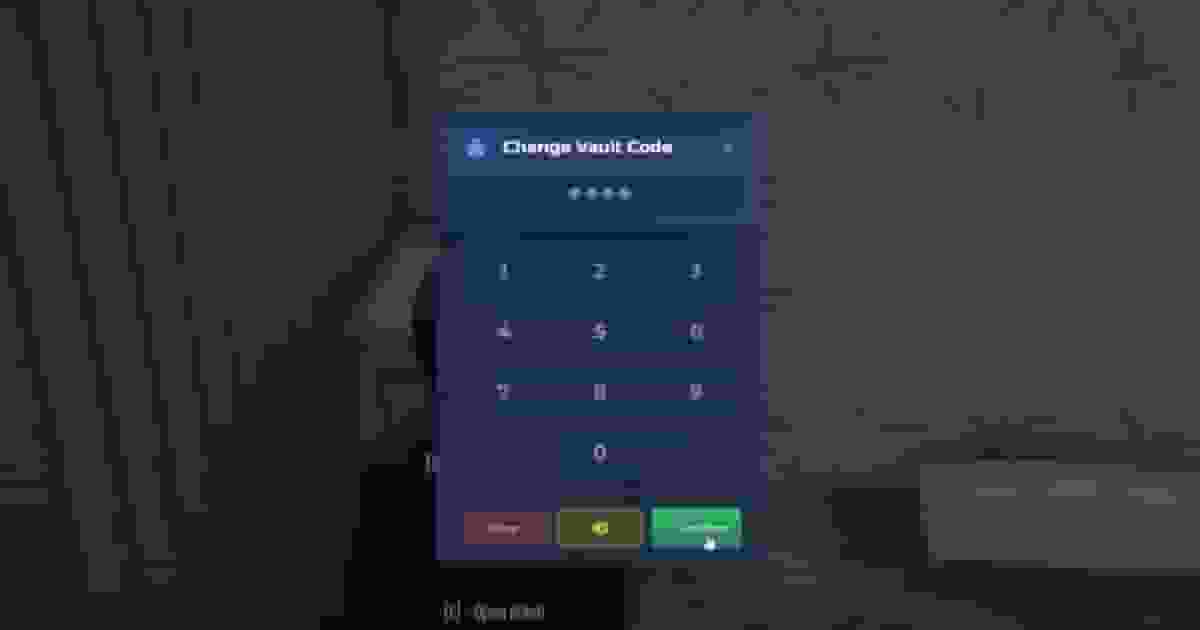
Every stash — the main one and each storage piece of furniture — can be locked. Stand at it and press G for Vault Management: set a code on the keypad, or remove it. From then on, opening that stash asks for the code first, even for the owner. A motorhome holds up to ten codes.
Press F9 — or type /vanDecoration — inside a motorhome. The view switches to a free camera with the furniture shop on screen: five rooms (Kitchen, Bathroom, Bedroom, Living, Garden), around forty categories and more than 500 objects, many with colour variants. Players can rebind the key under Settings → Key Bindings → FiveM.
Pick an object
Click an item in the shop. A preview appears in front of the camera.
Place it
Drag the gizmo arrows to move it and the rings to rotate it. G drops it onto the floor.
Buy it
Press Enter and confirm. The price comes out of Config.MoneyType, and everyone inside sees the object appear.
Key
Action
G
Place the object on the ground
F5
Show or hide the cursor
F6
Toggle free mode
K
Switch between moving and rotating
M
Switch gizmo mode (mouse or keyboard)
F3
Toggle the free camera
F
Focus the camera on the selected object
Mouse wheel
Zoom
Enter
Buy the object
Every key is a GTA control id in ActionControls at the bottom of config/main.lua, and the camera's speed can be changed from the editor itself.
The owned-objects tab lists everything placed in this motorhome. Select a piece to move it again, put it in storage (it disappears but stays yours), or sell it. Selling refunds Config.SellObjectCommision of the price — 30% by default — in cash.
With Config.Cleaning on, a motorhome gets dirty while it is lived in: every Config.JunkObjectTime (10 minutes) that someone is inside, a piece of dust or rubbish appears, up to Config.MaxJunkPerHouse (10). Junk is saved, so it is still there next time. Nothing builds up while the motorhome is empty, and junk older than seven days is removed on its own.
Anyone with a key can clean by hand: stand at the junk, press E, and sweep for three seconds.
Buy a Cleaning Robot in the Living room tab and place it. Press E at its dock to start it: the robot leaves the dock, wanders the floor avoiding furniture, cleans any junk it passes over and returns after five minutes or when you press E again. Its speed, range from the dock and timeout are in Config.CleanerRobot.
Parked somewhere nice? Within 20 metres of a motorhome you hold a key to, type /vanCamp and choose a bonfire, a tent or a deck chair. Aim where it should go, rotate with the arrow keys, press E to place or Q to cancel.
Camp objects belong to the moment: they are removed when the motorhome drives more than 30 metres away, with Delete All in the same menu, or when you leave the server. The list of objects is Config.CampObjects.
A player with a lockpick uses it while standing at a motorhome's door. The attempt only starts if at least Config.ReqPoliceCount players with the Config.ReqJobPolice job are online (on duty, on QBCore).
The skill check
Four rounds of the ox_lib skill check. Pass them all and the thief is inside, with full access to an unlocked stash.
Failing
The lockpick breaks with a Config.LockpickBrokenChance chance (50%).
The alarm
With Config.StartAlarm, a failed attempt sets off the alarm Config.StartAlarmChance of the time (25%): the vehicle's alarm sounds, the owner gets a phone notification, and the police see a flashing blip at the spot.
Vault codes are the owner's defence: a thief who gets in still needs the code for every locked stash.
Admins add furniture without touching a file. Type /motorhomefurniture to open the creator, pick a category and create an item: its object name, label, description, price, image, colour variants, an offset, and whether it is a stash (with slots and weight) or a wardrobe. Saved items go into the database and appear in every player's shop at once, without a restart.
Rule
Why
Editing a catalogue item makes a database copy
Items from config/furniture.lua are never rewritten. The edited copy replaces the original in the shop.
Only database items can be deleted
Remove a catalogue item from the file instead.
Admins only
ESX admin and superadmin; QBCore god, admin or the command ace.
Thumbnails can be a pasted image URL, or photographed in game: the creator spawns the object in a green studio, takes a screenshot and uploads it to FiveManage. That needs screenshot-basic running and your token in config/fivemanage.lua:
Any vehicle — vanilla or addon — becomes a motorhome with one entry in Config.Vehicles:
lua
Config.Vehicles = {
[`cararv`] = {
doorOffset = vec3(-2.2, -1.5, 0.9), -- the door, relative to the vehicle
tier = 1-- which interior opens (Config.Shells)
},
[`mybus`] = {
doorOffset = vec3(-1.4, 2.0, 0.9),
tier = 2
},
}
Add the entry
Use the spawn name in backticks. doorOffset is measured from the vehicle's centre and turns with it; z is the height. Start from a vehicle of similar size.
Check the door in game
With Config.Debug = true, /motorhome:offsets draws a marker on every motorhome's door with its offset and tier. Adjust and restart until the marker sits at the real door.
Give a new tier an exit
A new interior is a new line in Config.Shells with its model and stash size. Enter it once and choose the exit when the camera opens; it is stored in shell_offsets.json.
Any shell streamed on your server can be a tier — the K4MB1-StarterShells pack alone has sixteen. Tier 52 (Config.InterTruckTier) is special: it builds the Mobile Operations Center cabin and has a fixed exit.