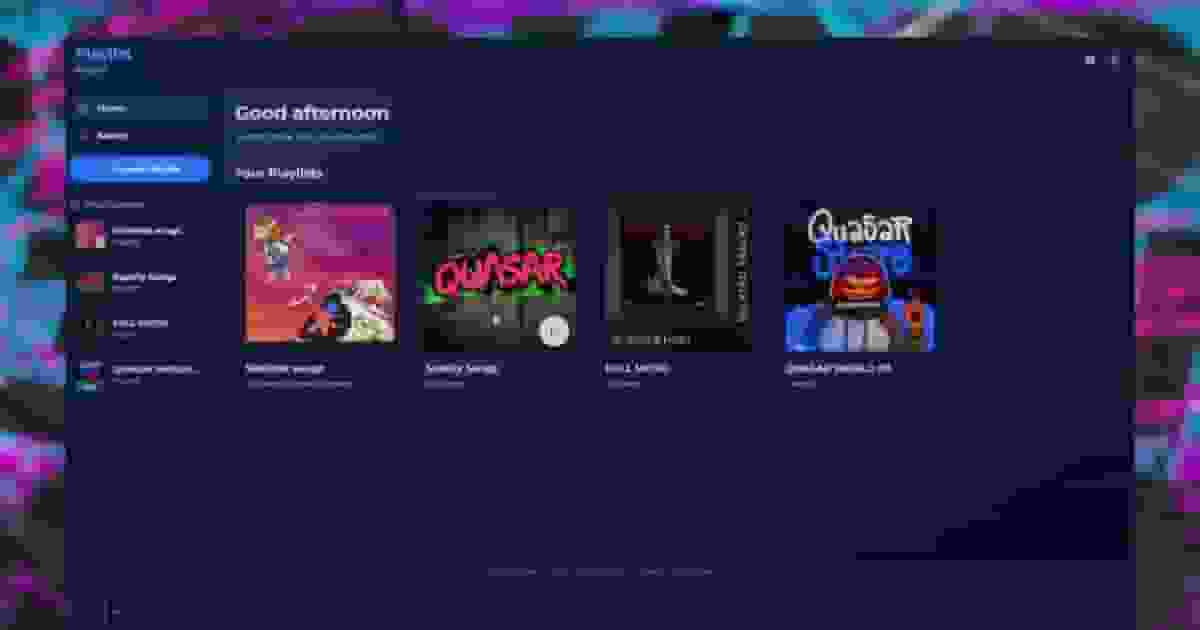
This section lists all available commands, exports, and events included in the script. You’ll find client-side, server-side, and shared functions designed to help developers integrate, extend, or interact with the system easily within their own scripts or frameworks.
This section lists all available commands included in the script. Each command is designed to simplify administration, player interaction, or debugging tasks. You’ll find detailed descriptions, usage examples, and permission requirements to help you manage and customize your server efficiently.
This section provides all available shared exports for the script. These functions allow developers to interact with the system from the server side, manage data, trigger actions, and integrate with other resources. Each export includes a clear description and a practical example to simplify its implementation.
createUniqueId
lua
local soundId = exports['qs-3dsound']:createUniqueId()
print("Generated soundId:", soundId)
This returns a unique string that can be reused later when playing or controlling sounds.
getInfoFromUrl
lua
local info = exports['qs-3dsound']:getInfoFromUrl(
"https://example.com/music"
)
if info thenprint(info.title)
print(info.artist)
print(info.thumbnail)
elseprint("Failed to get song info")
end
On success, the export returns the song metadata. If it fails, it returns false.
searchTrack
lua
local response = exports['qs-3dsound']:searchTrack(
"Daft Punk One More Time"
)
if response andnot response.errorthenprint(response.name)
elseprint("Search failed")
end
If the search is successful, it returns track data such as artist, title, thumbnails, and IDs.
If it fails, it returns an error with a message and code.
searchTracks
lua
local response = exports['qs-3dsound']:searchTracks(
"Daft Punk Discovery"
)
if response andnot response.errorthenprint("Tracks found:", #response)
elseprint("Search failed")
end
This returns a list of tracks with the same data structure as searchTrack.
This section provides all available client exports for the script. These functions allow you to interact directly with the system from the client side, enabling custom features, UI interactions, and integrations with other resources. Each export includes a short description and usage example for easy implementation.
Play
lua
local soundId = exports['qs-3dsound']:Play(
nil, -- Optional soundId (auto-generated if nil)"https://example.com/music.mp3",
vector3(215.76, -810.12, 30.73), -- Optional coords (3D sound)true, -- Loop0.6-- Volume (0.0 - 1.0)
)
if soundId thenprint("Sound created:", soundId)
end
The Play export allows you to play a sound using qs-3dsound, either as a global sound or as a 3D positional sound in the world. If coordinates are provided, the sound becomes distance-based. If no coordinates are set, the sound can be heard from anywhere on the map. This export is synchronous and returns a soundId if the sound is created successfully, or false if it fails.
PlayAsync
The PlayAsync export allows you to play a sound using qs-3dsound in an asynchronous way. It works the same as the Play export, allowing global or 3D positional sounds, but it does not return any value. This is useful when you don’t need to track or control the sound after playing it.
To play a sound asynchronously, use the following code:
The attachEntity export allows you to attach an existing sound to a networked entity so the sound follows it in real time. This is ideal for vehicles, players, or any moving entity that needs dynamic audio.
To attach a sound to an entity, use the following code:
The detachEntity export allows you to detach a sound from an entity, stopping it from following the entity movement. To detach a sound from an entity, use the following code:
exports['qs-3dsound']:attachPlayer(
    "my_sound_id", -- Existing soundId
    playerId       -- Player server ID
)
The attachPlayer export allows you to attach a sound directly to a player using qs-3dsound. Unlike attaching to an entity, this method automatically detects when the player enters a vehicle and correctly filters the sound, ensuring proper audio behavior. This makes it the recommended option when working with player-based sounds.
The detachPlayer export allows you to detach a sound from a player using qs-3dsound. Once detached, the sound will stop following the player and will no longer adapt to player-related state changes, such as entering or exiting a vehicle.
The Stop export allows you to completely stop and remove a sound using qs-3dsound. Unlike the Pause export, this method fully deletes the audio player from the DOM when using sources like Spotify or YouTube, which is important for performance and optimization. Once stopped, the sound cannot be resumed and must be played again from scratch.
The Pause export allows you to pause a sound using qs-3dsound. Unlike the Stop export, pausing a sound keeps the audio player loaded, allowing the sound to be resumed later from the same position.
The Resume export allows you to resume a paused sound using qs-3dsound. It continues playback from the exact point where the sound was paused, as long as the sound has not been stopped or removed.
The Destroy export allows you to fully remove a sound using qs-3dsound. This completely deletes the sound instance and frees all associated resources. Once destroyed, the sound no longer exists and cannot be resumed or controlled.
destroyAllSounds
lua
exports['qs-3dsound']:destroyAllSounds()
The destroyAllSounds export allows you to remove all active sounds at once using qs-3dsound. This instantly destroys every sound instance and frees all audio resources. It is useful for cleanups, resource restarts, or resetting the audio system. This immediately removes every active sound.
The repeatSound export allows you to toggle repeat mode for a sound using qs-3dsound. When enabled, the sound will automatically replay from the beginning once it finishes.
addFilter
lua
exports['qs-3dsound']:addFilter(
"my_sound_id", -- Existing soundId"lowpass", -- Filter type
{
frequency = 1000,
Q = 1,
gain = 0
}
)
The addFilter export allows you to apply an audio filter to an existing sound using qs-3dsound. This lets you modify how the sound is heard in real time, such as muffling, boosting, or shaping frequencies for immersive effects.
removeFilter
To remove a filter from a sound, use the following code:
The removeFilter export allows you to remove any active audio filter from a sound using qs-3dsound. Once removed, the sound will play with its original, unmodified audio.
The setDisableInteriorFilter export allows you to enable or disable the interior audio effects applied to a sound in qs-3dsound.
When enabled, this option removes the filter that makes sounds feel like they are coming from inside an interior and also disables the stereo effect applied to small interior sounds, forcing them to behave as pure 3D sounds. This is especially useful for particle-based or ambient sounds (like fire, steam, or machinery) where interior audio processing can sound incorrect.
The setDisableVehicleFilter export allows you to enable or disable the vehicle audio effects applied to a sound in qs-3dsound.
When enabled, this option removes the filter that makes sounds feel like they are coming from inside a vehicle, ensuring the sound is played without vehicle-specific audio processing. This is useful for ambient, particle, or custom sounds that should remain consistent whether the player is inside or outside a vehicle.
This section provides all available server exports for the script. These functions allow developers to interact with the system from the server side, manage data, trigger actions, and integrate with other resources. Each export includes a clear description and a practical example to simplify its implementation.
Play
lua
local soundId = exports['qs-3dsound']:Play(
-1, -- Source (-1 to sync for all players)nil, -- Optional soundId (auto-generated if nil)"https://example.com/music.mp3",
vector3(215.76, -810.12, 30.73), -- Required coordstrue, -- Loop0.6-- Volume
)
if soundId thenprint("Sound created:", soundId)
end
The Play export allows you to create and play a server-side sound using qs-3dsound. This export is synchronous, meaning it returns a soundId if the sound is created successfully, or false if it fails. Unlike the client version, coords are required on the server side. This is useful when you need proper sync, control, or data for all players.
If the sound cannot be created, the export will return false.
PlayAsync
The PlayAsync export allows you to create and play a server-side sound using qs-3dsound in an asynchronous way. Unlike the synchronous version, this export does not return a soundId, but it works faster and allows you to attach the sound to an entity or a player at creation time. This makes it ideal for asset sounds.
To play a server-side sound asynchronously, use the following code:
lua
exports['qs-3dsound']:PlayAsync(
-1, -- Source (-1 to sync for all players)"engine_sound_1", -- Optional soundId"assets/sounds/engine.ogg",
vector3(215.76, -810.12, 30.73), -- Required coordstrue, -- Loop0.6, -- Volumenil, -- Panner
{
attachEntity = VehToNet(vehicle) -- Optional: attach on creation-- attachPlayer = playerId
}
)
Stop
lua
exports['qs-3dsound']:Stop(
-1, -- Source (-1 to sync for all players)"my_sound_id"-- Existing soundId
)
The Stop export allows you to completely stop and remove a server-side sound using qs-3dsound. Unlike the Pause export, this method fully deletes the audio player from the DOM when using sources like YouTube or Spotify, which is important for optimization. Once stopped, the sound is fully removed and must be played again from scratch.
Pause
lua
exports['qs-3dsound']:Pause(
-1, -- Source (-1 to sync for all players)"my_sound_id"-- Existing soundId
)
The Pause export allows you to pause a server-side sound using qs-3dsound. Unlike stopping, pausing keeps the audio player loaded, allowing the sound to be resumed later from the same position. This pauses the sound without removing the audio player.
Resume
lua
exports['qs-3dsound']:Resume(
-1, -- Source (-1 to sync for all players)"my_sound_id"-- Existing soundId
)
The Resume export allows you to resume a server-side sound using qs-3dsound. It continues playback from the exact point where the sound was paused, as long as the sound has not been stopped or destroyed. This continues the sound playback for all synced players.
Destroy
lua
exports['qs-3dsound']:Destroy(
-1, -- Source (-1 to sync for all players)"my_sound_id"-- Existing soundId
)
The Destroy export allows you to fully remove a server-side sound using qs-3dsound. This completely deletes the sound instance and frees all associated resources. Once destroyed, the sound no longer exists and cannot be resumed or controlled. This permanently removes the sound from the system.
destroyAllSounds
javascript
exports['qs-3dsound']:destroyAllSounds()
The destroyAllSounds export allows you to remove all active server-side sounds at once using qs-3dsound. This instantly destroys every sound instance and frees all audio resources. It is mainly used for cleanups, resets, or when restarting systems that rely on sounds.
attachEntity
lua
exports['qs-3dsound']:attachEntity(
-1, -- Source (-1 to sync for all players)"my_sound_id", -- Existing soundId
VehToNet(vehicle) -- Entity network ID
)
The attachEntity export allows you to attach a server-side sound to a networked entity using qs-3dsound. Once attached, the sound will follow the entity in real time for all synced players. This is ideal for vehicles, objects, or any moving entities that need positional audio.
detachEntity
lua
exports['qs-3dsound']:detachEntity(
-1, -- Source (-1 to sync for all players)"my_sound_id"-- Existing soundId
)
The detachEntity export allows you to detach a server-side sound from an entity using qs-3dsound. Once detached, the sound will stop following the entity and will no longer update its position based on entity movement.
attachPlayer
lua
exports['qs-3dsound']:attachPlayer(
-1, -- Source (-1 to sync for all players)"my_sound_id", -- Existing soundId
playerId -- Player server ID
)
The attachPlayer export allows you to attach a server-side sound directly to a player using qs-3dsound. This method is recommended over attachEntity for players, because it automatically detects when the player enters a vehicle and correctly filters the sound, ensuring proper audio behavior for all synced players.
detachPlayer
lua
exports['qs-3dsound']:detachPlayer(
-1, -- Source (-1 to sync for all players)"my_sound_id"-- Existing soundId
)
The detachPlayer export allows you to detach a server-side sound from a player using qs-3dsound. Once detached, the sound will stop following the player and will no longer adapt to player-related state changes, such as entering or exiting a vehicle.