

Quasar Item Converter: Convert Any FiveM Inventory Items to Quasar Format Instantly
Quasar Item Converter lets you instantly convert items from ox_inventory, qb-inventory or esx_inventory into qs-inventory format. Auto-detection, safe exports and clean copy-paste output make inventory migration fast and error-free for FiveM servers.
ImNotQuasar

Managing inventory items in FiveM can quickly become a nightmare when switching frameworks or integrating new scripts. Different formats, different structures, different rules.
That’s why Quasar Item Converter exists: a fast, safe and intelligent tool to convert items from ox_inventory, qb-inventory and esx_inventory into the unified qs-inventory format — ready to use.
👉 Try the tool here: https://www.quasar-store.com/tools/qs-inventory-items-converter
Why Item Conversion Is a Real Problem in FiveM
If you’re running or upgrading a FiveM server, chances are you’ve faced at least one of these situations:
Each inventory system uses a different syntax. Manually converting items is slow, error-prone, and frustrating.
Quasar Item Converter removes that friction completely.
What Is Quasar Item Converter?

Quasar Item Converter is a web-based utility tool that automatically converts inventory items into qs-inventory format with:
You simply paste your items, click convert, and you’re done.
👉 Open the converter: https://www.quasar-store.com/tools/qs-inventory-items-converter
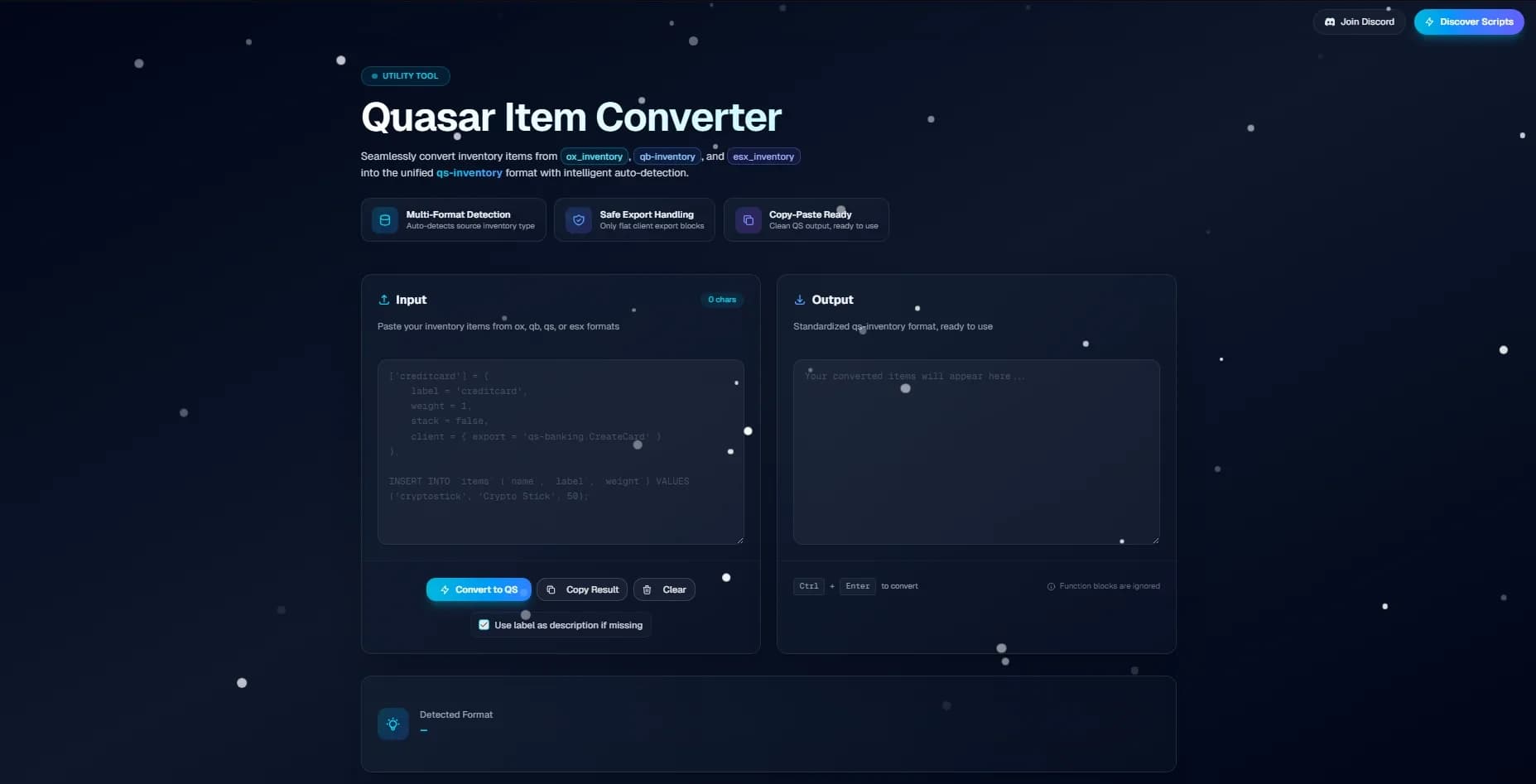
Supported Inventory Systems
The converter currently supports items from:
All outputs are standardized for Quasar Inventory and Quasar Advanced Inventory, ensuring full compatibility with current and future Quasar scripts.
Learn more about Quasar inventories here: https://www.quasar-store.com/c/scripts
How It Works (In Seconds)
No manual rewriting. No debugging loops.
Built for Production Servers
Quasar Item Converter is designed with safety first:
This makes it ideal for serious RP servers, not just test setups.
Who Should Use This Tool?
If you work with FiveM inventories, this tool will save you hours.
Part of the Quasar Ecosystem
Quasar Item Converter is not a standalone gimmick — it’s part of the larger Quasar ecosystem, built to work seamlessly with:
Explore all Quasar tools and scripts: https://www.quasar-store.com
Documentation and best practices: https://docs.quasar-store.com
Start Converting Items Now
👉 Quasar Item Converter (official tool): https://www.quasar-store.com/tools/qs-inventory-items-converter

👉 Browse all Quasar scripts & utilities: https://www.quasar-store.com
👉 Read inventory documentation: https://docs.quasar-store.com
Comments (0)
Loading...
Related Articles
Continue reading similar content

A Safehouse in the Hills Is Here: How to Enable the New GTA V DLC in FiveM
Learn how to enable the GTA V DLC A Safehouse in the Hills in FiveM. Step-by-step guide to update GTA V, FiveM artifacts, set gamebuild 3717, edit CitizenFX.ini, update bob74_ipl, and use the new mansions as MLOs on ESX, QBCore and QBox servers.

Quasar Direct: December Edition | Monthly FiveM Development Showcase
Quasar Direct December reveals major FiveM updates: new party system, 3D waypoint, 8D audio engine, mechanic engine swaps, Bunker Creator cinematics, Housing V5 prefab homes, and the first Police Creator teaser. Fully optimized for ESX, QBCore, and QBox.

Quasar Direct: January Edition | Full Recap & Announcements (FiveM)
Quasar Direct January showcases major FiveM updates and previews: website rework, TV & Billboards updates, Vehicle Keys and Banking reworks, Fishing Job, Treasure Hunting, Drift Creator, Bunker Creator, Police Creator redesign and more for ESX, QBCore and QBox servers.
Subscribe to our newsletter
Get the latest posts and updates delivered directly to your inbox. No spam, ever.
Join 1,000+ subscribers • Unsubscribe at any time