New FiveM Inventory Script: Quasar Advanced Inventory with Pause Menu, 3D Map and Style Studio
The new Quasar Advanced Inventory for FiveM: pause menu, realistic 3D map, Style Studio, skills, missions and an in-game creator for ESX, QBCore and Qbox.
The New Quasar Advanced Inventory: a FiveM Inventory Script That Runs Your Whole Server#
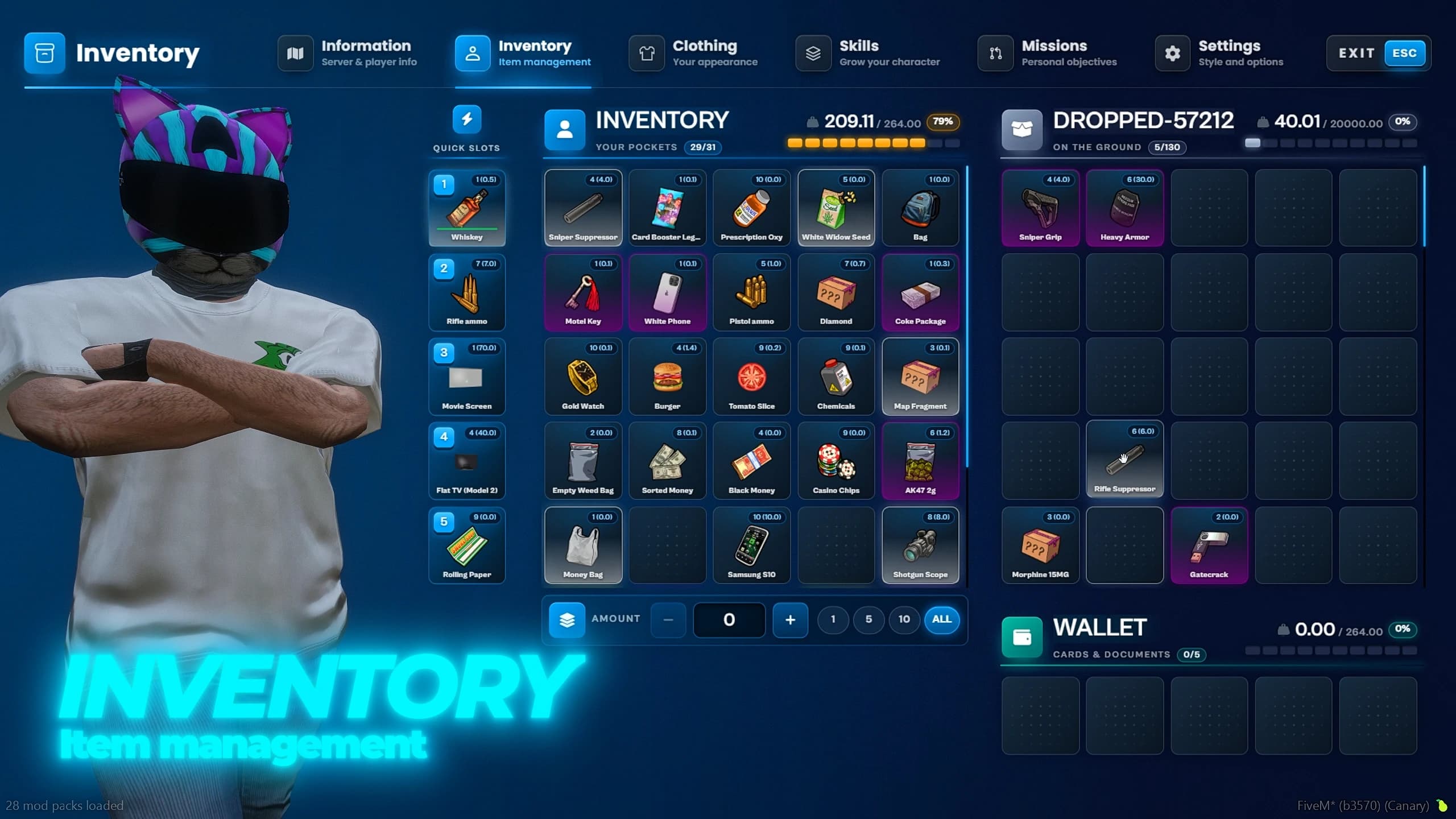
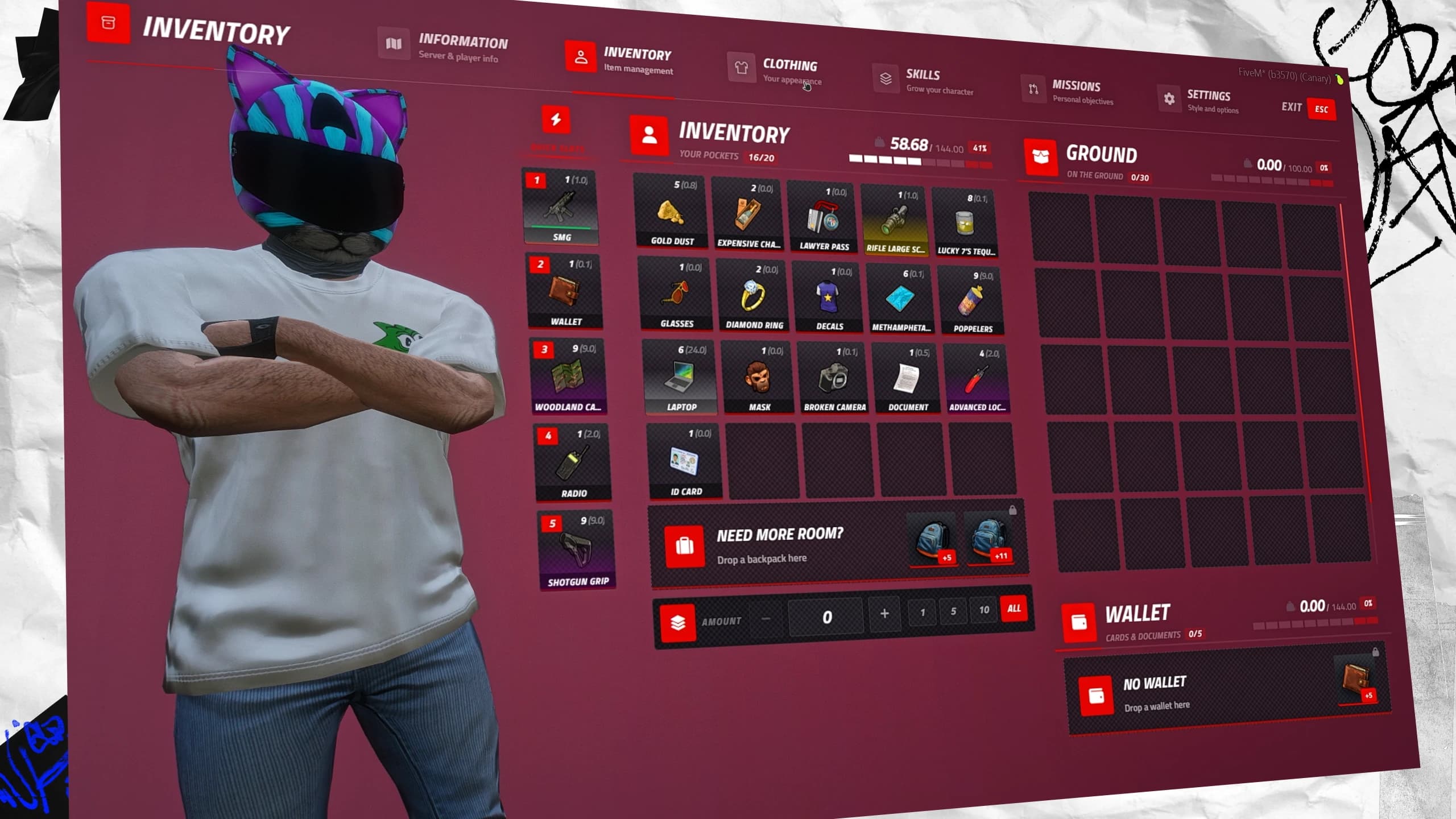
FiveM inventory script Quasar Advanced Inventory with the pockets grid, quick slots, ground items, wallet and character preview
The inventory is the screen your players open more than any other, so it is the one that has to feel right. The new update of Quasar Advanced Inventory goes further than items: the pause menu, the map, the inventory, clothing, skills, missions and the game settings now live in one interface, on ESX, QBCore and Qbox.
[04]Newsletter
Never miss a release
One short email when something ships: what changed, what breaks, and how to roll it out on a live server. No spam, ever.
New scripts
Breaking changes
Server guides
1,000+server owners subscribed
Double opt-in · free
Get the next drop
We only use your email for this newsletter. One click to unsubscribe, any time.
51views
0comments
0reactions
This guide walks through everything the update brings to your FiveM server, for players and for admins, with real in-game captures from the update video.
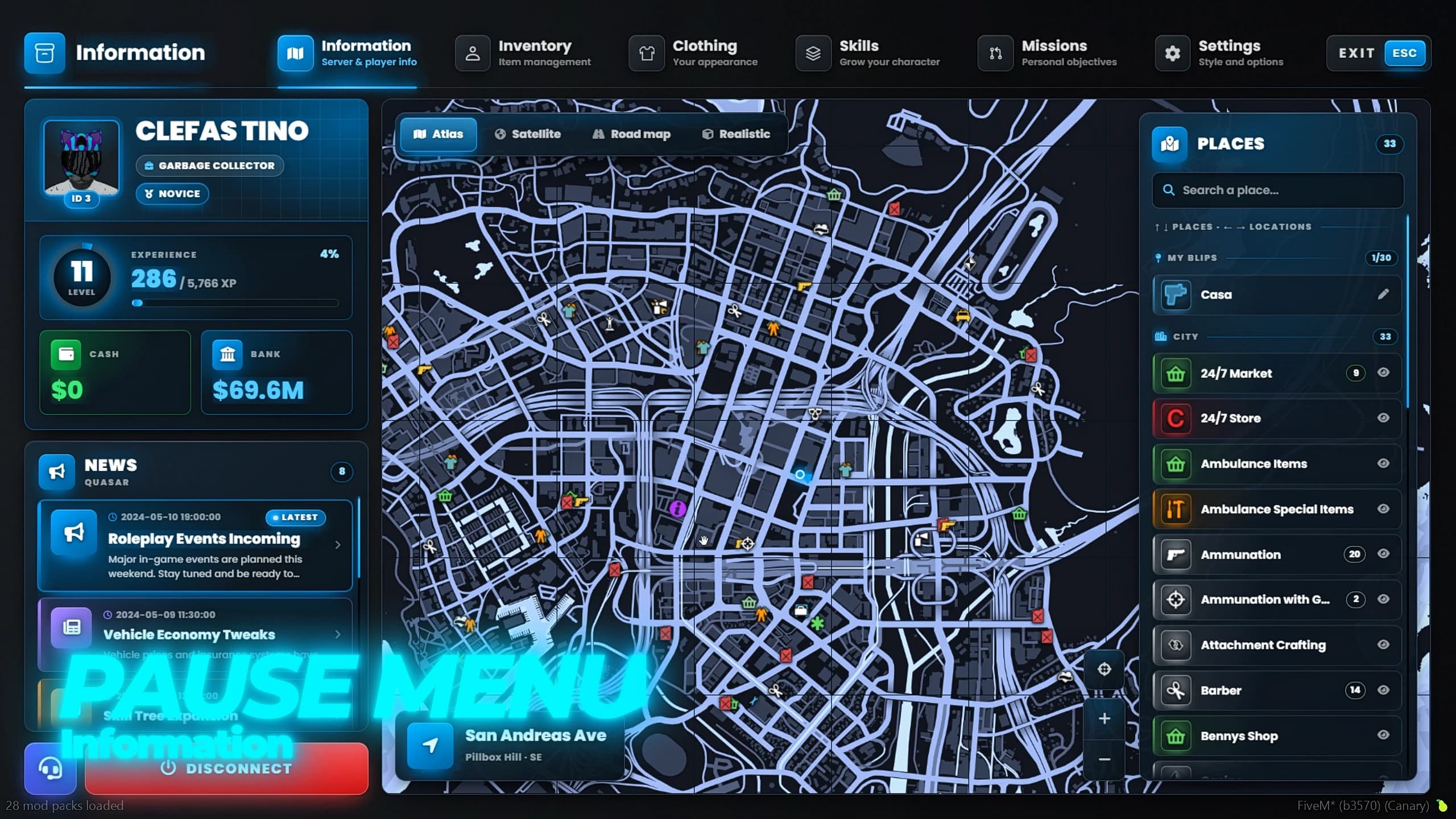
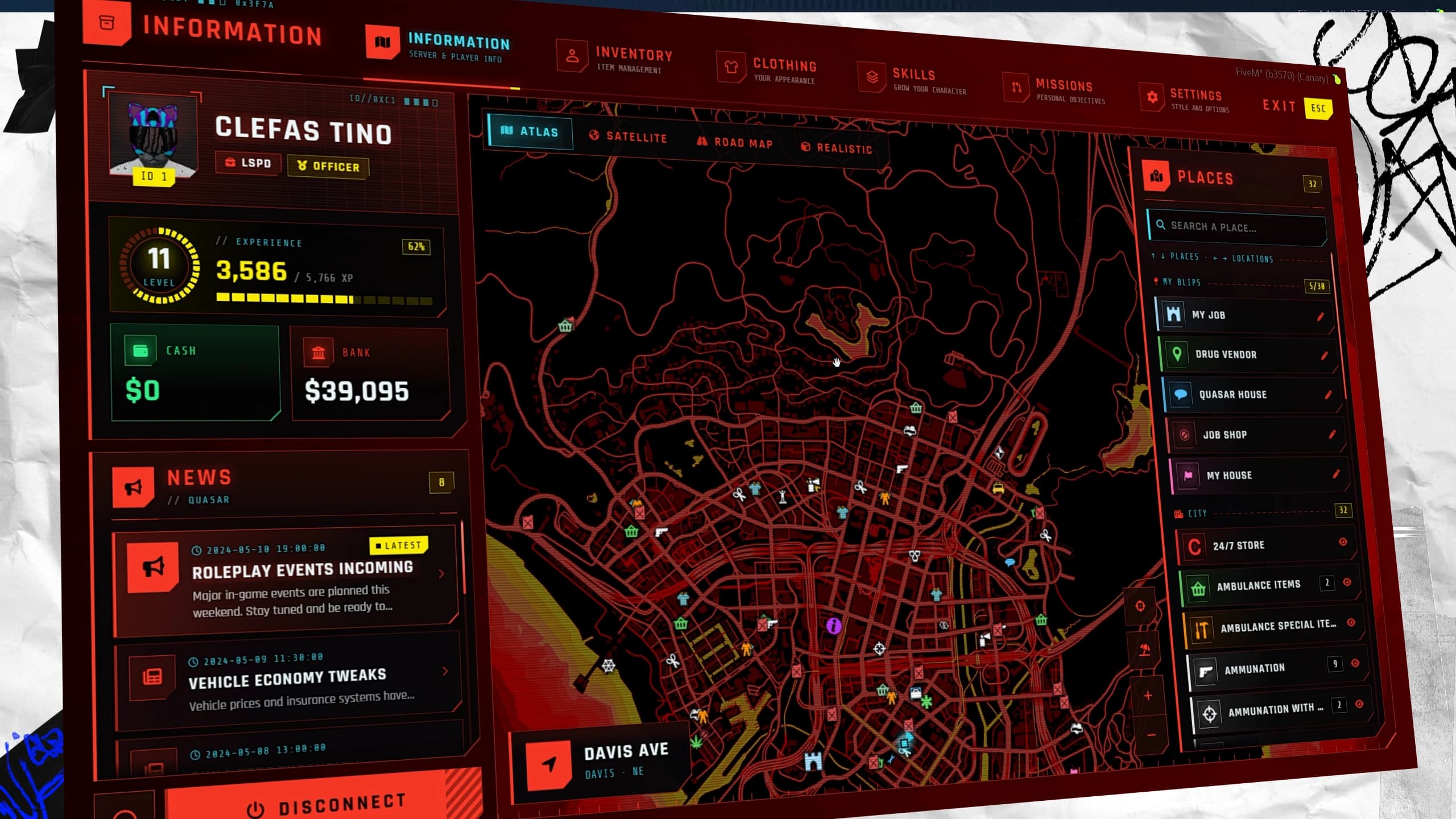
ESC opens the inventory on its Information page instead of the GTA menu. The player card shows the portrait, server ID, character name, job and grade, a level ring with XP, cash and bank. Next to it, the news panel lists your announcements with the newest one marked Latest, and a click opens the full post.
FiveM pause menu in Quasar Advanced Inventory with the player card, cash and bank, server news, city map and Places list
Buttons for your Discord and your videos channel sit under the card, and Disconnect asks before the player leaves. Prefer the GTA pause menu? One option in /inventoryconfig turns the new one off.
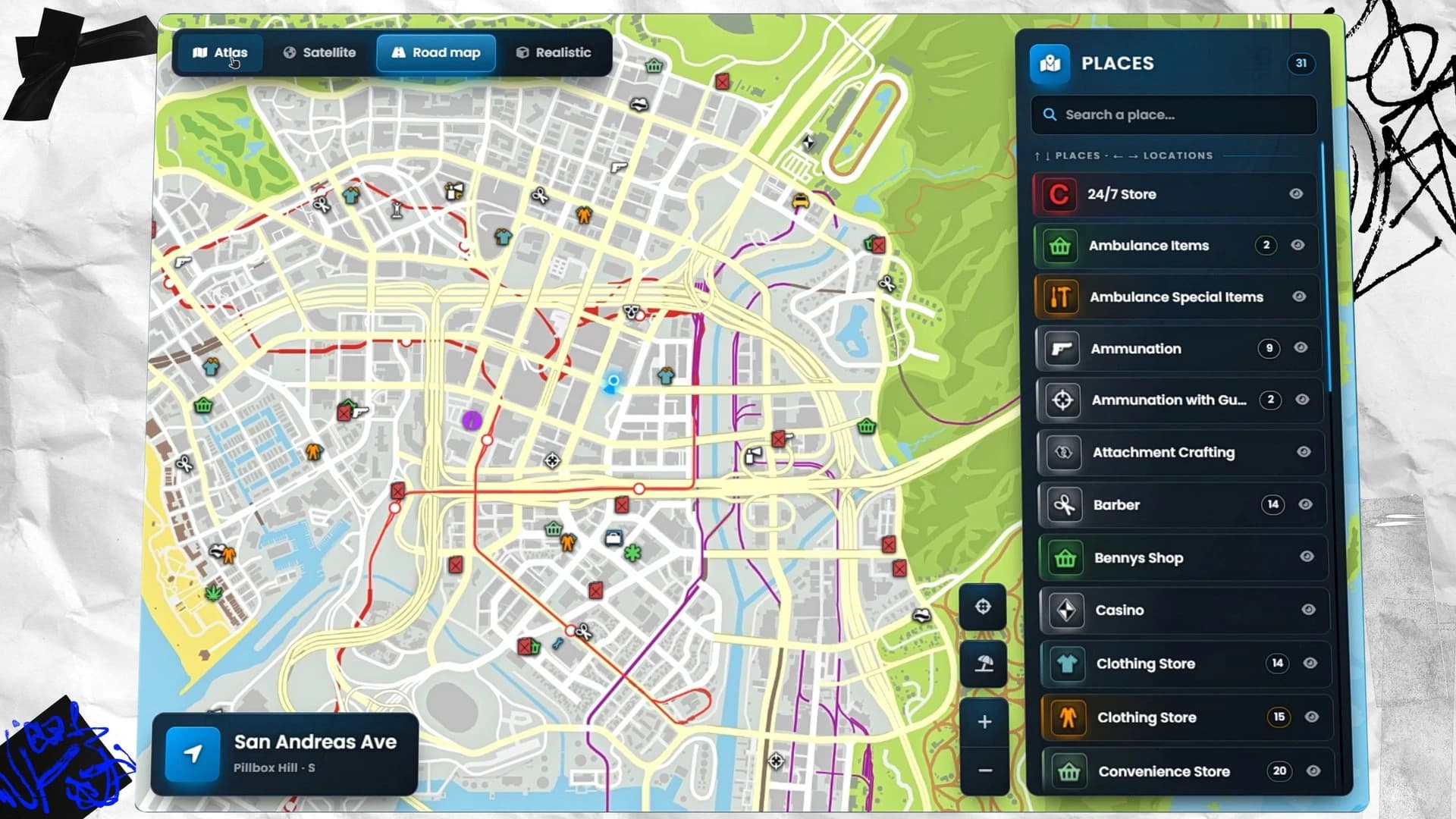
The old GTA map is gone. The map lives inside the pause menu in three styles, Atlas, Satellite and Road map, with your position and every blip in a legend you can search and hide. Double-click, or right-click and choose Set destination here, and the waypoint appears with its GPS route and the distance to it. The arrow keys move through places from the nearest to the farthest, like the GTA pause map.
FiveM pause menu map in Quasar Advanced Inventory in Road map style with the searchable Places legend
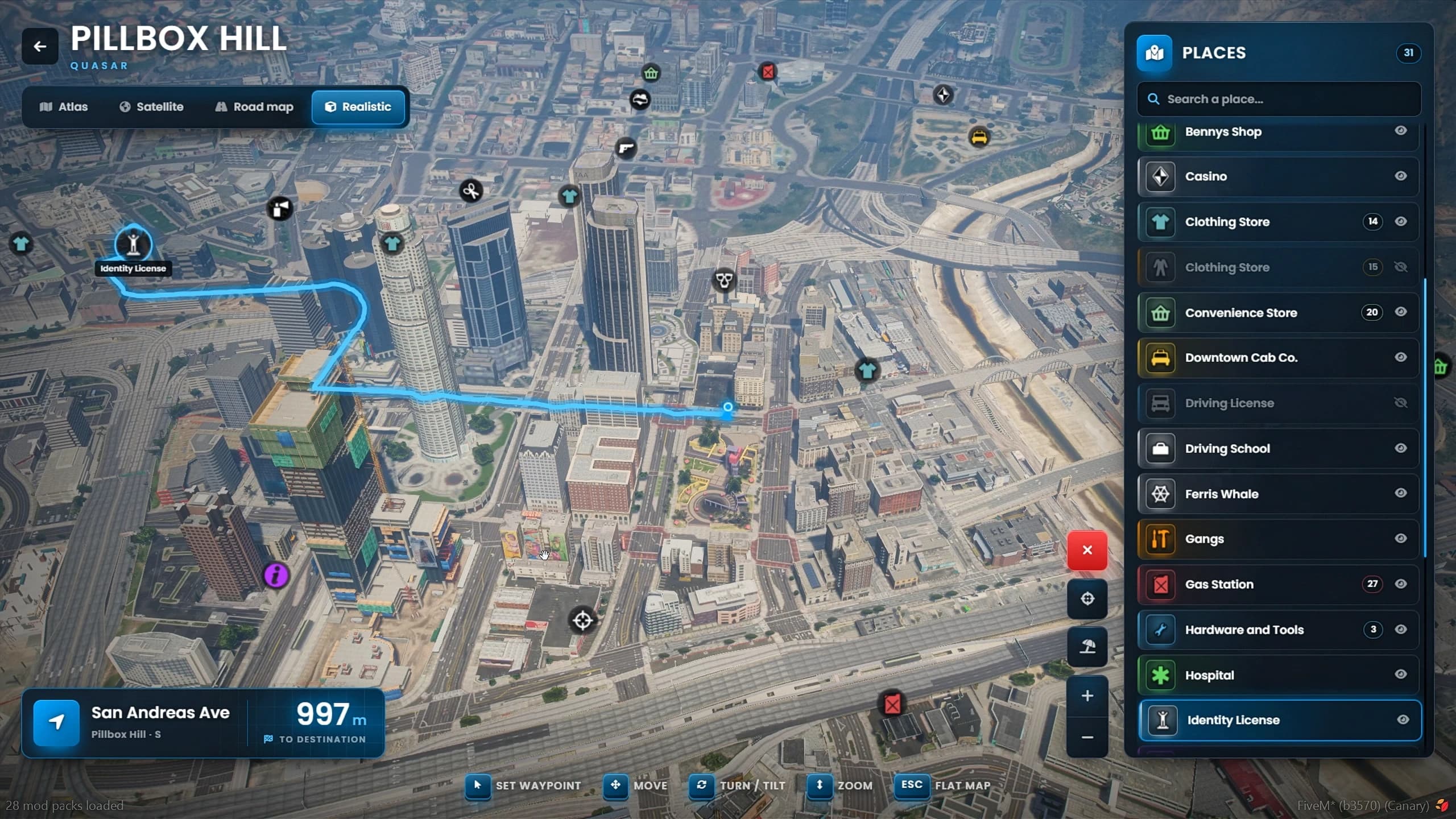
The big one is the Realistic view: a camera flies over the real city, with the blips and the route drawn on the buildings. Move, rotate, tilt and zoom to explore it from any angle. Cayo Perico is included in every style, with a button that jumps there and back.
FiveM realistic 3D map in Quasar Advanced Inventory over Pillbox Hill with a GPS route and the distance to the destination
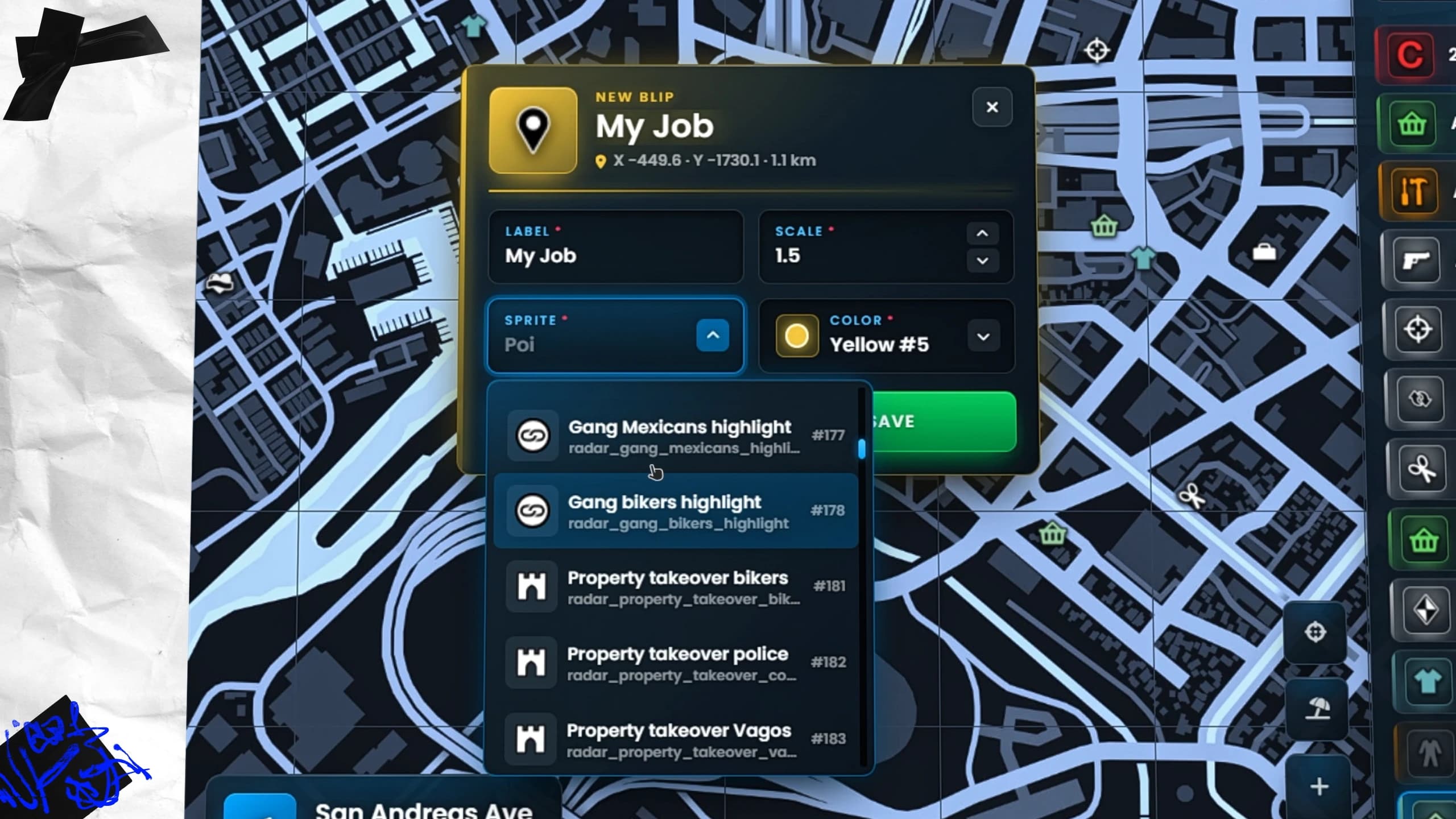
Right-click the map to add a blip of your own, with its label, size, icon and colour. Each player can keep up to 30, they are shown in the world and they appear in the search list. Other players are hidden from the pause map by default, so nobody can follow anyone from the menu.
Personal blip editor on the FiveM pause map of Quasar Advanced Inventory with label, scale, sprite and colour
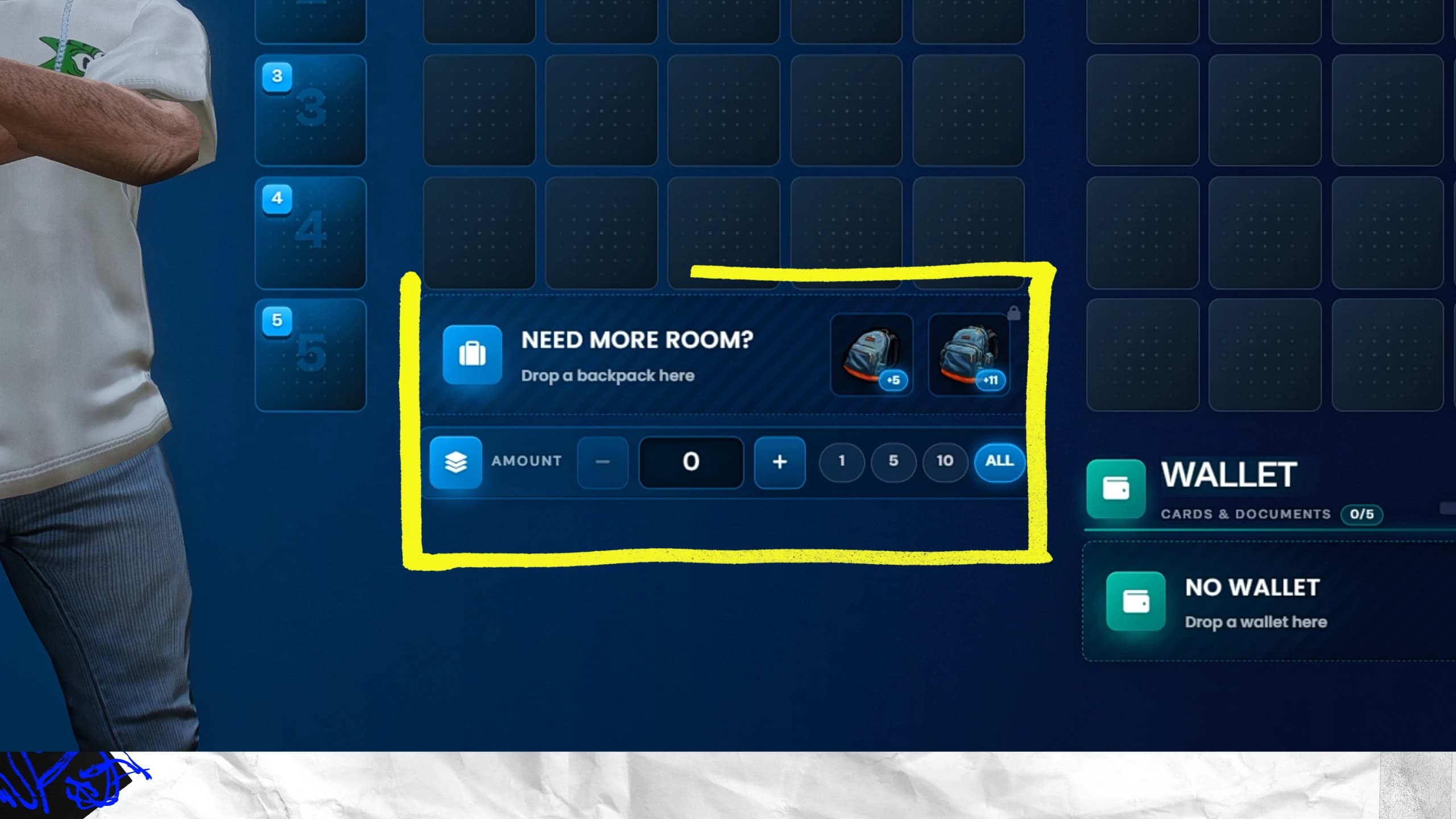
The inventory is split into clear blocks: five quick slots used with the number keys plus a protected slot, your pockets, the secondary inventory (the ground, a trunk, a glovebox, a stash or a shop) and, if you turn them on, backpack and wallet slots. A player carries 120 kg in 41 slots by default, raised by the carry skills of the tree.
Quasar Advanced Inventory for FiveM with the backpack slot, the amount bar and the wallet slot for cards and documents
Every item has its own card, tinted with its rarity, with its weight, its condition bar and its own data: the ID card with a name, the bag with its cash, the weapon with its serial and ammo. The amount bar moves part of a stack with 1, 5, 10 or All, and moving, swapping and dropping items has new animations.
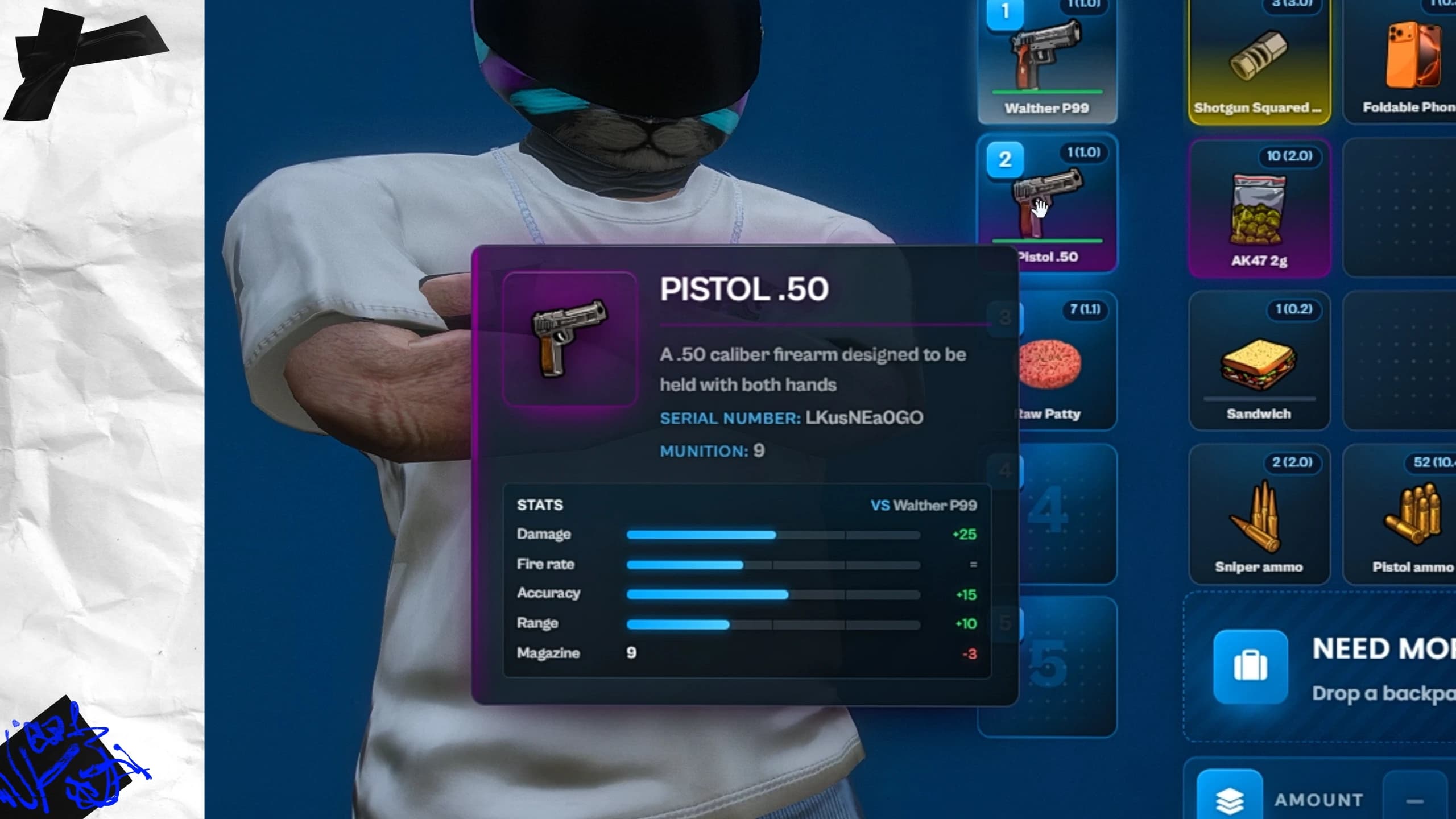
Hover a weapon while another one is equipped and the inventory compares them: damage, fire rate, accuracy and range. Every weapon keeps its serial number, its ammo and its wear, and 64 attachment items fit onto it in a 3D showcase: suppressors, scopes, grips, magazines, flashlights and camos.
FiveM weapon stat comparison in Quasar Advanced Inventory: a Pistol .50 compared with the equipped Walther P99
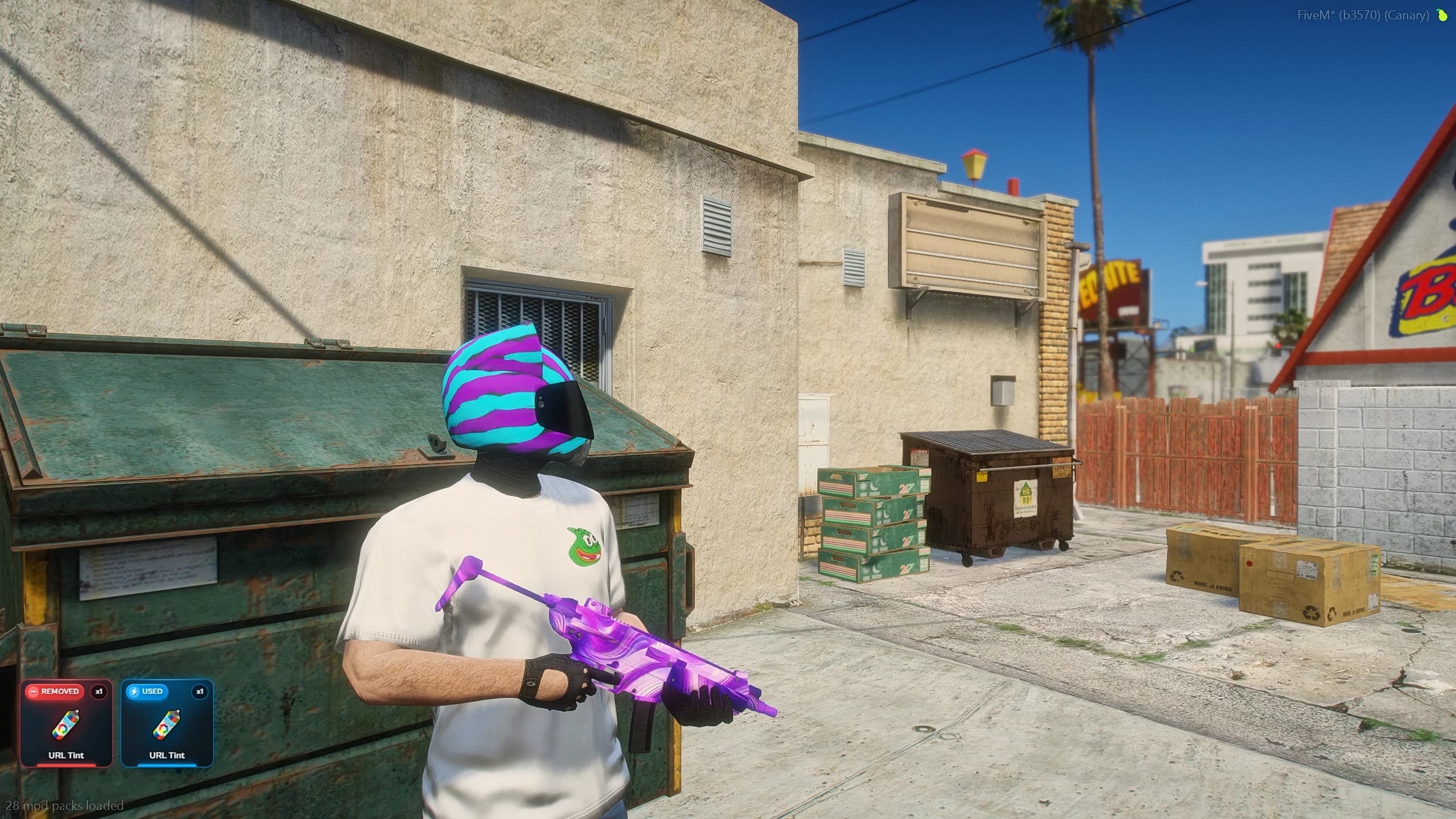
Then there are URL tints: paste a direct image link and that design goes on the weapon, far beyond the standard GTA tints.
FiveM URL tint in Quasar Advanced Inventory: a player holding an SMG painted with a custom purple design
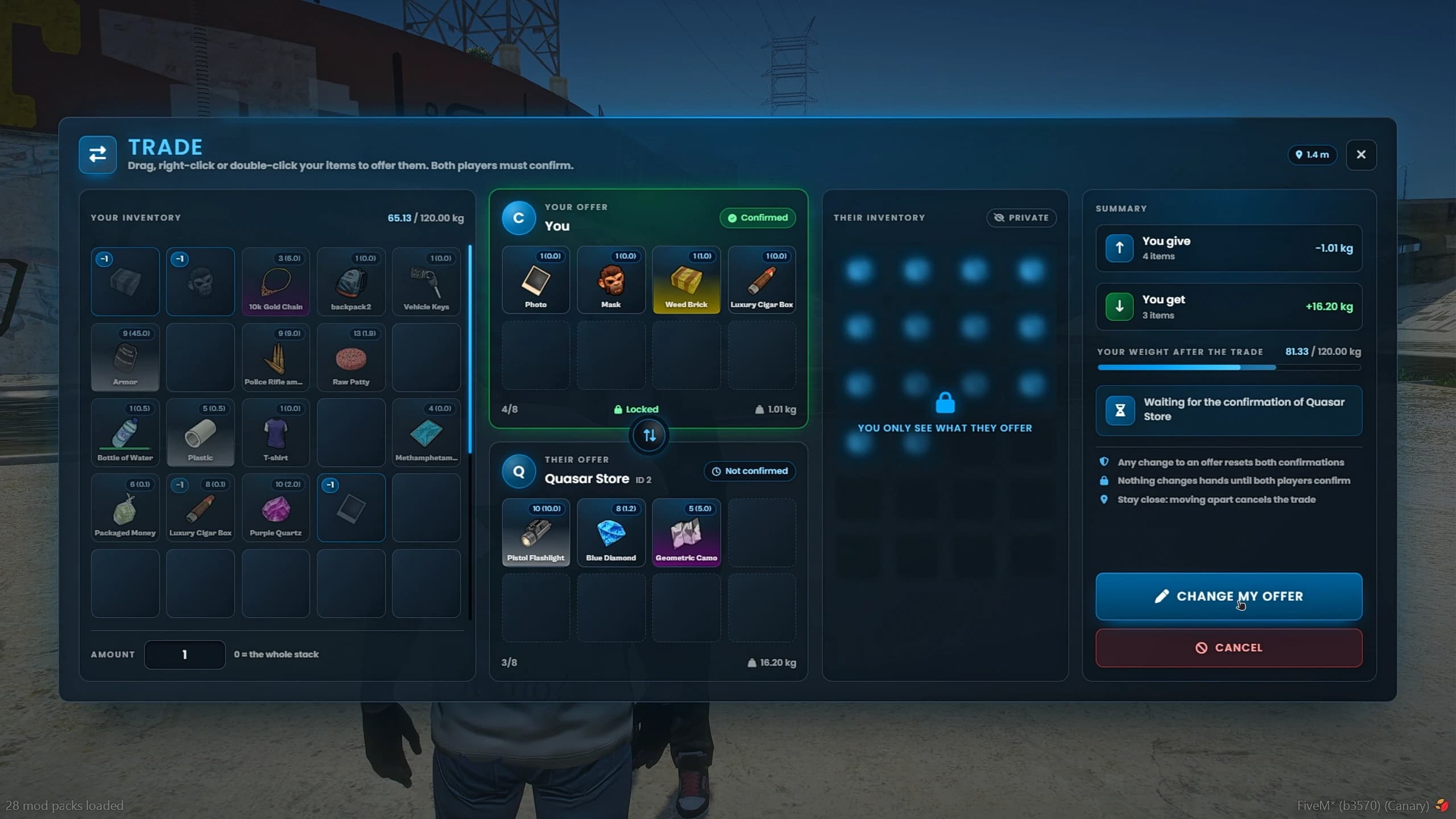
Right-click any item for its actions. Place turns it into a prop in the world that others can pick up. Give hands it to a nearby player. Trade opens a proper trade window where both sides confirm their offers. Rename gives supported items a name of your own, and Throw sends the item flying with physics so it can be picked up again. With OneSync, bags and dropped items on the ground can even be kicked around.
FiveM player trading in Quasar Advanced Inventory with both offers and a summary of what each player gives and gets
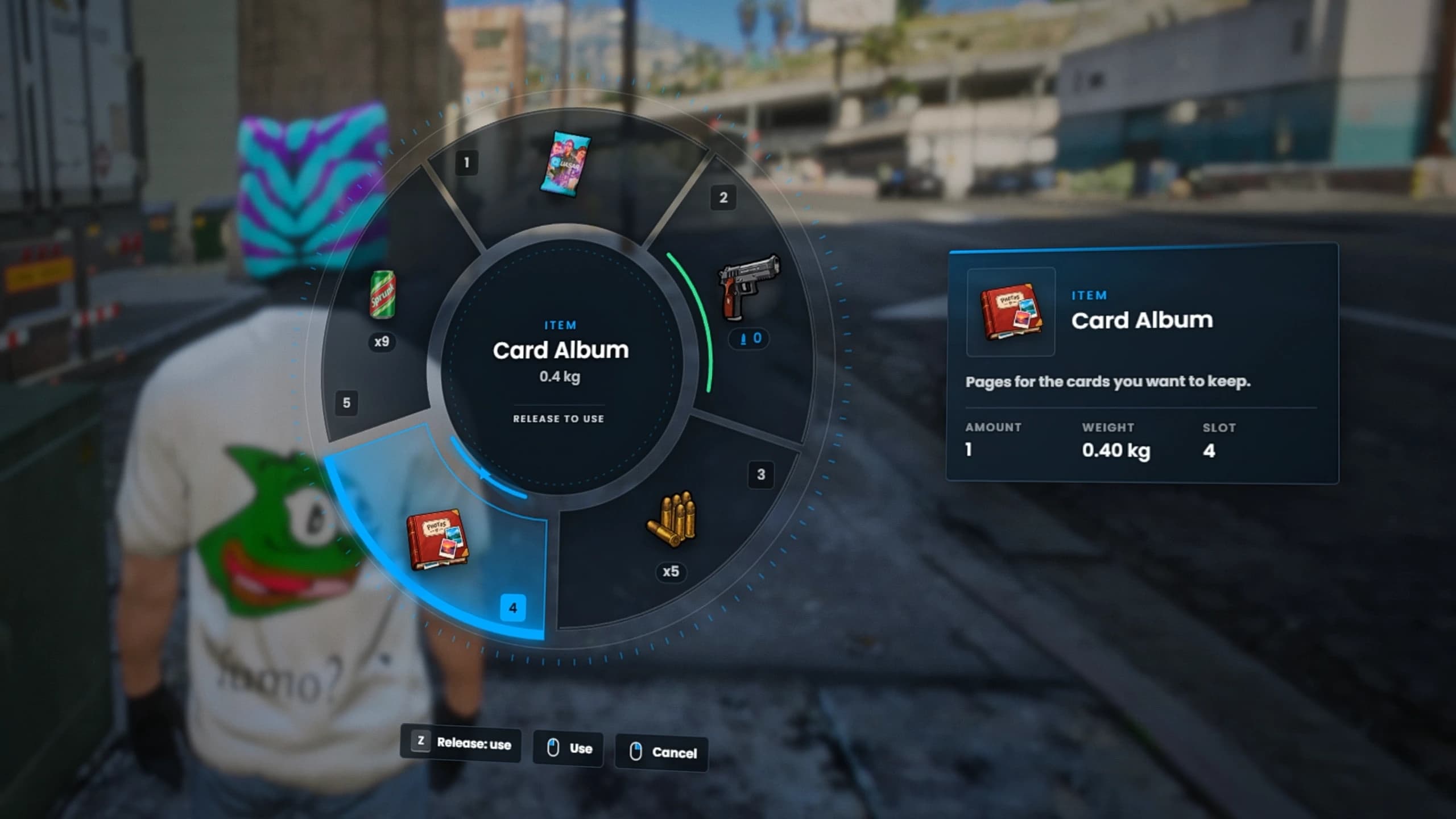
Hold a key and your quick slots open as a GTA-style radial menu, with each item's details inside the wheel; the server picks between four and eight segments. Players who prefer to keep moving can turn on the compact inventory: a small one in the corner that keeps drag and drop, right-click and item cards, with a button to open the full one.
FiveM quick wheel in Quasar Advanced Inventory with a card album selected and its weight and slot details
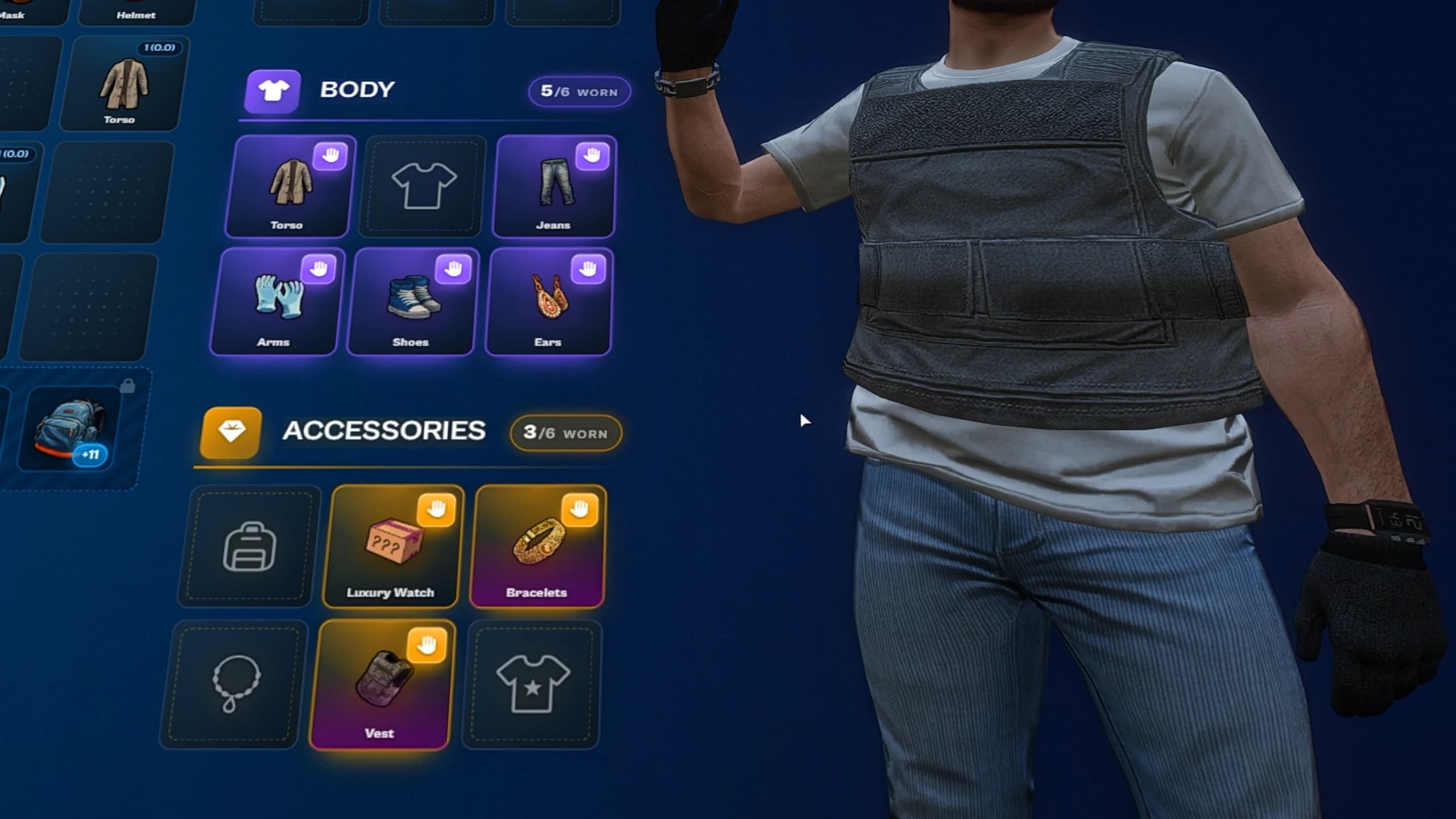
Everything a character wears becomes an item in 15 clothing slots, decals included. Take a piece off and it goes to your pockets; put it back on and it returns to its slot with its animation. Clothes changed in a clothing shop or an appearance menu are picked up automatically, outfits survive a reconnect, and the vest carries the armour.
FiveM clothing as items in Quasar Advanced Inventory with a vest, jeans, a luxury watch and bracelets in their slots
Players can rob someone with their hands up, and police can search them, each with their own rules. Protected items cannot be stolen, the protected slot is hidden from robbers, and stolen weapons can optionally break into crafting materials.
FiveM player search in Quasar Advanced Inventory: a player with hands up against a wall while being searched
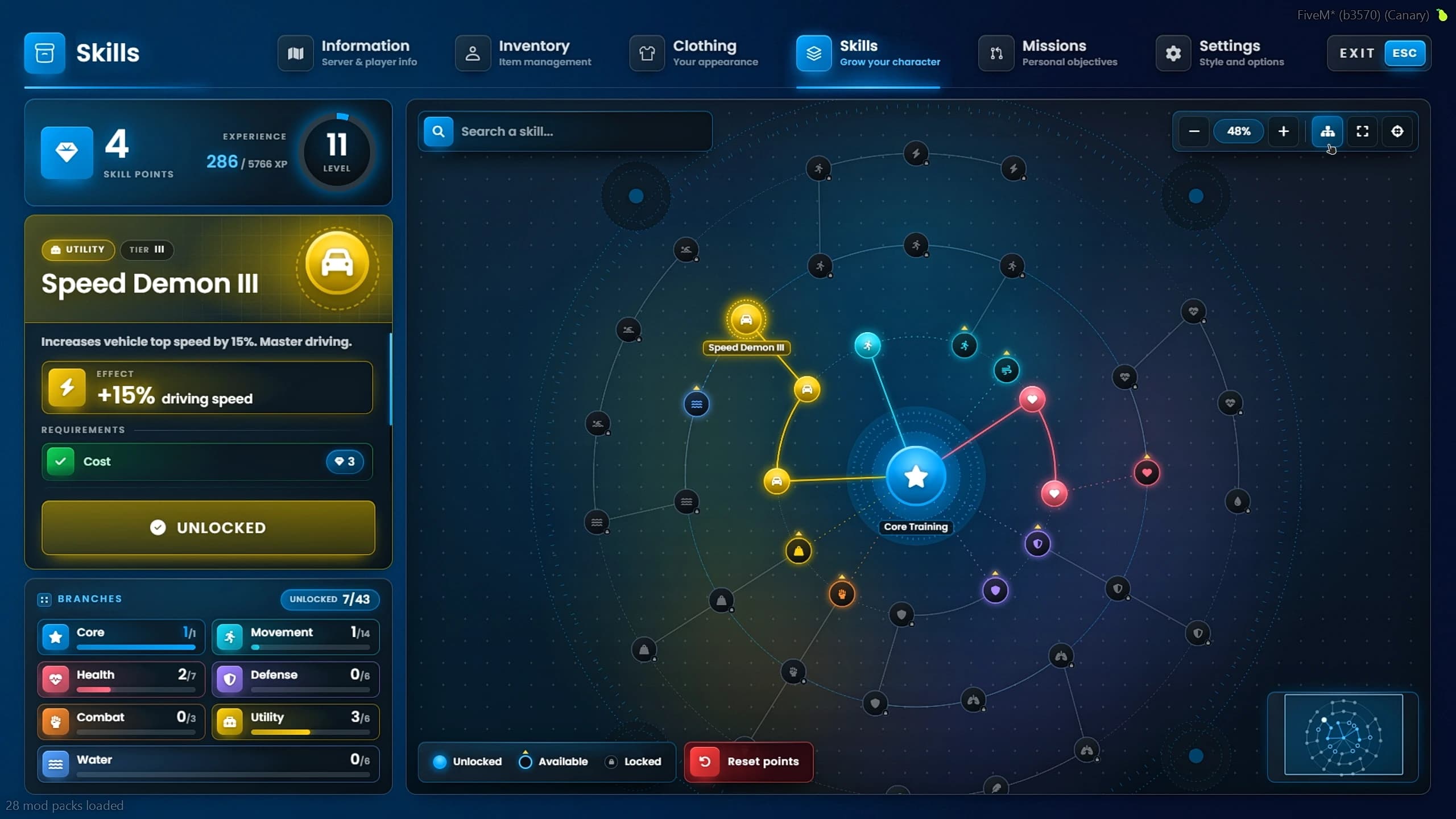
Players earn XP, level up and spend skill points on a tree of 43 skills across Movement, Health, Defense, Combat, Utility and Water. Skills improve stamina, health, armour, carry weight, swimming, movement and melee damage, and each one has its cost, its level and the skills it needs first, so players specialise instead of unlocking everything.
FiveM skill tree in Quasar Advanced Inventory with Speed Demon III unlocked and seven of 43 skills active
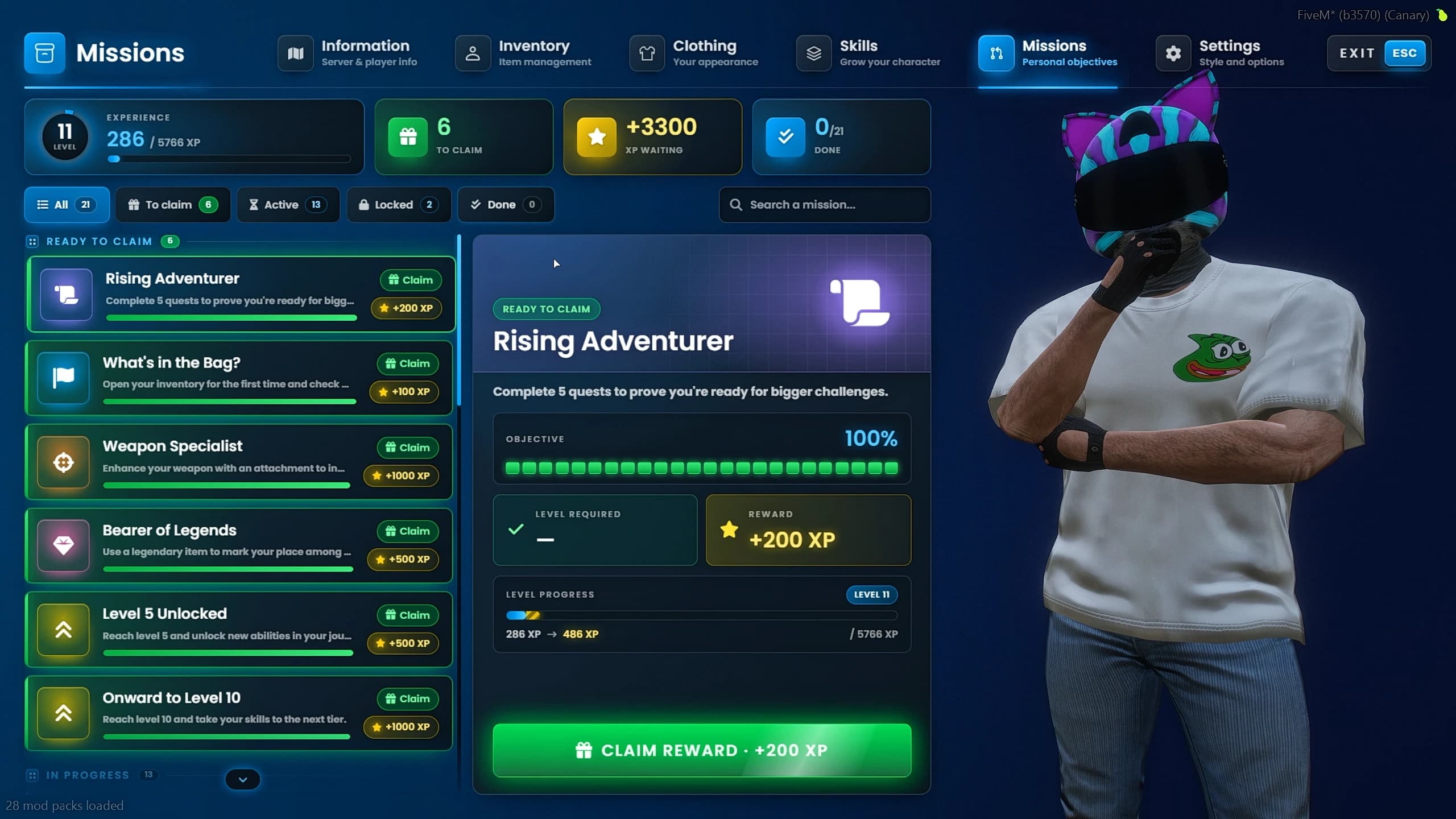
The 21 missions fit into the same progression: open the inventory, use an item of a rarity, add an attachment, reach a level and more. Some finish at once, others stay active until they are done, and the reward is claimed from the Missions page.
FiveM missions in Quasar Advanced Inventory with the Rising Adventurer quest ready to claim for 200 XP
Style Studio: Every Player Designs Their Own Inventory#
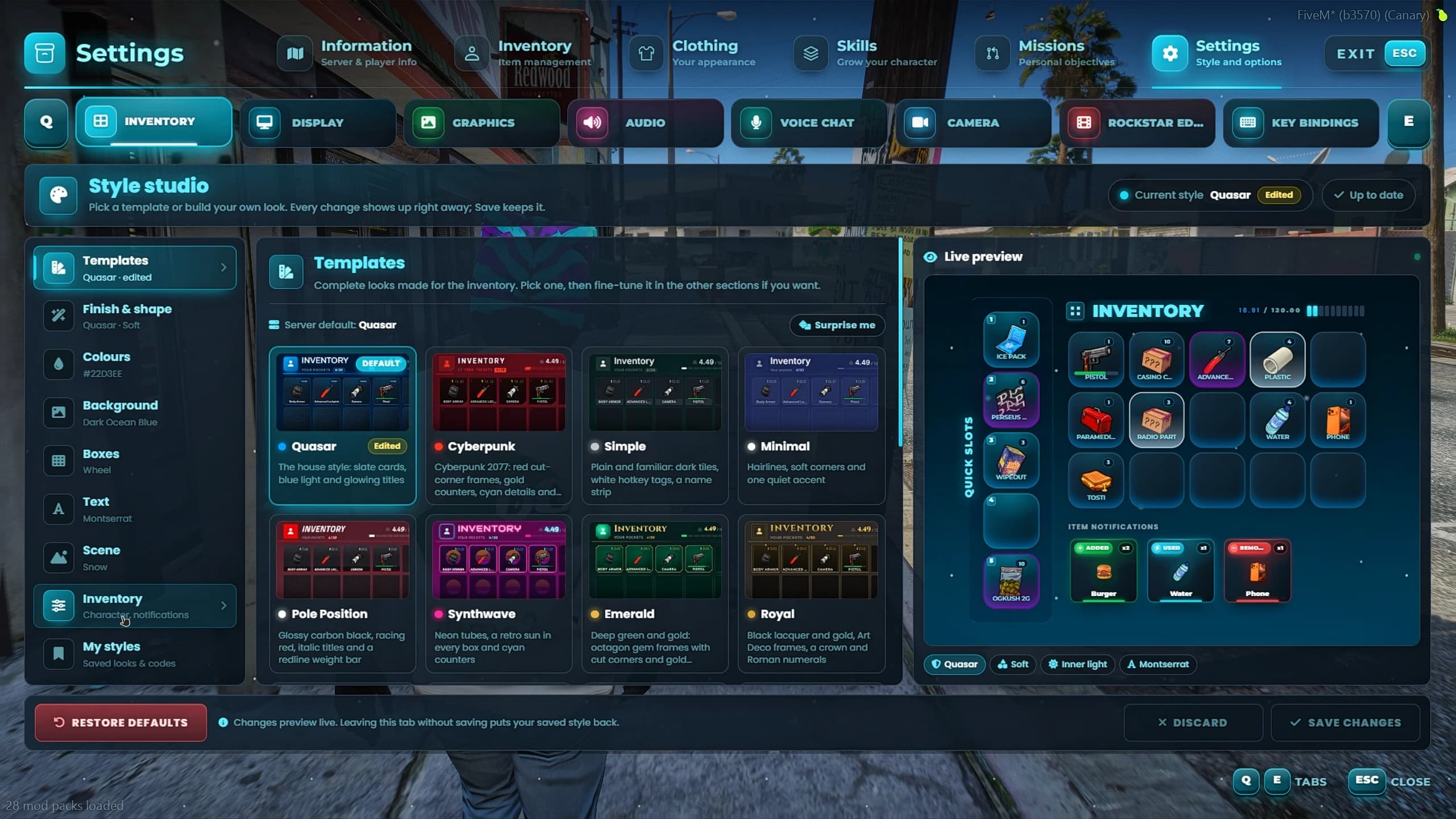
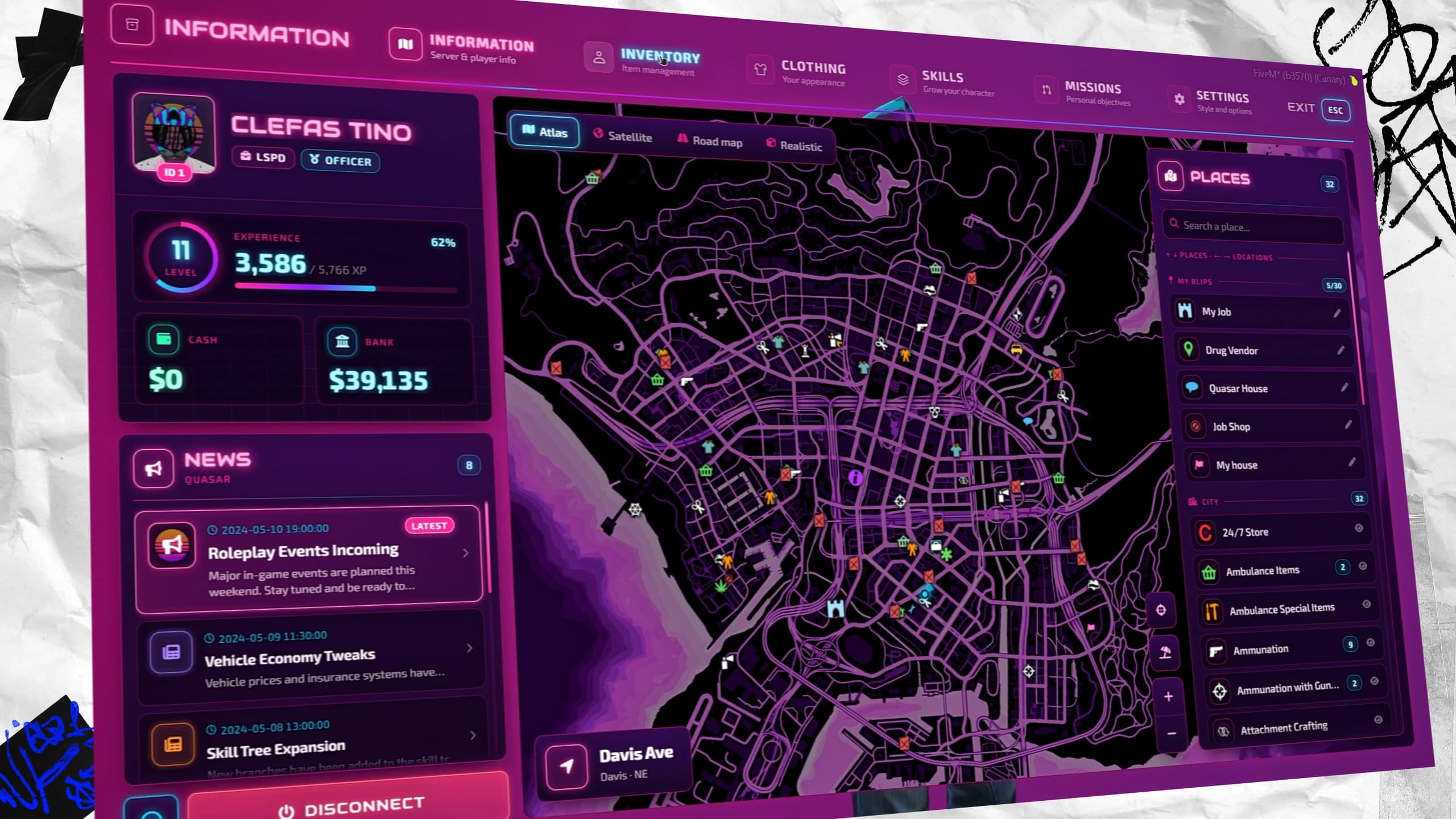
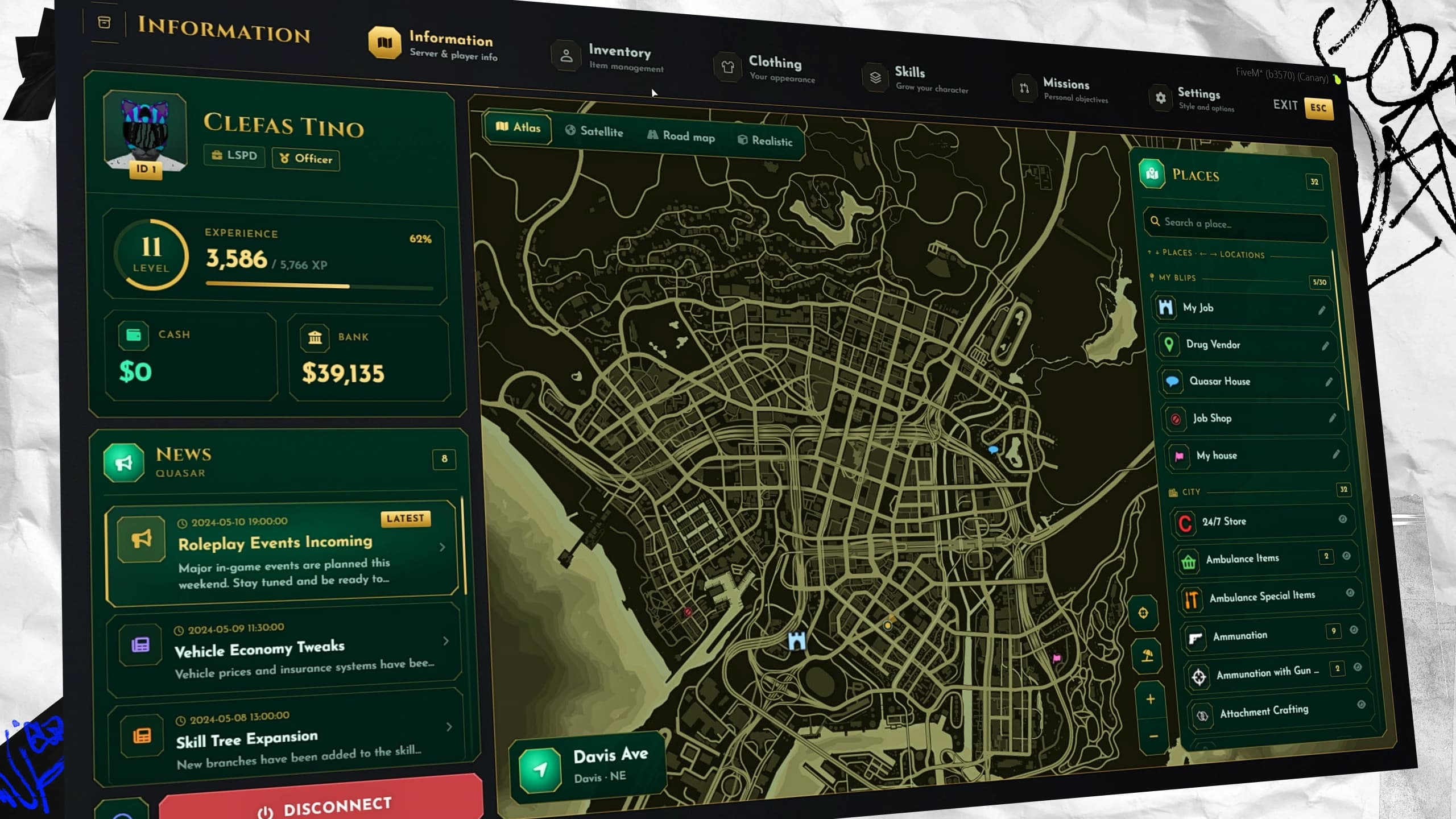
In Settings, the Style Studio lets every player restyle the inventory without a single config file, with a live preview of each change. It starts with 20 complete templates, among them Quasar, Cyberpunk, Synthwave, Pole Position, Neon and Glass, and goes much deeper:
Finish and shape: 12 finishes, 8 box shapes, effects like glow, neon, elevation and glass, and rounded corners.
Colours and background: primary, secondary, border and text colours, and 32 3D rooms behind the character.
Boxes and text: a quick bar or a wheel, icon and text size, rarity outlines, durability bars and nine fonts.
Scene: particles like snow, stars, rain or embers, the opening animation, the inventory size and a performance mode.
My styles: three saved looks, shared with friends as a code.
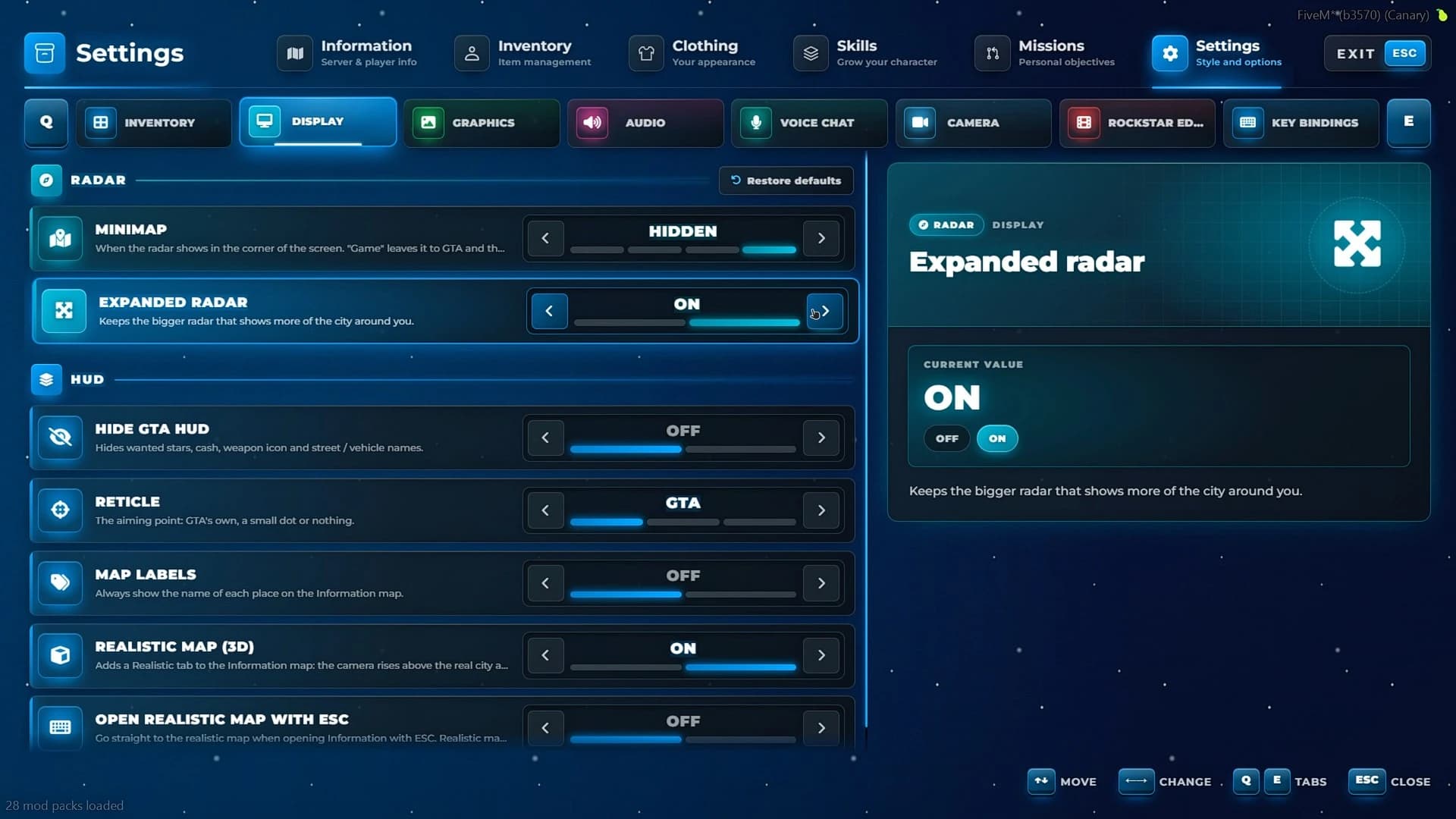
The settings pages bring together what GTA spreads across its menus: the minimap and HUD, graphics and detail distance, an FPS counter and screen filters, radio and city sounds, voice volumes with pma-voice, the on-foot and vehicle cameras, and Rockstar Editor recording.
GTA settings inside Quasar Advanced Inventory for FiveM: minimap, expanded radar, HUD, reticle and realistic map options
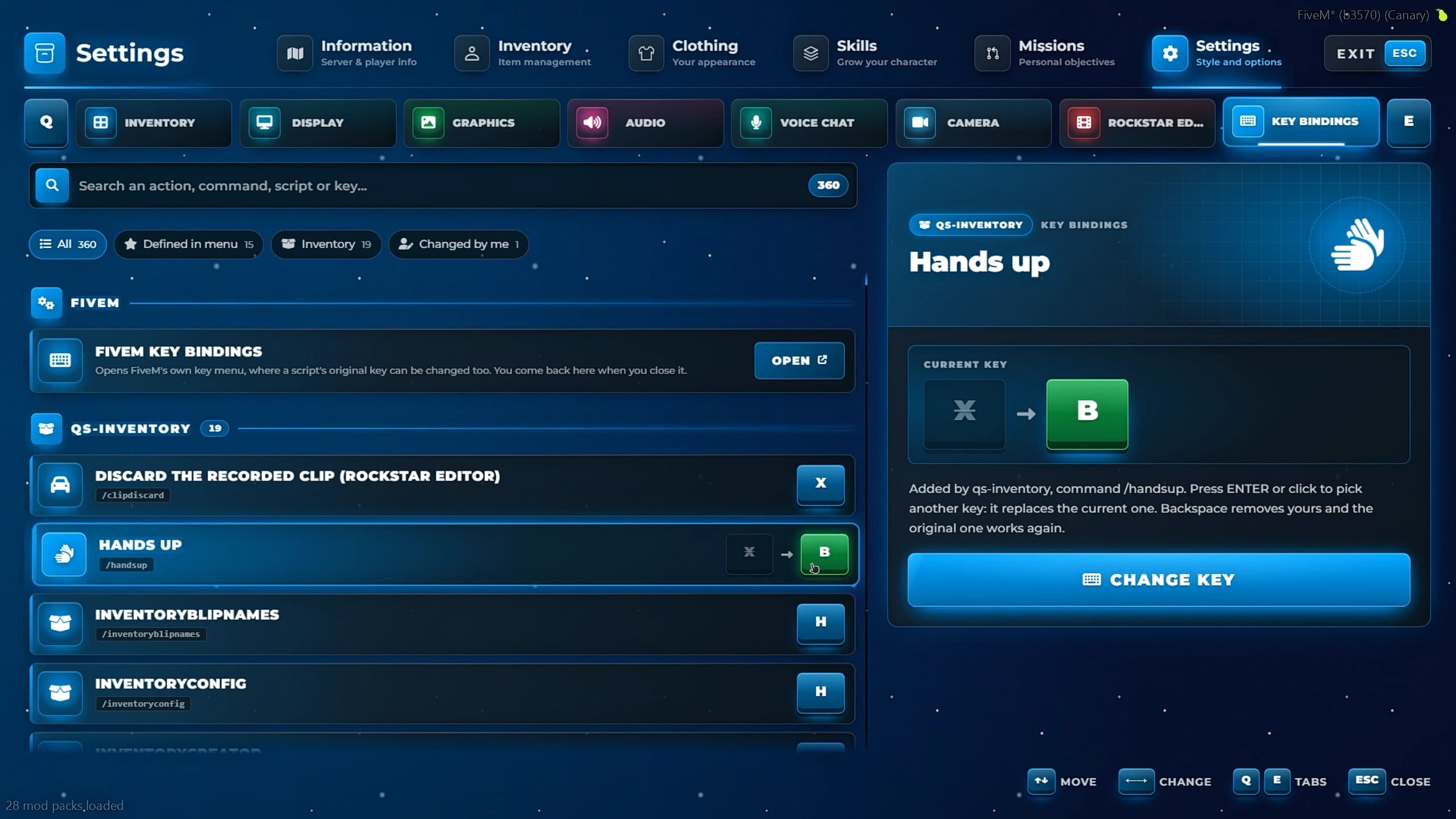
The Keys page lists every key-mapped command on your server, from any script, and lets players rebind it right there. It can be filtered by what is defined in the menu, what belongs to the inventory and what the player changed.
FiveM key bindings in Quasar Advanced Inventory with the Hands up command remapped from X to B
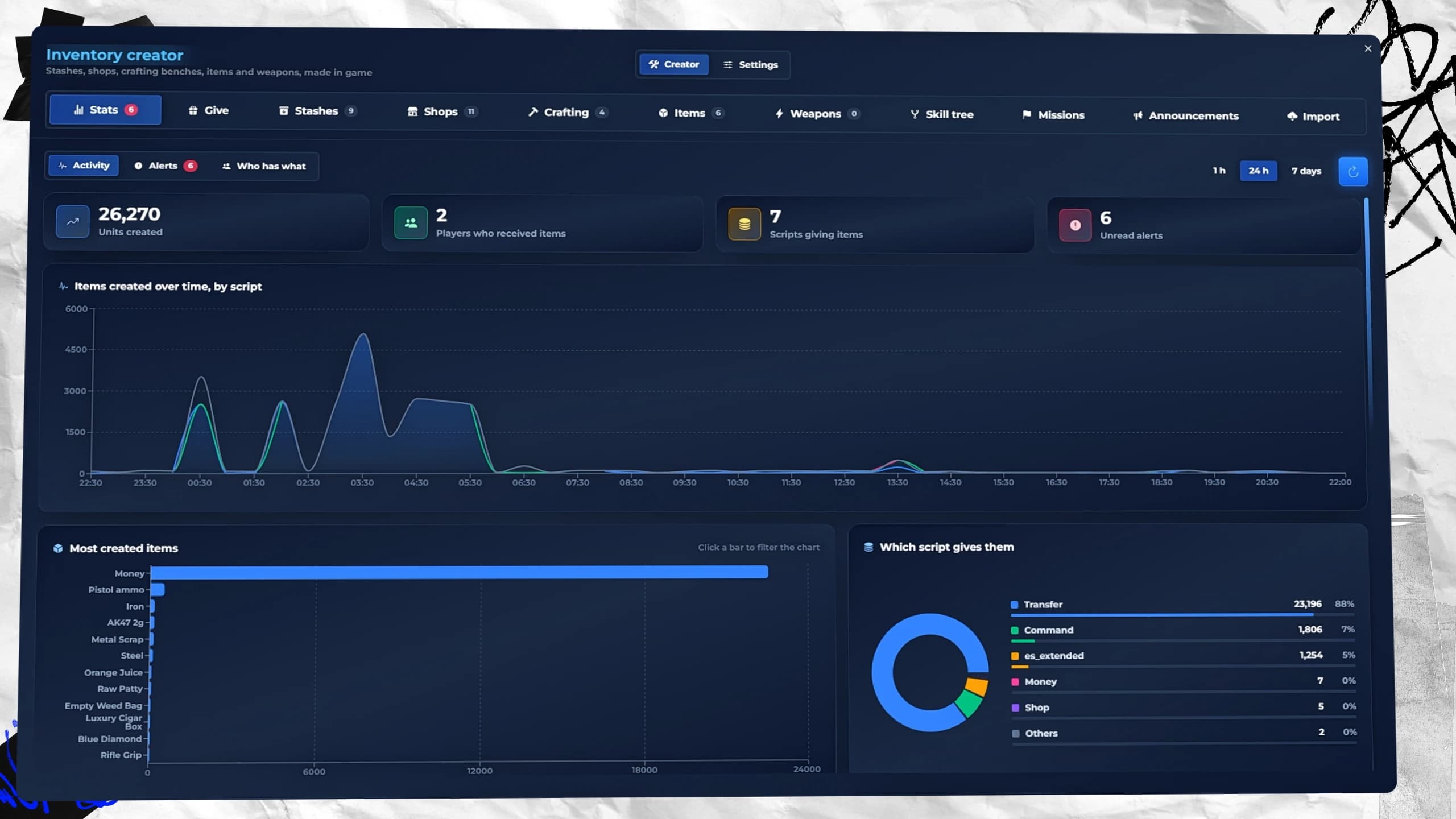
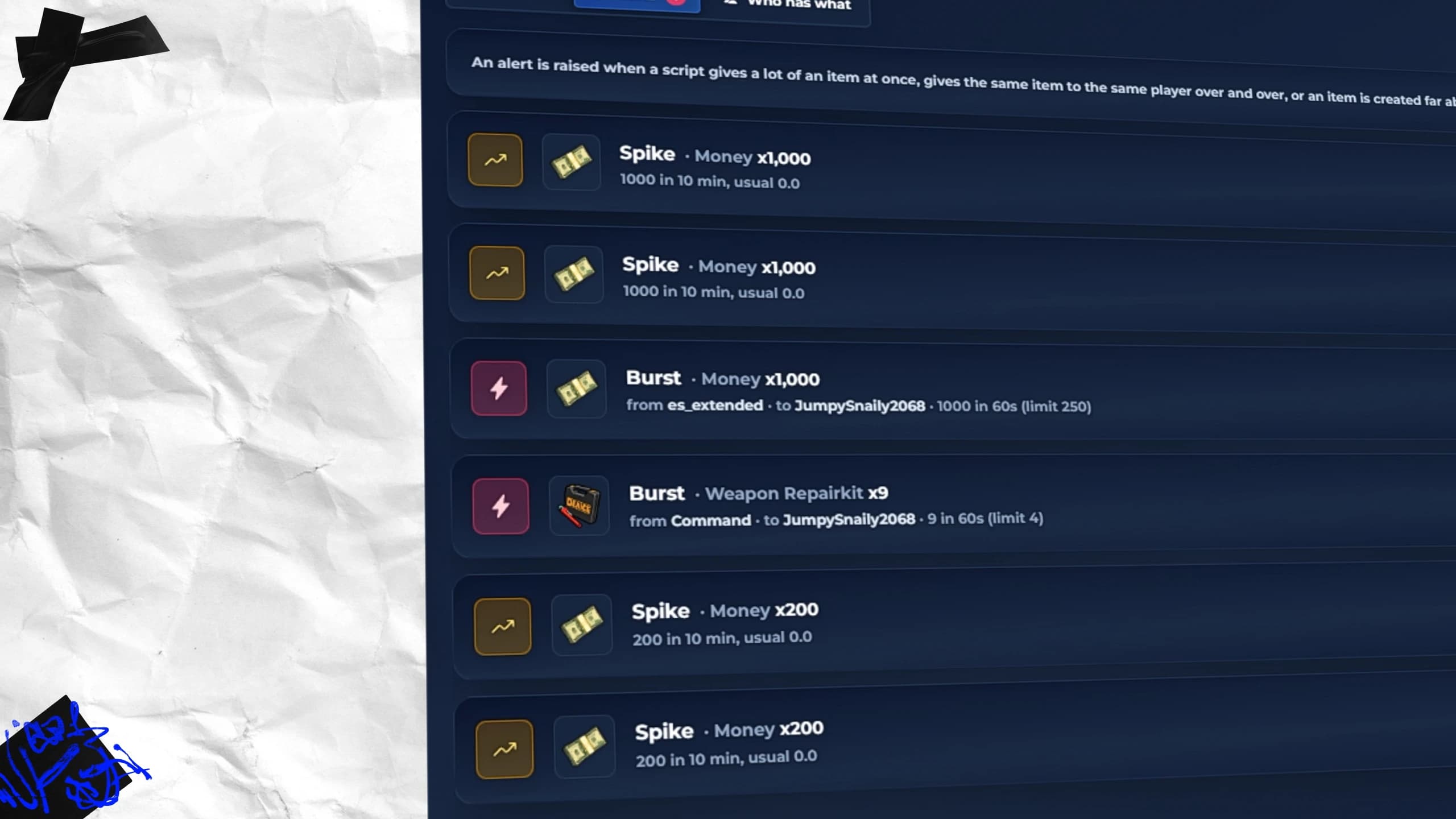
Every item added to a player is recorded with the time, the amount, the player and the script that gave it. Bursts and spikes raise an alert for the online admins, so a duplication bug or an exploit shows up before it ruins your economy.
FiveM anti-dupe alerts in Quasar Advanced Inventory for money spikes and bursts given by scripts and commands
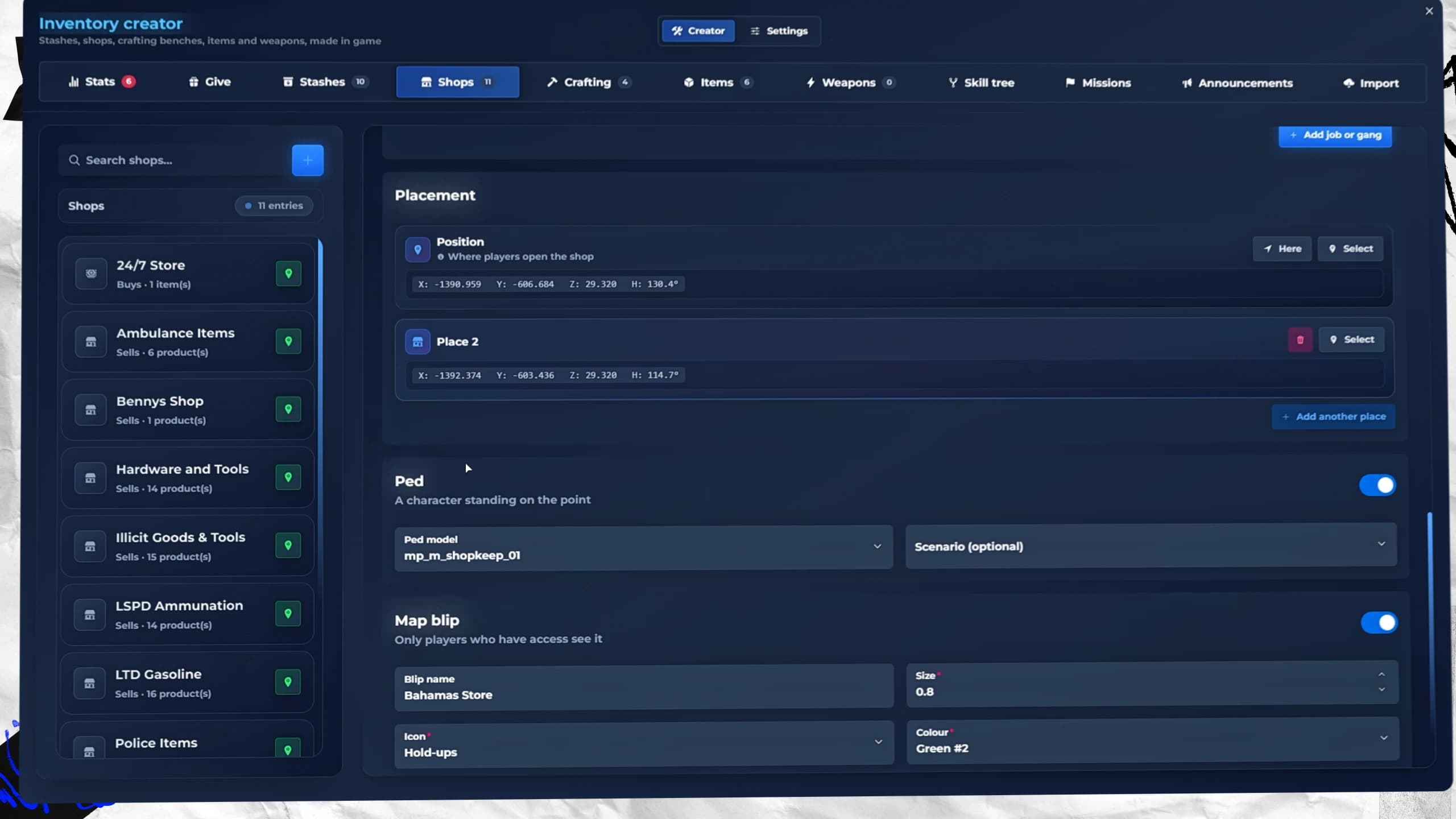
Nothing is typed as coordinates. Pick the spot in the world, turn and raise it, add a shopkeeper, a prop and a map blip, and it is ready for players straight away.
FiveM shop placement in Quasar Advanced Inventory with a shopkeeper, a scenario and a map blip
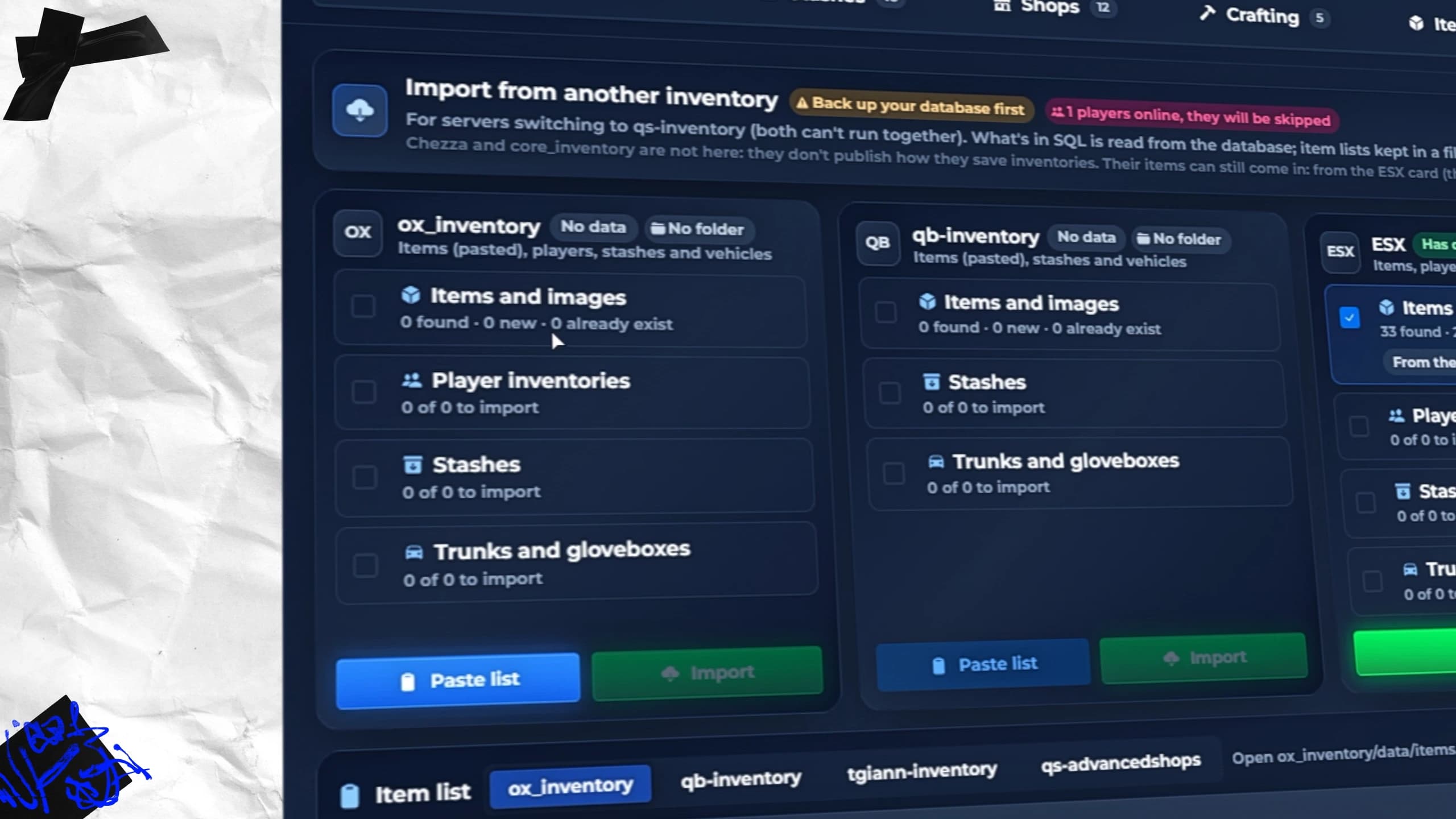
Switching inventories is usually the scary part. The Import tab reads your data from ox_inventory, qb-inventory, ESX, tgiann-inventory and qs-advancedshops, and brings over items, images, player inventories, stashes, trunks, gloveboxes and shops. Every row it rewrites is backed up first.
FiveM inventory import in Quasar Advanced Inventory from ox_inventory, qb-inventory, ESX and tgiann-inventory
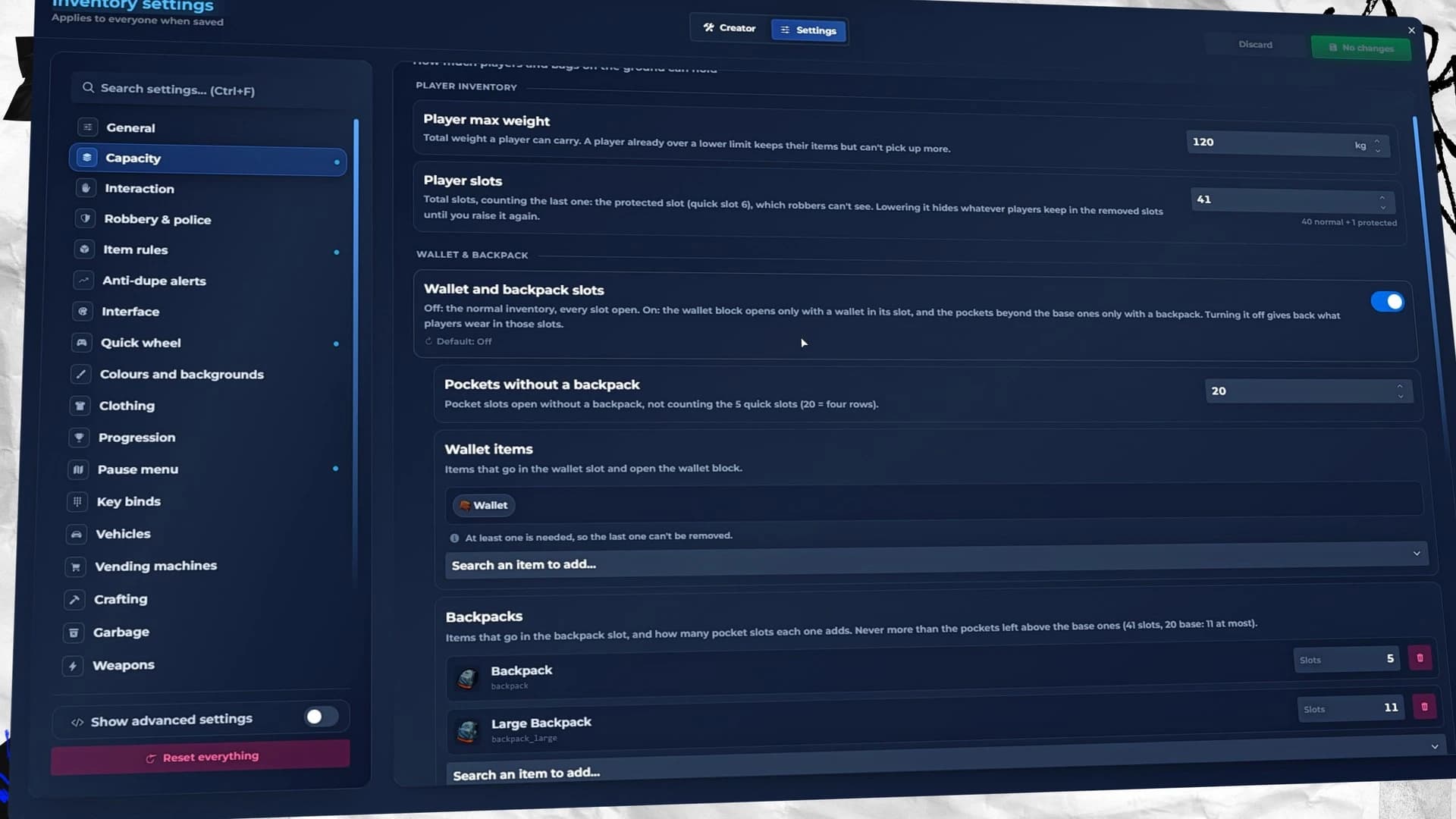
/inventoryconfig holds every behaviour of the inventory in 21 sections, from capacity and item rules to robbery, the pause menu, vending machines, crafting and weapons. Changes are saved in the database and applied to every player, with no files to edit.
The /inventoryconfig panel of Quasar Advanced Inventory for FiveM with capacity, player slots, wallet and backpack settings
Advanced Inventory detects ESX, QBCore or Qbox on its own, and qs-core servers too. It needs oxmysql and ox_lib, ships in 41 languages, and finds your appearance and target scripts when it starts. The full list of requirements and the pre-edited framework versions are in the installation guide.
Advanced Inventory ships with four free DLCs: Armor, Licenses, Weapons on Back and Weapon Draw animations, at no extra cost, and every update is free for life.
Does Advanced Inventory work with ESX, QBCore and Qbox?
Yes. It detects ESX, QBCore or Qbox on its own, and works on qs-core servers too.
Does it replace the GTA pause menu and map?
Yes. ESC opens its own pause menu with the player card, news, settings and a map in Atlas, Satellite, Road map or realistic 3D. You can turn it off in /inventoryconfig.
Can I move from ox_inventory or qb-inventory?
Yes. The Import tab brings items, images, player inventories, stashes, trunks, gloveboxes and shops from ox_inventory, qb-inventory, ESX, tgiann-inventory and qs-advancedshops.
Do I have to edit config files?
Almost never. Content is made in /inventorycreator and every behaviour is set in /inventoryconfig, in game, for every player.
Is the Cyberpunk theme included?
Yes. Cyberpunk is one of the 20 Style Studio templates, at no extra cost.
Can players customise the inventory?
Yes. Each player picks a template, colours, background, fonts and effects in the Style Studio, and can share the look with a code.
Are updates free?
Yes. Every update of Advanced Inventory is free for life with your purchase.
Get Quasar Advanced Inventory for Your FiveM Server#
If you want one FiveM inventory script that also runs your pause menu, your map, your progression and your shops, get Quasar Advanced Inventory and read the documentation to have it running today.
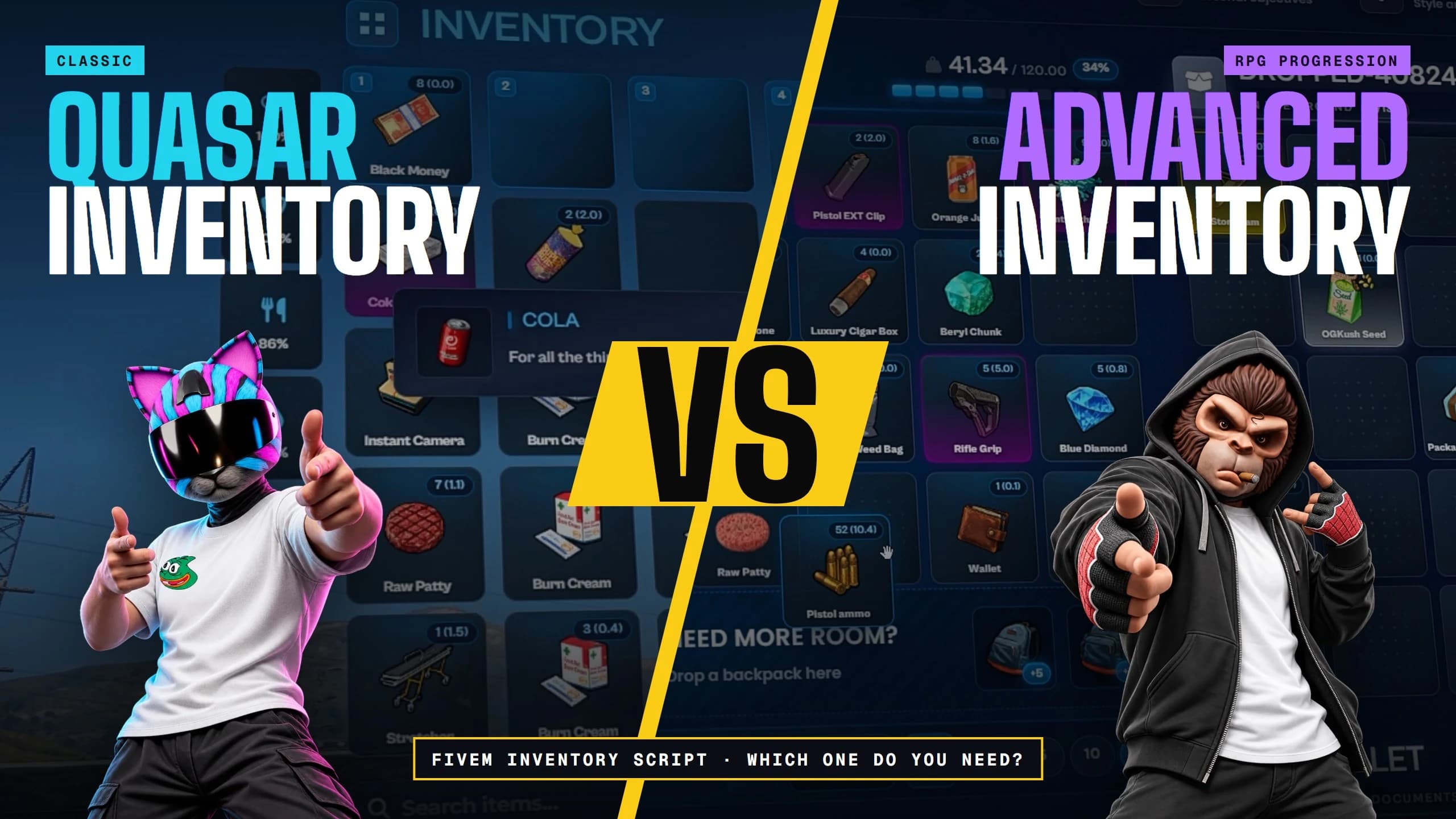
FiveM Inventory Script: Inventory vs Advanced Inventory
FiveM inventory script comparison: Quasar Inventory vs Advanced Inventory. Features, requirements and progression, so you know which one your server needs.








[01]Comments
The thread