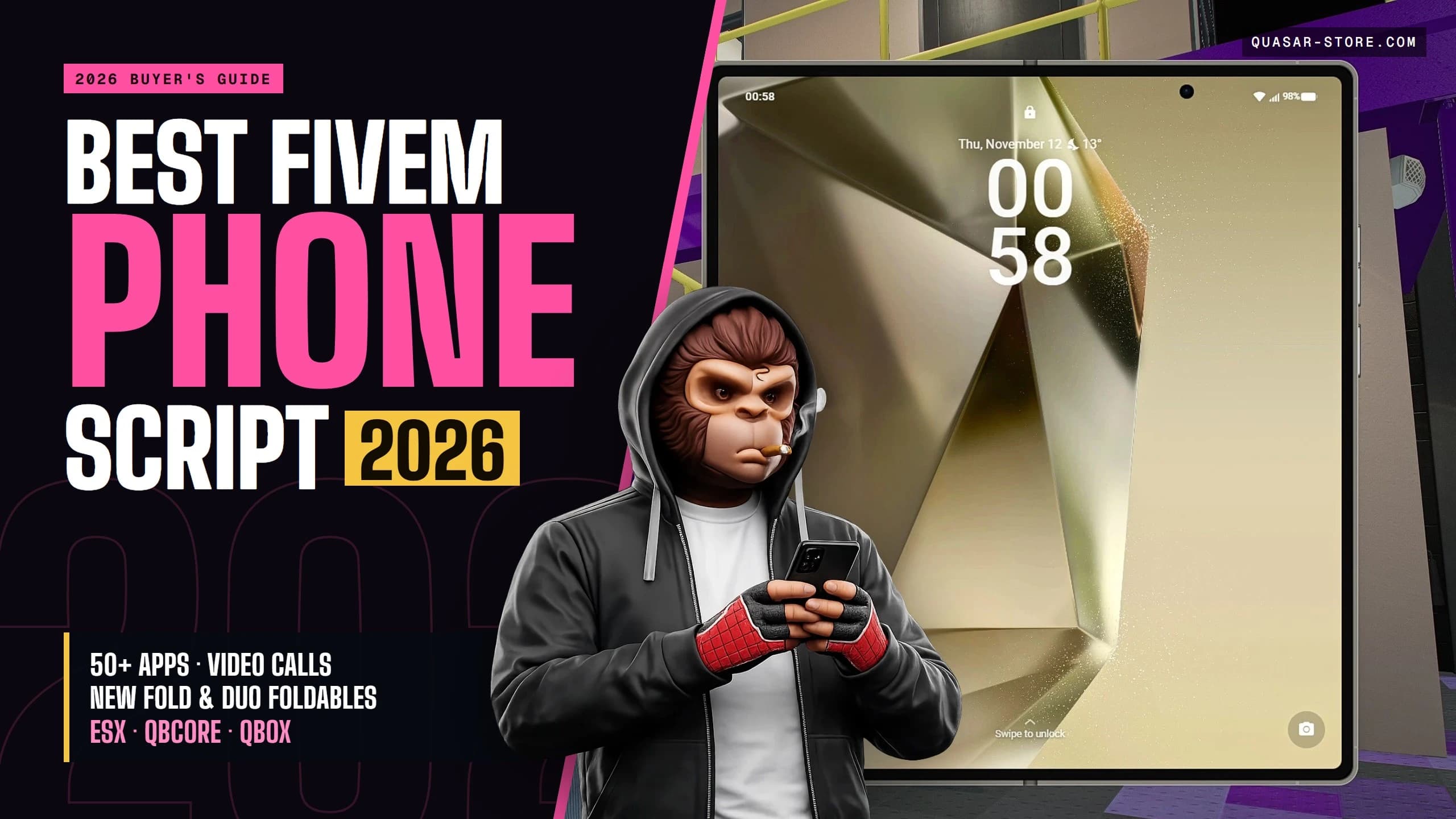
Best FiveM Phone Script in 2026: What to Look For, and Why Quasar Smartphone#
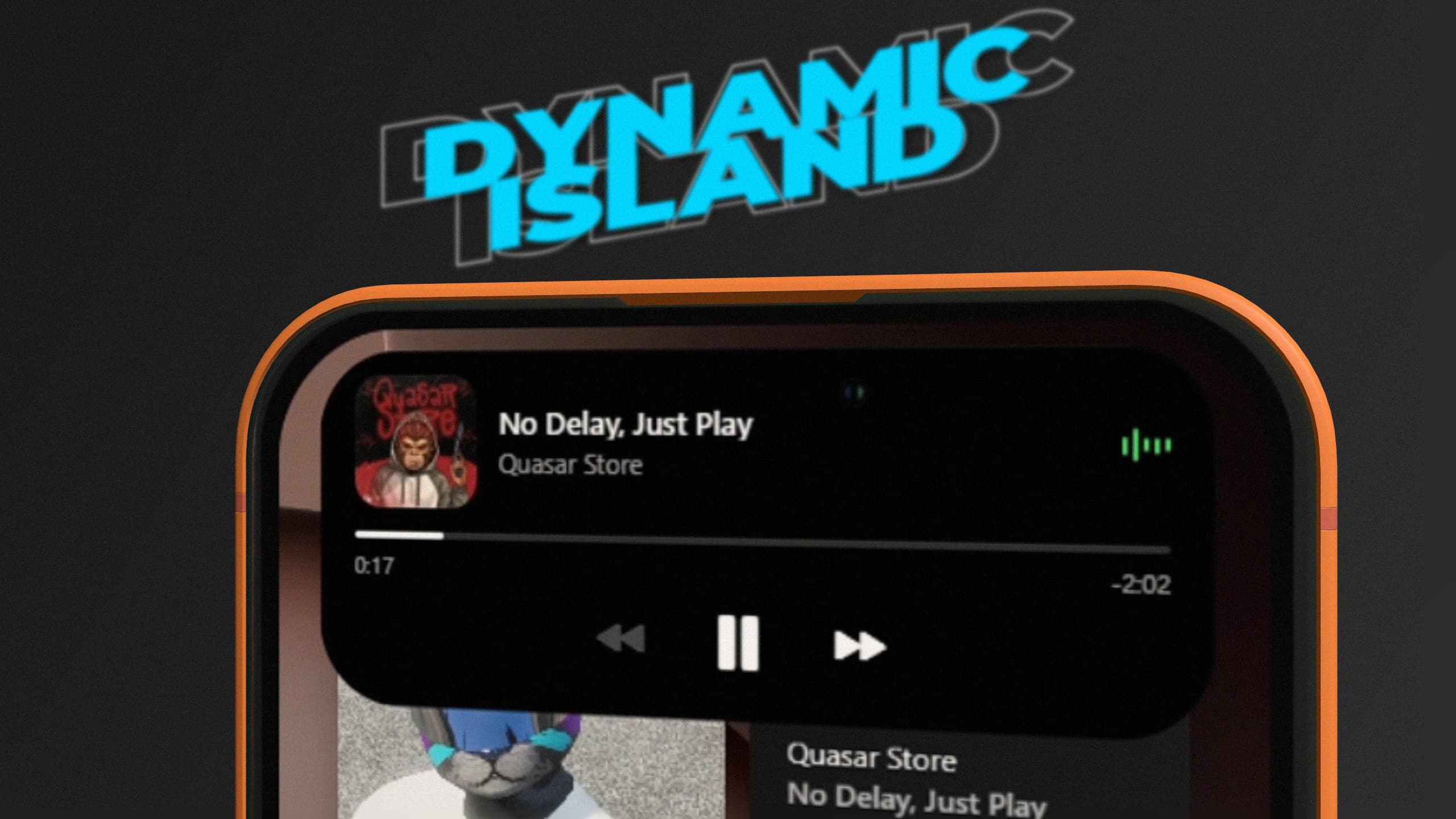
FiveM phone script Quasar Smartphone showing the Dynamic Island with live activities, notifications and call controls
The phone is the script your players touch more than any other. They call the mechanic, text their crew, check the bank, post on social media and order a ride from it, all day long. If the phone is slow, buggy or empty, the whole city feels it.
This guide covers what a good FiveM phone script needs in 2026 and how handles each point. Every feature and requirement below comes from the and the , so you can check all of it yourself.
[04]Newsletter
Never miss a release
One short email when something ships: what changed, what breaks, and how to roll it out on a live server. No spam, ever.
New scripts
Breaking changes
Server guides
1,000+server owners subscribed
Double opt-in · free
Get the next drop
We only use your email for this newsletter. One click to unsubscribe, any time.
Quasar Smartphone (Smartphone V3, resource qs-smartphone) is a complete FiveM phone rebuilt from scratch in React, with more than 50 apps and two system skins, Pear and Nova. Here is what it covers, area by area:
Area
What you get
Devices
Two system skins (Pear and Nova), two foldable phones that fold with a key, and a phone prop in the hand that matches the frame colour.
Interface
Glass visuals, a working Dynamic Island, Control Center, home and lock screen widgets, app folders, multitasking with swipe gestures, dark and light mode per app, and Face Unlock or a PIN.
Calls
Voice and video calls, a speakerphone that nearby players hear, voicemail, emergency numbers that ring every on-duty officer or medic, and business lines.
Real device
Battery and charging, signal zones, storage that apps and photos fill, wireless earbuds, SIM cards, backups and transfers between phones, and an automatic SOS when a player dies.
Expansion
Free DLC apps, the Aura voice assistant, an App Store and an API to add your own apps, Dynamic Islands and notifications.
Languages
45 languages. Each player picks their own in Settings, without a restart.
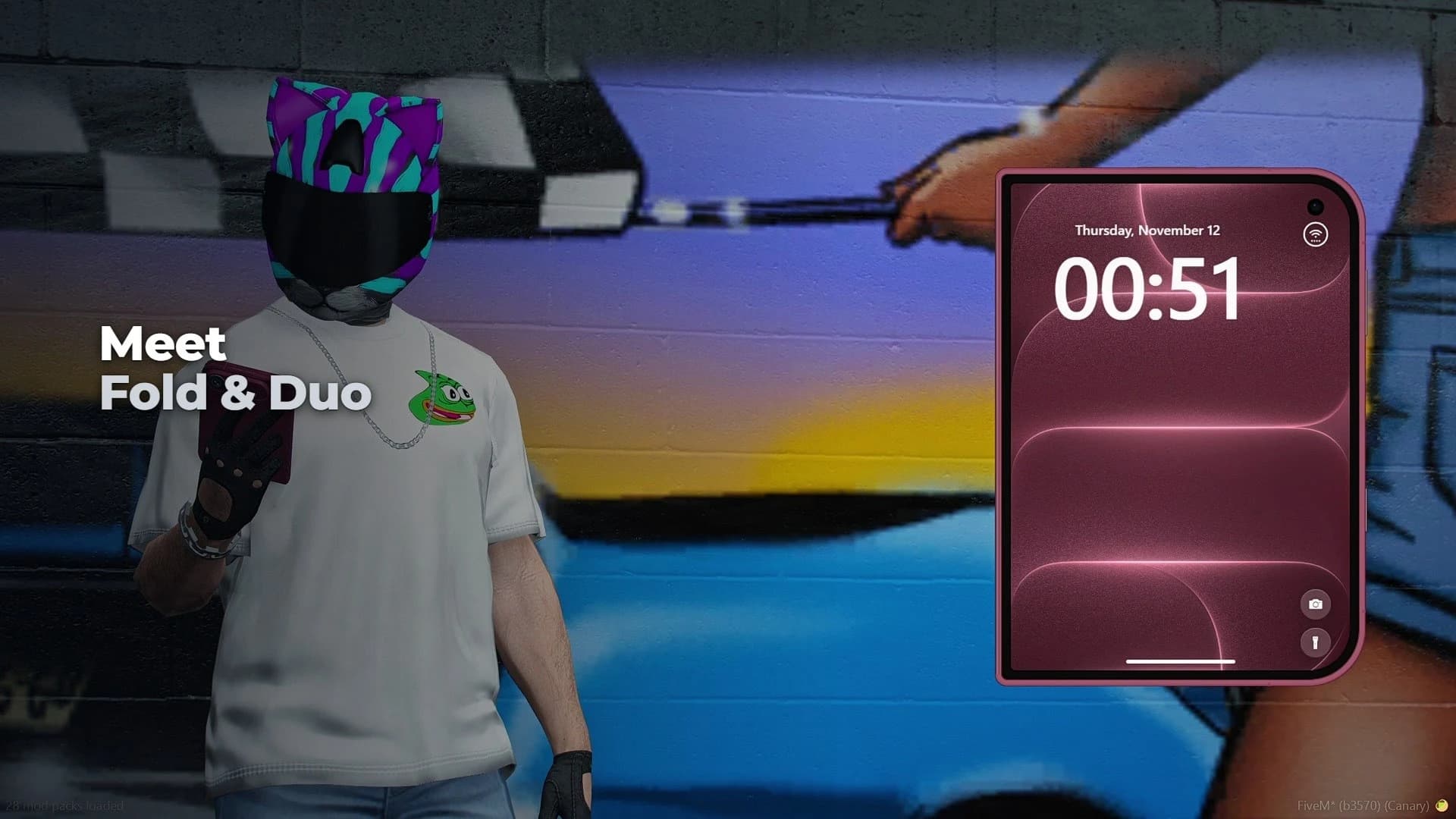
Update 3.2 brings two foldable phones, Fold and Duo, one for each phone style, Pear and Nova. Each one has its own look, its own lock screen and its own wallpapers. Closed, it is the phone your players already know. Open it and the screen doubles, right in the character's hands.
Fold and Duo, the two foldable phones of Quasar Smartphone 3.2 for FiveM, one open in the character's hand on its lock screen
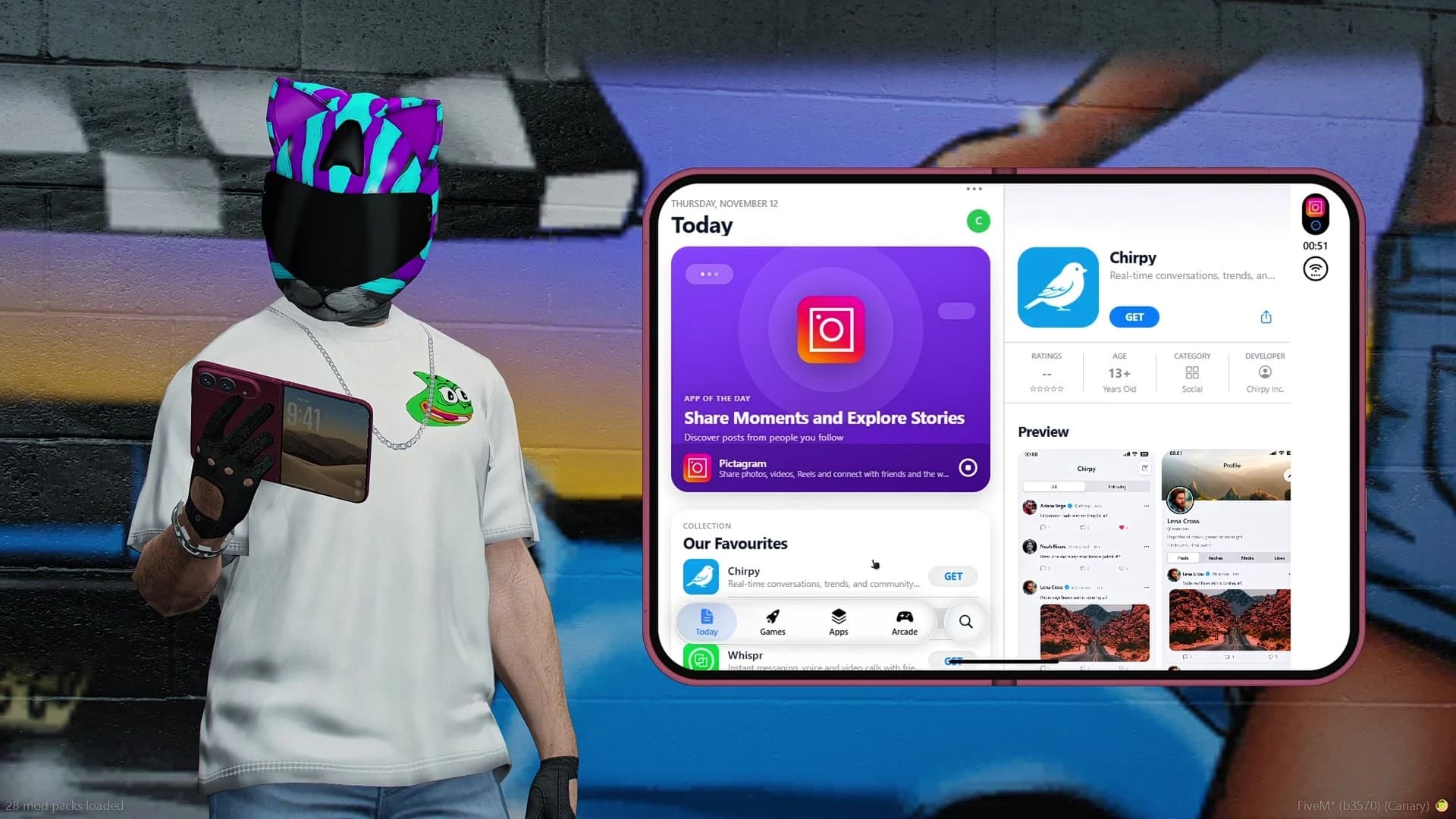
Every app was updated for the new system, so all of them work on dual screens. The App Store shows the list on one side and the app on the other, weather, calendar and notes split in two, and Settings keeps the menu on the left and the options on the right.
FiveM phone script Quasar Smartphone 3.2 on a foldable phone: the App Store in two panels, list on one side and app on the other
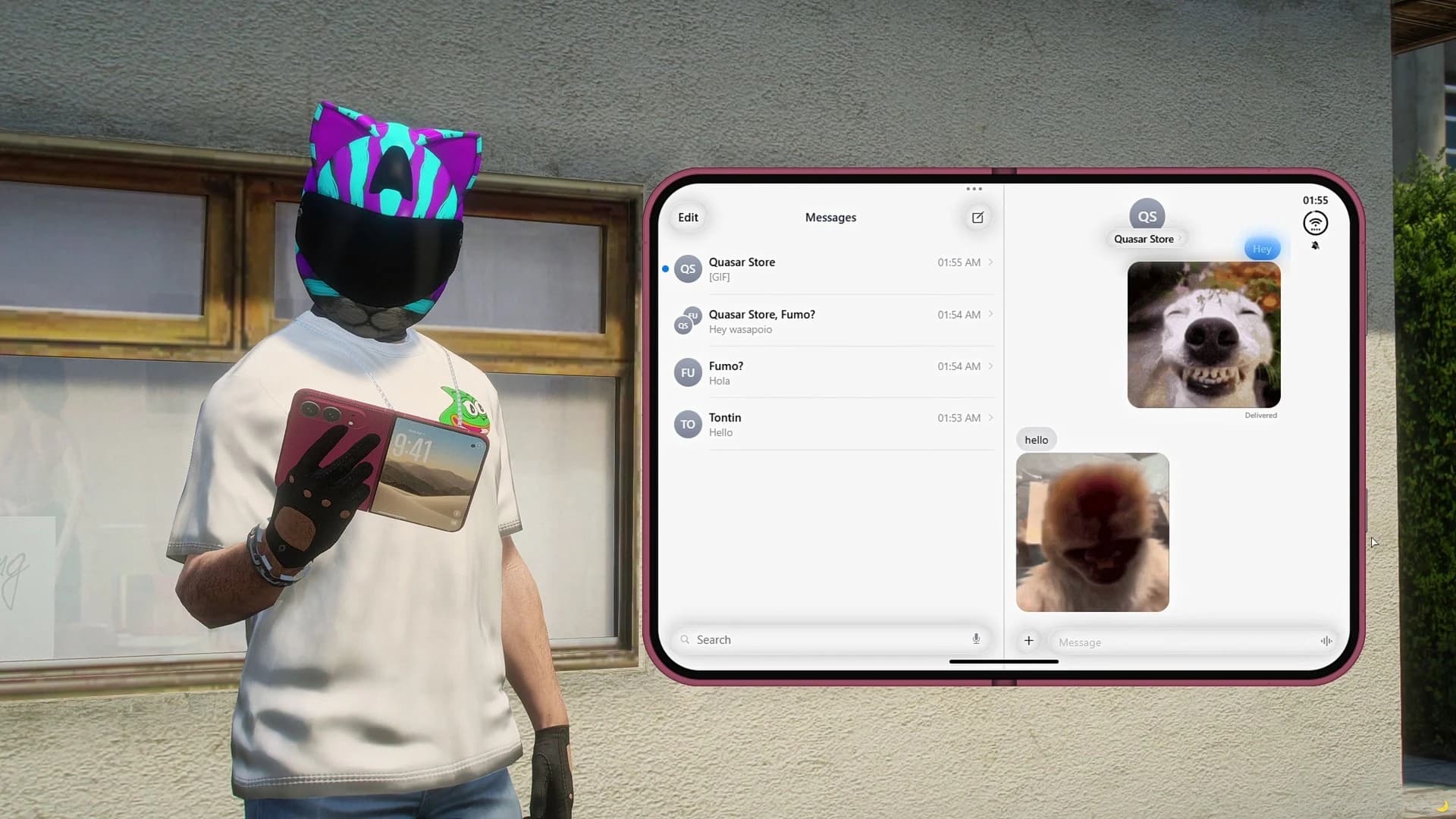
Messages get two columns, your chats on one side and the conversation on the other, and players send photos and money without leaving the chat.
Messages in two columns on the Quasar Smartphone foldable phone in FiveM, chats on the left and the conversation with a photo on the right
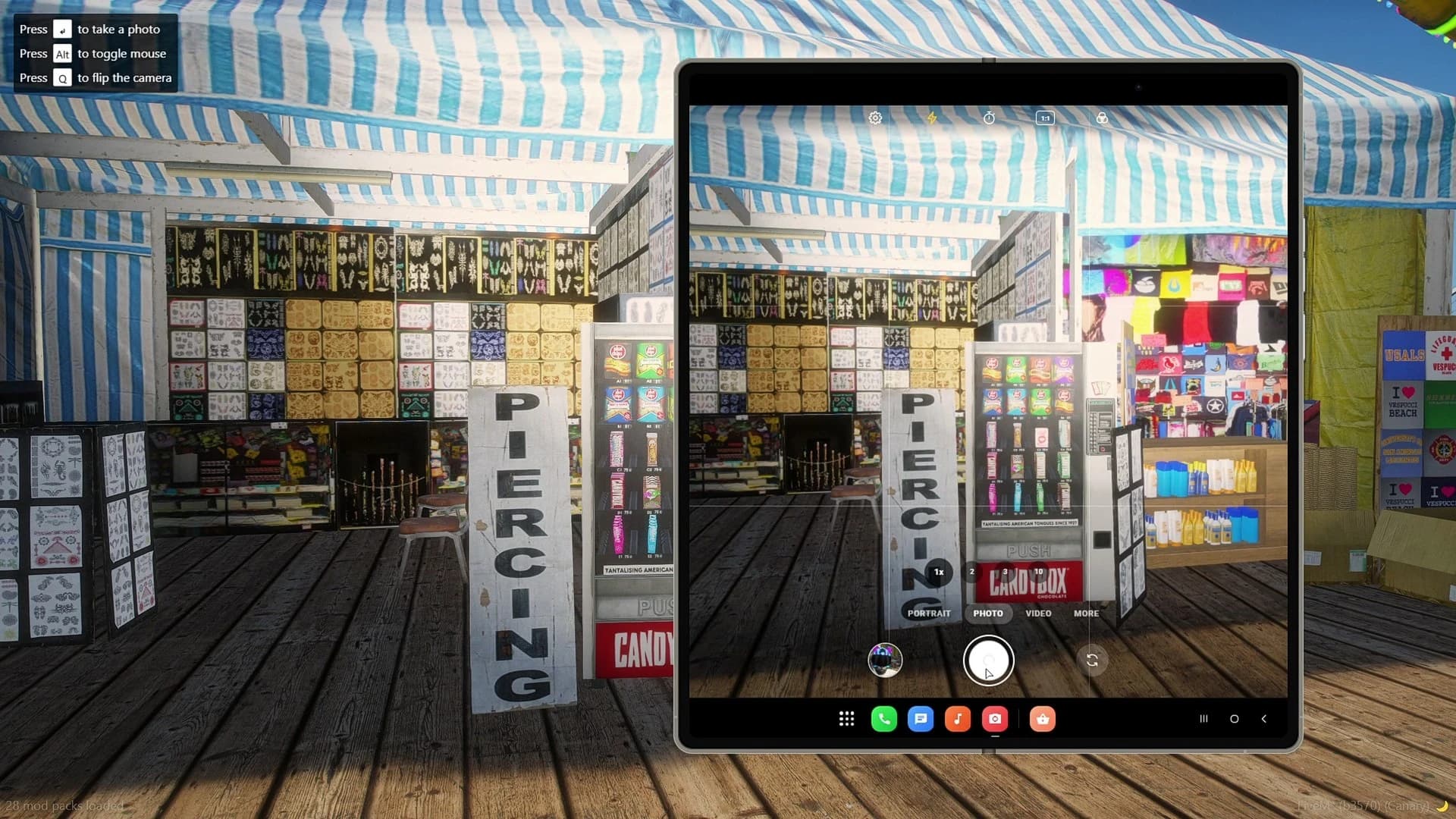
The camera takes the whole screen, the gallery opens in two panels with the photo editor right there, and the home screen spreads out with room for more widgets. Players can open or close the phone in the middle of anything, and the app they are using adapts on the spot.
Quasar Smartphone 3.2 camera on the big screen of the foldable phone, held open by a FiveM player
FiveM Phone Compatibility: ESX, QBCore, Qbox and Standalone#
The phone detects your framework on its own when it starts. It supports ESX, QBCore and Qbox, vRP in experimental mode, and it runs standalone when no framework is running. On a standalone server, apps, calls, messages and the whole interface work; framework features such as inventory items, jobs or banking need extra configuration.
Loading order matters. The phone finds your framework, inventory, garage and billing scripts only if they started before it, and that is how it plugs into the rest of your server. The integrations page lists the frameworks, inventories, garages, billing, housing and voice scripts it connects to.
Pictagram with stories and live streams, Chirpy, Beatzy short videos, Whispr chat, Pairly dating, Messages with group chats and payments, and Mail. Players can also share things with people standing nearby.
Wallet with bills, Crypto, Garages with valet, Aventon rentals, Zapp rides, Zapp Eats deliveries, Marketplace shops with staff on duty, Job Center, Findly listings, News, Home for your houses, Onion Browser and Dark Chat.
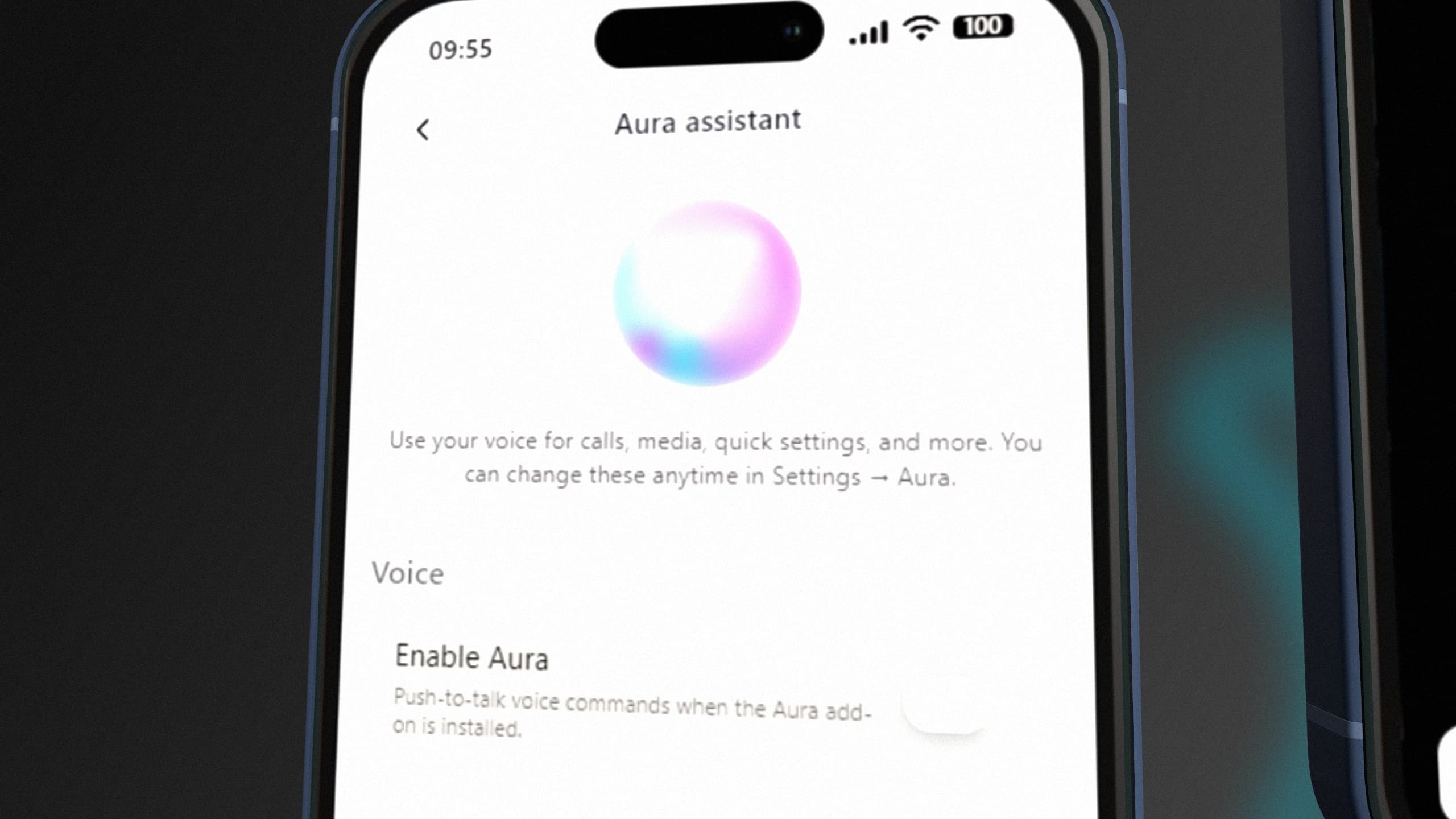
On top of the built-in apps, more than 10 free DLC apps ship in the [addons] folder of the download. One of them is Aura Assistant, a voice assistant that lets players make calls, manage tasks and open apps by voice. Some DLCs connect the phone to other Quasar scripts and need that script to work.
Aura Assistant, the free voice assistant DLC for the Quasar Smartphone FiveM phone script
Good roleplay comes from limits, and Quasar Smartphone adds the ones a real phone has:
Battery. It drains, and it is charged with a powerbank, at a charging station or in a house.
Signal. Mountains, tunnels and the open sea have weak or no signal.
Phone items and SIM cards. Each phone is an inventory item with its own number and data, so a stolen phone is a stolen life. A SIM card gives the phone a new number.
Wireless earbuds. Private audio: only the owner hears music, videos and calls.
Backups and transfers. Players can back up their phone and move to a new one, and only the owner can back it up.
Automatic SOS. Triggered when a player dies.
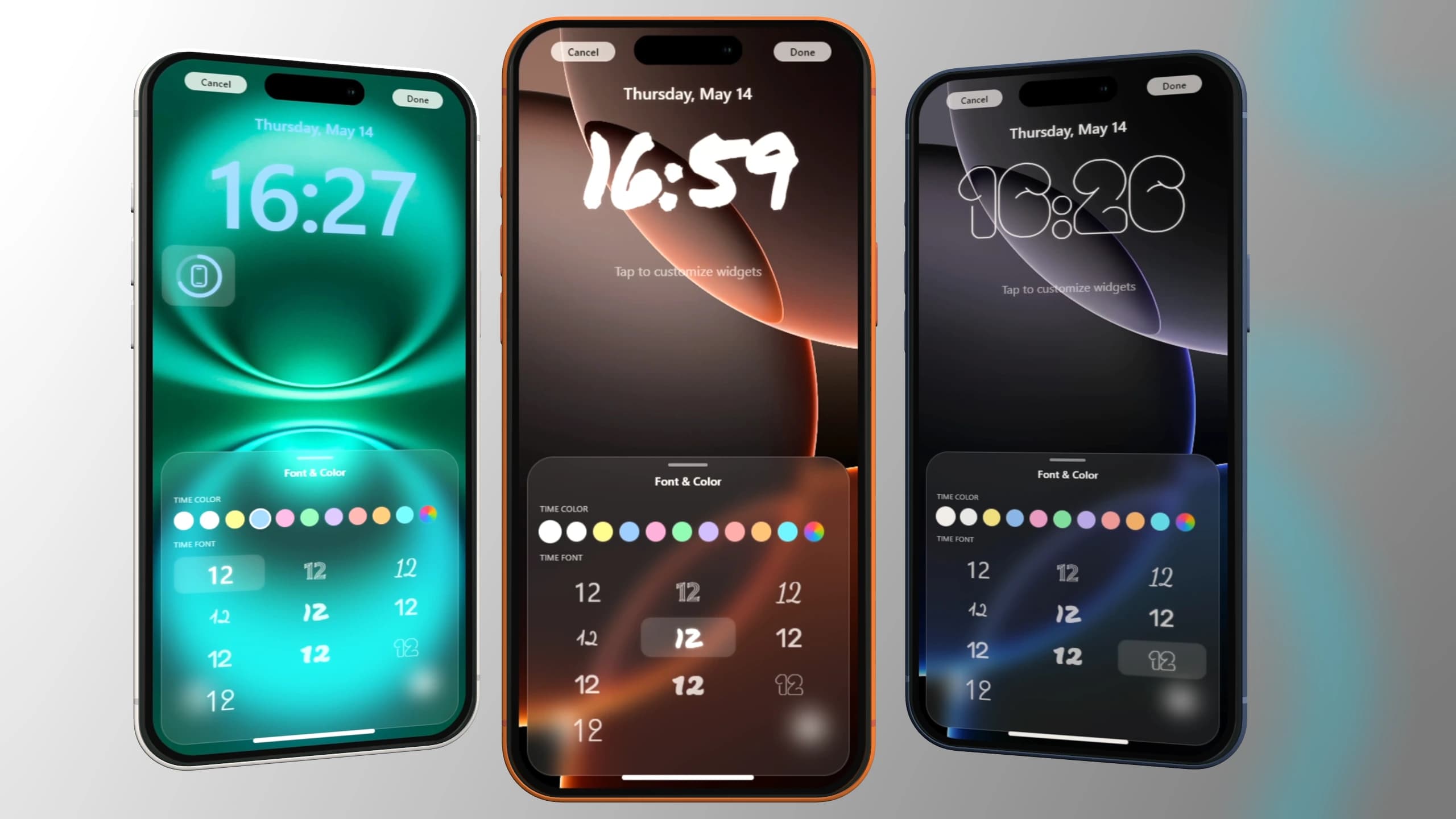
Players can make it theirs, too: lock screen colours, fonts, widgets and layouts, app folders, notification styles, wallpapers, dark or light themes for every app, and a frame colour that changes the prop in their hand in real time.
FiveM phone customisation in Quasar Smartphone: lock screen, widgets, fonts and themes
Smartphone was rewritten from scratch in React, with a glass-style interface, smooth animations and optimised performance. A few design choices also keep work off your server:
Photos, videos and voice notes are uploaded to a media host (FiveManage, BasiX or FiveMesh) instead of being stored on your server.
Video calls and live streams travel directly between players. A TURN server relays them when a router blocks the direct connection.
Config files are read once, when the resource starts. Keep Config.Debug = false in production.
The database file only creates the tables and columns that are missing, all prefixed with qs_phone_, and never deletes data, so it is safe to import again after an update.
Every server is different, so measure any phone with resmon on your own setup, with your own scripts running, before you trust a number.
The download includes a [template] folder with starter projects for your own apps and an example business line. One export sends a text, an email or a push notification, another shows a Dynamic Island, and the Call Interception API lets a script answer a phone number. Apps you build can be shared for free or sold on the integrated marketplace. It is all documented in Commands and Exports.
Every release is listed in the Smartphone changelog, with what changed and which files to replace. The most recent ones:
3.2.87 (12 November 2026): the Foldable Phone gets its own 3D model in the player's hand and opens and closes like the Foldable Nova Phone.
3.2.86 (11 November 2026): either side can switch a voice call to video without hanging up, the speaker, hang-up and stuck-call bugs are fixed, earbuds and powerbanks no longer disappear with ox_inventory, and all 10 garage integrations pass the plate to the database safely.
3.2.85 (3 November 2026): every language fully translated.
3.2.84 (3 November 2026): text any number, send money by player ID, route to your garage and smoother phone animations.
Updates are free for life with your purchase, and the server console prints an [UPDATER] line with your version and the latest one, so you know when it is time to update.
After purchase, the resource is linked to your Cfx.re account. Sign in to the CFX Portal with the same account, open Granted Assets and download Smartphone.
Copy the folder into your resources
Move the [smartphone] folder into your resources. Keep the phone folder named qs-smartphone: the interface, the exports and every DLC app look for it by that name. smartphone-prop, with the phone models, is required too.
Start it after its dependencies
Your framework, inventory and voice go first, then the prop, then the phone. DLC apps always start after the phone:
Import [sql]/database.sql, then add the items to your inventory. Only phone is required; the SIM card, powerbank, earbuds, Nova and foldable phones each turn on their own feature.
Set up media uploads and video calls
Paste a FiveManage, BasiX or FiveMesh key in server/webhooks.lua so photos and videos can be saved, and set up a Cloudflare or Metered TURN server in config/main.lua for video calls.
Restart and test
Give yourself the phone item and press F1. Call a second player and take a photo: if it shows up in Gallery, uploads work. If anything fails, check Common Errors.
Does Quasar Smartphone work with ESX, QBCore and Qbox?
Yes. It detects ESX, QBCore or Qbox on start, supports vRP in experimental mode and runs standalone when there is no framework.
How many apps does the phone include?
More than 50 built-in apps, plus more than 10 free DLC apps such as Aura Assistant.
Does it support video calls?
Yes. Voice calls need a voice system such as pma-voice, and video calls need a TURN server from Cloudflare or Metered. During a voice call, either side can ask to switch to video.
Where are photos and videos stored?
On a media host: FiveManage, BasiX or FiveMesh. You can also upload to your own server by editing the upload function.
Can I build my own phone apps?
Yes. The phone includes templates, exports and documentation, and you can share or sell your apps on the marketplace.
How many languages does it have?
45. Each player picks their own in Settings, without a restart.
Do I get future updates?
Yes. Updates are free for life, and every version is listed in the public changelog.
If you want one phone that covers calls, social apps, the city's economy and your own custom apps, Quasar Smartphone is built for it. Get it on the Smartphone product page, read the documentation before you install, and follow every new version in the changelog.
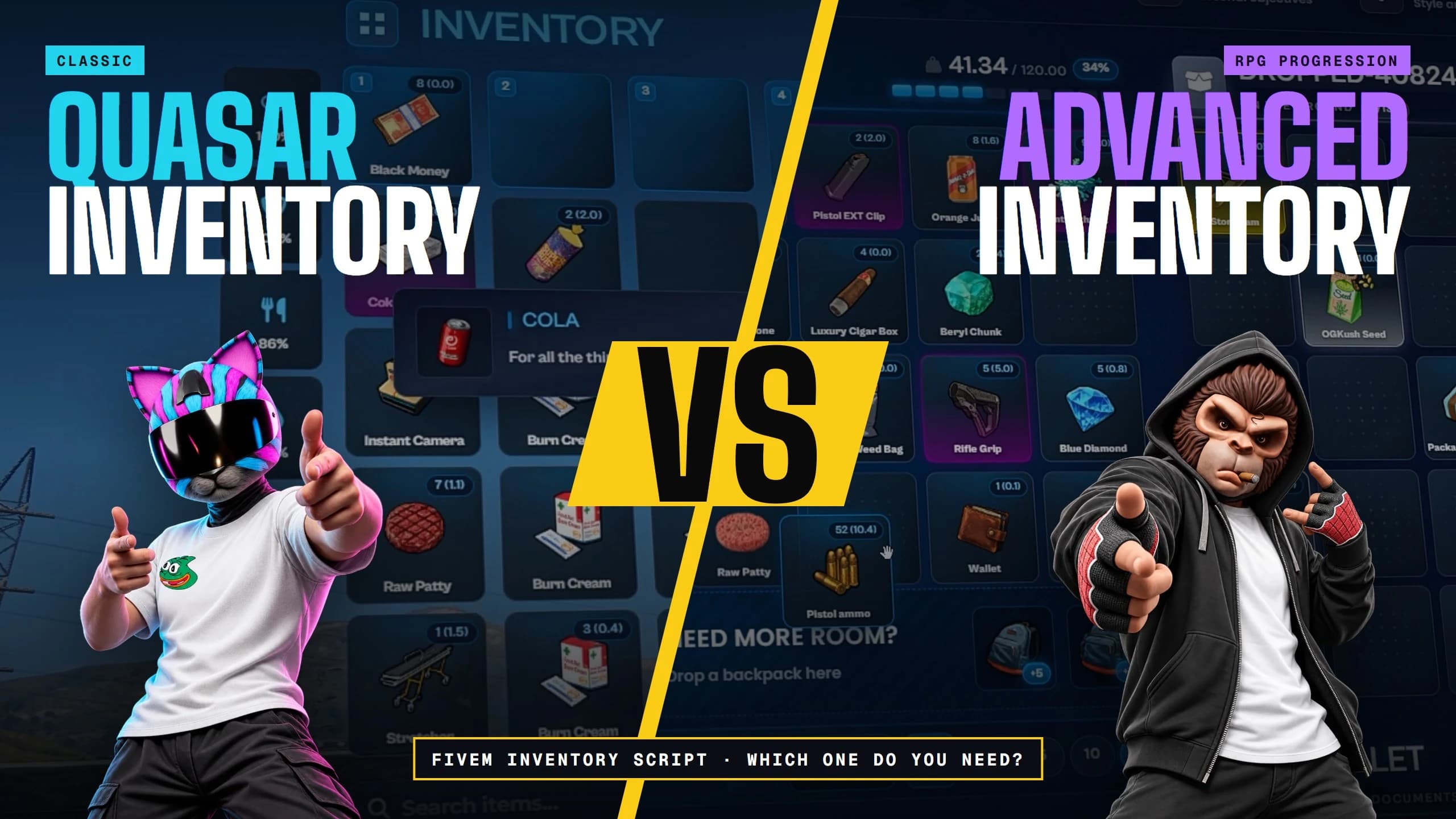
FiveM Inventory Script: Inventory vs Advanced Inventory
FiveM inventory script comparison: Quasar Inventory vs Advanced Inventory. Features, requirements and progression, so you know which one your server needs.
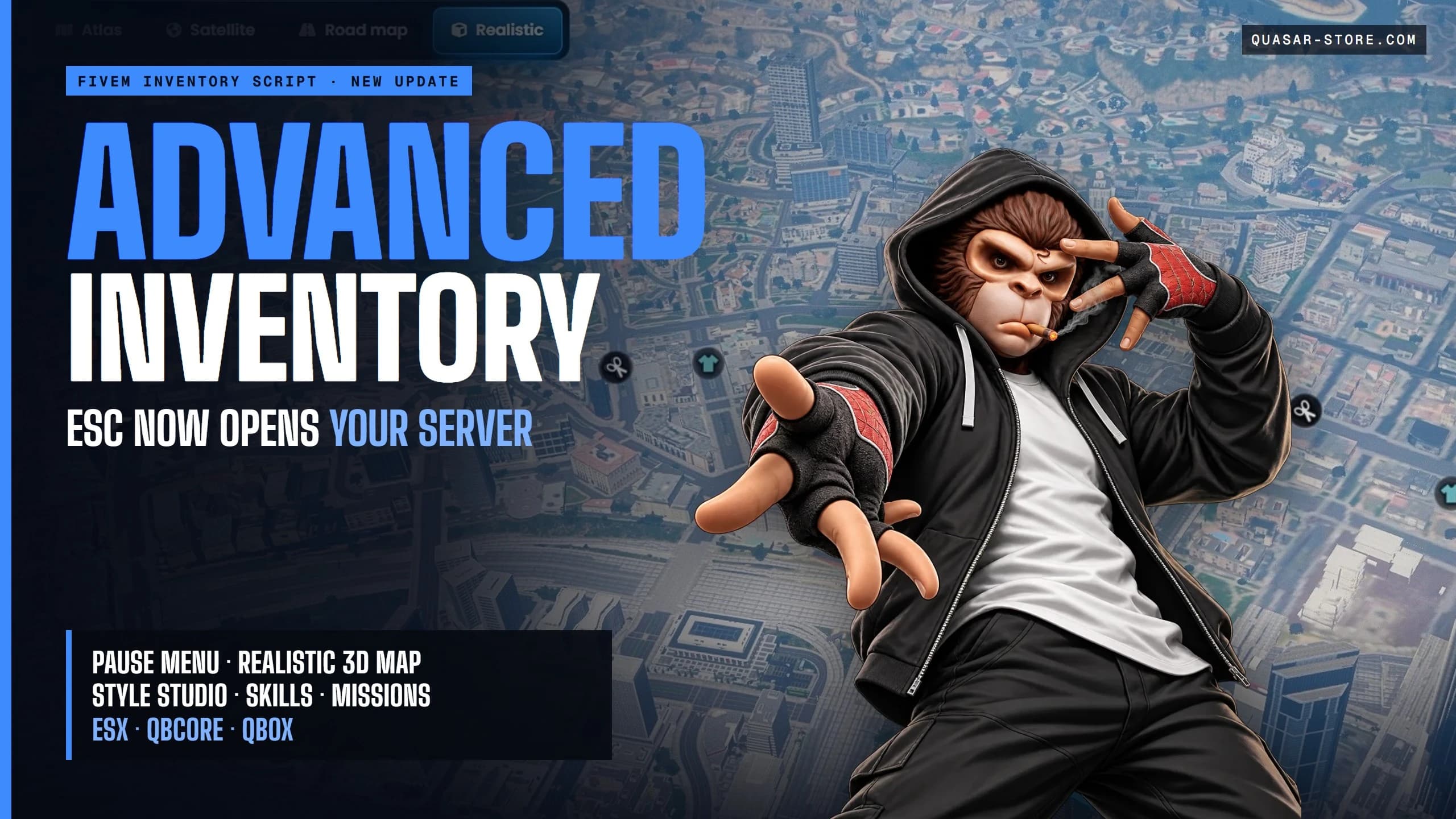
New FiveM Inventory Script: Quasar Advanced Inventory with Pause Menu, 3D Map and Style Studio
The new Quasar Advanced Inventory for FiveM: pause menu, realistic 3D map, Style Studio, skills, missions and an in-game creator for ESX, QBCore and Qbox.
ImNotQuasarNov 14, 2026
15m15 minute read
00 comments
00 reactions
Was this useful?
0 reactions
Save & share
[01]Comments
The thread
0 comments · moderated
Join the thread
Sign in with Discord to comment, reply and react. Comments are reviewed before they appear.






[01]Comments
The thread