Quasar Store Logo

TutorialsNewsDevelopmentGuides

A Safehouse in the Hills Is Here: How to Enable the New GTA V DLC in FiveM

Learn how to enable the GTA V DLC A Safehouse in the Hills in FiveM. Step-by-step guide to update GTA V, FiveM artifacts, set gamebuild 3717, edit CitizenFX.ini, update bob74_ipl, and use the new mansions as MLOs on ESX, QBCore and QBox servers.

I

ImNotQuasar

December 12, 20256 min read
6 min read
475 views
9 comments
7 reactions
A Safehouse in the Hills Is Here: How to Enable the New GTA V DLC in FiveM

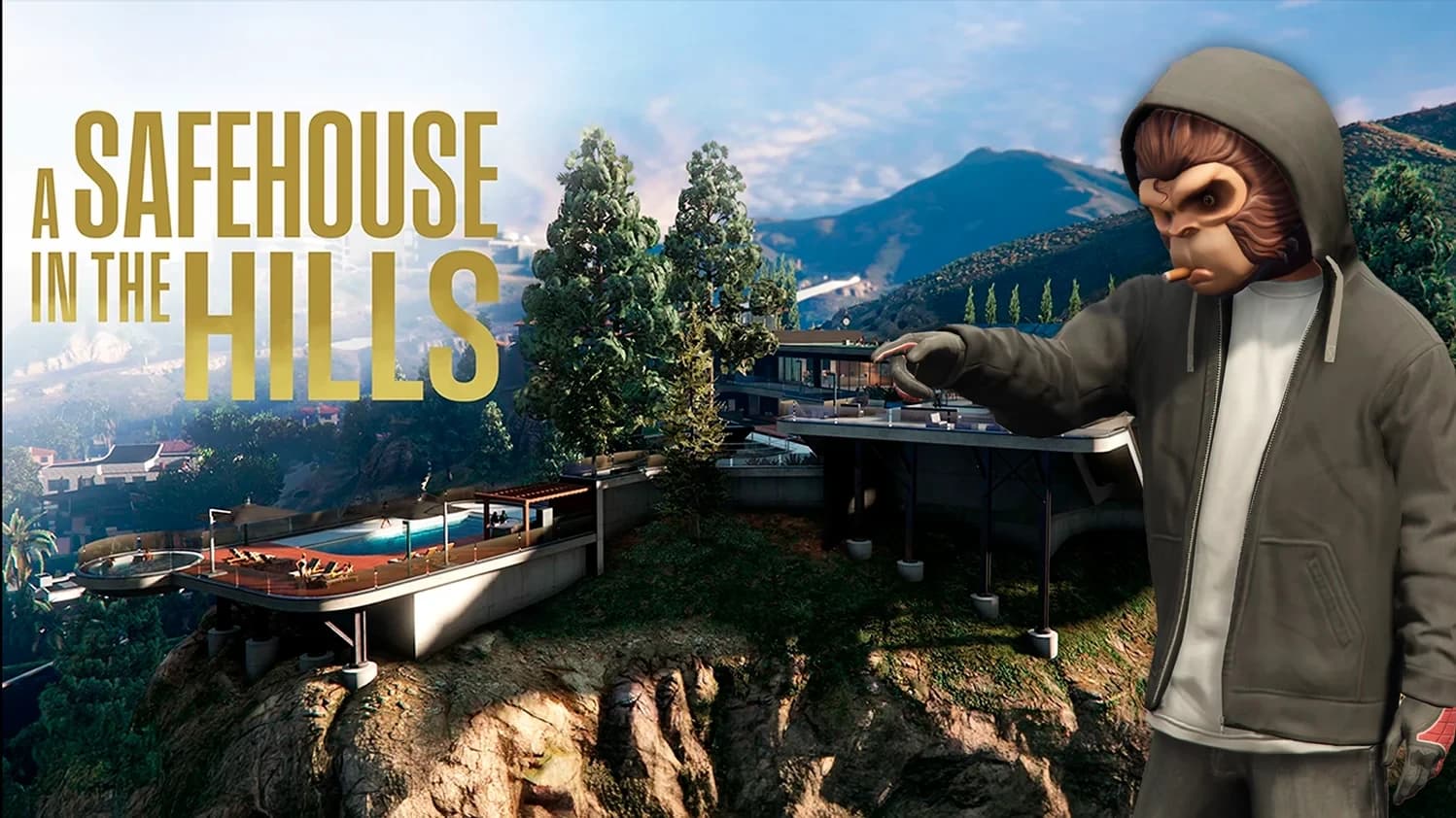
The new GTA V DLC “A Safehouse in the Hills” is officially here, bringing new luxury mansions, interiors, vehicles, and over 200 new props. And yes — it works in FiveM.

In this guide, we’ll show you exactly how to enable the DLC in FiveM step by step, so you can use the new safehouses as MLOs, integrate them with housing systems, and explore all the new content on your server.

This method is compatible with ESX, QBCore, QBox, Standalone, and GTA Keymaster servers.


Requirements Before You Start

Before enabling the DLC in FiveM, make sure you have:

A working FiveM server
Updated server artifacts
Access to your server.cfg
Basic file editing permissions

Once that’s ready, follow the steps below carefully.


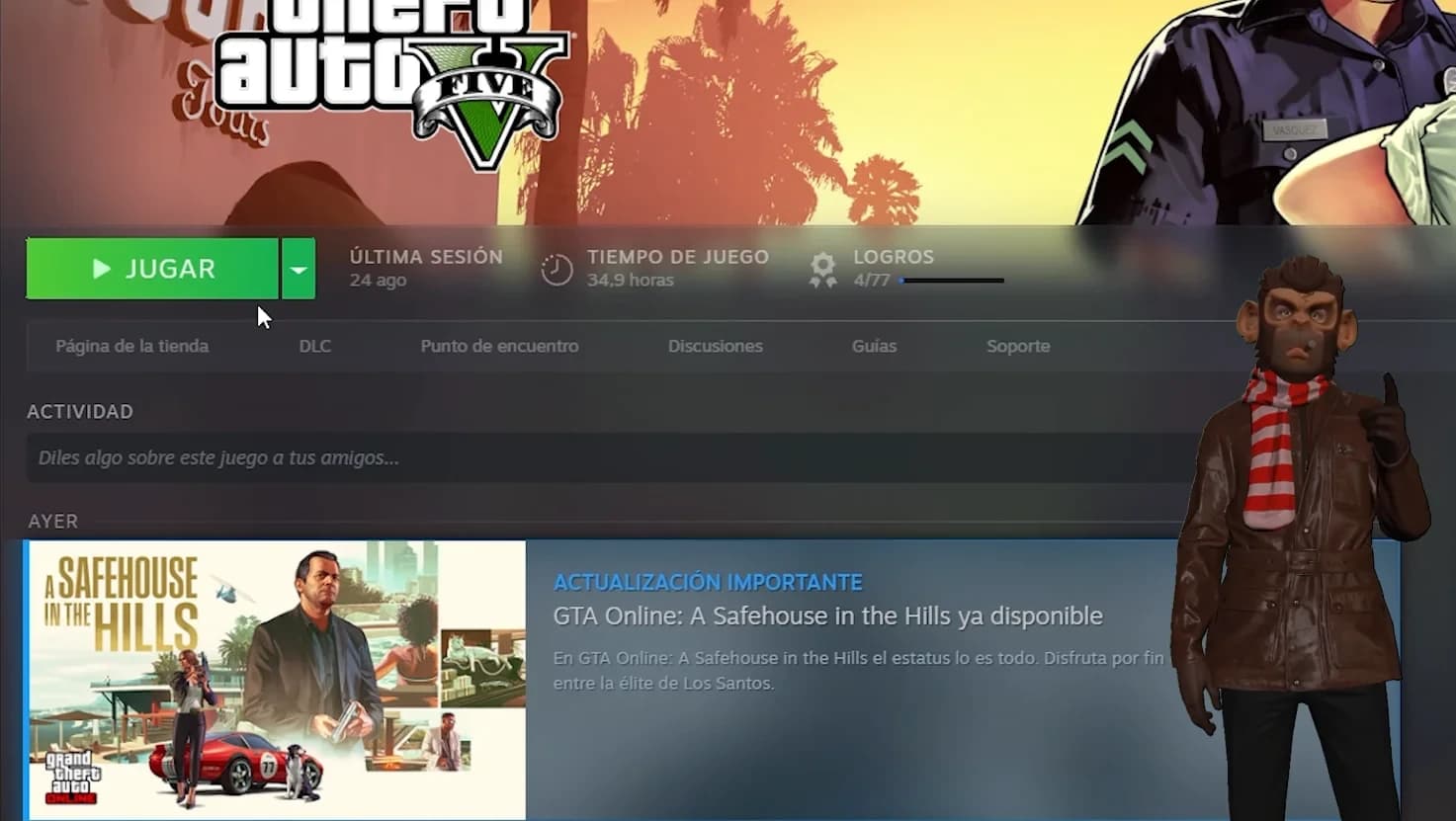
Step 1 – Update GTA V to the Latest Version

Experience the new GTA V DLC “A Safehouse in the Hills” in FiveM Housing — luxury mansions, modern interiors, and seamless integration for immersive roleplay.
ALT


First, make sure your GTA V is fully updated.

If you’re using Steam (recommended):

1.Open Steam
2.Go to your Library
3.Right-click GTA V
4.Make sure it’s updated to the latest version

This DLC requires the newest GTA V build to work correctly in FiveM.


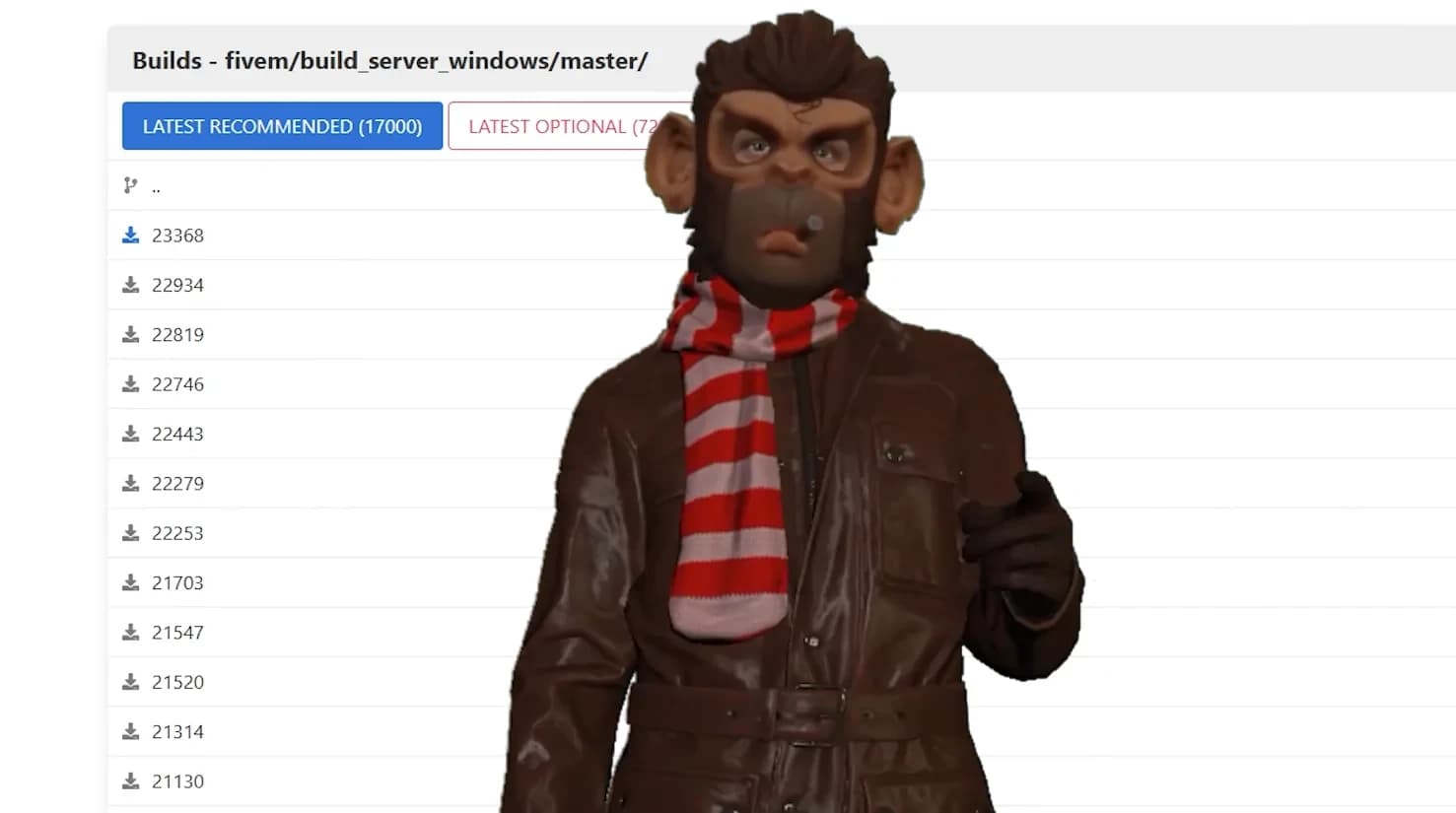
Step 2 – Update Your FiveM Artifacts

Bring the A Safehouse in the Hills DLC to your RP server with advanced FiveM Housing support, high-end mansions, new interiors, and optimized performance.
ALT


Your server must run the latest FiveM artifacts.

1.Go to the official FiveM artifacts page
2.Download the newest recommended or latest build
3.Replace your current artifacts
4.Restart your server

Outdated artifacts = crashes, missing props, or broken IPLs.


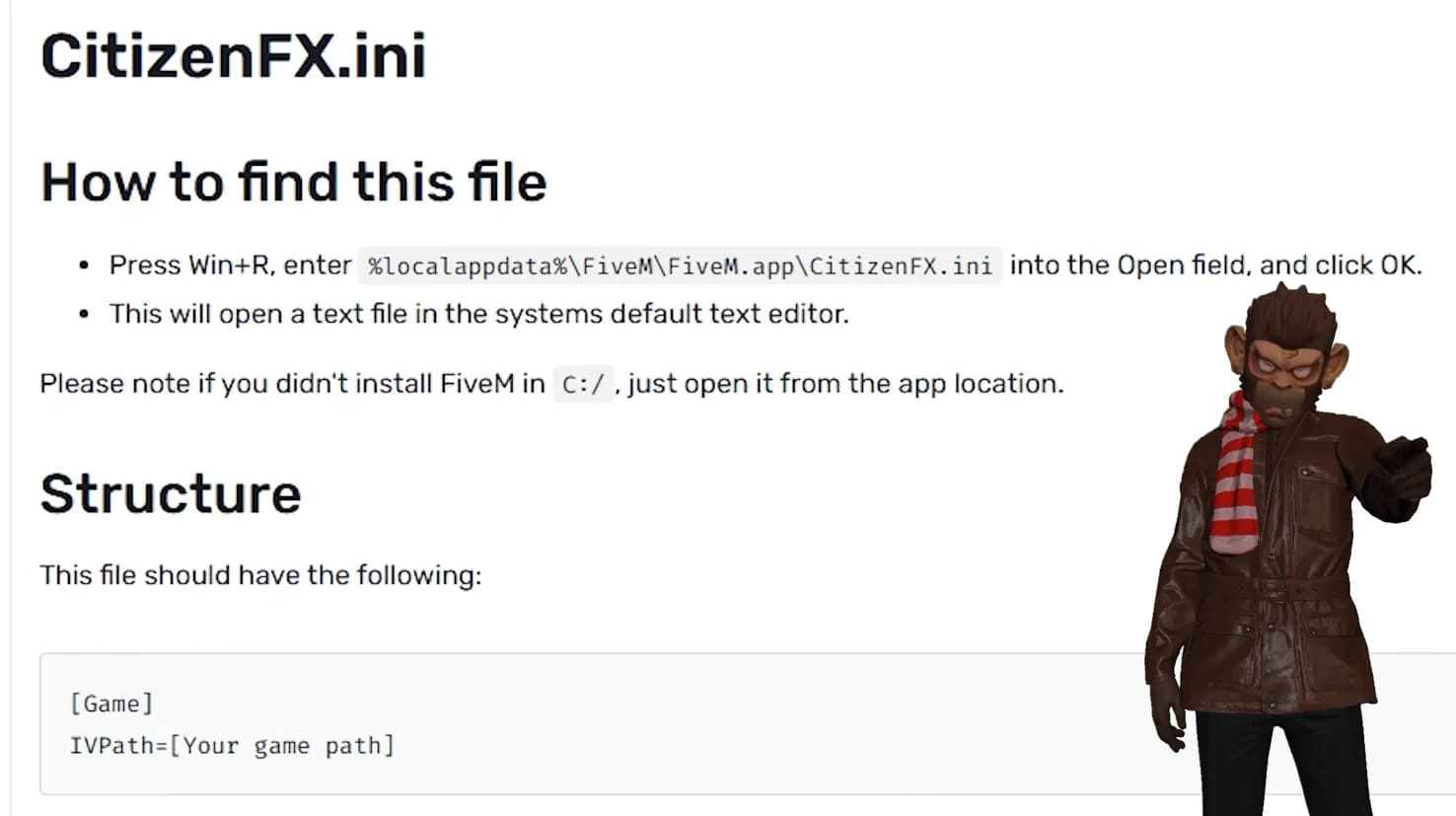
Step 3 – Edit CitizenFX.ini (Enable the Winter 25 Update)

Upgrade your server with FiveM Housing powered by A Safehouse in the Hills — access new luxury properties, modern layouts, and next-gen RP interiors.
ALT


Now we’ll tell FiveM to use the correct update channel.

Press Win + R and aste this path and press Enter:

Open the file CitizenFX.ini and find or add this line:

This step is mandatory to enable A Safehouse in the Hills content.


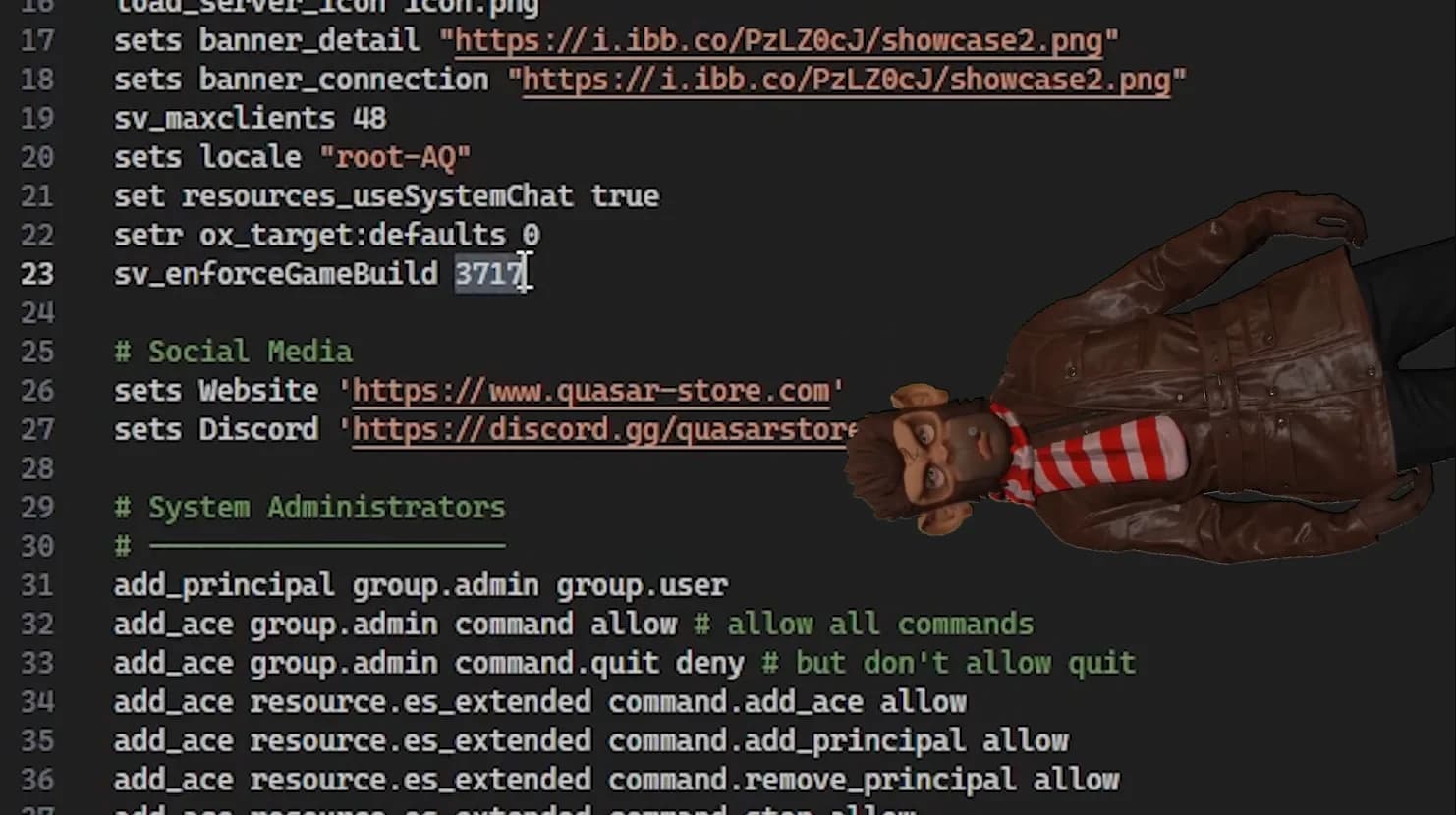
Step 4 – Set the Correct Game Build in server.cfg

Discover luxury living in FiveM with the A Safehouse in the Hills DLC, fully compatible with advanced housing systems, garages, and custom interiors.
ALT


Open your server.cfg and make sure you have:

This forces FiveM to run the correct GTA V build required for the DLC.

Restart your server after saving.


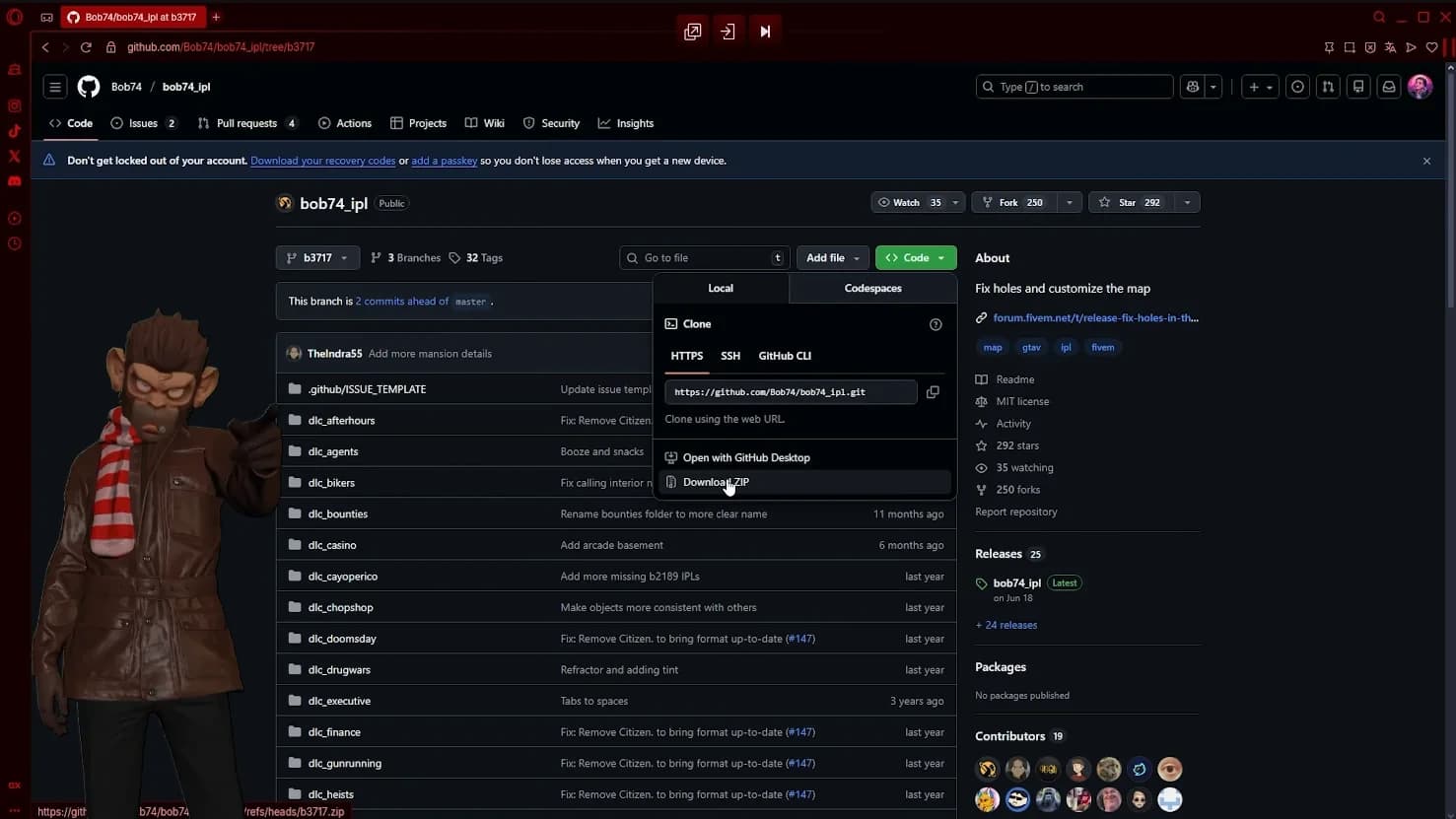
Step 5 – Update bob74_ipl to the Correct Version

Transform your RP world using the new A Safehouse in the Hills mansions inside FiveM Housing — premium properties, modern interiors, and immersive gameplay.
ALT


This is the final and critical step.

You must update bob74_ipl to the version compatible with gamebuild 3717.

1.Download or clone the repository
2.Replace your existing bob74_ipl resource
3.Ensure it starts correctly in your server.cfg
4.Restart the server

Without this update, the new interiors will not load correctly.


That’s It – The DLC Is Now Active in FiveM

After completing these steps, A Safehouse in the Hills will be fully available in your FiveM server.

You can now:

Use the new mansions as MLO interiors
Integrate them with housing systems
Explore new props and vehicles
Build luxury RP scenarios
Prepare your server for upcoming housing updates

This DLC opens the door to high-end roleplay and next-gen interiors.


Video Tutorial – Full Step-by-Step Walkthrough

Watch the full tutorial here:

This video visually explains every step shown above and includes a live demonstration inside FiveM.


Related FiveM Resources

If you’re planning to use the new GTA V DLC interiors on your FiveM server, you may also find these resources useful:

Explore advanced FiveM housing systems and interior management tools at https://www.quasar-store.com
Learn more about FiveM server optimization, gamebuilds and setup guides in the official documentation: https://docs.quasar-store.com
Watch more FiveM tutorials, DLC integrations and development showcases on our YouTube channel: https://www.youtube.com/@quasarstore

These resources are regularly updated to match the latest FiveM and GTA V changes.

7 reactions

Comments (0)

Loading...

Related Articles

Continue reading similar content

Subscribe to our newsletter

Get the latest posts and updates delivered directly to your inbox. No spam, ever.

Join 1,000+ subscribers • Unsubscribe at any time