Quasar MLO Creator: Build FiveM MLO Interiors In-Game, No CodeWalker, No Restart
Build MLO interiors, furnish them, drop props and cut open Rockstar's sealed doors without ever leaving FiveM. Quasar MLO Creator replaces CodeWalker with an in-game studio and loads every map live, with no server restart and no mapping experience at all. Works on ESX, QBCore, QBox and standalo
Quasar MLO Creator: Build FiveM MLO Interiors Inside the Game, With No CodeWalker and No Server Restart#
Every custom interior on your FiveM server has the same story behind it. Someone opened CodeWalker on a second monitor, spent hours aligning a .ytyp they did not fully understand, exported a .ymap, dragged it into resources, restarted the server, kicked everyone off, joined back, found the door two metres inside a wall, and started again. Multiply that by every shop, every gang hideout, every apartment block, and mapping stops being a creative task and becomes the bottleneck that decides how fast your server can grow.
Quasar MLO Creator deletes that entire loop. It is a full mapping studio that lives inside FiveM, opens with a single command, and pushes finished maps into the live world while your players keep playing. No external software. No restart. No prior mapping knowledge.
◈ Newsletter
Never miss a release
New scripts, breaking changes and server-building guides, straight to your inbox. No spam, ever.
Most mapping tools promise convenience and deliver a slightly faster export. Quasar MLO Creator is built around three statements that hold up on camera, in one take, with no cuts:
No CodeWalker. There is no second program, no Alt+Tab, no file juggling. You place the entrance door by looking at a wall in the game world and left-clicking it. You paint the floor and the walls rise on their own. You pick textures from a panel. Everything a mapper normally does in an external editor happens in-game, in the exact place the interior will exist.
No restart. When you press Build, the map enters the live world for every connected player. The screen fades, you are parked somewhere safe for a few seconds, you press E, and you come back exactly where you were standing with the interior in place. Nobody reconnects. Nobody loses a scene. A build takes seconds, not a maintenance window.
No expertise needed. You do not need to know what a .ytyp is, how an entity set works, or why your collision is offset. The tooling handles the formats; you handle the design. A server owner who has never mapped in their life can open the studio and finish a usable interior on the first session.
MLO Creator — build a FiveM interior from nothing, by painting it#
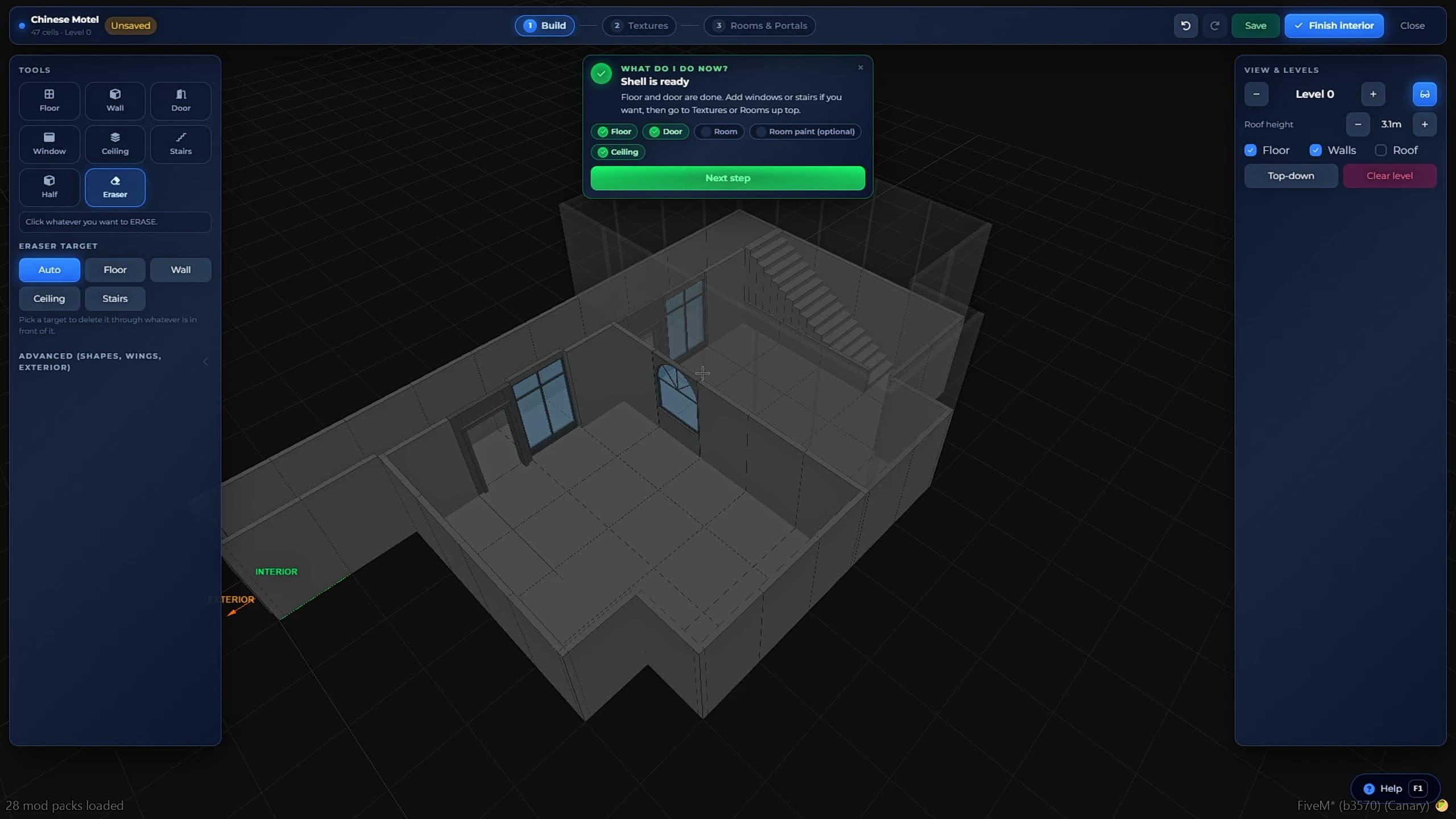
Creating a custom MLO interior from scratch in FiveM by painting the floor while the walls generate automatically
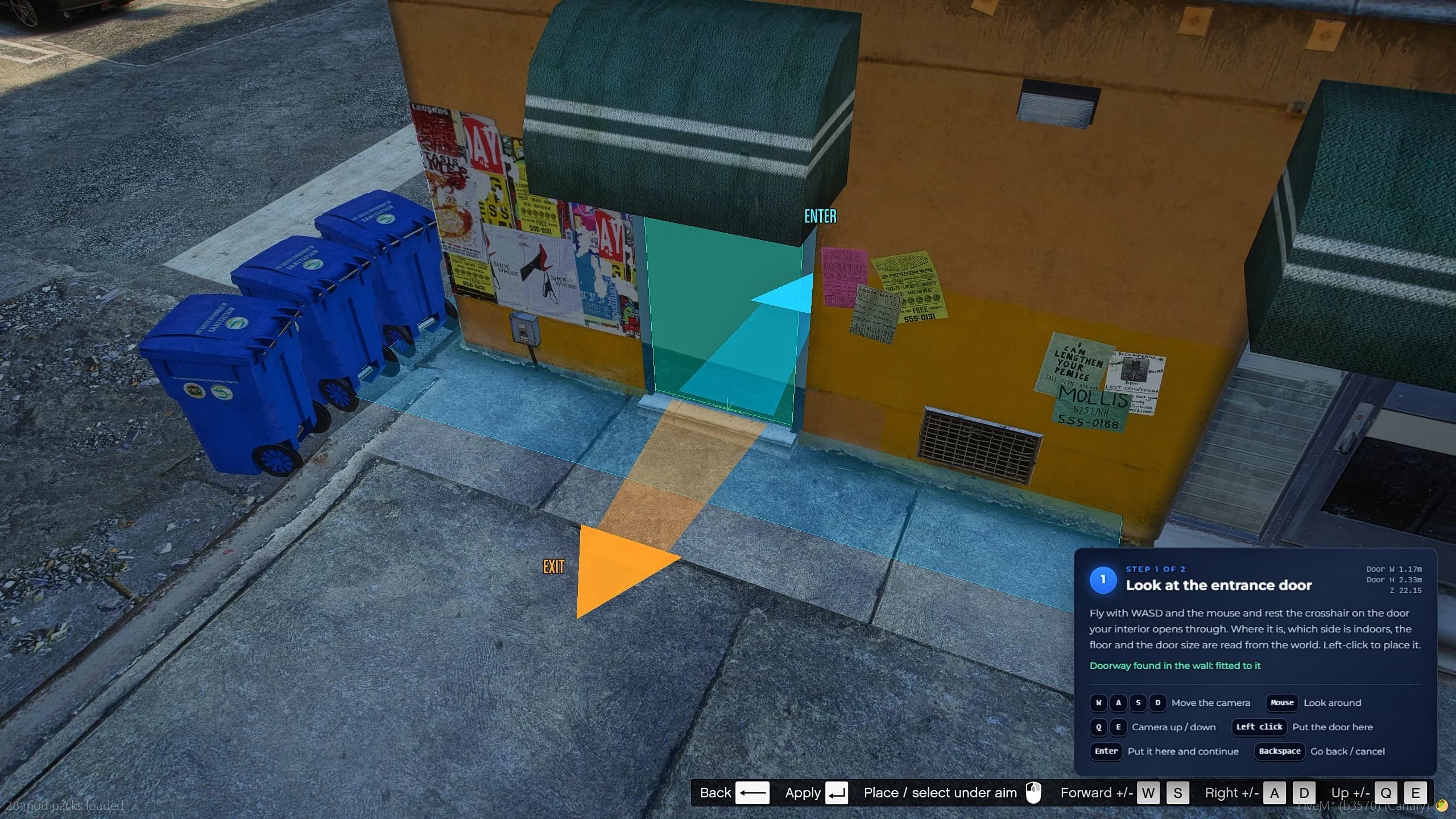
This is the tool that turns mapping into level design. You start a new project, give it a name, and walk up to any building in Los Santos. Aim at the wall, left-click, and the entrance door is placed — arrow keys slide it along the wall until it sits exactly where you want it, page up and page down raise and lower it. That door is now the real, physical entrance to an interior that does not exist yet.
Inside, you paint. The floor is drawn with the mouse in the 3D editor, and the walls come up by themselves around the shape you traced. Want an L-shaped back office behind a shop floor? Paint the L. Want a second storey? Add stairs from the panel and paint the level above. Doors, windows and staircases are placed the same way: pick them in the panel, put them where you look, nudge them with the arrow keys, confirm with Enter, undo the last point with right click. F5 drops you into a free camera whenever you need to see the shape from outside.
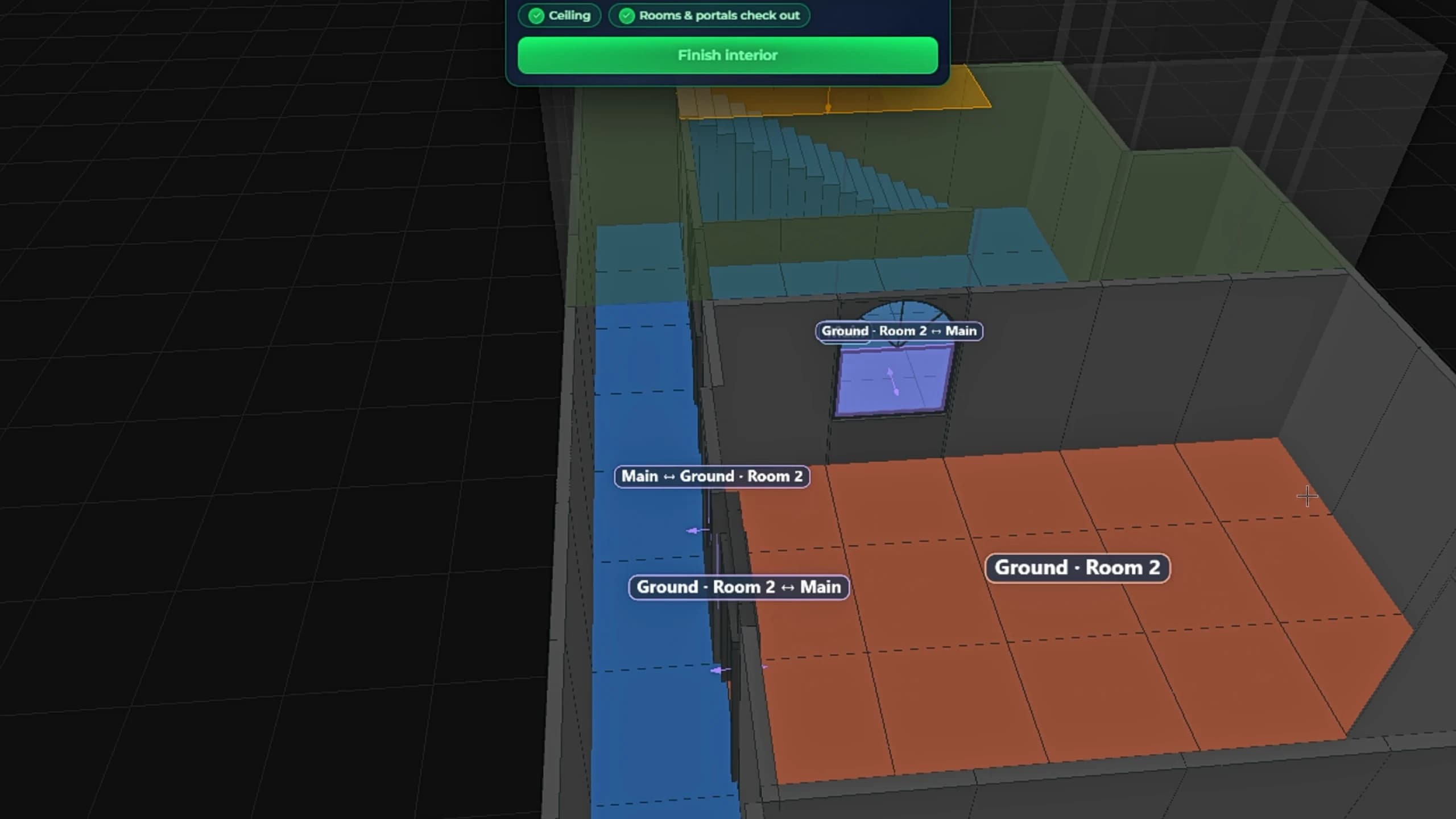
Textures come from an integrated pack that ships with the resource, so every surface you assign is guaranteed to load for every player — no missing-texture checkerboards, no chasing stream files. Rooms are defined before you finish, which is what lets the game handle portals and rendering correctly instead of leaving you with an interior that renders through walls.
Then you press Finish interior, and Build. The interior is in the world, for everyone, in seconds. What used to be a two-day job for an experienced mapper with a CodeWalker licence's worth of patience is now a single uninterrupted session inside your own server. And because the whole thing is a project, you can walk away, come back tomorrow, reopen it and keep building from exactly where you stopped.
MLO Editor — furnish any interior without ever touching the original file#
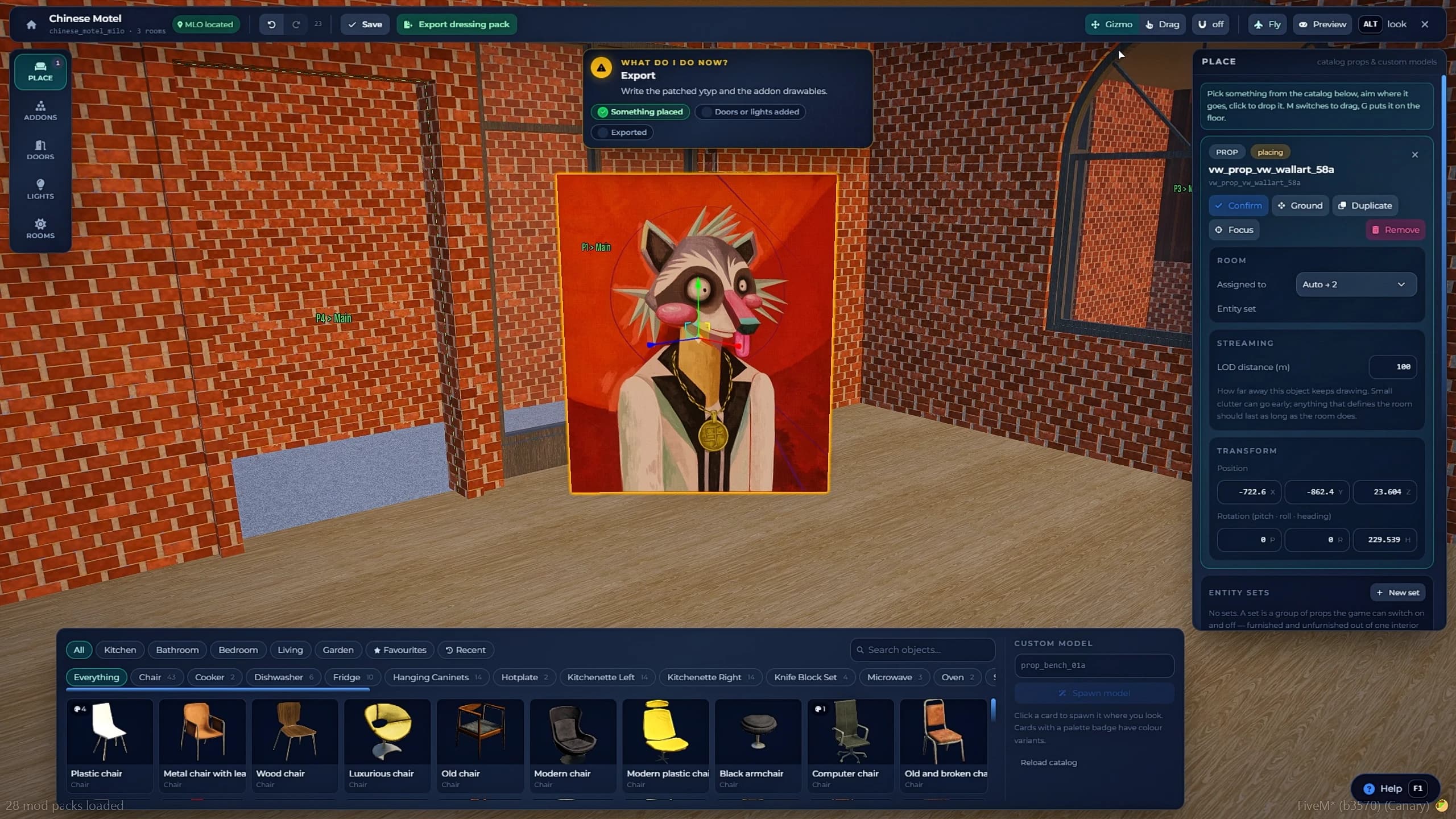
Furnishing an existing FiveM MLO with props, doors and lights using the in-game MLO Editor gizmo
Building a shell is half the work. Dressing it is the half that makes players believe the place is real, and it is where the MLO Editor earns its place in the toolkit.
Stand inside any interior — one you built five minutes ago, or a premium MLO you bought three years ago from someone who no longer answers Discord — and open the tool. The prop catalogue is searchable and drops the selected object exactly where you are looking. From there a standard translate/rotate gizmo does the rest: slide it, spin it, lift it, lock it in. Doors and lights are placed with the same flow, which means you can add a working back door to a shop that never had one, or light a basement that shipped pitch black.
The important part is what the tool does not do: it never rewrites the original MLO. Every change you make goes into a separate project layered on top of the interior. Nothing is patched, nothing is overwritten, nothing breaks the next time that MLO's author releases an update. And because the layer is independent, removing your project puts the interior back exactly the way it was, with a single click.
That single design decision changes how you can treat paid maps on your server. You are no longer stuck with someone else's furniture arrangement, or forced to pay for a custom edit, or afraid to touch a file you cannot rebuild. You buy a shell, you dress it your way, you keep the ability to undo everything. Export, Build, and the props are exactly where you left them, live, for every player on the server.
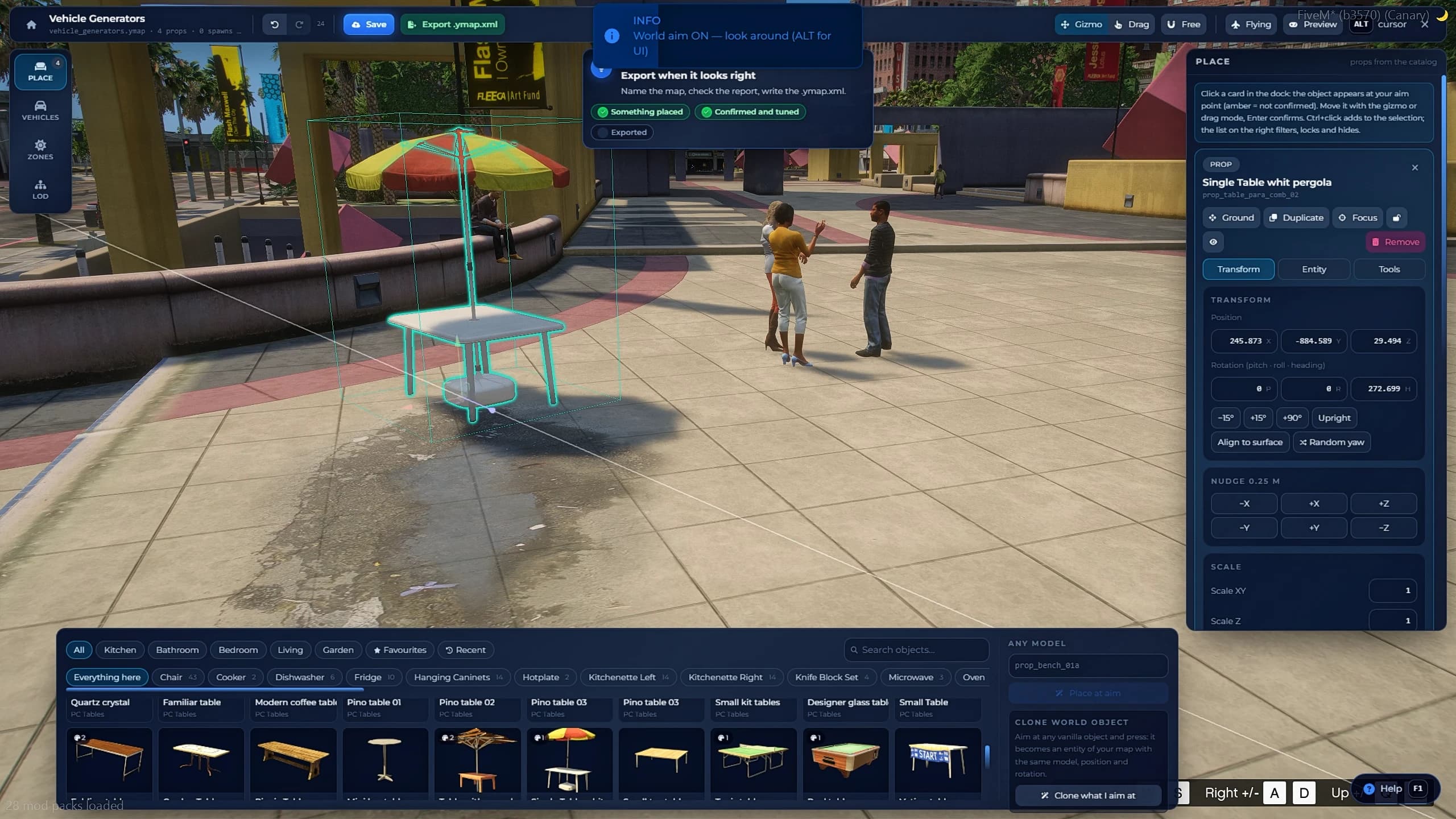
Placing outdoor props, parked vehicles and timecycle weather zones in FiveM with the Ymap Creator tool
Interiors are only part of a map. The Ymap tool handles the world outside them, and it does it from the same studio, with the same export-and-build flow.
Props come from the catalogue and are placed with the free camera, which means you can fly, drop a fence line, land, check the alignment at eye level, and fly back up without leaving the tool. Barriers, decoration, scenery, industrial clutter, event setups — anything that needs to exist in the open world.
Parked vehicles get a ghost preview: a translucent car shows you exactly where and at what angle the vehicle will stand before you commit. No more spawning a car to check the rotation, deleting it, adjusting a number by five degrees and repeating.
Weather and timecycle zones are drawn as a box in the world. Fly into it and you see the change applied immediately, so you can tune the atmosphere of a nightclub district, a foggy port or a permanently overcast industrial zone by looking at it instead of guessing from coordinates in a config file.
Everything placed with this tool becomes part of the same project system as your interiors: exported, built live, rebuilt after any change, and removable in one action.
Collision Cutter — open the buildings Rockstar sealed shut#
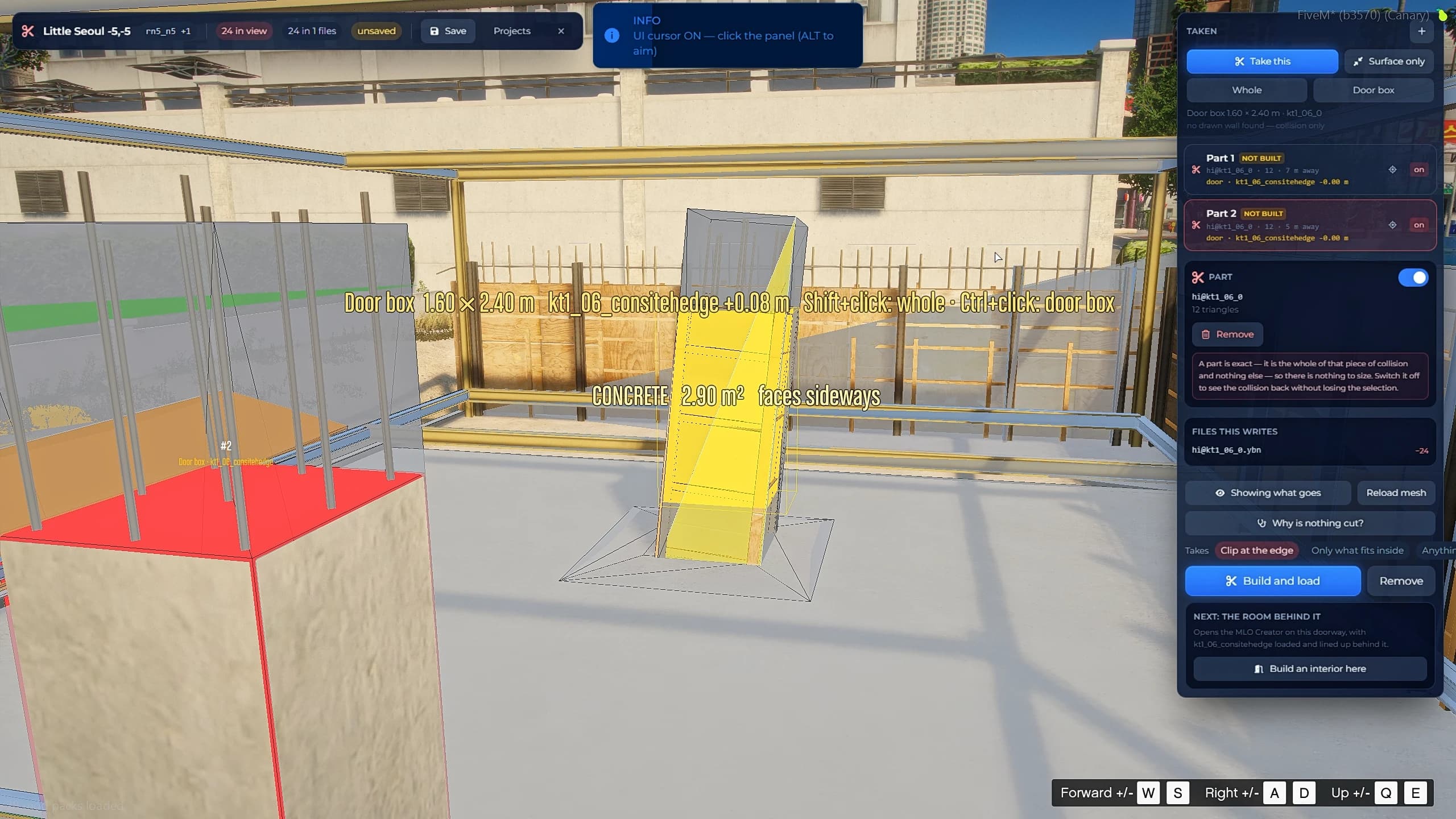
Using the FiveM Collision Cutter to remove a sealed door and its collision from a Los Santos building
This is the tool that makes experienced mappers sit up, because they know precisely how long this normally takes.
Half of Los Santos is decoration. Doors that do not open, shopfronts that are painted on, buildings with no way in. Making one of them usable traditionally means hunting down the correct .ydr in CodeWalker, editing the collision by hand, and hoping you removed the right piece — hours of work for a single doorway, and a real chance of breaking the whole model.
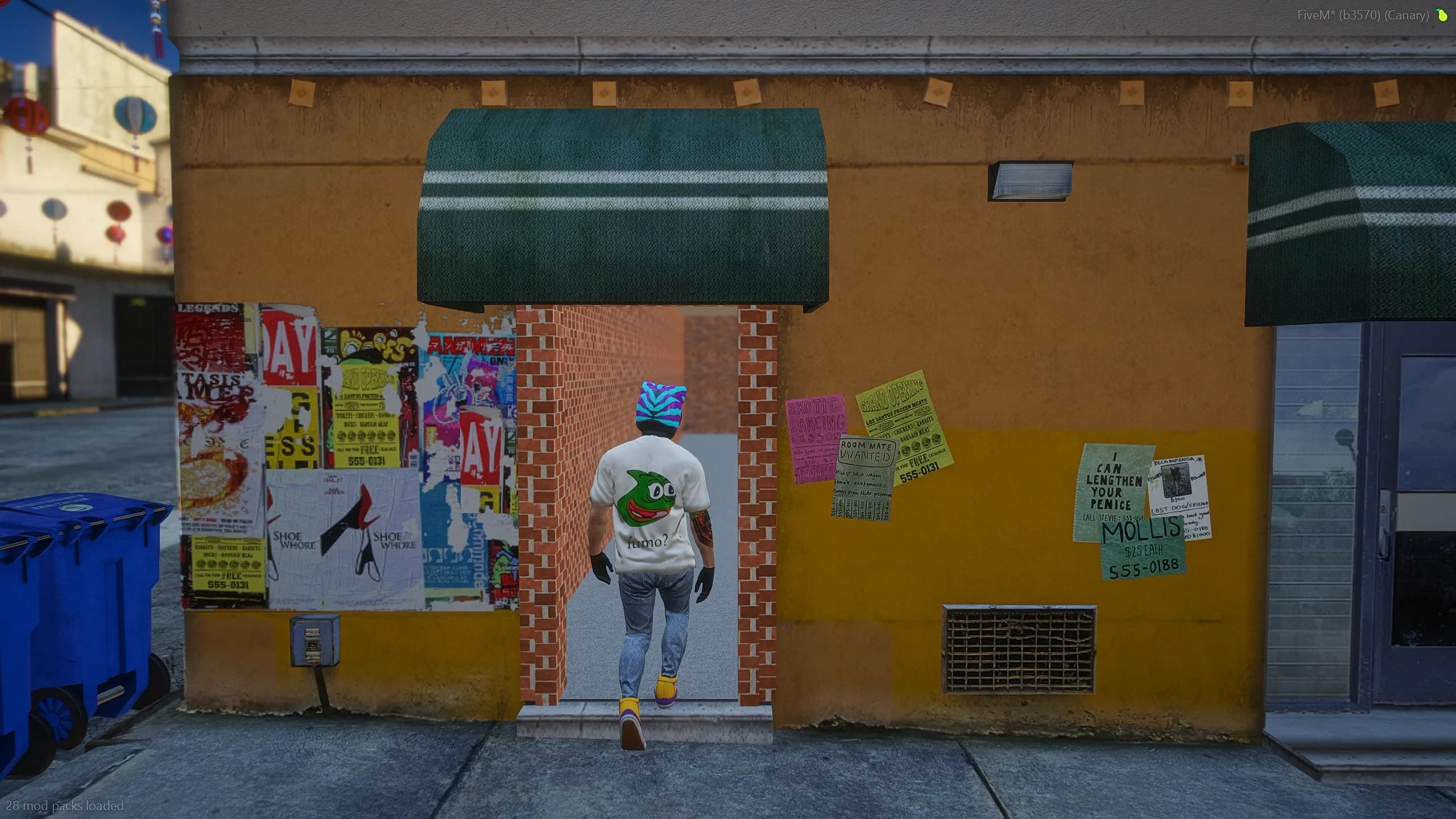
Here it is three steps. Stand in front of the building. Look at the door — it lights up yellow. Left-click, and it is taken. Press Build, and both the collision and the visible door are gone from the world for everyone. You walk straight through. Click it again and it comes back.
The precision matters: it takes the door, not a crude box around the door, and not the wall it belongs to. When the game has baked an entire wall into one single piece — which happens, and it is exactly where naive tools produce a hole the size of a building — press Ctrl and the tool fits a door-sized box instead, cutting only that box and leaving the rest of the wall intact.
Combine this with the MLO Creator and you get the thing every serious RP server wants: an interior that opens off a real, existing Los Santos door, on a street players already know, with nothing bolted on and nothing looking fake. Hours of CodeWalker work, replaced by one keypress.
Live map build in FiveM loading a new MLO into the world with no server restart
Every tool ends at the same place, and it is worth explaining properly because it is the feature people assume must have an asterisk.
Each project has two buttons. Export writes the files — that is all it does, nothing appears in the world yet. Build is the one that matters: it loads the map into the live world for every player currently connected.
What that looks like in practice: the screen fades, you are moved to a safe location far from the build site, a prompt asks you to press E, and when the screen comes back you are standing exactly where you were, with the map in place. Every online player goes through the same brief fade and returns to their own position. No kick, no reconnect queue, no announcement in Discord asking people to hold off for ten minutes, no scenes interrupted. The only rule is a sensible one: do not restart the server or disconnect while a build is running, and a server export is provided so your own scripts can check whether a build is in progress before triggering a restart or a teleport.
For a live roleplay server, this is the difference between mapping being a scheduled downtime event and mapping being something you do on a Tuesday afternoon while forty players are online and none of them notice.
Maps panel in qs-mlocreator listing built FiveM maps with rebuild and remove options
The Maps panel lists every map you have built on the server, and gives each one two actions.
Rebuild pushes your latest changes live after you edit a project. Remove takes the map out of the world entirely — the original building comes back exactly as Rockstar shipped it, the cut door returns, the props disappear. And removing is not destructive: the project stays in your database and can be rebuilt at any time.
That reversibility is what lets you experiment without risk. Try an idea on the live server, look at it in context, decide it does not work, and take it back with one click. Nothing is lost, nothing needs restoring from a backup, and no one has to dig a folder out of resources to undo your afternoon.
Every single thing you create is a project stored in your database, not in a folder you have to remember to back up. Close the game, restart the server, update the script — your projects are untouched and reopen exactly as you left them.
That includes updates. Replace the resource with a new version, keep your maps folder, and your projects and settings are still there. No migration, no re-export, no rebuilding a month of work because a new release changed a file structure. Multi-mapper teams are handled too: two people cannot edit the same project simultaneously — the second one gets a clear warning instead of a silent overwrite that costs somebody their evening.
Quasar MLO Creator compatibility with ESX, QBCore, QBox and standalone FiveM servers
Quasar MLO Creator runs on ESX Legacy, QBCore, QBox and standalone servers. It requires OneSync enabled, ox_lib and oxmysql up to date, and a MySQL database.
Installation is a five-minute job: drop the folder into resources, import the SQL file, add the resource to your server.cfg after your framework and dependencies along with the add_ace permission lines the live build system needs, and ensure it. The console confirms which framework it detected on startup.
Access is admin-locked out of the box and follows your framework's own permission system: admin/superadmin groups on ESX, god/admin permissions on QB and QBX, and ace permissions on standalone. The rule lives in an editable file, so you can widen or tighten it however your staff structure works. Open the studio with /mlocreator — the command itself, the keybind and the language are all configurable from the gear icon and stored in the database.
Do I need CodeWalker or any external program? No. Everything happens inside FiveM: placing the entrance, painting the interior, texturing, props, collision cutting and loading the finished map.
Do players have to reconnect when I build a map? No. Every connected player goes through a short fade and returns to their exact position with the new map loaded. No restart, no reconnect.
Does it modify MLOs I bought from other creators? Never. The MLO Editor stores your changes as a separate layer on top of the original. Removing your project restores the interior exactly as it was.
Can I undo a map after building it? Yes. The Maps panel removes any built map and returns the world to its original state, and the project stays saved so you can rebuild it whenever you want.
Are my projects lost when the script updates? No. Projects and settings live in your database and are untouched by updates.
Which frameworks are supported? ESX Legacy, QBCore, QBox, and standalone servers without any framework.
Reading about a tool that paints interiors and cuts doors out of buildings only gets you so far. The full video is the fastest way to understand what this actually feels like to use, and it was recorded to double as a complete usage guide — every tool, in order, at real speed, with no cuts and nothing sped up.
It opens with the studio itself, then walks through the entire workflow the same way you will use it on your own server:
Building an interior from scratch — placing the entrance door on a real wall, painting the floor and watching the walls come up on their own, adding doors, windows and stairs, choosing textures and defining the rooms.
The live build — shown in a single unbroken take, fade to press E to standing back in the exact same spot with the MLO in place. This is the part worth watching closely if you are sceptical about the no-restart claim; there is no editing trick, the timer runs the whole way.
Dressing the interior — pulling props from the catalogue, dropping them where the camera looks, moving and rotating with the gizmo, adding doors and lights, then exporting and rebuilding with everything exactly where you left it.
Cutting a sealed building open — looking at one of Rockstar's own doors until it highlights, taking it with one click, and walking through the gap after the build, with the collision genuinely gone.
The Ymap tools — flying with the free camera, placing props and parked-vehicle spawns with the ghost preview, drawing a timecycle zone and flying into it to see the weather change.
Removing a map — opening the Maps panel and putting the world back exactly as it was, to show that every single thing you do here is reversible.
If you are evaluating the script, watch the build scene. If you already own it, treat the video as the visual companion to the documentation: every keybind, every panel and every step in this article appears there in the order you will need them. Between the video and docs.quasar-store.com there is nothing about Quasar MLO Creator you will have to guess at.
How to Use Quasar MLO Creator: Complete FiveM In-Game Mapping Guide
A complete, step-by-step guide to Quasar MLO Creator: open the studio, learn the controls, build an interior from scratch, furnish it, place ymaps, cut Rockstar's sealed doors and push it all live with no server restart. Every tool, every key and every mistake to avoid, in a single guide.
Tebex Legends 2026: Quasar Store Wins Its First Two Awards | 8 Tebex Awards
Quasar Store has won its first two Tebex Legends 2026 awards, bringing our total to eight Tebex awards as a FiveM script developer. Watch the unboxing and read our thank you to Tebex, Cfx.re and the FiveM community.