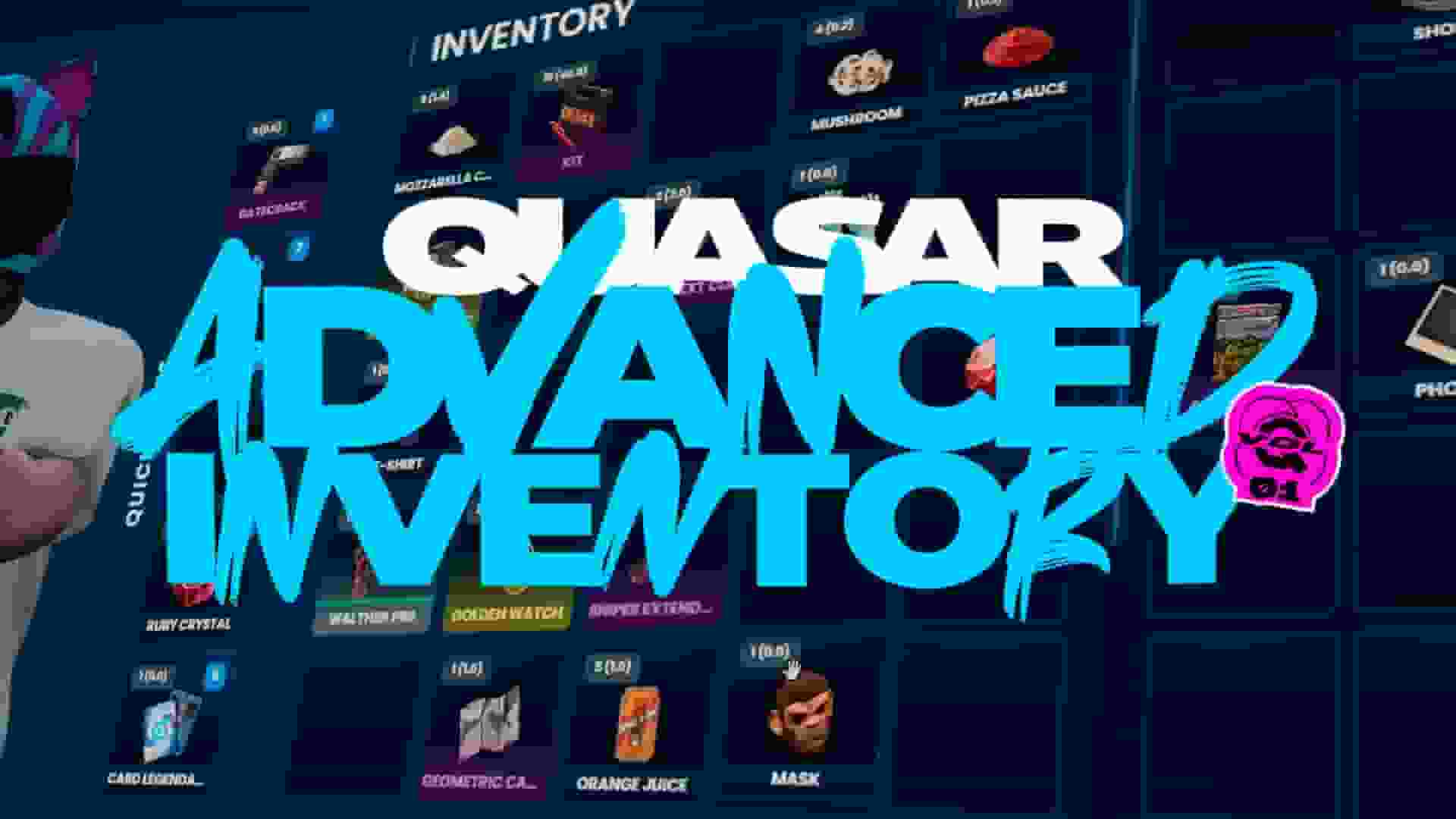
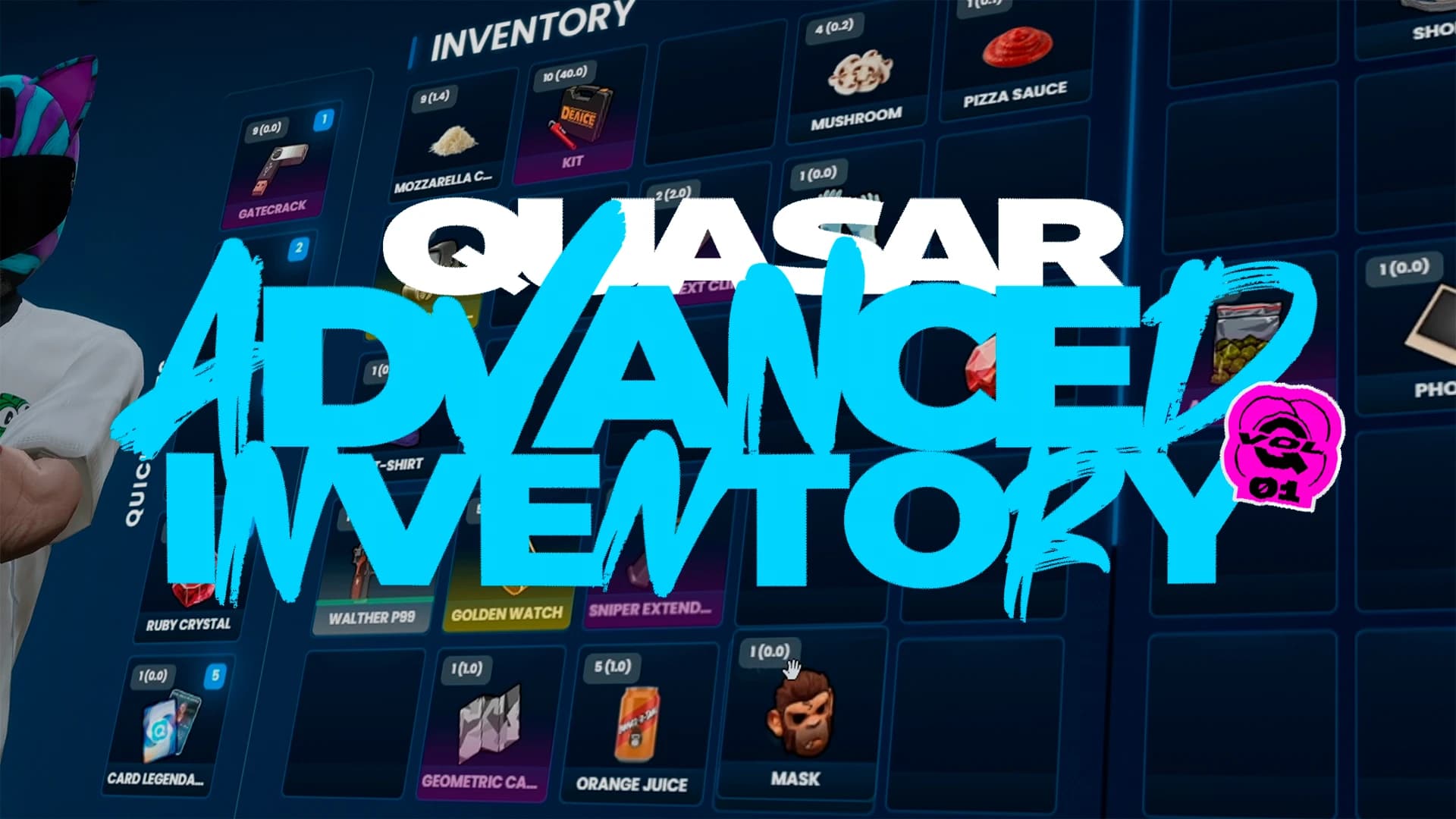
Best FiveM Inventory 2026: Quasar Advanced Inventory 2.0 for ESX, QBCore, QBOX & QB
Discover Quasar Advanced Inventory 2.0, the best FiveM Inventory for ESX, QBCore, QB and QBOX. Explore the Cyberpunk Theme, RPG progression, missions, skill trees, weapon attachments, advanced shops, drag & drop inventory, clothing system, rarity, crafting, DLCs and much more.
If you're searching for the best FiveM inventory for ESX, QBCore, QB, or QBOX, you're probably looking for much more than a simple inventory menu. Modern roleplay communities expect advanced gameplay systems that improve immersion, increase player retention, and provide new mechanics that keep players engaged for hundreds of hours.
That is exactly why Quasar Advanced Inventory 2.0 was created.
Rather than being just another FiveM Inventory Script, Quasar Advanced Inventory is a complete gameplay ecosystem that combines inventory management, RPG progression, missions, character development, advanced shops, weapon customization, Cyberpunk interfaces, clothing systems, vehicle storage, crafting, equipment management, and much more inside one powerful framework.
Whether you're launching a brand-new FiveM server or upgrading an existing community, this inventory has been designed to replace multiple independent resources with one optimized solution that works seamlessly together. Every feature has been built with performance, scalability, immersion, and long-term gameplay in mind, allowing server owners to offer a premium experience without sacrificing stability.
Unlike traditional inventory systems that simply allow players to move items between slots, Quasar Advanced Inventory transforms inventory management into one of the central gameplay mechanics of your roleplay server. Every interaction feels meaningful, every progression system has a purpose, and every interface has been designed to deliver a modern AAA-quality experience inspired by today's biggest RPGs.
◈ Newsletter
Never miss a release
New scripts, breaking changes and server-building guides, straight to your inbox. No spam, ever.
From drag-and-drop mechanics and weapon attachments to RPG progression, customizable skill trees, advanced missions, Cyberpunk themes, integrated shops, equipment systems, clothing management, rarity mechanics, and continuous free updates, Quasar Advanced Inventory is designed to become the foundation of your server's gameplay for years to come.
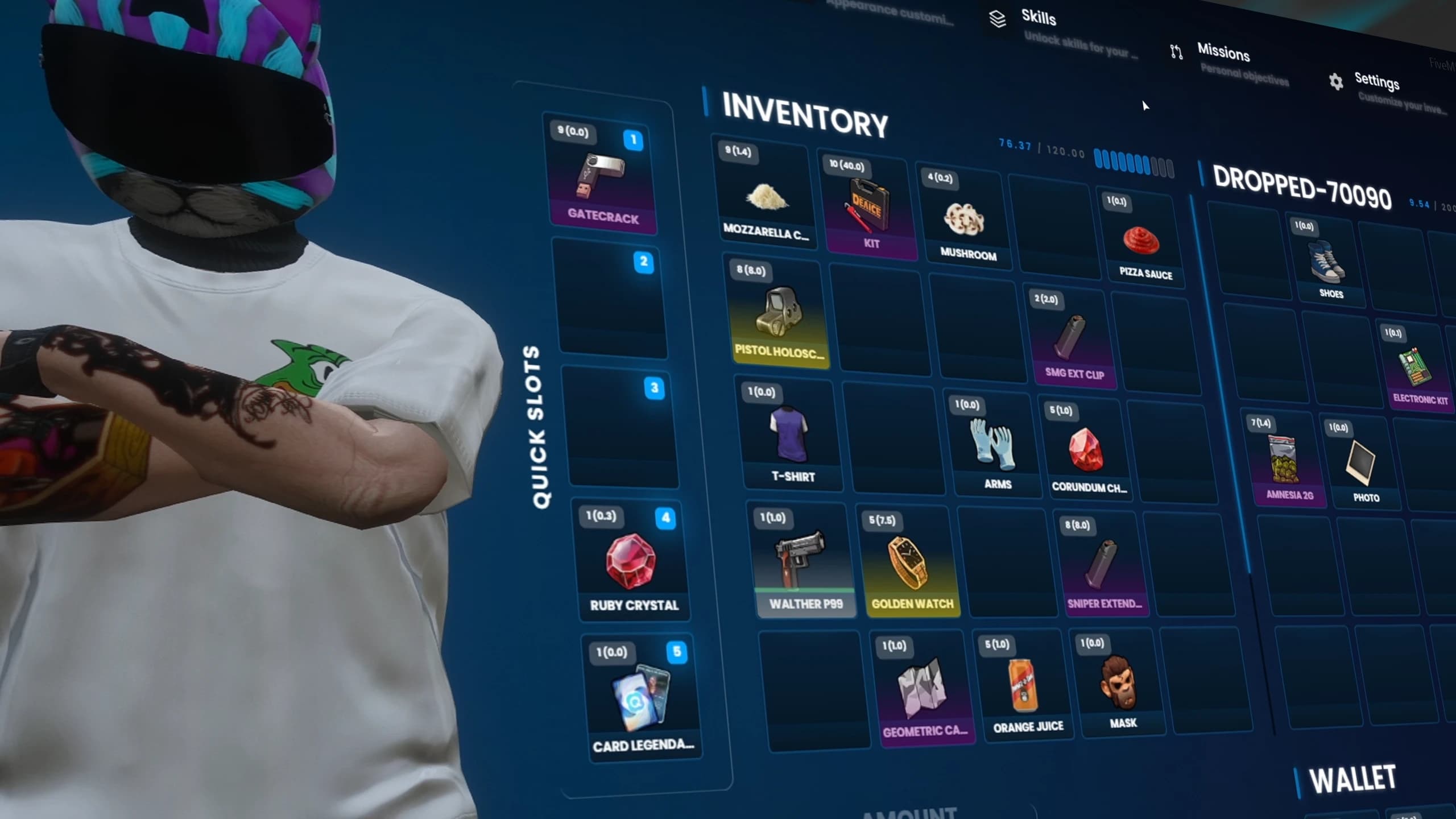
Best FiveM Inventory 2026 for ESX QBCore QBOX with Modern RPG Inventory UI and Cyberpunk Theme
For many years, inventory systems in FiveM barely evolved. Most scripts focused on the same basic functionality: storing items, transferring them between players, and managing vehicle trunks. While these systems worked, they rarely became an important part of the gameplay experience. Players interacted with them only when necessary, and server owners often had to combine multiple independent resources just to achieve the level of immersion modern communities expect.
Players spend hundreds of hours building their character, collecting equipment, progressing through jobs, earning rare rewards, and interacting with other members of the community. Every menu they open should feel polished, modern, and connected to the rest of the server. An outdated inventory immediately breaks immersion, no matter how good the rest of the server may be.
Quasar Advanced Inventory 2.0 was developed to solve that problem from the ground up.
Instead of creating another inventory resource, our objective was to build a complete gameplay platform capable of supporting progression, economy, customization, equipment management, missions, crafting, shops, clothing, and future expansions through one consistent interface.
This philosophy completely changes how players interact with the inventory. Opening it is no longer just a way to move items between slots. It becomes the central place where players manage their character, monitor their progression, customize their equipment, complete objectives, purchase items, organize their belongings, and prepare for their next adventure.
The result is an experience that feels significantly closer to modern AAA RPG games than traditional FiveM inventory systems.
Advanced FiveM Inventory UI for ESX QBCore QBOX with Modern RPG Interface
One of the biggest mistakes made by many inventory resources is trying to solve only one problem.
Store items.
Move items.
Drop items.
Quasar Advanced Inventory approaches the entire concept differently.
The inventory is designed as the foundation of your server. Every major gameplay system naturally connects to it, allowing players to perform almost every important interaction from one unified ecosystem instead of opening countless unrelated interfaces throughout their gameplay session.
Whether a player wants to inspect a weapon, complete a mission, spend skill points, organize clothing, browse shops, equip attachments, check their character progression, customize settings, or manage vehicle storage, every feature follows the same design philosophy and user experience.
This consistency dramatically improves immersion because players don't feel like they're switching between resources developed by different authors. Everything looks like part of the same game.
For server owners, this unified approach also reduces maintenance, simplifies updates, improves compatibility between systems, and makes future expansions significantly easier to implement.
Instead of managing multiple disconnected scripts that often overlap or conflict with one another, administrators can build their community around one ecosystem that continues to evolve with every update.
Best FiveM Inventory Script with Unified RPG Progression Missions Shops and Weapon System
User interfaces have become one of the biggest deciding factors for players when choosing a FiveM server.
A modern server deserves modern interfaces.
Every animation, transition, panel, icon, tooltip, and interaction inside Quasar Advanced Inventory has been redesigned to provide a clean, responsive, and premium experience inspired by today's biggest video games.
The drag-and-drop system feels smooth and natural. Information is displayed exactly where players expect it to be. Equipment, weapons, rarity levels, character progression, missions, and inventory management all share the same visual language, allowing players to understand every feature almost instantly.
Performance has remained equally important throughout development. Despite the enormous number of systems available, the interface has been carefully optimized to remain lightweight and responsive even during long gameplay sessions.
Rather than overwhelming players with unnecessary complexity, Quasar Advanced Inventory presents advanced mechanics through an intuitive design that feels familiar from the very first interaction.
Migrating to a new inventory is one of the biggest decisions any FiveM server owner can make.
An inventory touches almost every aspect of the server, including jobs, economy, crafting, shops, housing, police systems, gangs, weapons, clothing, and countless third-party resources. Compatibility is therefore one of the most important aspects of any inventory solution.
Quasar Advanced Inventory has been developed with this in mind from day one.
Whether your community runs on ESX, QBCore, QB, or QBOX, the inventory provides the same premium experience, allowing server owners to benefit from every feature without sacrificing framework compatibility.
This unified approach also makes future updates considerably easier, ensuring that new gameplay systems, improvements, visual updates, and optimizations can be introduced without fragmenting the experience between different frameworks.
Instead of maintaining different inventories for different server ecosystems, Quasar Advanced Inventory offers one continuously evolving platform capable of powering some of the most ambitious roleplay communities in FiveM.
One of the biggest design goals behind Quasar Advanced Inventory 2.0 was ensuring that every interaction has a purpose.
Opening your inventory should never feel like completing a routine task. It should feel like opening the control center of your character.
Inspecting a weapon reveals valuable information. Organizing equipment prepares you for future encounters. Completing missions rewards meaningful progression. Unlocking new skills changes how your character evolves. Collecting rare items becomes exciting thanks to rarity tiers. Purchasing equipment through integrated shops feels fast, immersive, and rewarding.
Even simple actions such as transferring items, placing objects in the world, equipping attachments, or managing clothing become part of a much larger gameplay loop.
This attention to detail is what separates Quasar Advanced Inventory from traditional inventory systems.
Rather than existing alongside your server, it becomes one of the systems that defines your server.
A Powerful Drag and Drop Inventory Built for Speed and Immersion#
Every player opens their inventory dozens, sometimes hundreds, of times during a single gaming session. Because of that, every interaction must feel effortless.
Quasar Advanced Inventory 2.0 introduces a completely redesigned drag and drop inventory system that focuses on speed, precision, and usability. Instead of forcing players through slow contextual menus or unnecessary confirmation windows, almost every action can be performed naturally with intuitive mouse interactions.
Moving equipment between inventories, transferring items to another player, organizing vehicle trunks, managing personal stashes, equipping weapons, or preparing for a roleplay scenario all become fluid actions that take only a few seconds.
The interface has been carefully optimized to minimize unnecessary clicks while still providing access to advanced functionality whenever players need it. This makes the inventory approachable for new players while remaining incredibly efficient for experienced communities that spend hours interacting with complex gameplay systems.
Unlike many traditional FiveM inventory resources, the experience never feels clunky or outdated. Every movement is responsive, every transition feels smooth, and every interaction has been designed to keep players immersed in the game rather than fighting against the interface.
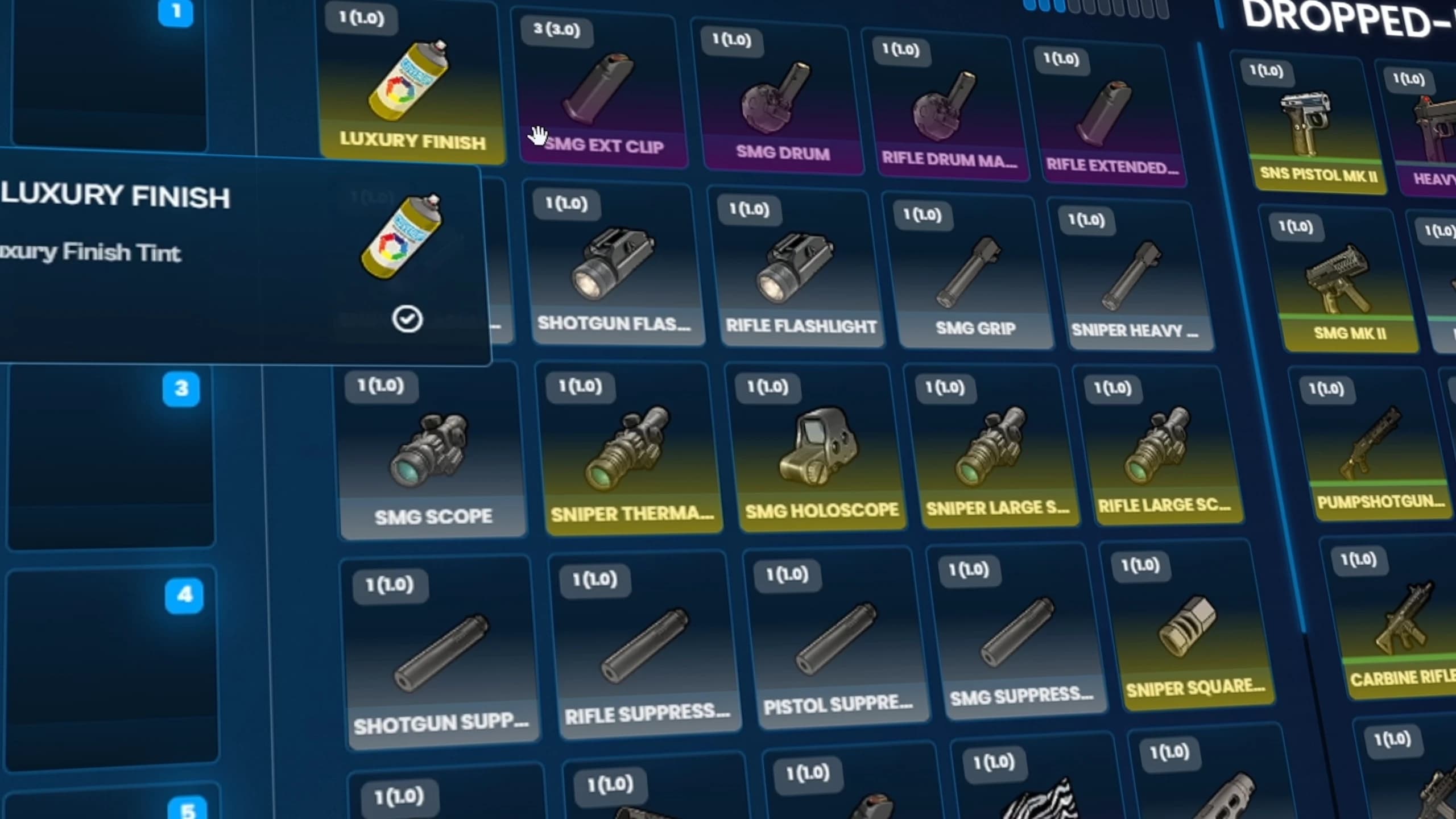
FiveM Drag and Drop Inventory System for ESX QBCore QBOX with Modern UI
Advanced Item Information That Gives Every Object a Purpose#
In many inventory systems, every item looks almost identical. A weapon is simply another icon. A medical kit provides little information. Valuable equipment often appears no different from basic consumables.
Quasar Advanced Inventory changes that completely.
Every item can present detailed information directly inside the inventory, allowing players to quickly understand its value, properties, description, rarity, and gameplay purpose without opening additional menus or searching through documentation.
This richer presentation transforms the inventory into an informative interface rather than a simple storage grid. Players spend less time guessing what an item does and more time interacting with the mechanics that make your server unique.
For server owners, this also opens the door to creating richer economies, custom items, exclusive rewards, collectible equipment, and unique progression systems that immediately communicate their importance to players.
When every object tells its own story, collecting loot becomes significantly more rewarding.
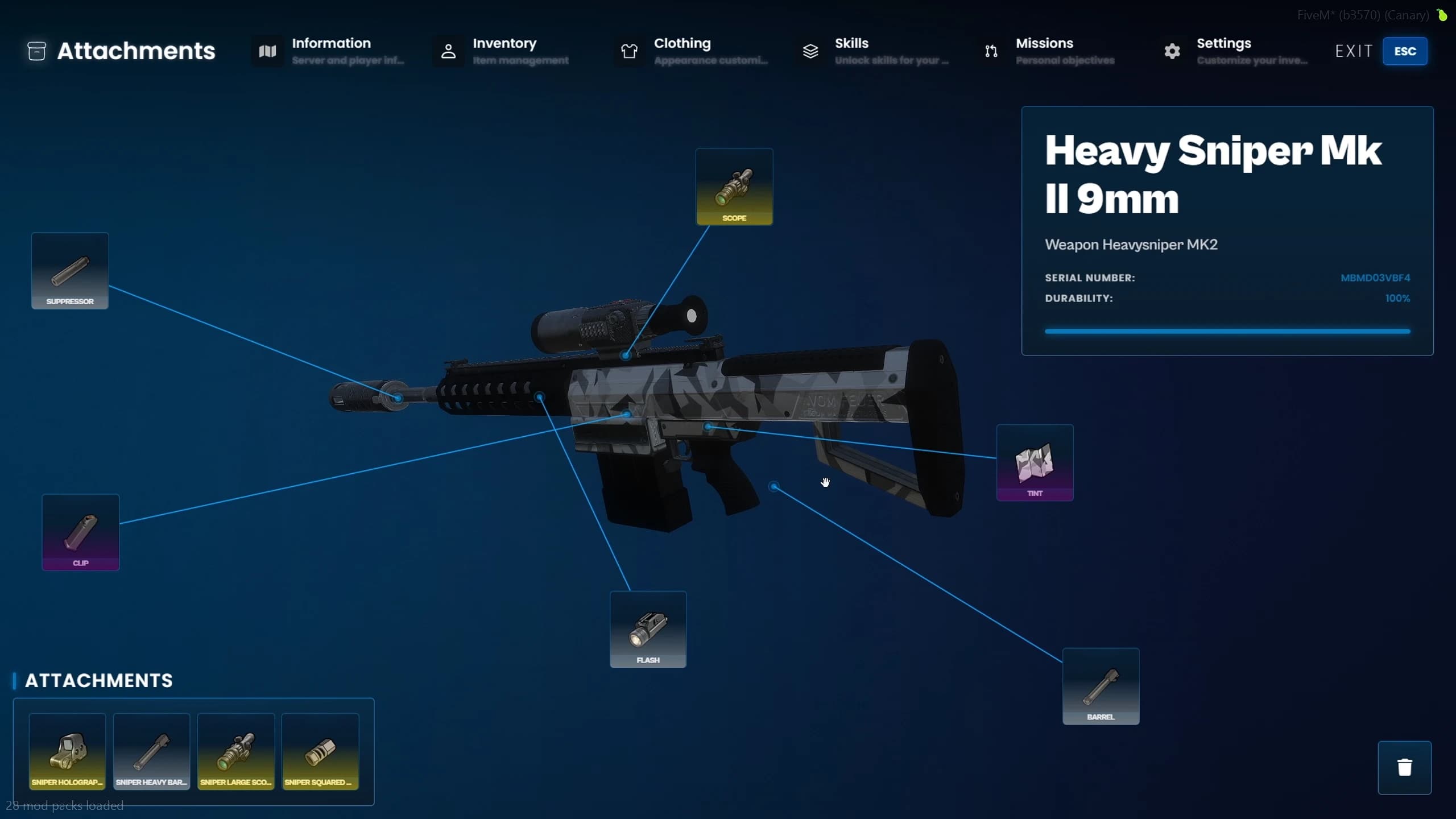
Weapon Management Designed for Serious Roleplay Servers#
Weapons are among the most valuable assets players own on almost every FiveM server. Managing them should feel considerably more advanced than simply dragging an icon between inventory slots.
Quasar Advanced Inventory introduces a dedicated weapon management experience where players can inspect their equipment in detail before making important decisions.
Instead of displaying only a weapon name, the interface provides a clean overview that allows players to better understand the equipment they are carrying and how it fits into their current playstyle.
This creates a much stronger connection between the player and their equipment, making weapon progression feel meaningful instead of disposable.
Whether your community focuses on realistic law enforcement, gang roleplay, military experiences, survival gameplay, or competitive combat, weapon management becomes one of the strongest pillars of the overall gameplay experience.
Advanced FiveM Weapon Inventory with Detailed Weapon Information ESX QBCore
No two players should be forced into exactly the same progression path.
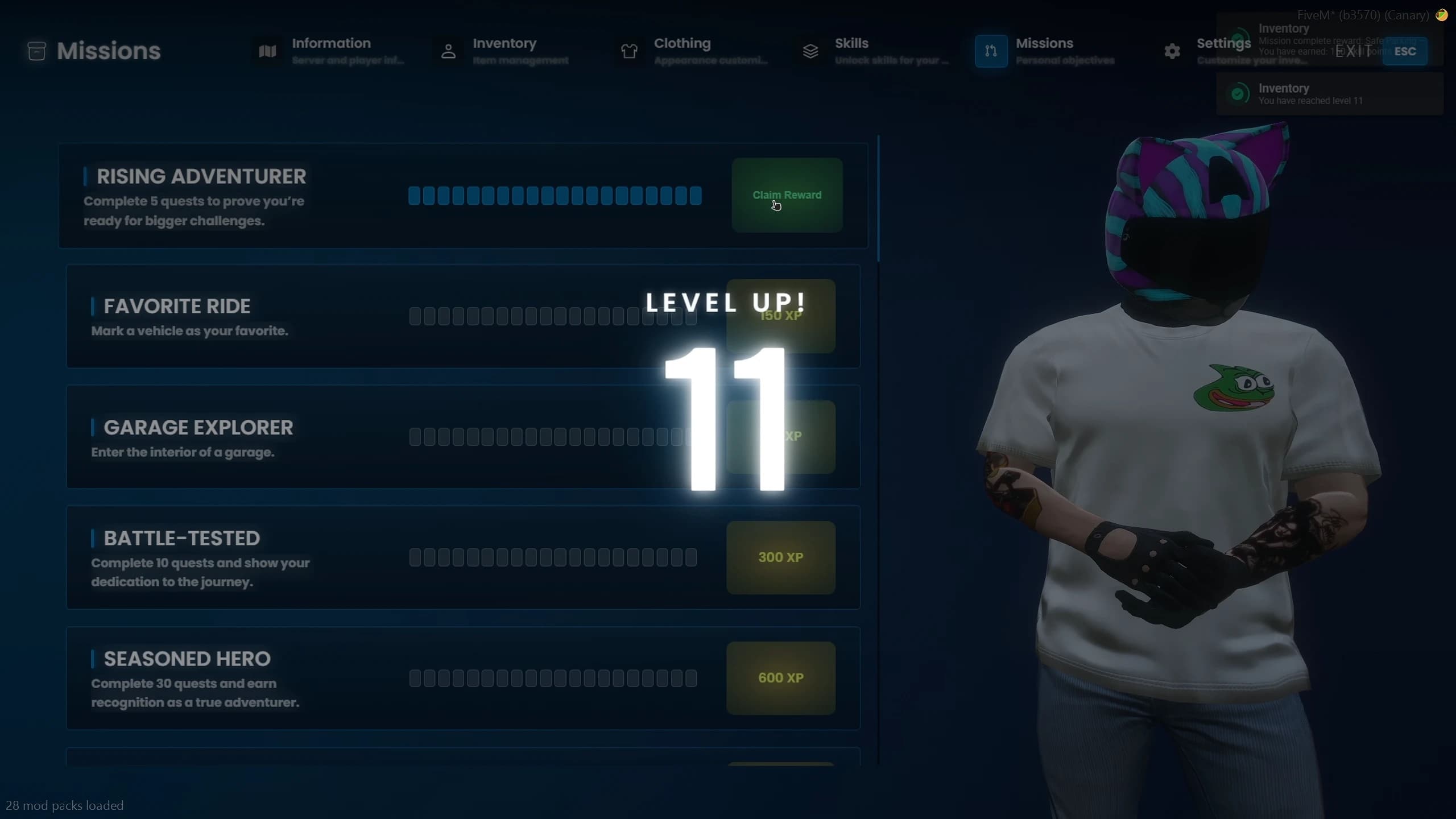
The integrated Skill Tree system allows server owners to create meaningful specialization by rewarding players with skill points that can be invested into different areas of gameplay.
Instead of simply increasing numerical statistics behind the scenes, progression becomes something players actively participate in.
Every decision feels important.
Every unlocked ability reflects the way a player chooses to experience the server.
Some communities may reward economic progression, while others may focus on survival mechanics, criminal organizations, emergency services, crafting, or completely custom gameplay systems.
Because the Skill Tree is integrated directly into the inventory ecosystem, progression feels like a natural extension of everyday gameplay instead of an isolated feature disconnected from the rest of the server.
This is one of the systems that transforms Quasar Advanced Inventory from a traditional inventory script into a complete roleplay platform capable of supporting long-term player engagement.
FiveM RPG Progression System with Character Levels Rank System and Experience]
An Optional Cyberpunk Theme That Completely Transforms the Experience#
One of the biggest highlights of Quasar Advanced Inventory 2.0 is the introduction of a brand-new Cyberpunk Theme, designed for server owners who want a futuristic, high-tech visual identity without sacrificing functionality.
Unlike many interface overhauls that replace the original design entirely, the Cyberpunk Theme is completely optional.
Server owners remain in full control of the experience. Communities that prefer a clean and modern roleplay interface can continue using the default inventory, while servers inspired by futuristic cities, sci-fi environments, Cyberpunk aesthetics, or highly stylized roleplay can instantly enable the new visual experience.
This flexibility allows Quasar Advanced Inventory to adapt to virtually any type of FiveM server rather than forcing a single artistic direction.
FiveM Cyberpunk Inventory Theme with Futuristic UI for ESX QBCore QBOX]
The Same Powerful Features, Completely Reimagined#
The Cyberpunk Theme is far more than a simple recolor.
Every major section of the inventory has been redesigned to create a premium futuristic experience inspired by modern AAA games. Menus feel sharper, information becomes easier to identify, and the overall presentation delivers a completely different atmosphere while maintaining the same powerful mechanics underneath.
Players immediately recognize that they are using the exact same inventory system they already know, but presented through a completely new visual language that emphasizes technology, neon styling, and futuristic interface design.
This means there is no learning curve when switching between themes. Every feature remains exactly where players expect it to be, allowing them to enjoy a fresh visual experience without having to relearn how the inventory works.
Some communities aim for realistic law enforcement roleplay. Others focus on survival, gangs, racing, or immersive city life. Increasingly, many servers are embracing futuristic environments inspired by Cyberpunk, science fiction, and next-generation RPG games.
Quasar Advanced Inventory allows those communities to reinforce their identity through a professional interface that matches the atmosphere of the server itself.
Instead of relying on generic inventory menus that look identical across hundreds of servers, administrators can provide players with a unique experience that immediately stands out from the moment the inventory is opened.
For communities investing heavily in custom maps, lighting, vehicles, clothing, and futuristic assets, the Cyberpunk Theme becomes the perfect complement to complete that visual ecosystem.
Best Cyberpunk UI for FiveM Inventory Script with Modern Futuristic Design]
The Cyberpunk Theme doesn't stop at the main inventory screen.
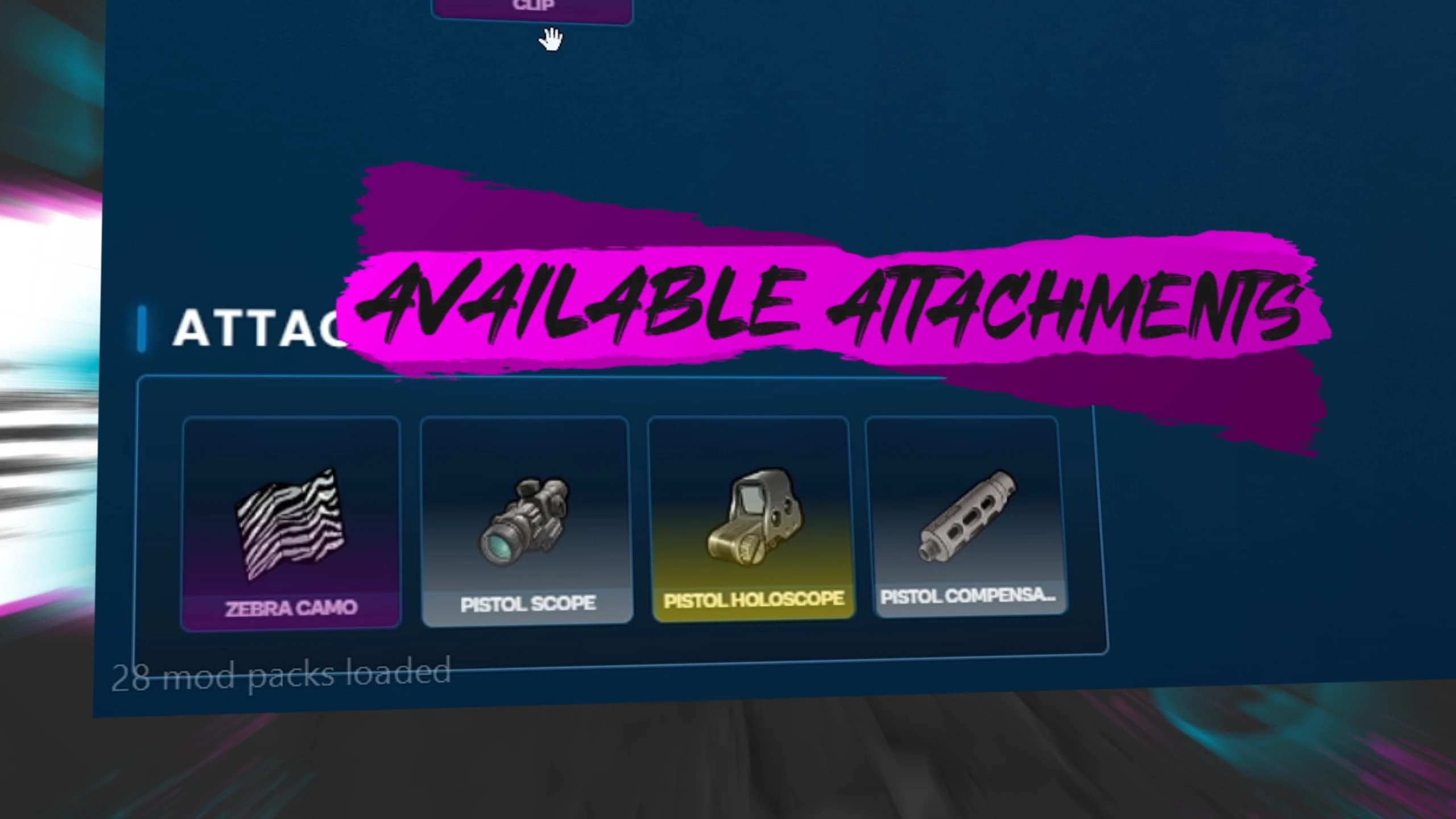
The visual overhaul extends across the entire ecosystem, creating a consistent experience from beginning to end. Character progression, missions, shops, skill trees, clothing management, equipment, weapon information, attachment menus, settings, the hotbar, pause menu, and multiple interface components have all been redesigned to match the futuristic aesthetic.
Because every menu follows the same design philosophy, players experience a seamless interface regardless of which feature they are using.
This attention to detail is what transforms the Cyberpunk Theme from a cosmetic option into a complete visual redesign of the entire inventory ecosystem.
Perhaps the greatest advantage of the Cyberpunk Theme is that visual customization never comes at the expense of gameplay.
Every mechanic available in the default inventory remains fully functional when using the Cyberpunk interface. Players continue to enjoy advanced drag-and-drop interactions, RPG progression, missions, skill trees, weapon attachments, rarity systems, advanced shops, clothing management, vehicle storage, and every other feature available within Quasar Advanced Inventory.
The only thing that changes is the visual presentation.
This gives server owners complete freedom to choose the appearance that best fits their community while keeping access to one of the most advanced FiveM inventory systems ever developed.
Cyberpunk FiveM Inventory Theme with RPG Progression Skill Tree Missions and Advanced UI]
Explore Every Feature Through Our Video Collection#
Reading about Quasar Advanced Inventory 2.0 is only the beginning. While this article explains the philosophy behind the system and highlights its most important features, nothing compares to seeing every mechanic working in real gameplay.
To help server owners explore the ecosystem in greater detail, we've created a growing collection of videos covering individual systems, updates, tutorials, showcases, and feature demonstrations.
Whether you're interested in the RPG progression system, Cyberpunk Theme, Advanced Shops, Skill Trees, Weapon Attachments, Clothing Inventory, or the drag-and-drop interface, our video library lets you experience every feature before adding it to your server.
These videos also showcase real performance, interface animations, gameplay flow, and the overall player experience, making it easier to understand why Quasar Advanced Inventory has become one of the most complete inventory systems available for FiveM.
Our YouTube Shorts highlight individual features in under a minute, making it easy to discover everything Quasar Advanced Inventory has to offer.
From futuristic Cyberpunk interfaces and advanced drag-and-drop mechanics to weapon attachments, RPG progression, clothing systems, advanced shops, missions, rarity tiers, and quality-of-life improvements, every Short focuses on a specific feature so you can quickly understand how it works.
We're constantly publishing new Shorts as the inventory continues to grow with updates, improvements, free DLCs, and entirely new gameplay systems.
If you want to stay up to date with the latest features, upcoming releases, and development progress, don't forget to subscribe to our YouTube channel.
If you'd like to see everything Quasar Advanced Inventory 2.0 has to offer, the official showcase covers the complete ecosystem from beginning to end.
Throughout the video you'll discover the advanced inventory interface, drag-and-drop mechanics, weapon management, RPG progression, missions, skill trees, Cyberpunk Theme, advanced shops, crafting, clothing inventory, vehicle storage, free DLCs, customization options, and many other systems that make Quasar Advanced Inventory one of the most advanced FiveM inventory solutions available today.
Whether you're comparing inventory resources for your next FiveM server or simply looking for inspiration to improve your current community, this showcase provides the most complete overview of the project.
The best FiveM arcade script for QBCore, ESX and QBox. Build your own arcade business with playable native GTA V arcade machines, multiplayer minigames, leaderboards, RGB upgrades and a basement garage.
Quasar Direct October 2026: Every New FiveM Script, Recap and Release
Full recap of Quasar Direct October 2026: Arcade Creator, Clothing, Tattoo and Weapon Skin Creators with AI, Backrooms 2.0, Smartphone update, free FiveM tools and more.
How to Use Quasar MLO Creator: Complete FiveM In-Game Mapping Guide
A complete, step-by-step guide to Quasar MLO Creator: open the studio, learn the controls, build an interior from scratch, furnish it, place ymaps, cut Rockstar's sealed doors and push it all live with no server restart. Every tool, every key and every mistake to avoid, in a single guide.





![FiveM RPG Progression System with Character Levels Rank System and Experience]](/_next/image?url=https%3A%2F%2Fcdn.quasar-store.com%2Fblog%2Fbody%2F2ee6ff090658689a81cd.webp&w=3840&q=75)
![FiveM Cyberpunk Inventory Theme with Futuristic UI for ESX QBCore QBOX]](/_next/image?url=https%3A%2F%2Fcdn.quasar-store.com%2Fblog%2Fbody%2Ffcf42e983122a7c6b470.webp&w=3840&q=75)
![Best Cyberpunk UI for FiveM Inventory Script with Modern Futuristic Design]](/_next/image?url=https%3A%2F%2Fcdn.quasar-store.com%2Fblog%2Fbody%2F24c70275d568fcc6df76.webp&w=3840&q=75)
![Cyberpunk FiveM Inventory Theme with RPG Progression Skill Tree Missions and Advanced UI]](/_next/image?url=https%3A%2F%2Fcdn.quasar-store.com%2Fblog%2Fbody%2Faef1e2779fc7e93504ff.webp&w=3840&q=75)